Audio Visual Maintenance
July 20, 2026
arrow up right

Commercial AV Maintenance Checklist | Sydney Facility Guide

Technician providing commercial AV support and preventative maintenance in Sydney
Commercial AV Maintenance Guide

Commercial AV Preventative Maintenance Checklist

A practical guide for facility managers, IT teams and workplace technology owners responsible for meeting rooms, displays, conferencing systems, professional audio and connected AV infrastructure.

Written for Facility managers and IT teams
Primary focus Preventative AV maintenance
Service area Sydney and New South Wales
Lifecycle model Inspect · Test · Support · Plan
Maintain the complete system

What is commercial AV preventative maintenance?

Preventative maintenance is the planned inspection, testing and documentation of installed audio visual systems before an equipment fault causes avoidable disruption.

Move beyond reactive break-fix support.

Reactive support begins after a user reports that something has failed. Preventative maintenance reviews system condition while the equipment is still operating, helping facility teams identify loose connections, ageing equipment, configuration risks and recurring faults earlier.

The maintenance scope should consider the complete environment: displays, cameras, microphones, loudspeakers, control processors, touch panels, equipment racks, cabling, network connections, firmware, software and documentation.

Organisations with several meeting rooms or business-critical collaboration spaces may also benefit from managed AV support that combines preventative maintenance with help-desk support, remote diagnostics and onsite escalation.

Maintenance should test the room as a working environment—not simply confirm that individual devices have power.
A connected maintenance process

Reliable AV depends on more than repairing failed equipment.

A complete maintenance programme should inspect the physical installation, test the real user workflow, monitor suitable connected systems and plan the next stage of the technology lifecycle.

  • 01 Inspect equipment, cabling, ventilation and physical condition.
  • 02 Test displays, cameras, microphones, controls and complete calls.
  • 03 Monitor compatible connected systems and investigate alerts.
  • 04 Plan repairs, standardisation, updates and future replacement.
Checklist · Part one

Start with the assets, installation and physical condition.

The first stage creates an accurate picture of what is installed, where it is located and whether there are visible conditions that may affect reliability or safety.

01

Review the AV asset register

Confirm that the equipment record matches the technology installed in each room or operational area.

  • Site, building and room identification
  • Manufacturer, model and serial number
  • Installation date and warranty status
  • Firmware or software version
  • Network details where appropriate
  • Service history and replacement status
02

Inspect equipment for physical damage

Record signs of movement, deterioration or damage even when the system appears to remain operational.

  • Loose display, camera or loudspeaker mounts
  • Damaged wall plates and table-box connections
  • Crushed, exposed or frayed cables
  • Damaged connectors and microphone mounts
  • Unusual fan noise, heat or moisture
  • Equipment moved from documented positions
03

Clean equipment and ventilation

Dust and restricted airflow can affect cameras, projection, touchscreen visibility and equipment cooling.

  • Commercial displays and touch panels
  • Camera and projector lenses
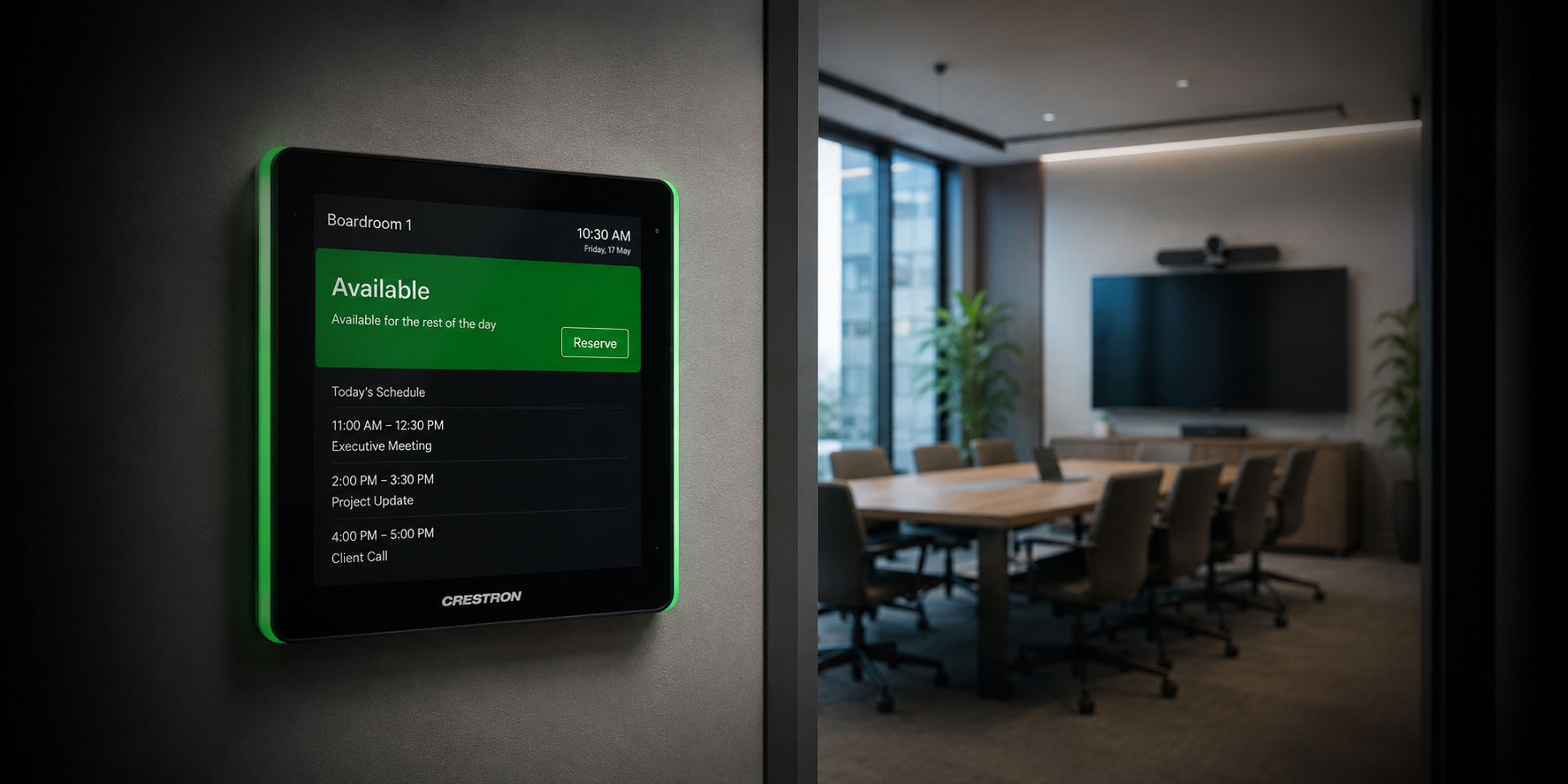
  • Room-booking panels
  • Equipment-rack ventilation
  • Projector filters where applicable
  • Accessible equipment air intakes
04

Test displays and projectors

Use the normal room sources and control interface rather than testing the display in isolation.

  • Power-on and shutdown behaviour
  • Source selection and image stability
  • Brightness, focus and alignment
  • Projection-screen operation
  • Control-system response
  • Audio following the selected source
Electrical hazards, damaged power infrastructure and unsafe mounting conditions should be assessed by appropriately qualified personnel. Masters Voice Technology can coordinate licensed electrical services, communications cabling and commercial AV work through one delivery pathway.
Checklist · Part two

Test how people actually use the AV system.

Individual equipment may appear healthy while the complete meeting, presentation or conferencing workflow is failing. Test every room from the user’s perspective.

05 · CAMERA

Test video-conferencing cameras

Confirm camera detection and coverage through the conferencing platform used in the room.

  • Image quality and field of view
  • Pan, tilt, zoom and presets
  • Automatic framing or speaker tracking
  • USB or network connectivity
  • Furniture changes affecting coverage
06 · AUDIO

Test microphones and loudspeakers

Speak from normal seating and presentation positions rather than tapping the microphones.

  • Speech clarity and consistent pickup
  • Mute controls and indicators
  • Wireless microphone batteries
  • Echo cancellation and remote audio
  • Hum, distortion and uneven levels
Explore Dante audio networking →
07 · CALL

Complete a real test call

Local equipment tests do not confirm that the entire collaboration workflow is operating.

  • One-touch meeting join
  • Camera and microphone transmission
  • Remote participant audio
  • Content sharing in both directions
  • Call ending and room reset
08 · INPUTS

Test presentation connections

Inspect and test every connection that users are expected to access.

  • HDMI and USB-C
  • Wireless presentation
  • USB conferencing
  • Lectern, table-box and floor-box inputs
  • Frequently used adapters and fly leads
09 · CONTROL

Test touch panels and automation

Operate the room in the same sequence followed by a presenter, employee, teacher or venue operator.

  • System start-up and shutdown
  • Source, volume and camera control
  • Lighting and blinds where integrated
  • Room-combine functions
  • Help buttons and support information
Explore Q-SYS integration →
Checklist · Technical infrastructure

Inspect the systems behind the room.

Equipment racks, firmware, networks and remote-management platforms can affect every device connected to the room. They should form part of the maintenance scope rather than being treated as separate issues.

Inspect the AV equipment rack

Review temperature, ventilation, mounting, power distribution, labelling, network status and evidence of undocumented changes.

Control processor Audio DSP Network switch Video distribution Amplification Power and UPS
10 · Review firmware and software

Confirm versions, review compatibility, back up configurations, establish a maintenance window and test the full system after an approved update.

11 · Confirm network connectivity

Check required devices, IP addresses, switch connections, service accounts, time settings and recent network changes with the organisation’s IT team.

Explore AV over IP systems →
12 · Check remote monitoring

Confirm that expected systems appear online, alerts reach the correct people, support contacts are current and monitoring licences remain active.

Explore Q-SYS Reflect support →
13 · Verify power and cabling

Inspect rack power, device supplies, UPS status, patch leads, structured cabling and connection labelling without disconnecting operational equipment unnecessarily.

Explore communications services →
Checklist · Records and lifecycle

Turn every maintenance visit into better system knowledge.

Maintenance should improve documentation, identify recurring issues and help the organisation decide which equipment should be repaired, standardised or replaced.

14 · BACK UP

Protect configurations

Store current DSP, control, touch-panel, network and device configuration files in a controlled location.

15 · ANALYSE

Review recurring faults

Look for patterns involving the same room, device, cable, user workflow or network change.

16 · TRAIN

Update user guidance

Ensure instructions reflect the installed system and explain the real meeting or presentation workflow.

17 · PLAN

Flag end-of-life equipment

Consider support status, compatibility, failure history, parts availability and operational importance.

Documentation to retain

  • AV schematics and equipment schedules
  • Rack elevations and cable schedules
  • Control and DSP programme files
  • Network and device settings
  • Commissioning and service reports
  • Warranty and firmware information
Set the maintenance interval

How often should commercial AV systems be maintained?

There is no single interval suitable for every room. Maintenance frequency should reflect usage, system complexity, operational importance, environmental conditions, equipment age and fault history.

Room usage Business impact System complexity Equipment age Environmental conditions Previous faults Remote visibility Manufacturer requirements
Before important use

Routine user checks

Simple checks completed before an important meeting, event, presentation or public proceeding.

Agreed intervals

Technical inspections

Detailed equipment, performance, cabling and workflow testing by an AV technician.

Where compatible

Remote monitoring

Ongoing visibility of connected processors, endpoints, system warnings and offline devices.

Planned review

Lifecycle assessment

Review warranties, support status, recurring faults, standardisation and replacement priorities.

High-use executive rooms, school halls, council chambers, hearing rooms and venue systems may justify more frequent technical checks than smaller, low-use presentation spaces.

Compare managed support →
Make the results actionable

What should an AV maintenance report include?

A useful report should explain what was tested, what was corrected, which risks remain and what the facility team needs to do next.

Example maintenance summary

Room 4.01 Display, camera, microphones and Teams call tested Pass
Boardroom Damaged USB-C presentation cable identified Action
Training 2 DSP and control configurations backed up Pass
Rack A Ventilation obstructed by undocumented equipment Action
Lifecycle Two displays flagged for future replacement planning Plan
Protect the technology lifecycle

Preventative maintenance supports more reliable AV operation.

The objective is not simply to inspect equipment. It is to keep the complete room or system ready for the people and operations that depend on it.

Detect faults earlier

Identify developing issues before they become major disruptions.

Improve asset visibility

Maintain clearer equipment, warranty and service records.

Support internal teams

Give facilities and IT a defined technical escalation pathway.

Protect configurations

Retain current control, DSP and system configuration backups.

Plan replacements

Prioritise ageing or unsupported equipment before failure.

Standardise operation

Create more consistent room performance across several sites.

Sydney service

Local AV support

Commercial AV maintenance and onsite support across Greater Sydney.

Sydney AV services →

See how Masters Voice Technology provides remote monitoring, help-desk support, onsite service and structured reporting across a national digital-signage network.

View the MediaI case study →
Frequently asked questions

Commercial AV preventative maintenance FAQs

Practical answers for facility managers, IT teams and organisations responsible for existing commercial audio visual systems.

What is included in an AV preventative maintenance visit?

A visit may include equipment inspection, cleaning, display and projector testing, microphone and loudspeaker checks, video-conferencing tests, control-system verification, connection testing, rack inspection, firmware review, documentation updates and lifecycle recommendations.

Can Masters Voice maintain a system installed by another integrator?

Suitable existing systems can often be maintained after an initial assessment confirms equipment condition, system access, documentation, support status and any immediate reliability or safety concerns.

Does AV maintenance include firmware updates?

Firmware can be reviewed during maintenance, but updates should be planned where they could affect device compatibility or room availability. Backups, release-note review and complete post-update testing should form part of the process.

Can commercial meeting rooms be monitored remotely?

Compatible connected systems can support remote monitoring of processors, endpoints, device status and system warnings. The available visibility depends on the installed equipment, network access and monitoring platform.

How often should commercial AV systems be inspected?

The interval should reflect system complexity, usage, equipment age, environment, operational importance and previous fault history. Critical and heavily used rooms may justify more frequent technical inspections.

How do we decide whether equipment should be repaired or replaced?

Consider repair cost, fault frequency, age, warranty, manufacturer support, compatibility, spare-part availability and the operational impact of another failure.

Do low-use meeting rooms still require maintenance?

Yes. Low-use rooms can develop unnoticed faults involving batteries, cables, accounts, software, network connections or removed adapters and may only be tested immediately before an important meeting.

Can preventative maintenance eliminate every AV failure?

No maintenance programme can prevent every failure. It can improve system visibility, identify developing risks, protect configurations and create a more organised pathway for response, repair and replacement.

How can we arrange a commercial AV maintenance assessment?

Provide Masters Voice Technology with the site locations, number of rooms, installed platforms, current faults and available documentation. The team can review the environment and recommend an appropriate inspection or managed-support model.

Commercial AV maintenance Sydney

Understand the condition of your AV systems before the next failure.

Masters Voice Technology can inspect existing meeting rooms, conferencing systems, displays, professional audio, control systems, networked AV and supporting equipment infrastructure across Sydney and New South Wales.