
Familiar Teams operation
Staff needed a consistent conferencing experience across meeting rooms of different sizes.

Flexible Workplace AV
Microsoft Teams meeting rooms, divisible training spaces, intelligent room combining, professional ceiling audio and simple control brought together in one workplace AV platform designed to adapt as the space changes.
The Project
British American Tobacco Australia required a coordinated audiovisual environment for its Parramatta workplace, supporting everyday Microsoft Teams meetings, staff presentations and larger training sessions.
The project incorporated a ten-seat dual-display meeting room, a compact six-seat meeting room and two adjoining training rooms separated by an operable wall.
The challenge was not simply connecting displays and cameras. The training spaces needed to recognise whether they were being used independently or as one larger room and automatically adjust audio, video, camera and control behaviour to suit.
Room 01 · Ten Seats
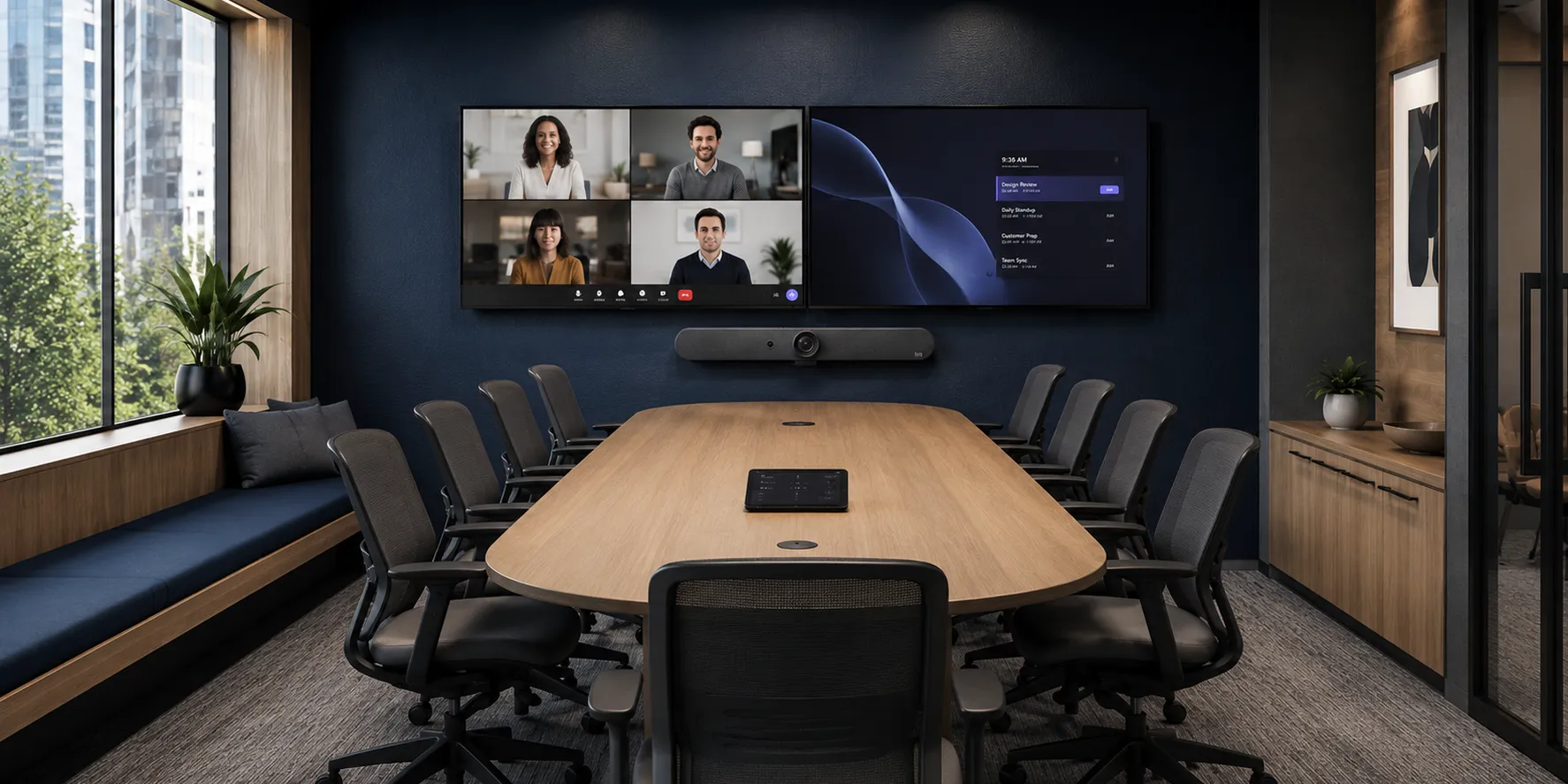
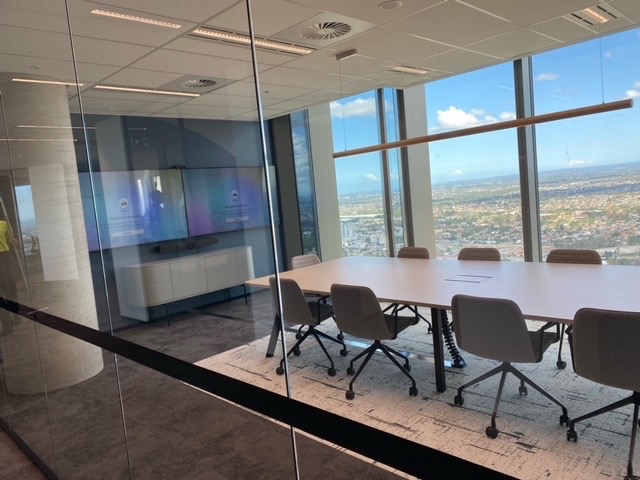
The larger meeting space uses dual commercial displays with a Logitech Rally Bar providing integrated camera, microphone and loudspeaker functionality for video meetings.
A wall-mounted whiteboard supports face-to-face planning and collaboration, while table and display-wall network connections support the client-supplied Teams computer and Logitech Tap controller.
The result is a clean, repeatable room experience that allows users to focus on the meeting rather than the underlying equipment.
Room 02 · Six Seats
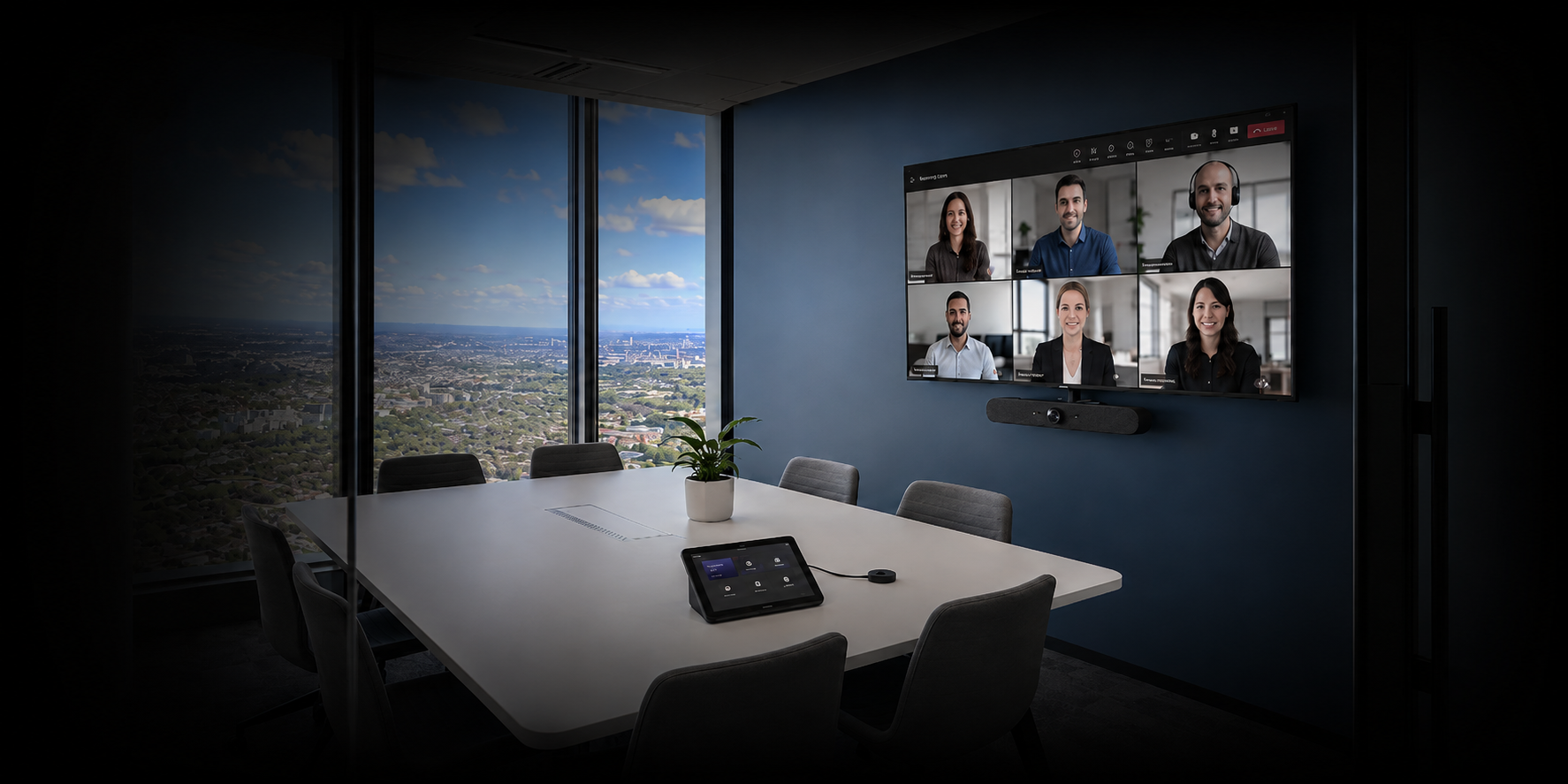
The six-seat meeting room uses a single commercial display and Logitech Rally Bar Mini to create a more compact conferencing environment.
Staff continue to operate the room through the familiar Logitech Tap interface, keeping the meeting experience consistent when moving between spaces.
Matching the conferencing platform to the room size avoids unnecessary complexity while preserving a common user experience across the workplace.
Rooms 03 + 04 · Training
The most technically significant part of the project was enabling the adjoining training spaces to change configuration without asking staff to manually rebuild the AV workflow.
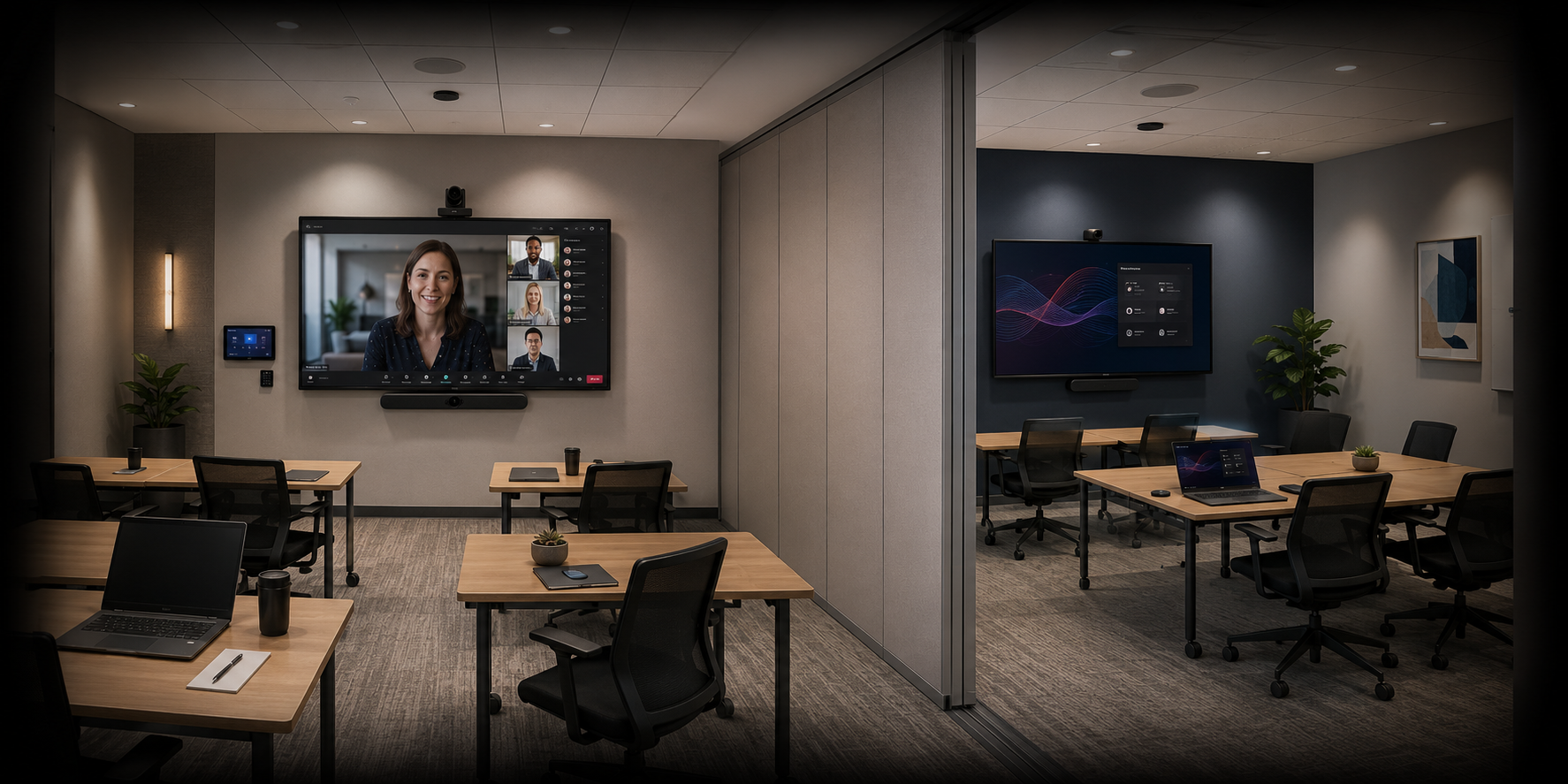
With the operable wall closed, both spaces can operate at the same time. The primary room supports meetings, presentations and presenter camera control, while the secondary room provides local wireless presentation.
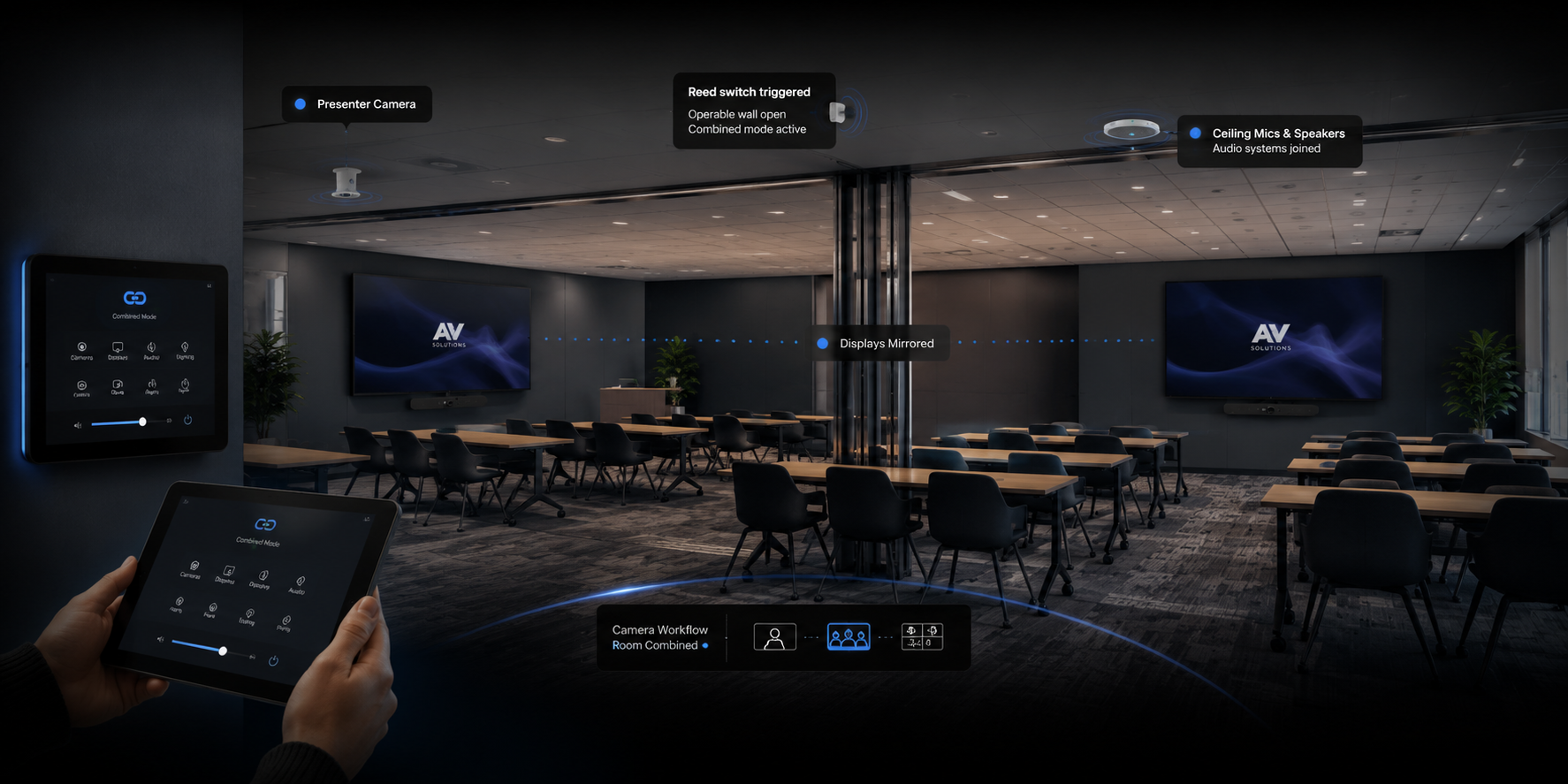
Opening the operable wall triggers the room-combine workflow. Audio joins, displays coordinate and the available camera controls change to suit the larger training configuration.
Room Automation
A reed switch detects the position of the operable wall and communicates that state to the Q-SYS control system.
When the wall opens, Q-SYS automatically changes the operating mode of the training environment. Audio can function as a coordinated system, the secondary display follows the required content and the user interface exposes the appropriate camera controls.
When the wall closes again, the spaces return to independent operation.
Teams · presentation · camera control
Display · audio · wireless presentation
Detects whether the operable wall is open or closed.
Changes the programmed room configuration automatically.
Audio, displays, cameras and controls follow the required mode.
Technology Platform
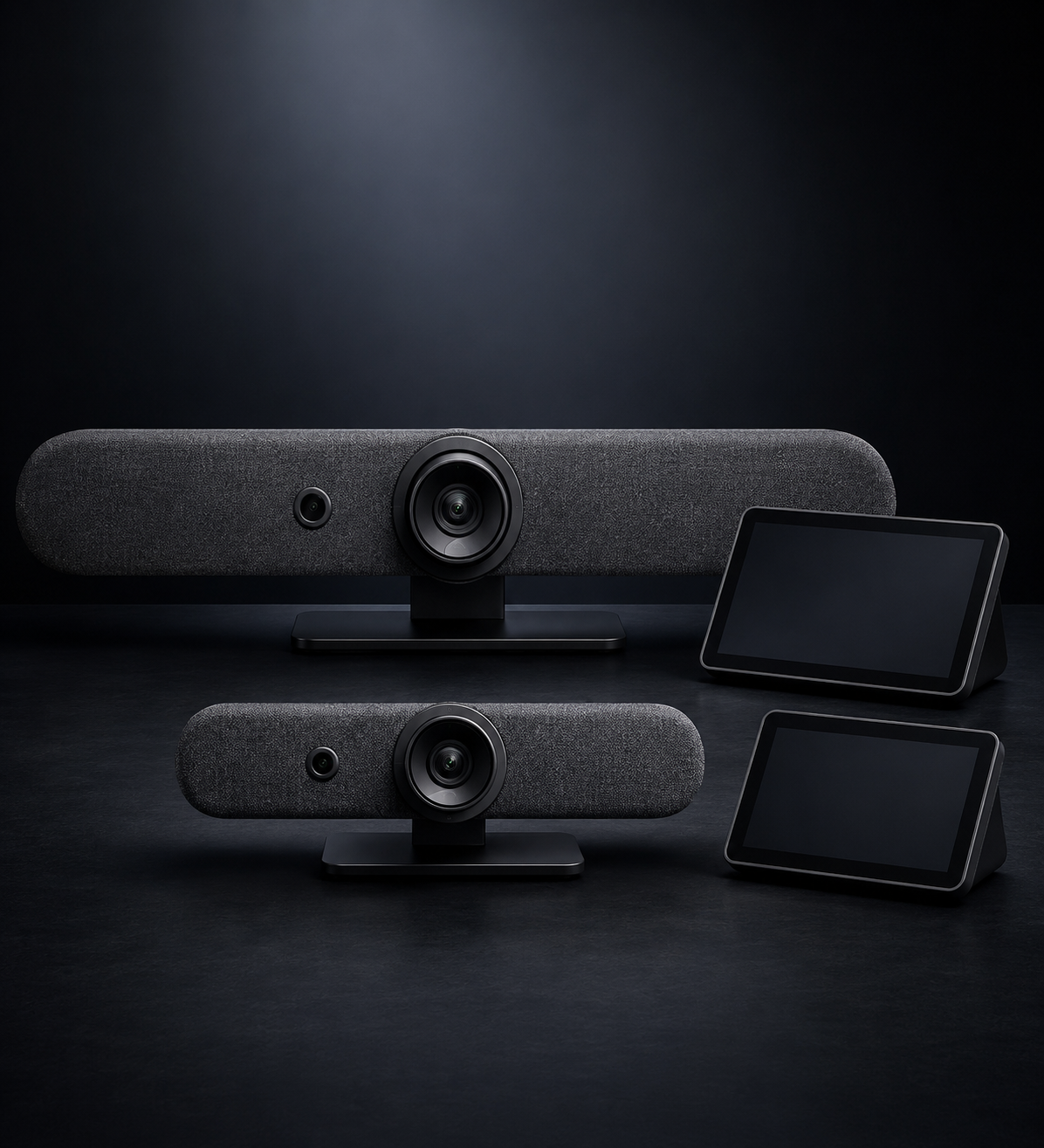
Rally Bar supports the larger meeting room while Rally Bar Mini provides a compact video collaboration solution for the six-seat room.
Logitech + Microsoft solutions ↗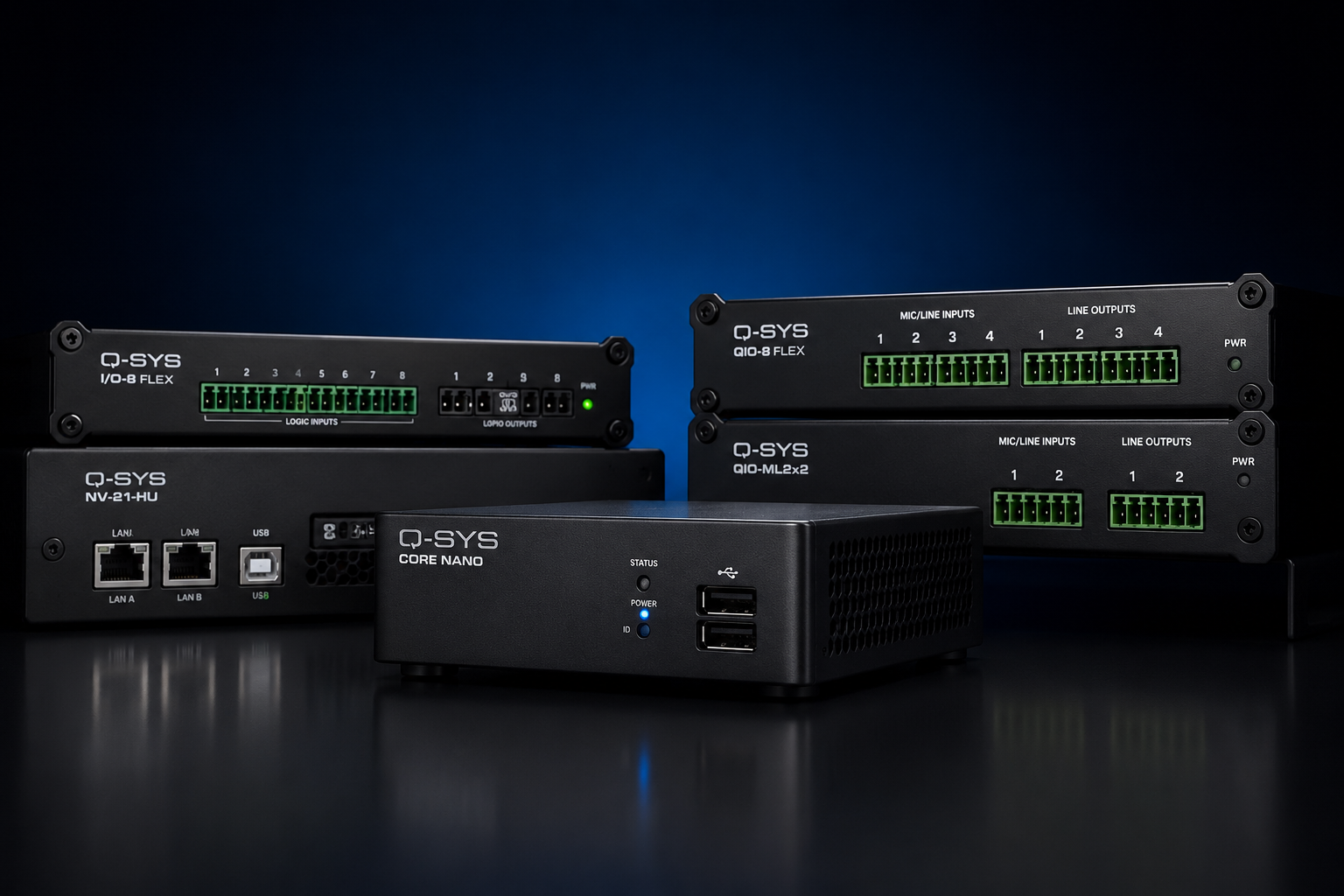
Central processing coordinates room audio, acoustic echo cancellation, user control, camera workflows and the automatic room-combine logic.
Q-SYS Core Nano ↗
Beamforming ceiling microphone pickup and distributed loudspeakers provide clear room audio while preserving flexible furniture layouts.
Audio-Technica ATND1061 ↗Delivered Scope & Operating Outcomes
Two dedicated Microsoft Teams meeting rooms and two adjoining training spaces serve different workplace tasks. The room configurations below show how the installed technology supports each use.
| Space or mode | Installed configuration | What users can do |
|---|---|---|
| 10-seat meeting room | Dual commercial displays, Logitech Rally Bar and Tap, with a client-supplied Teams computer. | Run Teams meetings and view participants and shared content across two displays. View the larger meeting room → |
| 6-seat meeting room | Single commercial display, Logitech Rally Bar Mini and Tap. | Use the same familiar Teams controller workflow in a more compact space. View the compact meeting room → |
| Training rooms separated | Two adjoining spaces with the operable wall closed. The primary room supports conferencing and presenter camera control; the secondary room has local wireless presentation. | Use the spaces independently for their configured functions. See independent operation → |
| Training rooms combined | The wall-position reed switch signals Q-SYS to change audio routing, display behaviour and available camera controls. | Use both training spaces as one coordinated presentation environment. See the room-combine workflow → |
Opening or closing the partition selects the programmed training-room mode through a physical reed-switch input to Q-SYS.
An Audio-Technica ceiling microphone and distributed loudspeakers support the training spaces without placing conferencing microphones on movable tables.
Logitech Tap provides the meeting-room interface; Q-SYS manages the training-room audio, camera workflows and separate or combined operation.
Why This Project Matters
The strongest part of this project is not any individual display, camera or microphone. It is the way the complete AV environment responds to how the workplace is being used. When physical spaces change, the technology changes with them, allowing users to concentrate on collaboration rather than manually rebuilding the room.
Related Capability
Dedicated workplace collaboration and consistent meeting-room operation.
CONTROLDSP, room control, automation, camera integration and flexible space programming.
VIDEORally Bar and integrated collaboration solutions for workplace meeting rooms.
AVPlan conferencing, presentation, room controls and installation for your meeting spaces.
For similar Sydney projects, explore our commercial AV installation services. Need support for an existing meeting room? View our AV maintenance and managed support options.
Meeting Rooms · Training Spaces · Workplace AV
Masters Voice Technology designs, installs and supports corporate audiovisual systems across Sydney and New South Wales — from compact meeting rooms to complex divisible training environments with professional DSP audio, conferencing and room automation.
Planning a similar workplace? Explore AV control programming for room modes and interfaces, and meeting room AV support for the ongoing service scope.
Planning a similar project?
Masters Voice Technology designs, installs and supports commercial AV, electrical and communications systems across Sydney and NSW.