Meeting rooms are becoming operational infrastructure
The modern meeting room is no longer just a display, camera and speakerphone.
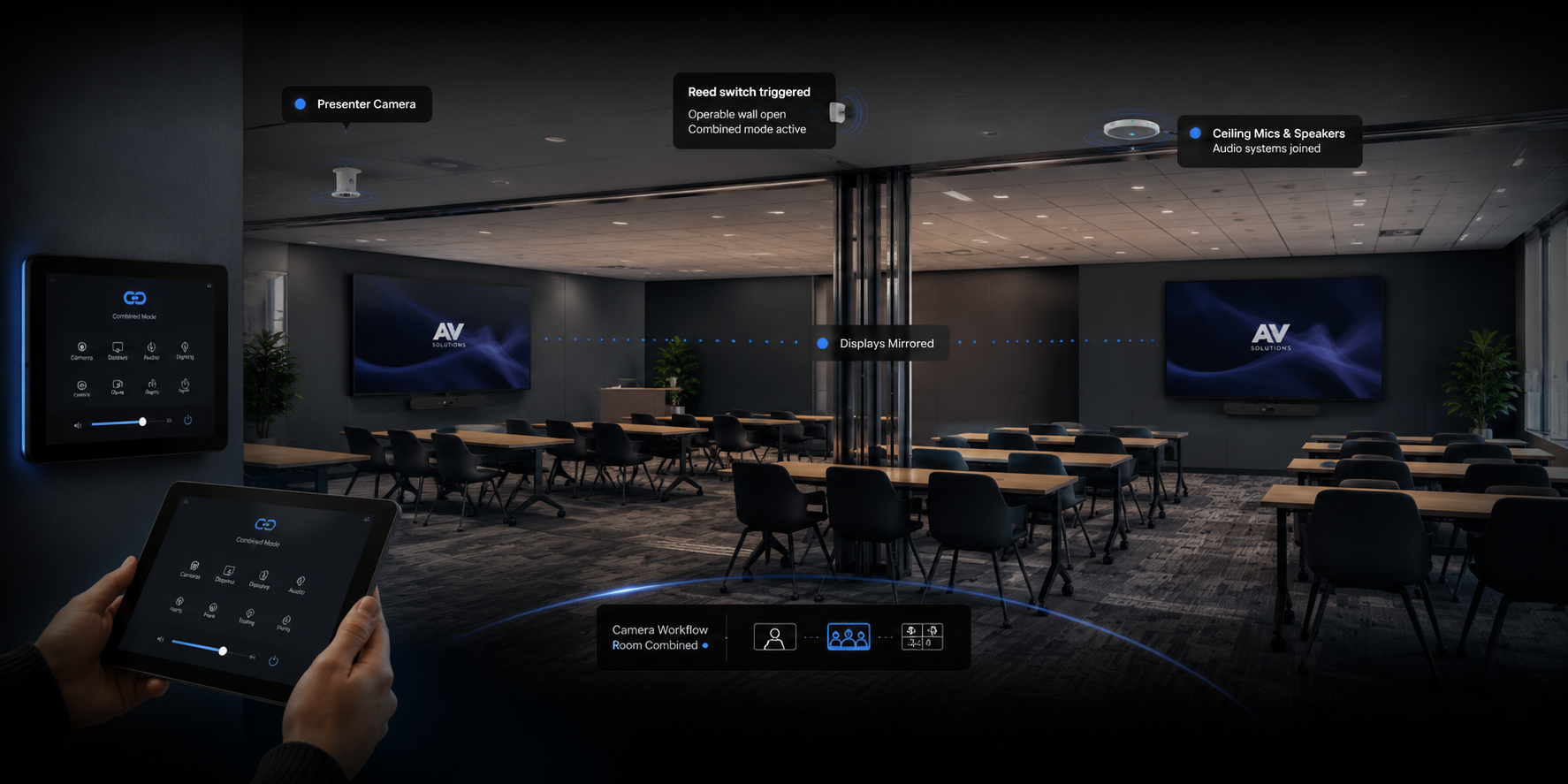
A typical meeting room AV system may now include:
- Microsoft Teams Rooms, Zoom Rooms or Webex
- Intelligent cameras and speaker tracking
- Ceiling or table microphones
- Digital signal processing
- Wireless presentation
- Room-booking panels
- Touchscreen control
- Networked audio and video
- Occupancy sensors
- Cloud-based device management
- Remote monitoring platforms
These systems often depend on one another.
A problem with the network, room computer, USB connection, control processor, microphone, display or conferencing account can prevent the entire room from operating properly.
As workplace systems become more connected, software-driven and integrated with corporate IT infrastructure, ongoing monitoring and support become increasingly important.
Why traditional break-fix AV support is no longer enough
Break-fix support follows a simple model: something stops working, someone reports the problem and a technician attends the site.
That approach may be adequate for a standalone television or basic sound system. It is less effective for a workplace that depends on multiple connected meeting rooms.
By the time a fault is reported:
- A meeting may already have been disrupted.
- Employees may have stopped using the room.
- The internal IT team may have spent hours investigating it.
- The original system information may be incomplete.
- Multiple suppliers may be debating who is responsible.
- Replacement equipment may not be immediately available.
Break-fix service is reactive.
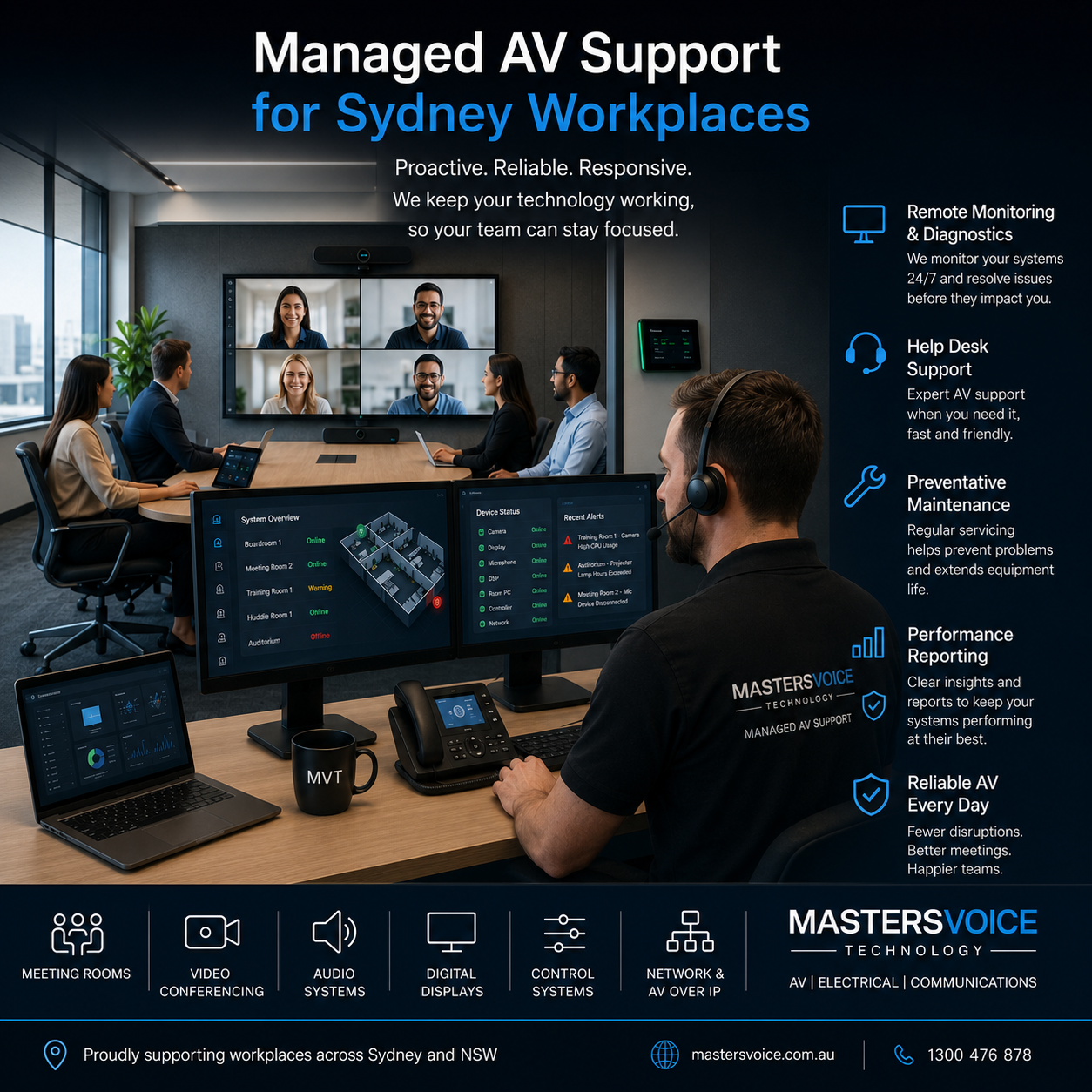
A managed AV service is designed to identify, prevent and resolve problems more systematically.
The objective is not to guarantee that equipment will never fail. It is to reduce avoidable failures, shorten recovery time and provide clear ownership when something goes wrong.
What does managed AV support include?
The exact service should reflect the organisation’s systems, locations and operational requirements.
However, an effective workplace AV support program will generally include several core elements.
Help desk and remote diagnosis
Users and internal support teams need a clear point of contact when a room is not working.
A specialist AV help desk can guide users through basic checks, review available system information and remotely investigate supported devices before deciding whether an onsite visit is required.
Remote diagnosis may identify issues such as:
- A disconnected peripheral
- A conferencing application fault
- An offline device
- Incorrect display or audio routing
- A control-system error
- A network-connectivity problem
- A device requiring a restart
- A configuration or firmware issue
Resolving the problem remotely can return the room to service more quickly and avoid an unnecessary site visit.
Masters Voice Technology’s TechFlow360 AV-as-a-Service program includes help-desk assistance, remote fault diagnosis, preventative maintenance and onsite response under a defined support arrangement.
System health monitoring
Modern AV platforms can provide information about device availability, faults and system performance.
Depending on the installed platform, monitoring may cover:
- Room computers and conferencing appliances
- Displays and projectors
- Cameras
- Microphones and speakers
- Digital signal processors
- Control processors
- Networked AV endpoints
- Device firmware
- Room usage and availability
Platforms such as Q-SYS can combine audio processing, AV control, networking and remote monitoring within one integrated architecture. Masters Voice Technology is a Q-SYS Accredited Managed Service Provider and supports ongoing system monitoring through managed-service agreements.
Monitoring improves visibility, but it still requires someone to interpret alerts, investigate recurring faults and coordinate corrective action.
Preventative AV maintenance
Many AV problems develop gradually.
Connections become loose. Filters collect dust. Projector brightness declines. Firmware falls behind. Batteries fail. Microphones are moved. Equipment racks become disorganised as other work is completed around them.
Scheduled AV support and preventative maintenance allows these issues to be identified before they interrupt an important meeting or presentation.
A preventative-maintenance visit may include:
- Visual inspection of the room and equipment rack
- Testing cameras, microphones and loudspeakers
- Checking cabling and terminations
- Confirming conferencing and content-sharing functions
- Cleaning appropriate equipment
- Reviewing firmware and software versions
- Testing control interfaces
- Checking system documentation
- Recording faults and recommended improvements
Preventative maintenance also provides an opportunity to identify ageing equipment and plan replacements rather than waiting for a critical failure.
Firmware and software management
Meeting room technology is increasingly software-driven.
Teams Rooms, Zoom Rooms, control platforms, cameras, DSPs, wireless-presentation devices and networked AV products all receive software or firmware updates.
Updates may improve security, correct faults or introduce new functionality. They can also affect compatibility between devices.
Managed support creates a structured process for reviewing, scheduling and documenting updates rather than allowing every room to drift into a different configuration.
For larger organisations, controlled deployment is particularly important. An update can be tested in a limited number of rooms before it is rolled out across the wider workplace.
Defined service levels
A support agreement should clearly define what happens when a problem is reported.
This may include:
- Help-desk operating hours
- Initial response targets
- Remote-diagnosis targets
- Onsite response categories
- Priority levels
- Escalation pathways
- Included and excluded services
- Reporting requirements
- Responsibilities for third-party platforms
- Replacement and spare-equipment arrangements
A defined service level helps the organisation understand what support it is purchasing and prevents confusion during a fault.
Common workplace AV problems after handover
A system may be professionally installed and fully operational at handover, but the workplace around it continues to change.
Firmware drift
Two initially identical rooms can perform differently after months of inconsistent updates.
One camera may operate on a different firmware version. One room computer may have received a new application release. Another room may have an older configuration that no longer behaves in the same way.
Without active management, a standardised deployment can gradually become a collection of individual systems.
Changes to the corporate network
AV devices increasingly rely on the organisation’s network.
Changes to VLANs, firewall rules, addressing, switch configurations or security policies can affect conferencing, remote management, wireless presentation and AV-over-IP systems.
These changes are not necessarily mistakes. They demonstrate why AV and IT teams must coordinate.
A specialist provider with both AV and communications infrastructure capability can help investigate the complete signal path rather than only the visible meeting-room equipment.
Unclear ownership
A common workplace problem is uncertainty over who supports each part of the room.
Is the camera managed by IT, the AV integrator or the conferencing-platform provider?
Who supports the room-control system?
Who checks the network switch?
Who manages the Teams Rooms account?
When responsibilities are fragmented, each supplier may confirm that its own component is operating while the room remains unavailable.
A managed support model creates a primary point of accountability and a defined escalation process.
User changes and accidental disconnection
Meeting room equipment is frequently moved or disconnected.
Users may remove USB cables, change display settings, connect personal devices, relocate microphones or turn off equipment that should remain operating.
Clear room design and user training reduce these problems, but ongoing support is still required.
Ageing equipment
Displays, computers, projectors, batteries and mechanical components do not last indefinitely.
Managed AV support provides the asset information required to identify equipment approaching the end of its useful service life and develop a planned refresh strategy.
Why Sydney organisations should act now
Sydney workplaces are increasingly dependent on hybrid collaboration.
Even where employees have returned to the office, meetings often include participants joining from other offices, regional locations, client sites or home.
The meeting room therefore becomes the connection between the physical and digital workplace.
A room that fails does not only inconvenience the people seated inside it. It can affect customers, interstate teams, senior executives and external stakeholders.
At the same time, internal IT departments are responsible for cyber security, cloud services, business applications, networks, endpoints and user support. Many do not have the time or specialist tools required to troubleshoot complex audio, control and conferencing systems.
Managed AV support gives the IT team access to specialist assistance without requiring it to develop every AV capability internally.
Masters Voice Technology provides commercial AV installation and support across Sydney, including meeting rooms, collaboration spaces, networked AV and ongoing system maintenance.
The value of room standardisation
Managed support works most effectively when meeting rooms follow consistent standards.
That does not mean every room must use exactly the same equipment. A small huddle space has different requirements from a boardroom or training facility.
It means that similar room types should use a repeatable design and operating workflow.
Standardisation can improve:
- User familiarity
- Support response
- Spare-parts planning
- Documentation
- Firmware management
- Staff training
- Equipment lifecycle planning
- Rollout across additional sites
Employees should not need to learn a completely different process every time they enter another meeting room.
Consistent controls, familiar connection methods and predictable room behaviour can be as important as the individual products selected.
A practical example is the British American Tobacco Australia workplace AV project, where Microsoft Teams rooms and flexible training spaces were designed to provide consistent controls across rooms of different sizes and configurations.
Managed AV support for multi-site organisations
The value of managed support increases as the number of rooms and locations grows.
A business with one meeting room may be able to manage faults informally. An organisation operating multiple offices, government facilities, schools or customer-facing sites requires a more structured approach.
A multi-site AV support program can provide:
- A central help desk
- Consistent fault logging
- Remote monitoring
- Standard service procedures
- Asset records by location
- National or regional technician coordination
- Performance reporting
- Repeat-fault analysis
- Planned technology refreshes
Masters Voice Technology currently supports a national digital-signage network across more than 70 sites through an ongoing managed-service arrangement. The service includes centralised content scheduling, remote monitoring and ongoing fault management.
This demonstrates how the managed-support model can extend beyond individual meeting rooms to geographically distributed AV infrastructure.
The difference between AV maintenance and managed AV support
AV maintenance is generally one component of a wider managed service.
Maintenance commonly focuses on scheduled inspection and testing.
Managed AV support may include maintenance, but it also covers the ongoing operational relationship around the system.
AV maintenanceManaged AV supportScheduled service visitsContinuous support relationshipEquipment inspectionHelp desk and fault managementCleaning and testingRemote monitoring and diagnosisIdentification of defectsSLA-based response and escalationMaintenance reportingAsset, performance and lifecycle reportingPrimarily preventativePreventative, reactive and strategic
Both are valuable. The difference is the level of ownership and ongoing management provided.
What to ask before choosing an AV support provider
Before entering a support agreement, organisations should ask the following questions.
Can the provider support the complete system?
The meeting experience may depend on audio, video, control, cabling, network infrastructure and electrical services.
A provider that supports only one component may not be able to take ownership of the complete fault.
Is remote support included?
Ask what equipment can be monitored or accessed remotely and what diagnostic steps will be completed before an onsite visit.
Are service levels clearly defined?
Response targets, priorities, inclusions and escalation processes should be documented.
Does the provider maintain system records?
Accurate drawings, device lists, configuration backups, credentials and service histories make future support substantially easier.
Can the provider support systems installed by others?
Organisations often inherit mixed AV environments created by several contractors.
The support provider should explain how those systems will be audited, documented and brought under management.
Is preventative maintenance included?
Confirm the visit frequency, inspection scope and reporting process.
How are firmware updates managed?
Updates should be planned, recorded and coordinated with the organisation’s IT environment.
Can the provider support multiple sites?
For larger organisations, confirm the geographic coverage, onsite-response process and reporting available across the full technology estate.
One accountable partner across AV, electrical and communications
Many apparent AV faults are not caused by AV equipment itself.
The issue may involve:
- A damaged data cable
- An incorrectly configured network port
- A failed power supply
- An electrical circuit fault
- A disorganised equipment rack
- An infrastructure change
- A disconnected endpoint
This is why integrated support across audio visual services, electrical services and communications infrastructure can be valuable.
Instead of coordinating separate contractors for the room system, power and data infrastructure, the client has one accountable service partner.
Masters Voice Technology’s service model combines commercial AV, electrical and communications capability through one coordinated team.
From installation project to technology lifecycle
The handover of a meeting room should not mark the end of the AV strategy.
It should begin the operational phase of the system’s lifecycle.
A complete lifecycle includes:
- Assessment and design
- Installation and commissioning
- User training and handover
- Monitoring and support
- Preventative maintenance
- Performance review
- Technology refresh
A full-lifecycle approach helps the organisation protect its investment and maintain a consistent user experience as technology and workplace requirements change.
The TechFlow360 program brings design, installation, financing, managed support and planned technology refresh into one ongoing agreement.
Reliable workplace AV requires ongoing ownership
Modern AV systems are more capable than ever.
They are also more connected, software-dependent and closely integrated with corporate IT infrastructure.
That makes the old install-and-forget model increasingly unsuitable for organisations that rely on meeting rooms and workplace communication every day.
Effective managed AV support in Sydney gives organisations:
- Clear support ownership
- Faster fault investigation
- Reduced avoidable downtime
- Better system visibility
- Consistent room performance
- Planned preventative maintenance
- Structured firmware management
- Improved asset and lifecycle planning
The goal is straightforward: rooms that remain reliable after handover—not only on the day they are commissioned.
Managed AV support across Sydney and NSW
Masters Voice Technology designs, installs and supports commercial AV systems for workplaces, government facilities, education environments and multi-site organisations across Sydney and NSW.
Our managed-support services can include help-desk assistance, remote monitoring, preventative maintenance, firmware management, onsite response and planned technology refresh.
By combining AV, electrical and communications capability under one delivery model, we provide a clear point of accountability throughout the complete technology lifecycle.
Talk to Masters Voice Technology about managed AV support for your workplace.