
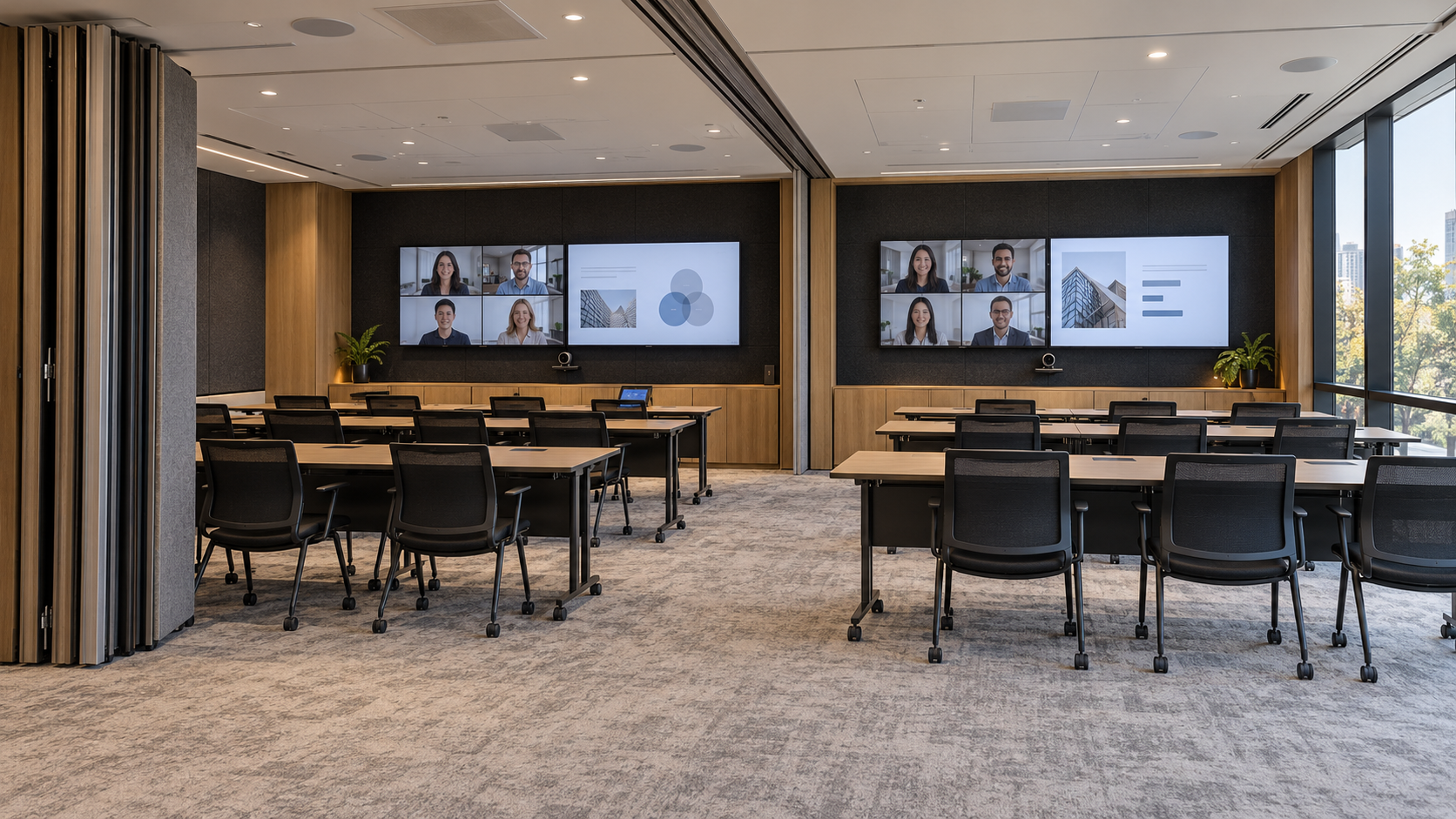
Workplace · Room combining guide
Divisible meeting room AV: what happens when two rooms become one?
The partition opens. The audience doubles. Your audio, cameras and displays need a plan for what happens next.
At 9 am, two teams need separate training sessions. At midday, the wall opens for an all-staff briefing. By 2 pm, remote colleagues are joining a workshop from another office.
The room changes in minutes. The AV needs to follow a defined set of rules.
Divisible meeting room AV coordinates the microphones, loudspeakers, cameras, displays and controls used when adjoining spaces work independently or combine. The hardest decisions often concern what happens between those modes: which meeting stays active, who controls the screens and where the next audience question is heard.
Start with three operating scenarios. Define Room A, Room B and the combined room before choosing equipment. Then test both the scenarios and the transitions between them.
Watch the room change
Open the partition to see two independent rooms become one coordinated presentation space. Use the controls to compare modes.
Separate mode: partition closed. Each room uses its own presentation source and agreed AV controls.
Concept animation. Actual partition movement, conferencing capabilities and AV routing depend on the specified system.
Two presentation rooms are not necessarily two video meeting rooms
Consider a training suite where Room A hosts hybrid workshops and Room B normally shows local presentations. That is a different brief from two rooms that must each run a video conference at the same time.
Both arrangements can be useful. They require different decisions about conferencing systems, accounts, microphones, camera access and connections. Make the requirement explicit before comparing quotes.
Use a simple operating schedule to describe the intended behaviour. The example below assumes both spaces need independent conferencing; adjust it to your actual brief.
| Function | Rooms separated | Rooms combined |
|---|---|---|
| Meeting host | Each room runs its own call. | One agreed host runs the combined session. |
| Microphones | Each call receives its own room's microphones. | The host receives the required presenter and audience microphones. |
| Displays | Each room selects its own content. | Displays follow the agreed presentation and participant layout. |
| Cameras | Views stay within the relevant room. | Available views cover the combined seating and presenter positions. |
| Controls | Each interface controls its own room. | Interfaces show the combined mode and agreed control permissions. |
If you are still deciding between a dedicated room system and a laptop-led workflow, use our Teams Rooms versus BYOD guide alongside this room-mode schedule.
The important microphone might be at the back of the room
A trainer can sound clear while wearing a wireless microphone, yet the workshop can still become difficult to follow online. The missing piece is often the question asked by someone in the audience.
Specify the speech paths separately: presenter to remote attendees, audience to remote attendees, remote attendees to the room, and local voice reinforcement if the audience needs it. A microphone suitable for conferencing does not automatically provide a complete local reinforcement system.
Room combining changes those paths. Audio processing and routing must suit each mode, including echo cancellation for the active conferencing connection. Q-SYS documents an audio Room Combiner for joining separate sound systems; a complete project also needs the surrounding conferencing and control design.
Keep electronic separation and physical privacy distinct. Correct routing can prevent Room A's microphone feed reaching Room B's call. It cannot prevent speech passing through gaps around an operable wall. Check the partition, seals and room acoustics where confidential conversations are expected.
For the processing and automation behind more complex systems, explore Q-SYS integration and room control.
Sharing a presentation is different from sharing a camera
Sending the same slide deck to two displays solves one requirement. It does not establish how the combined meeting receives camera video or microphone audio.
A room-combining AV system needs an agreed route for each signal. Confirm which presentation source reaches each screen, which camera views the meeting host can select, and how the conferencing system or guest laptop accesses the room devices.
Do not assume that adding a video encoder and decoder also provides camera or USB switching. Check the complete signal path and supported device combinations for the proposed equipment.
Plan for the new front of the room
When the wall opens, the presenter may move and the audience may face a different direction. Check camera framing, sightlines and readable content from the furthest seats in the combined layout. Decide whether both displays repeat the presentation or divide people and content across screens.
Our meeting room design guide covers the wider principles of viewing distance, acoustics and equipment placement. Here, the key is checking those principles in every intended configuration.
What should happen if the wall moves during a call?
A partition sensor can tell a control system that the room layout has changed. It cannot decide the organisation's meeting policy.
Should opening the wall immediately combine the AV? Should a user confirm the change? What if two separate calls are still active? Agree the behaviour before programming begins.
Automatic switching can suit a predictable training schedule. Other spaces may benefit from confirmation before microphones, cameras or displays move into a shared mode. In either case, the interface should show the current state clearly and provide an agreed recovery process if the sensor reports the wrong position.
The overlooked fourth scenario is the changeover. Two rooms can pass their individual tests and still confuse users when they combine. Include mid-session changes, return to separate operation and restart recovery in the brief.
Room bookings also need a plan. AV controls do not automatically prevent someone booking Room B while a combined event occupies both spaces. Agree the calendar workflow with IT and the people managing the rooms.
How Logitech and Yealink achieve room combining
Both approaches can support independent rooms with the partition closed and one coordinated space when it opens. The difference is where the audio processing, camera routing, display distribution and room-control logic sit.
The examples below assume each separated room needs its own video meeting. They describe system architectures, rather than complete equipment schedules.
| System function | Logitech with Q-SYS | Yealink AVONE |
|---|---|---|
| Meeting interface | Compatible room compute and Logitech Tap in each room. | MCore and MTouch Plus in each room. |
| Room-mode control | Q-SYS Core with programmed separate and combined modes. | CT200 or CT300 with a Yealink Room Designer configuration. |
| Partition detection | A compatible partition sensor connected to the control system. | YPS20 partition sensor. |
| Audio | Q-SYS processing with selected microphones, amplifiers and loudspeakers. | AP08 processing with compatible microphones and loudspeakers. |
| Camera routing | Supported cameras and video/USB endpoints connected to the required meeting host. | Compatible UVC86 or SmartVision 80 cameras, AVHub and configured routing. |
| Display distribution | Video endpoints or switching selected for the source and display requirements. | EN300 encoders and DE300 decoders selected for the required signal paths. |
Logitech and Q-SYS: define the room behaviour together
In Logitech's documented divisible-room architecture, Logitech provides the meeting-room compute and Tap interface, while Q-SYS provides the wider audio, video and control system. The reference design includes Q-SYS cameras, a Core processor, video endpoints and professional room audio.
With the wall closed, each meeting host receives the intended microphones and cameras for its room. The separate configuration keeps presentation sources and audio routes within their agreed boundaries.
When the rooms combine, the programmed control logic assigns the required devices to the selected meeting host and distributes content to the agreed displays. The commissioning scope should demonstrate the camera choices, microphone coverage and controls in both modes.
This is a designed integration, rather than a direct connection between two Rally Bars. The chosen compute, conferencing platform, cameras, USB interfaces and Q-SYS endpoints must support the complete workflow.
Explore our Logitech meeting-room solutions and Q-SYS integration capability.
Announced Logitech option — availability matters. Rally System 2 Pro is designed to combine multiple systems through Logitech Link and switchable room scenes. Logitech's October 2026 announcement lists availability in “Summer 2027”; Australian supply timing and release capabilities need confirmation. Treat it as a future option when planning a project, rather than assuming it is available for an immediate installation.
Yealink AVONE: coordinate the room through one ecosystem
Yealink's AVONE architecture uses a room-state change to coordinate its subsystems. The partition sensor or touch-panel selection provides the trigger, and the controller recalls the intended configuration.
- Detect: YPS20 reports the partition state, or a user selects separate or combined operation.
- Coordinate: CT200 or CT300 manages the room-mode change.
- Process audio: AP08 applies the required audio preset and routing.
- Select cameras: compatible cameras and AVHub follow the configured room boundaries.
- Distribute video: EN300 and DE300 endpoints route presentation and display signals to the required destinations.
In separate mode, the rooms run their own agreed meetings. In combined mode, the selected configuration brings the required microphones, speakers, cameras and displays into one coordinated space.
Size the video distribution around the display workflow. Repeating one presentation across two screens is different from distributing separate participant and presentation feeds across four screens. Encoder and decoder quantities should follow the signal schedule; two of each should not be assumed sufficient for every layout.
Yealink's standard AVONE divisible-room guidance also places limits on third-party DSP and control integration. Where a project retains other manufacturers' equipment, confirm the integration method with Yealink before finalising the design.
Explore our Yealink room solutions.
Choose around the room's requirements
A Logitech and Q-SYS approach can suit a tailored integration with detailed control requirements and selected third-party audio equipment. Yealink AVONE can suit a coordinated manufacturer ecosystem where the project fits its supported architecture.
For both, agree which meeting host runs the combined session and what happens to any call already active in the second room. Changing the physical room's AV configuration does not automatically merge two online meetings.
Manufacturer references, reviewed 12 October 2026: Logitech and Q-SYS divisible-room reference; Yealink AVONE divisible-room best practices; Yealink room-state workflow; Logitech product announcement and availability.
Room combining in practice at BAT Parramatta
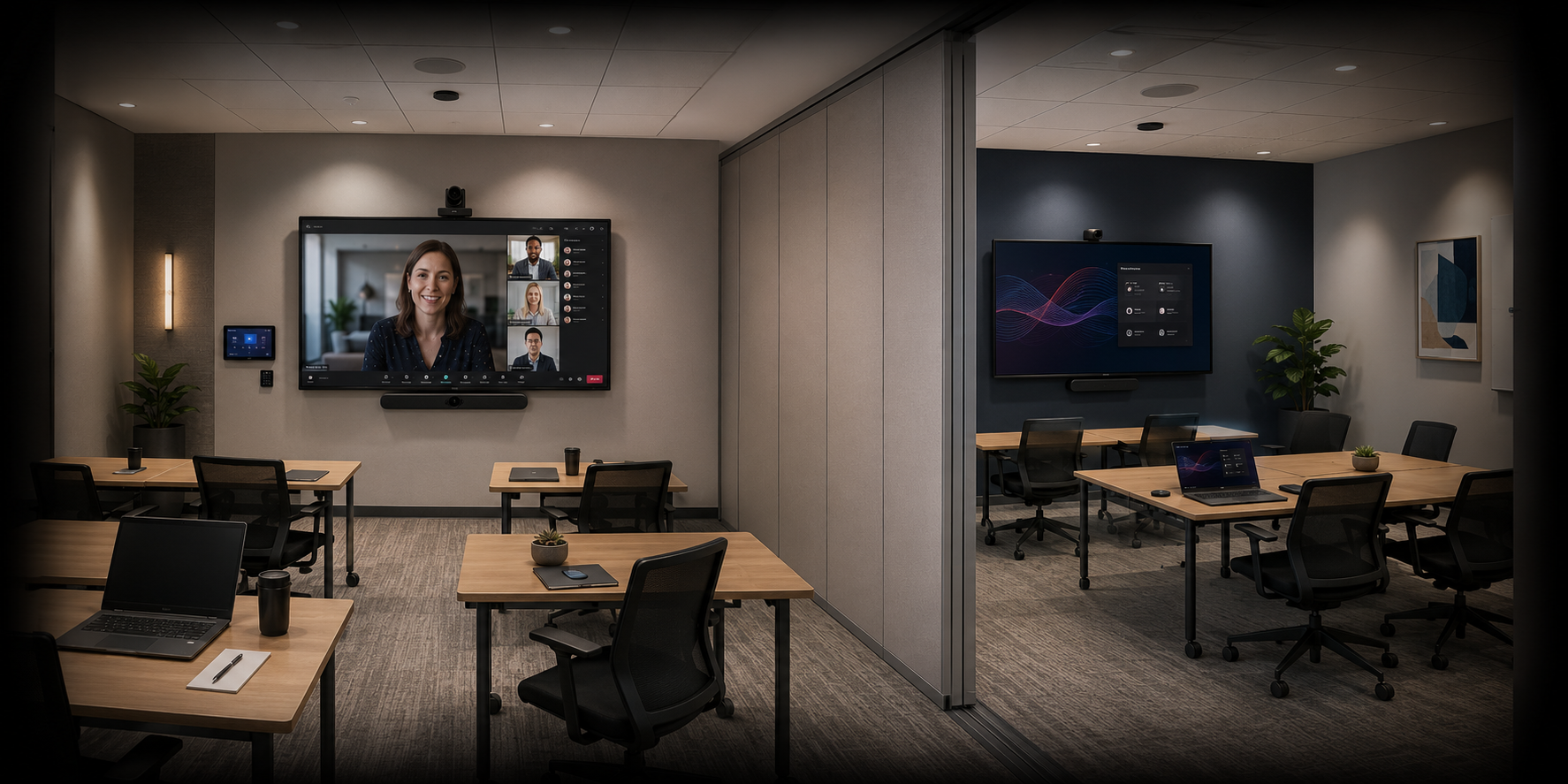
Masters Voice Technology's published British American Tobacco Australia project includes two adjoining training spaces separated by an operable wall.
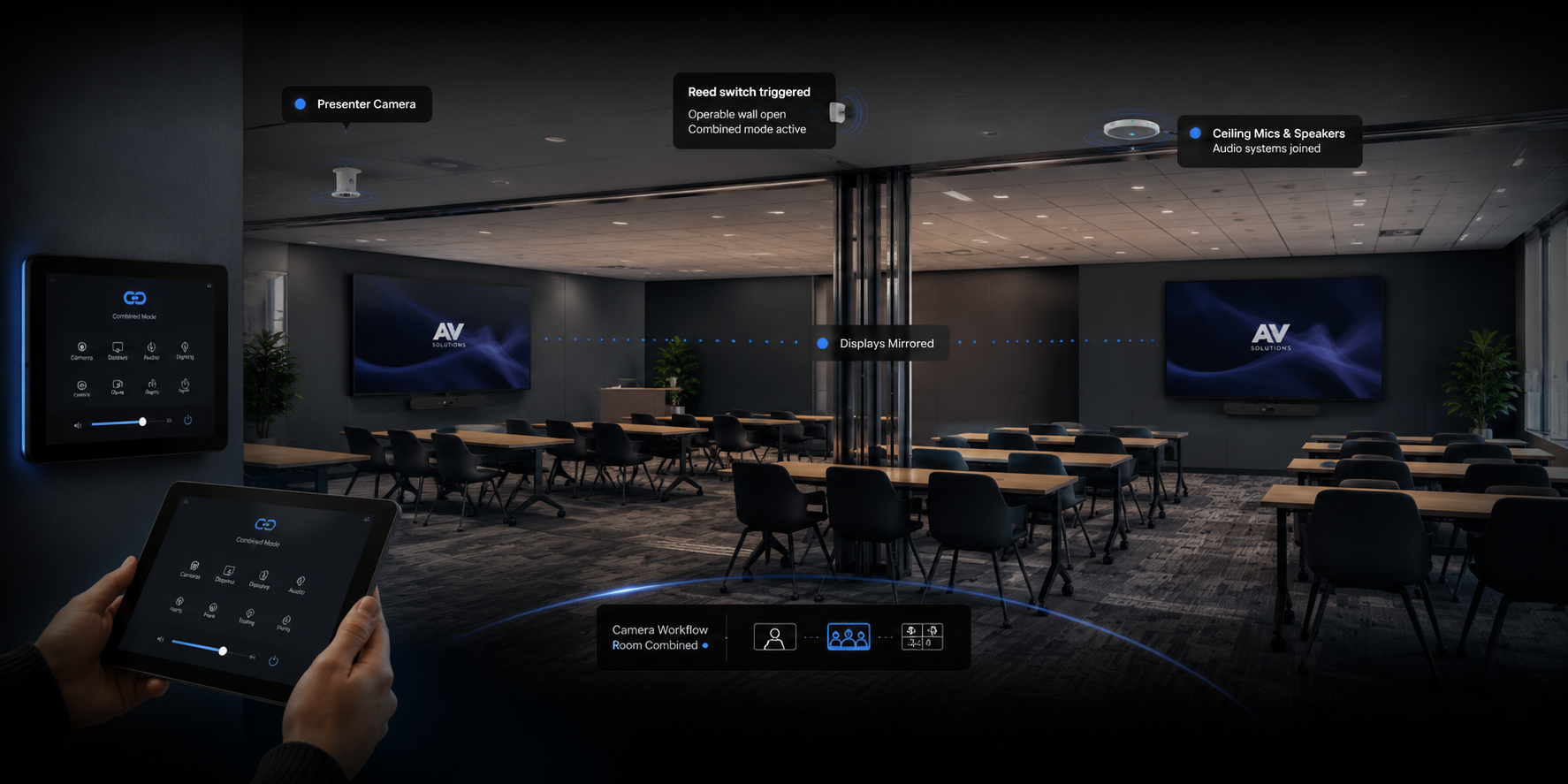
The primary training room supports meetings, presentations and camera control, while the secondary space provides local wireless presentation. A reed switch detects the partition position so Q-SYS can change the programmed audio, display and camera-control behaviour.
This illustrates why the brief matters: the independent rooms have defined capabilities, and the combined configuration follows an agreed operating model.
See the BAT Parramatta meeting and training-room case study →
Test the changeover, not just the equipment
Commission the system using normal meeting accounts, representative guest laptops and a participant joining from outside the room. Ask staff to carry out the everyday workflow themselves.
- Separate operation: run both rooms simultaneously and check that content, camera feeds and microphone audio stay with the correct meeting.
- Combined operation: check the agreed host, presentation routes, speaker coverage and camera views.
- Audience participation: ask questions from the back, sides and normal seating positions. Have the remote participant report what they hear.
- Mode changes: test the agreed response to opening and closing the partition, including an active-call scenario.
- Recovery: confirm what staff see after a restart and how they recover from an incorrect room mode.
- Handover: supply a mode schedule, operating instructions, configuration records and a clear support contact.
Keep these checks available for future changes to furniture, devices or programming. An AV support and maintenance plan can include the agreed checks for both separate and combined operation.
What to include in a divisible-room project brief
Send floor plans showing the partition and furniture layouts, photos of existing equipment, the three operating scenarios, and a description of who uses the rooms. Identify the meeting platform, guest laptop needs, network contact and target completion date.
Ask the proposal to distinguish equipment from cabling, signal distribution, control programming, commissioning, training and support. Include partition sensing and the infrastructure needed to connect the two spaces.
Our meeting room AV cost guide provides broader budget context. Divisible spaces need a scope based on their operating modes rather than an assumption that the price is simply two standard room packages.
Common room-combining questions
Can two existing meeting rooms be combined?
Sometimes. Start by checking the conferencing architecture, device interfaces, cabling, audio processing and control access. Displays or speakers may remain useful even when switching, processing or control needs upgrading.
Does opening the partition automatically combine the AV?
Only if suitable sensing and control logic have been installed and programmed. Automatic changeover, manual selection and user confirmation are different workflows that should be agreed during design.
Can both rooms run separate calls and then become one room?
A system can be designed for independent and combined conferencing. Confirm how each independent call is supported and which host takes over in combined mode. Room combining does not automatically merge two active online meetings.
Is Q-SYS required for divisible-room AV?
Q-SYS is one possible platform. The appropriate architecture depends on the required audio, video, conferencing and control functions. Confirm support for the complete proposed configuration rather than relying on a brand name alone.
Plan the room around its changing roles
A flexible training space should move between configurations with a clear, repeatable process. Masters Voice Technology designs, installs and supports meeting room AV across Sydney and NSW.
Share your floor plan and tell us what each room needs to do separately and together.
Discuss your divisible-room project →Technical references: Q-SYS Room Combiner documentation and Q-SYS divisible-room solution overview.