
Project Case Study National Managed Service Digital Signage
MEDIAI AUSTRALIA

MediaI National Digital Signage Managed Service

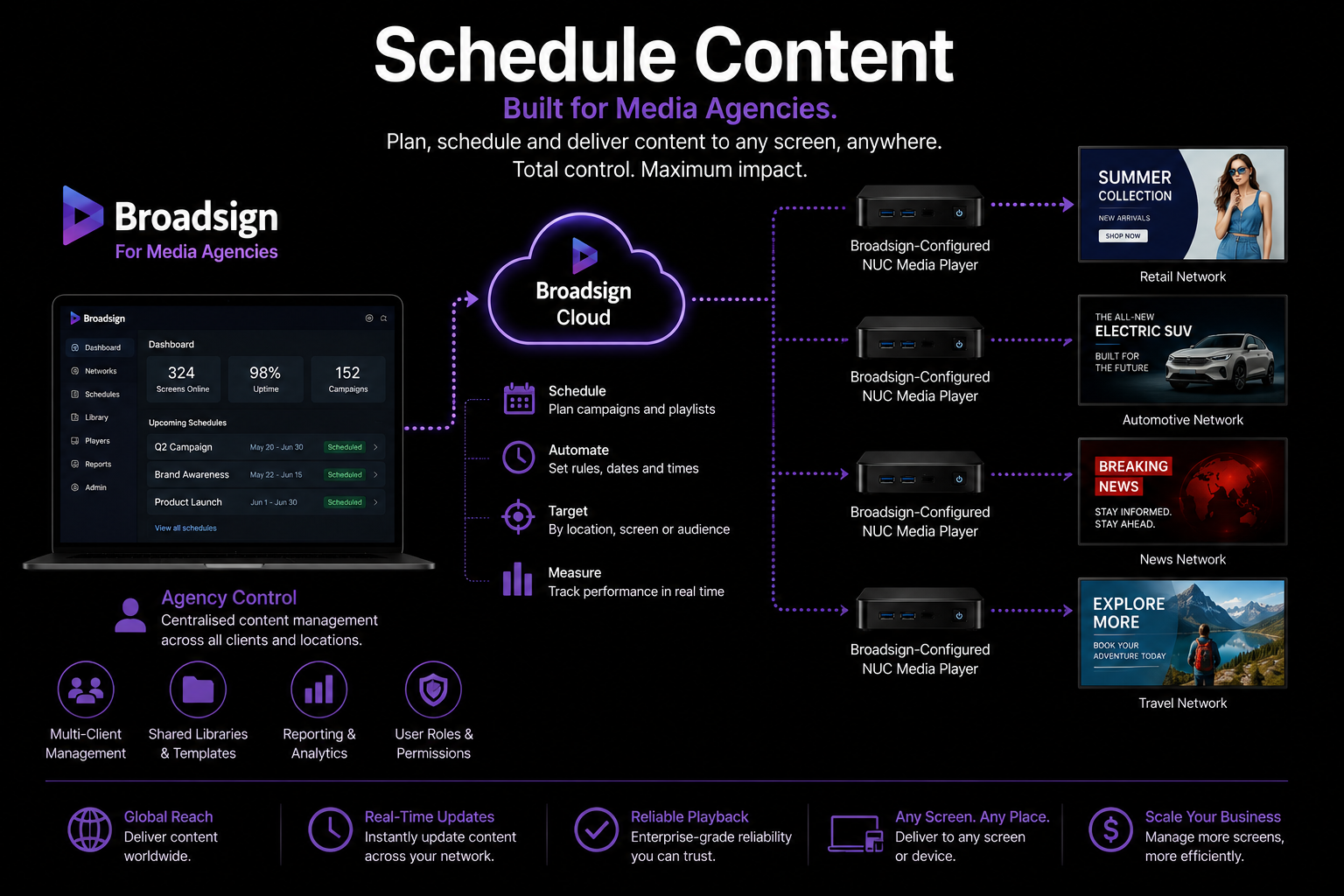
Masters Voice Technology provides ongoing technical support for MediaI's nationally distributed digital signage environment, helping maintain more than 250 premium screens across over 70 media agency locations through remote troubleshooting, Broadsign player support, help desk response, coordinated onsite service and structured reporting.

250+ Premium large-format screens supported across the MediaI network
70+ Media agency locations across the national network
Ongoing Managed technical support, monitoring and field service
Project Case Study St Francis of Assisi Church Paddington · Sydney House of Worship Audio

Heritage Church PA Upgrade

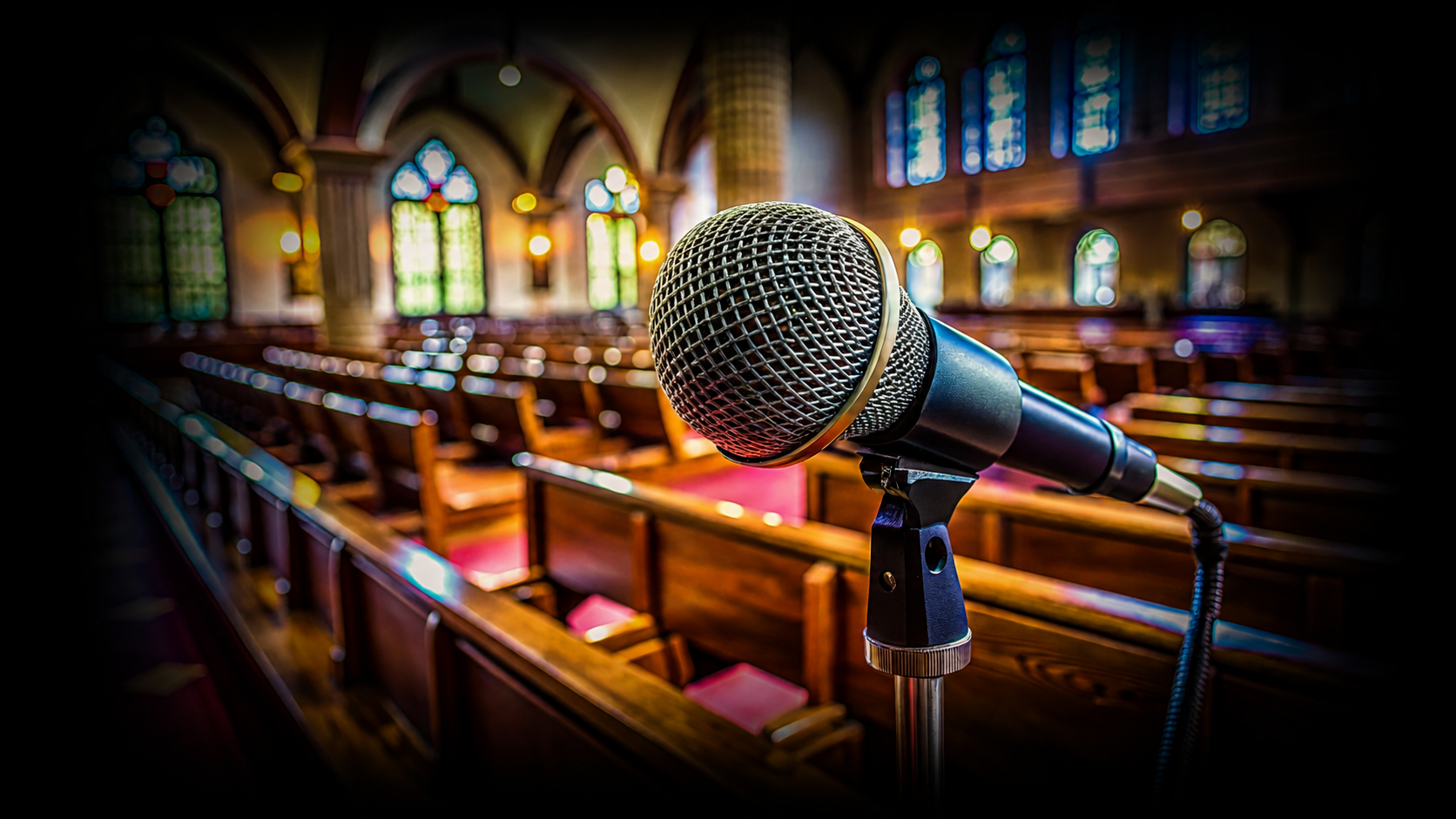
St Francis of Assisi Church Paddington — Speech-Clarity PA System Upgrade

Professional digital audio processing, reliable wireless microphones, time-aligned rear loudspeakers and simple touchscreen control brought together to improve speech intelligibility throughout a challenging heritage church.

Clearer speech Sermons · readings · ceremonies
Rear-delay audio More consistent coverage through the nave
Digital wireless Reliable hands-free voice capture
Simple control Volunteer-friendly touchscreen operation
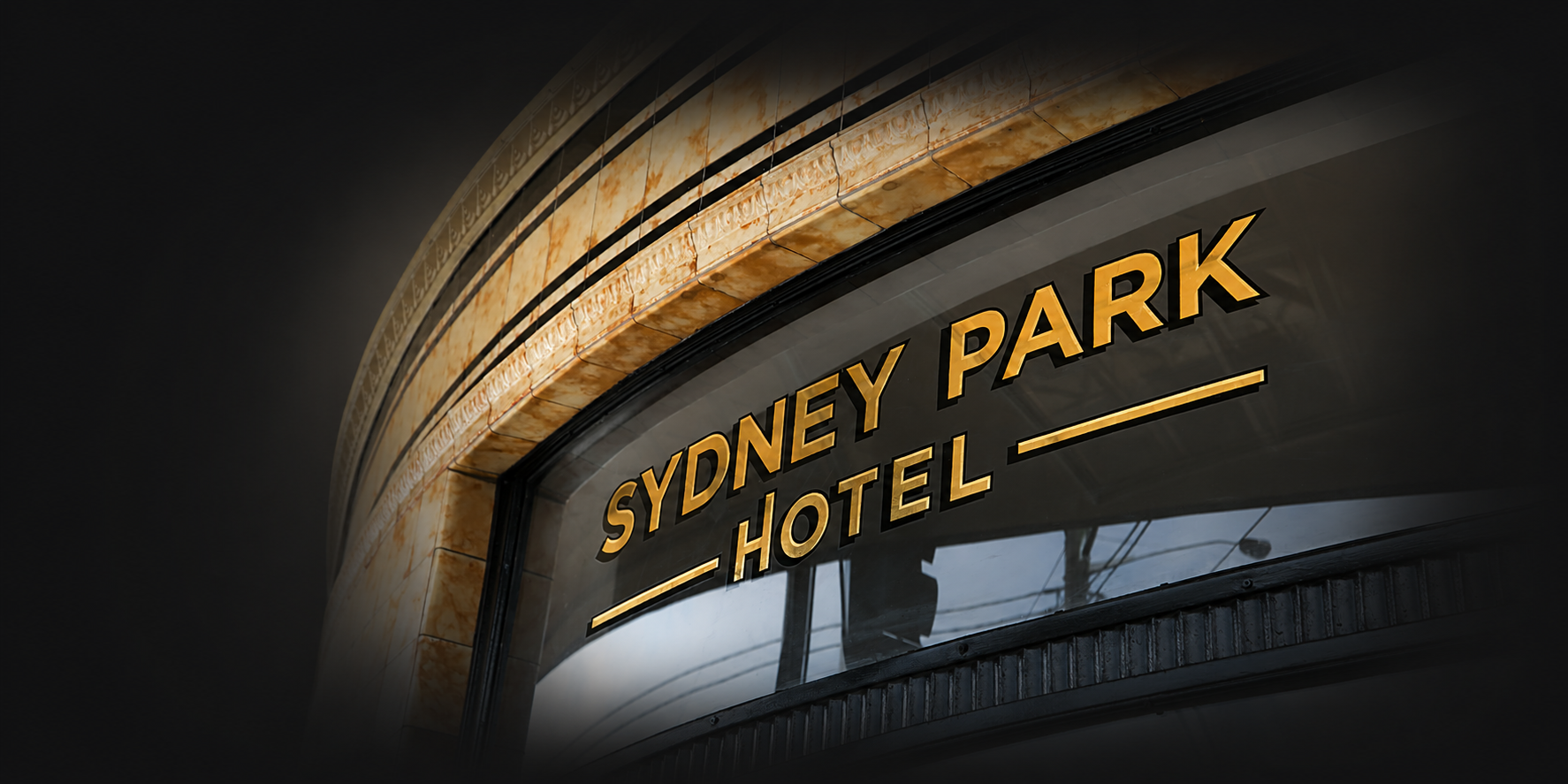
Project Case Study Sydney Park Hotel Newtown · Sydney Hospitality & Venue Technology

Multi-Zone Hospitality AV

Sydney Park Hotel — Multi-Zone Venue AV & AV over IP Upgrade

Zoned professional audio, network video distribution, commercial displays, rooftop AV, function-room technology and straightforward staff control brought together across one multi-level Newtown hospitality venue.

Multi-level venue Bar · dining · rooftop · functions
Multi-zone audio Independent sources and levels
AV over IP Flexible source-to-screen routing
Simple control Designed around staff workflows
Project Case Study British American Tobacco Australia Parramatta · Western Sydney Corporate & Meeting Rooms

Flexible Workplace AV

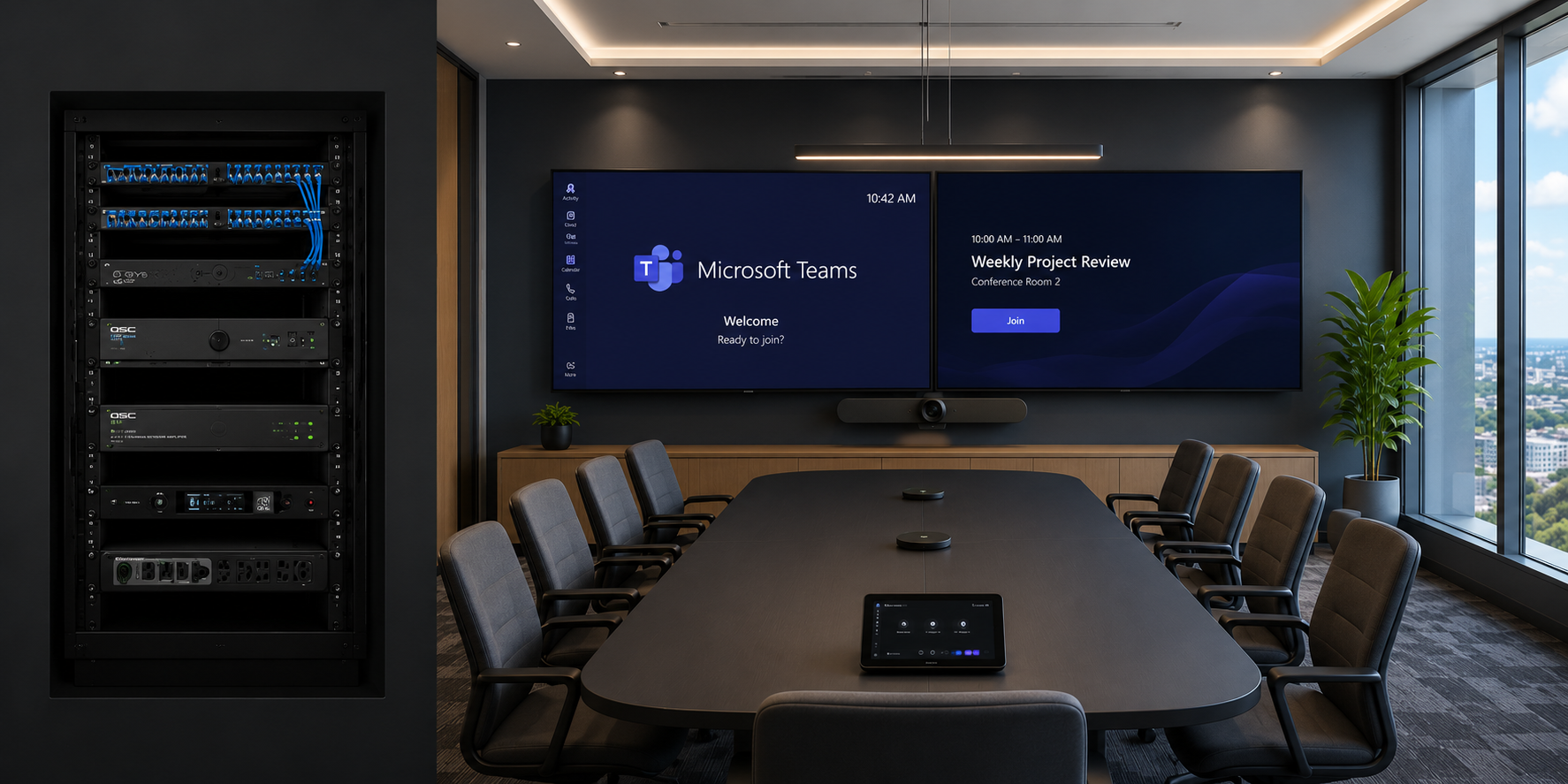
British American Tobacco Australia — Flexible Meeting & Training Room AV

Microsoft Teams meeting rooms, divisible training spaces, intelligent room combining, professional ceiling audio and simple control brought together in one workplace AV platform designed to adapt as the space changes.

4 spaces Meeting and training environments
2 Teams rooms Consistent conferencing workflow
2 divisible rooms Independent or combined operation
Automatic Room-combine detection and control
Project Case Study Camden Council Oran Park, NSW Library & Community Technology

Interactive Public-Space AV

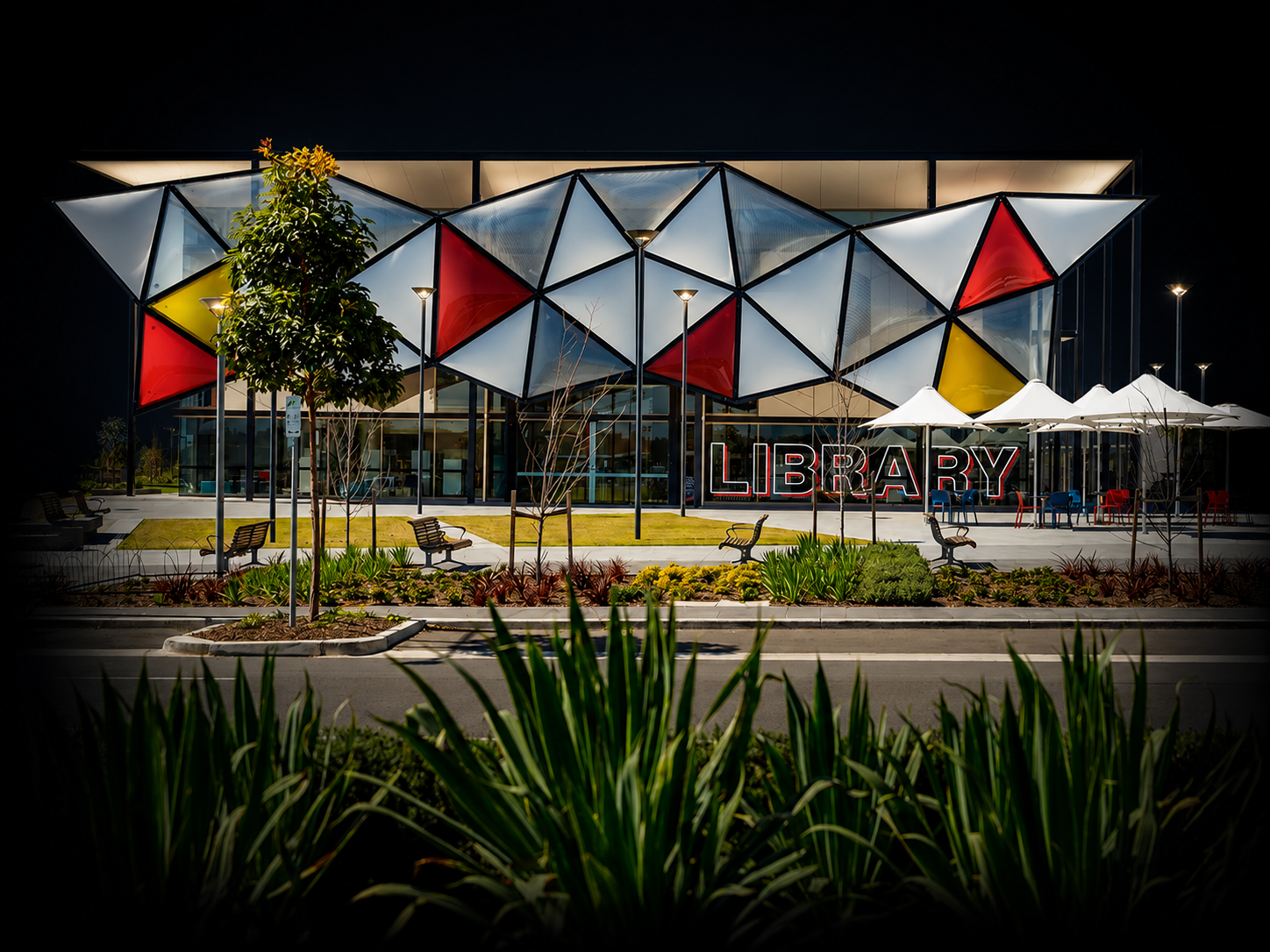
Oran Park Library — Interactive AV Integration for Camden Council

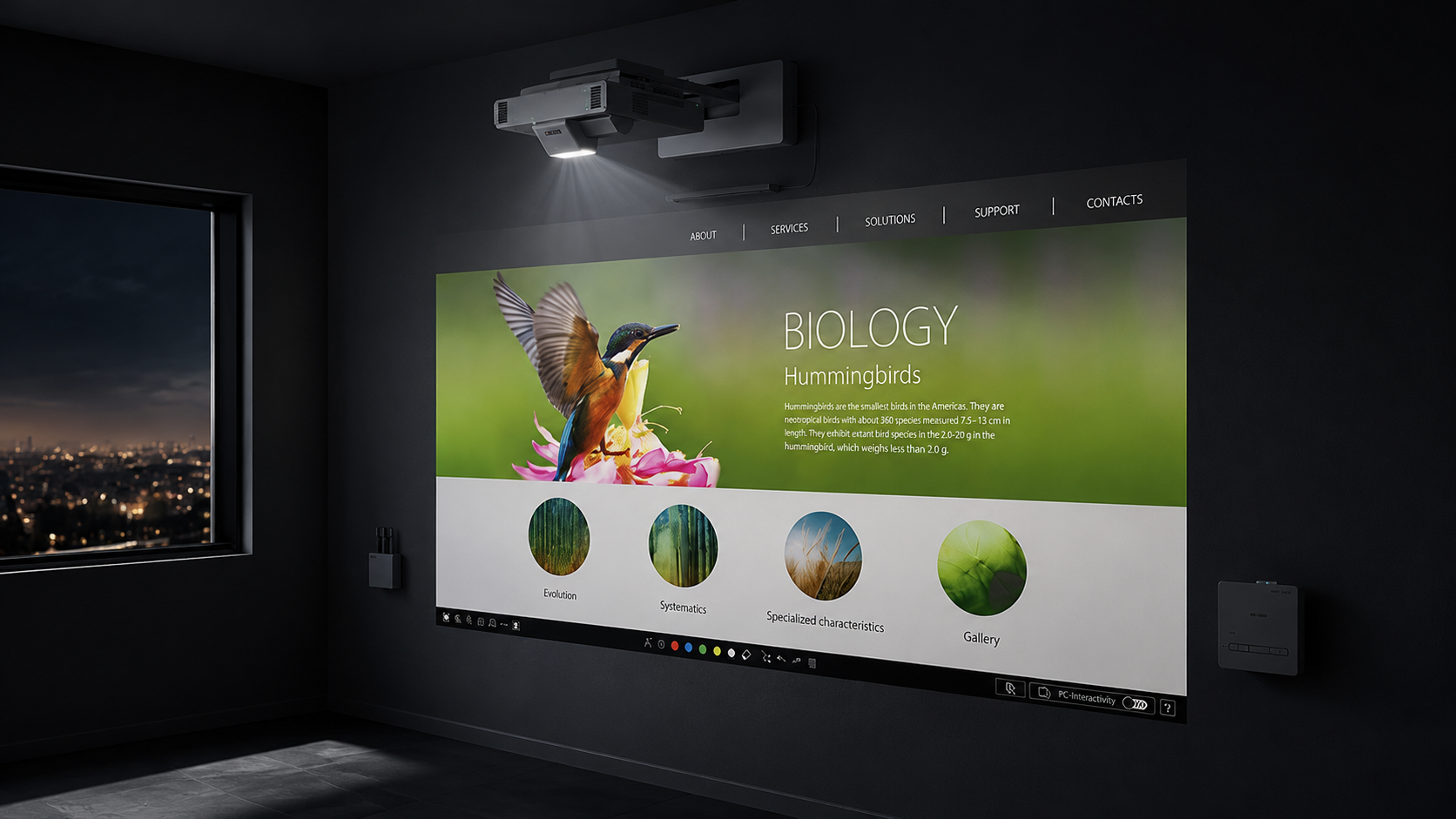
Interactive projection, cinema-scale laser visuals, professional distributed audio and immersive play technology brought together in one flexible library environment designed for learning, presentations, events and community engagement.

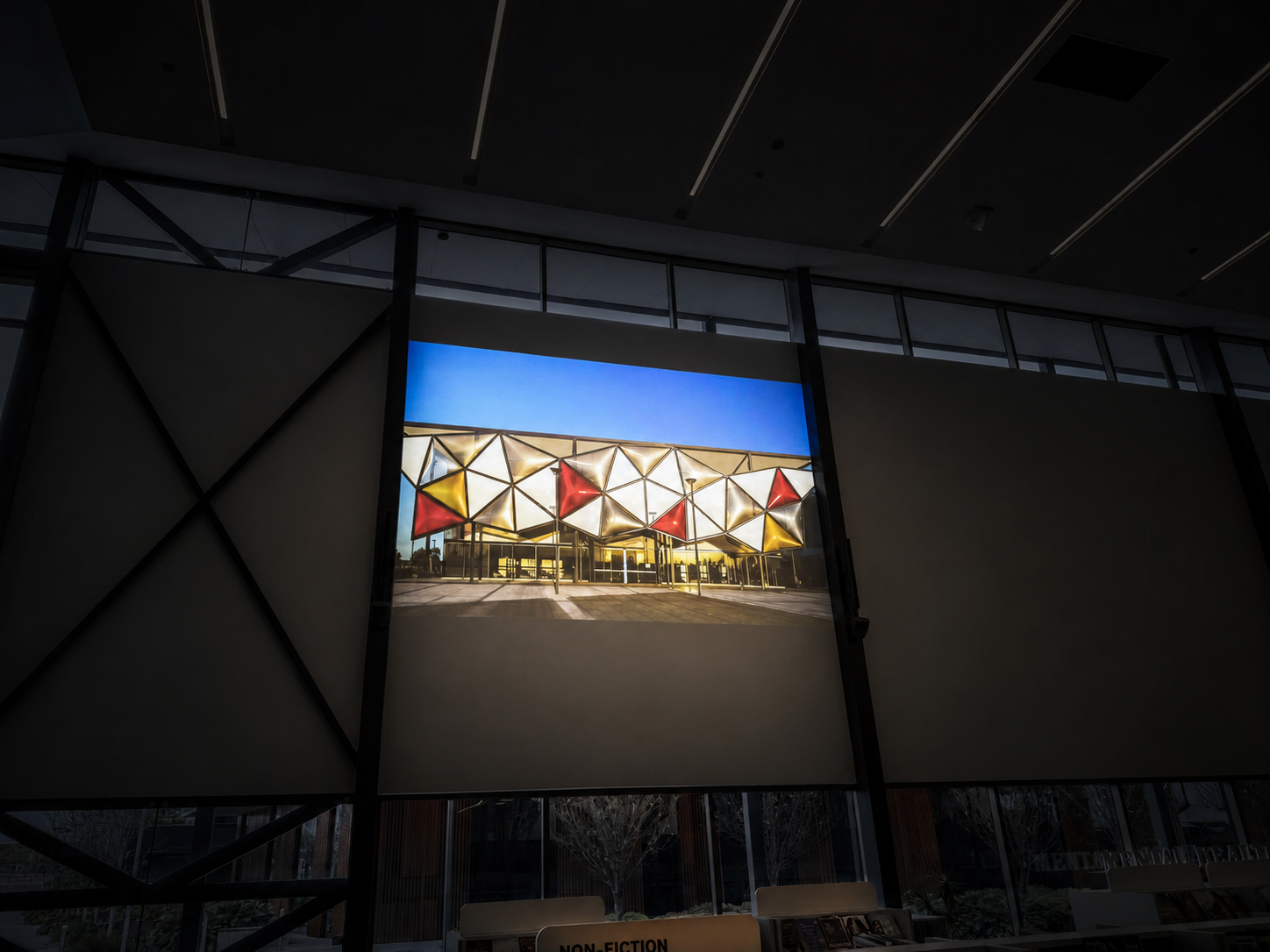
13,000 lumens Large-format Epson laser projection
Interactive AV Collaborative and immersive experiences
Professional audio Distributed speech and program coverage
One environment Workshops · events · learning · play
Performing arts students on stage representing the school hall performance audio environment
Education AV Case Study · Campbelltown NSW

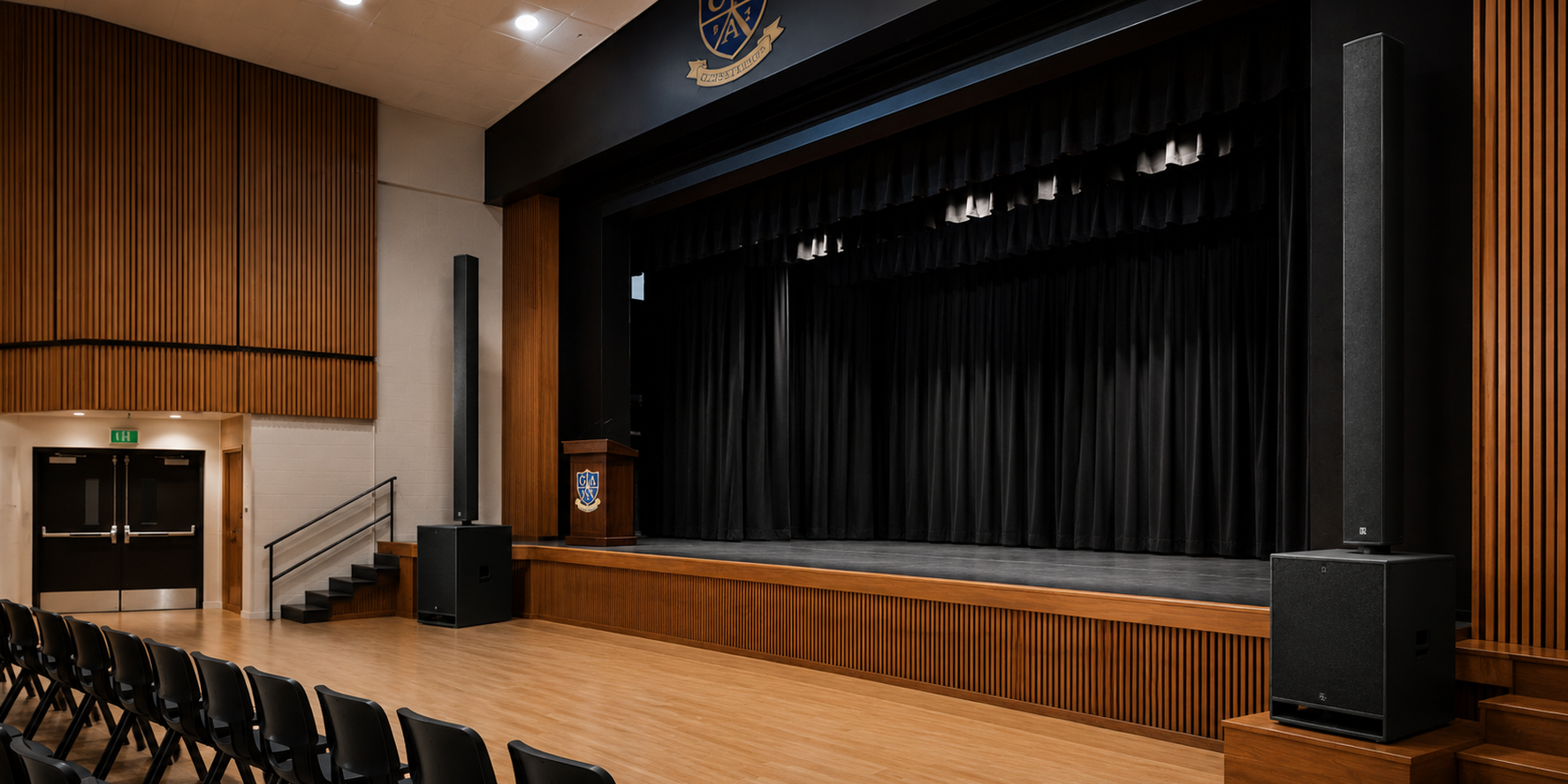
Campbelltown Performing Arts High School — Performance Hall PA System Upgrade

Masters Voice Technology transformed the school hall from an uneven, underpowered PA environment into a flexible performance audio system delivering clearer speech, stronger music reproduction and straightforward control for assemblies, presentations and live productions.

Fohhn Linea Q-SYS Core 8 Flex Dante Audio Performance Audio Touchscreen Control
Client Campbelltown Performing Arts High School
Environment Performing Arts & Multipurpose Hall
Primary Platform Fohhn · Q-SYS · Dante
Use Cases Assemblies · Music · Drama · Performance
Specialist Education AV Case Study · Sydney

St Gertrude’s Catholic School — PCIT Clinic AV System

A purpose-built audio visual environment supporting Parent-Child Interaction Therapy through discreet video observation, clear speech capture, real-time in-ear coaching and reliable session recording.

PCIT Clinic Video Observation Speech Capture Live Coaching Session Recording
Client St Gertrude’s Catholic School
Environment PCIT Treatment & Observation Clinic
Workflow Observe · Listen · Coach · Review
Technology Wisenet · Audio-Technica · MIPRO · Blackmagic
Education Technology Case Study · Inner West Sydney

Leichhardt Public School — Q-SYS PA & Bell System Redevelopment

Masters Voice Technology redeveloped Leichhardt Public School's campus communication system around Q-SYS processing and control, automated bell scheduling, targeted paging, Dante networked audio and priority communication.

Q-SYS Control Dante Audio Automated Bells Campus Paging Education
PROJECT CASE STUDY NCAT · CIVIC TOWER JUSTICE TECHNOLOGY

Four hearing rooms. One consistent AV workflow.

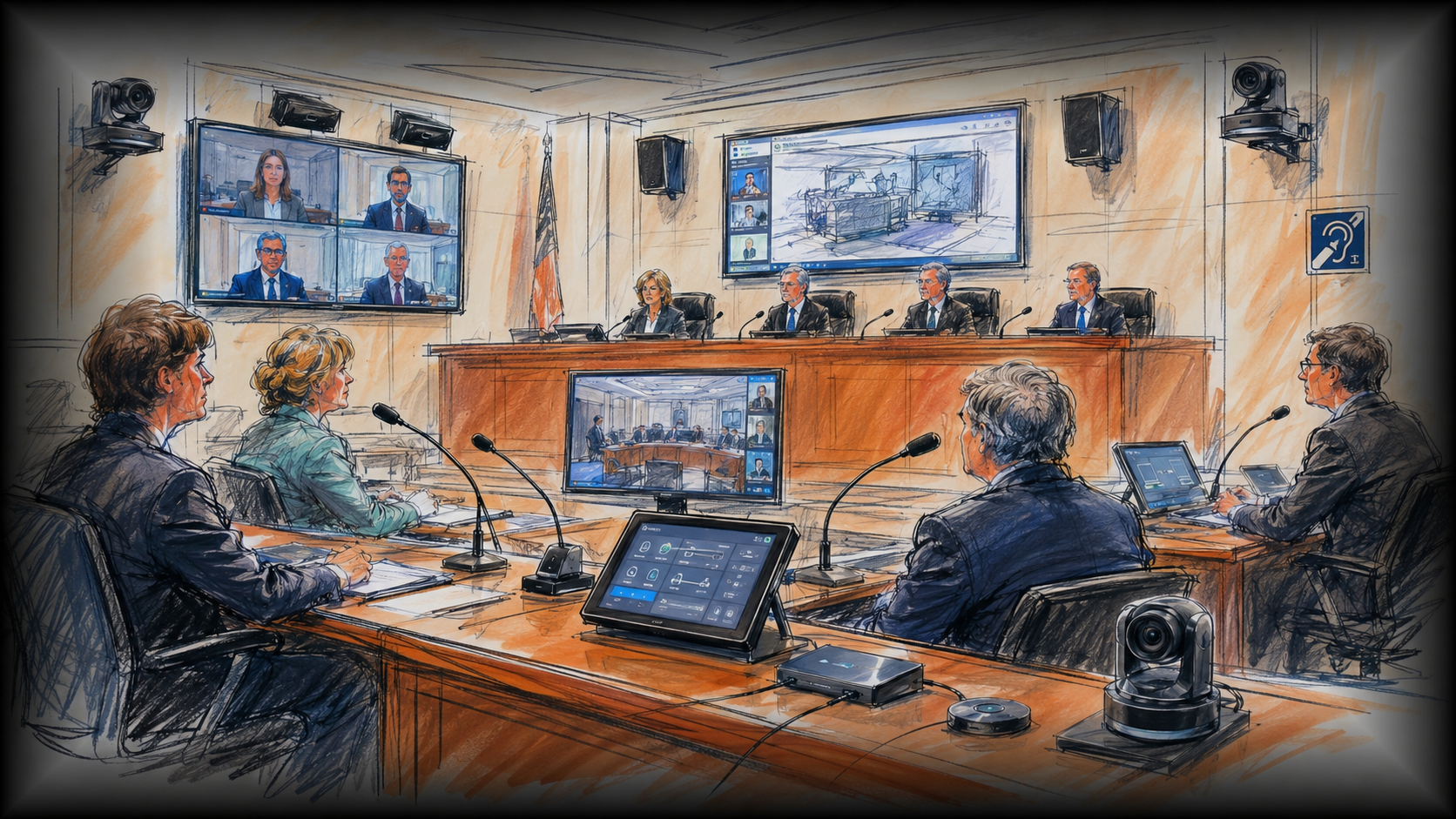
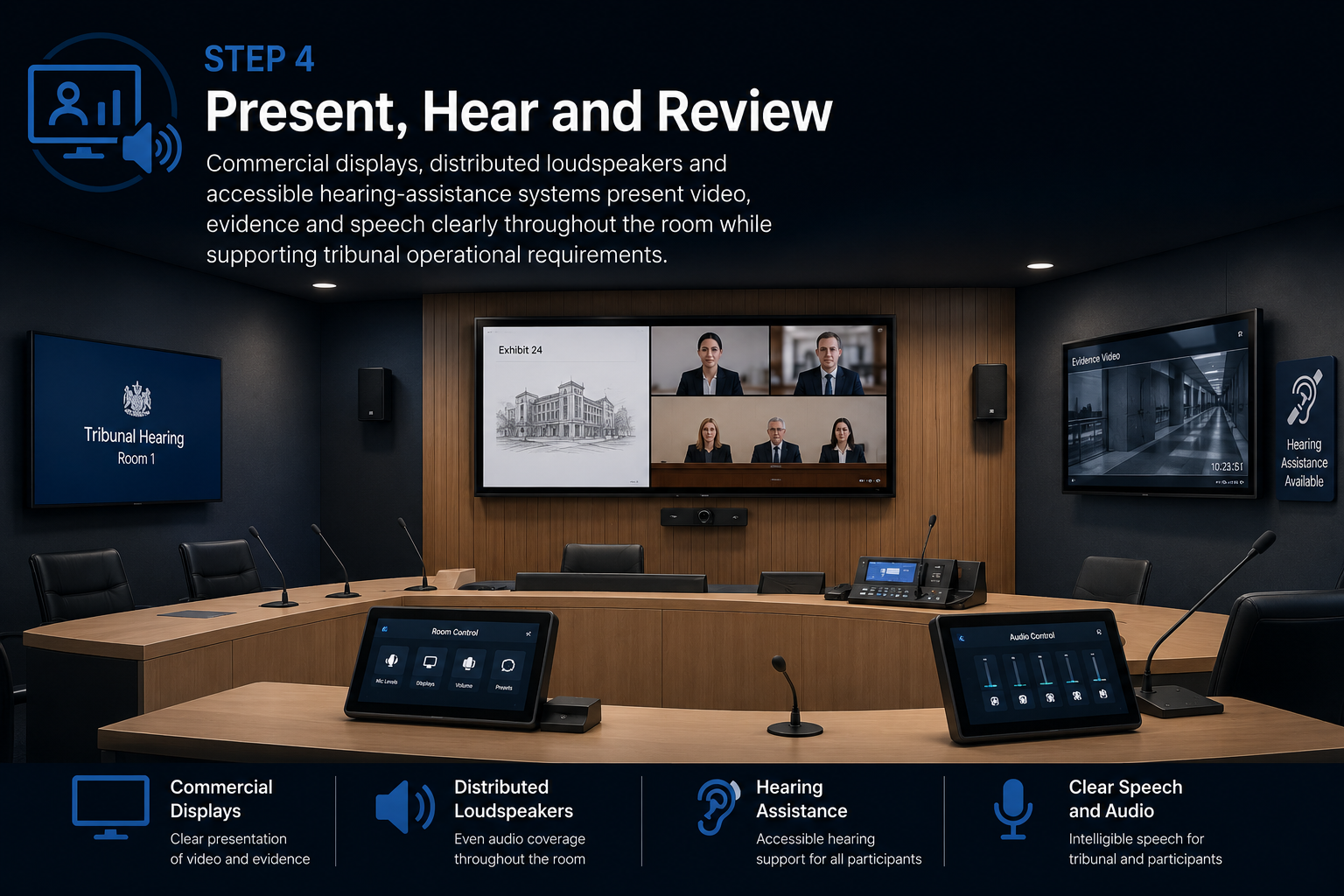
Masters Voice Technology delivered four purpose-built hearing-room AV systems for the NSW Civil and Administrative Tribunal at Civic Tower in Sydney—bringing professional audio, conferencing, camera systems, evidence presentation, recording and accessible listening into one coordinated environment.

4 Rooms Standardised hearing-room design
Q-SYS Audio processing and routing
Cisco Webex Audio Visual Link participation
Accessible Infrared hearing assistance

Education AV Project · Western Sydney

School Emergency Evacuation System at Merrylands East Public School

Masters Voice Technology delivered a wireless AARC-EVAC emergency communication solution designed to broadcast clear evacuation, lockdown, all-clear and testing instructions across nominated classrooms, walkways and outdoor areas.

8 outdoor horn loudspeakers Visual warning beacons Portable and fixed controls 4 recorded message functions
Evacuation beacon active

The Project

A beautiful heritage space with a difficult acoustic problem.

St Francis of Assisi Church in Paddington required a modern PA system capable of making spoken word easier to understand throughout the congregation.

The church's high ceilings, hard surfaces and long nave create a naturally reverberant acoustic environment. Sound that reaches walls and ceilings can reflect back into the congregation and overlap with later words.

The existing analogue system also required regular manual adjustment, offered inconsistent rear-seat coverage and used an ageing music input that no longer suited normal parish operation.

Masters Voice Technology approached the project as an intelligibility and usability upgrade—not simply a louder PA system.

Speech Reinforcement Heritage Church Q-SYS Processing Rear Delay Speakers Wireless Microphones Volunteer Control
Interior of St Francis of Assisi Church Paddington showing the heritage worship space upgraded by Masters Voice Technology

The Project

Different spaces. Different atmospheres. One connected AV platform.

Sydney Park Hotel required an audiovisual upgrade capable of supporting the changing demands of a busy multi-level hospitality venue in Newtown.

Background music, major sporting events, rooftop entertainment, private functions, presentations and venue promotions all place different demands on audio, displays and operating controls.

Masters Voice Technology and ACCAV designed the solution around each operating area, allowing the bar, dining spaces, rooftop and function areas to work independently while remaining part of one coordinated technology system.

Multi-Zone Audio AV over IP Live Sport Rooftop AV Function Rooms Digital Signage
Multi-level audio visual installation at Sydney Park Hotel in Newtown

The Project

A workplace where the technology had to be as flexible as the rooms.

British American Tobacco Australia required a coordinated audiovisual environment for its Parramatta workplace, supporting everyday Microsoft Teams meetings, staff presentations and larger training sessions.

The project incorporated a ten-seat dual-display meeting room, a compact six-seat meeting room and two adjoining training rooms separated by an operable wall.

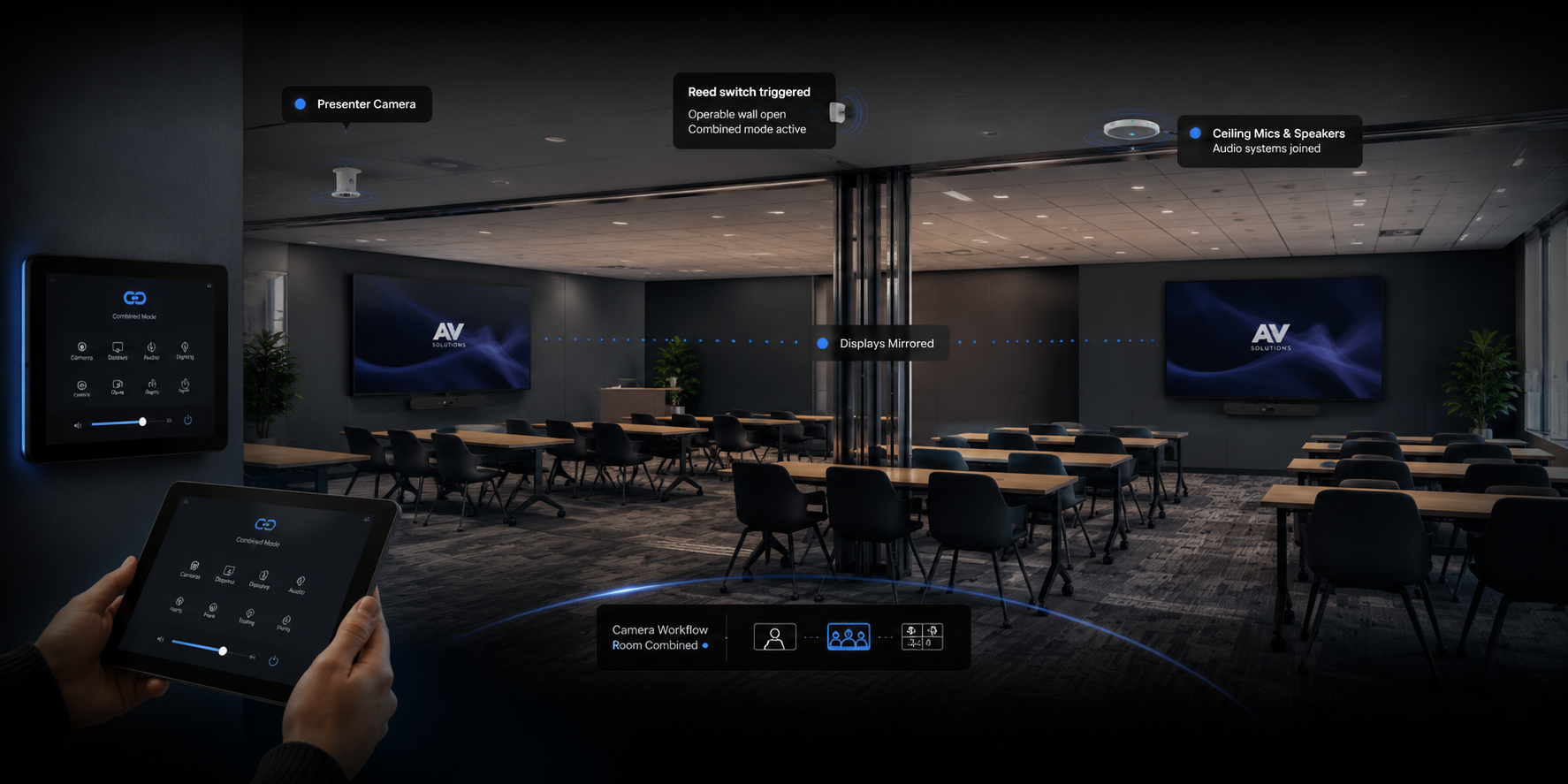
The challenge was not simply connecting displays and cameras. The training spaces needed to recognise whether they were being used independently or as one larger room and automatically adjust audio, video, camera and control behaviour to suit.

Microsoft Teams Divisible Training Rooms Q-SYS Control Beamforming Audio Wireless Presentation
Ten-seat Microsoft Teams meeting room designed for British American Tobacco Australia in Parramatta

The Project Brief

A library designed to do much more than lend books.

Camden Council's Oran Park Library operates as a modern community destination for learning, digital participation, presentations, children's programs and public events.

That required an AV environment capable of changing with the space. One moment the technology might support a collaborative workshop; the next, a film screening, school group, public presentation or interactive children's experience.

Masters Voice Technology delivered an integrated solution combining projection, audio, interactivity and straightforward system operation while respecting the contemporary architectural finish of the library.

Public Library AV Interactive Projection Large Venue Projection Distributed Audio Community Technology
Integrated audiovisual technology at Oran Park Library for Camden Council
Project Challenge

One Hall Had to Work for Both Assemblies and Performance

A performing arts school needs more from its hall audio system than simply making announcements louder.

The existing PA had uneven audience coverage and limited headroom for music and performance, while speech and musical content did not reproduce with consistent quality.

The replacement therefore had to deliver professional performance capability while remaining simple enough for teachers and school staff to use for everyday events.

Improve speech intelligibility across the audience area
Provide greater musical depth and performance headroom
Reduce uneven front-to-rear sound coverage
Support assemblies, presentations and live productions
Simplify everyday operation for school staff
Create a flexible networked audio foundation

Project Challenge

Therapy Needed Clear Observation Without Changing the Interaction

Parent-Child Interaction Therapy depends on clinicians observing genuine parent-child behaviour while remaining outside the treatment space and providing timely guidance to the parent.

St Gertrude’s Catholic School therefore required something very different from conventional classroom or meeting-room AV.

Cameras, microphones, monitoring, coaching and recording needed to operate as one connected environment while keeping unnecessary technology out of the interaction.

Clear treatment-room video observation
Intelligible parent and child speech capture
Remote clinician observation
Discreet real-time coaching
Session audio and video recording
Simple staff operation
Project requirement

Replacing failed legacy PA infrastructure with a complete campus communication platform

Leichhardt Public School required more than a repair to an ageing bell timer. The existing PA infrastructure could no longer provide dependable school-wide communication for scheduled bells, daily paging and urgent announcements.

The redevelopment needed to restore clear audio across classrooms, corridors, administration spaces and outdoor areas while making normal operation straightforward for administration staff.

It also required a technical platform capable of bringing bell schedules, paging zones, audio routing and priority functions together while allowing the system to grow as campus requirements changed.

  • Replace unreliable legacy PA infrastructure
  • Restore dependable automated bell scheduling
  • Improve speech clarity throughout the campus
  • Create practical, understandable paging zones
  • Provide priority communication over routine audio
  • Establish a scalable networked platform
Leichhardt Public School PA and bell system redevelopment
NSW Justice Technology Case Study

Correctional Centre AVL Upgrade Across NSW

Masters Voice Technology delivered a coordinated Audio Visual Link upgrade across NSW correctional centres, modernising camera, conferencing and AVL suite technology within complex, access-controlled operational environments.

11 Correctional centres
11 IRR room upgrades
2 Corrective AVL suites
NSW Multi-site rollout
NATIONAL DIGITAL SIGNAGE NETWORK

Supporting a network—not simply fixing individual screens.

National Screen Network
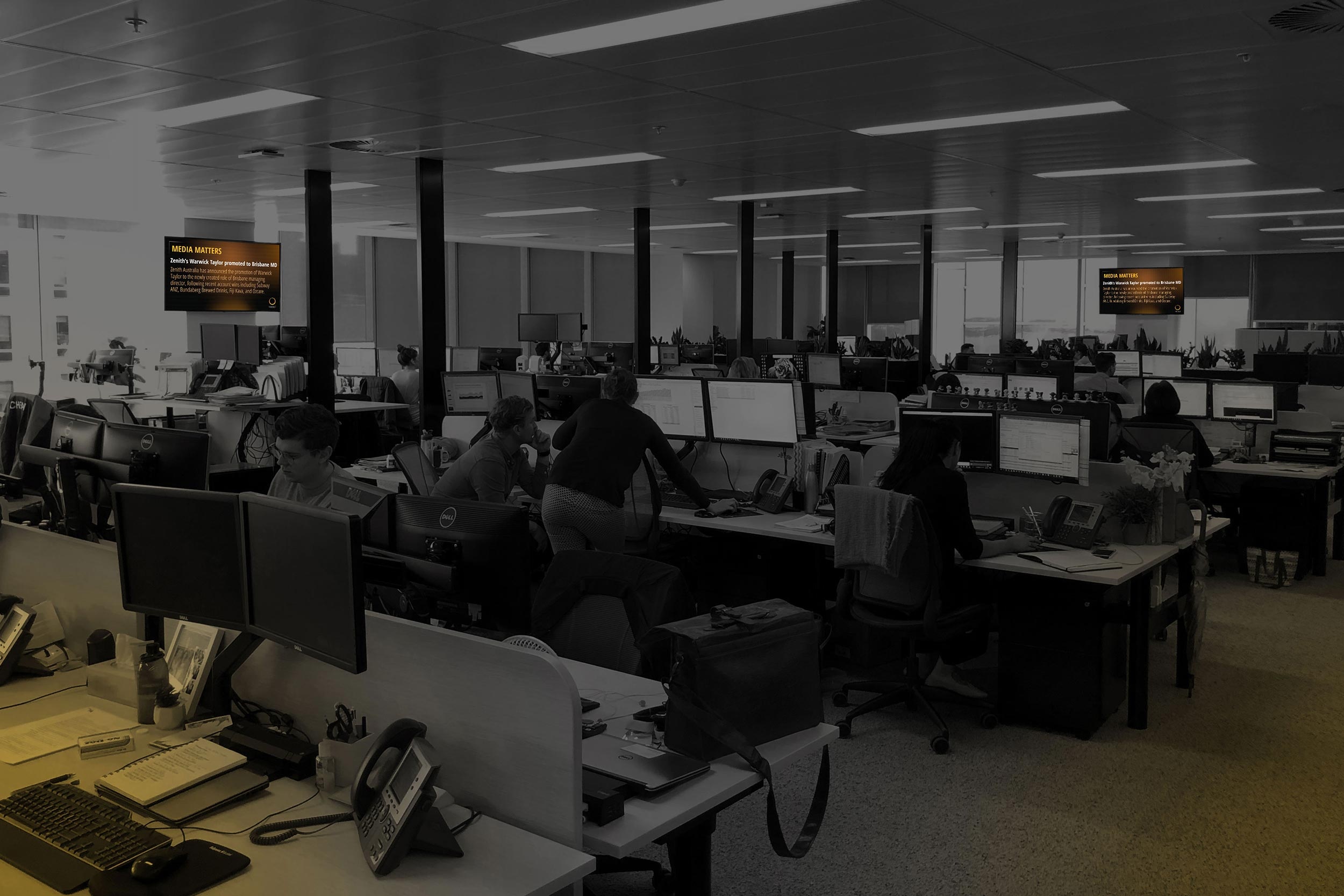
MediaI national digital signage screen network across Australian media agency locations
MediaI Australia 70+ Locations · 250+ Screens

MediaI operates a distributed digital signage environment across media agency locations throughout Australia. At this scale, maintaining the network is fundamentally different from responding to an isolated screen fault.

Each location forms part of a broader technology chain connecting scheduled content, Broadsign-configured media players, network connectivity and commercial large-format displays. A problem visible on a screen can therefore originate at several different points within that chain.

Masters Voice Technology supports the environment as a national digital signage network rather than treating every incident as an independent service call.

That distinction is important. Effective support starts by understanding the operating environment, investigating the likely source of a fault and then selecting the appropriate response.

  • Distributed agency locations across Australia
  • Broadsign-connected media players
  • Commercial large-format digital displays
  • Network and connectivity dependencies
  • Remote technical investigation
  • Coordinated onsite field response

Where an issue can be investigated remotely, the support process can begin before a technician is dispatched. Where physical attendance is needed, the incident can be escalated with a clearer understanding of the symptoms and likely fault area.

This gives MediaI a more consistent support pathway across geographically separated locations and provides greater visibility over the ongoing performance of the network.

The objective is not simply to restore one display. It is to help maintain the availability, consistency and operational performance of the broader MediaI screen network.

01
Network thinking changes the support model. Instead of assuming a visible screen fault is a display problem, the support process considers the complete pathway from scheduled content and player operation through connectivity to the final commercial display.
250+ Premium large-format screens operating across the MediaI network.
70+ Media agency locations supported across the distributed national environment.
Remote Technical investigation can begin remotely where system access and visibility allow.
Ongoing Managed technical support extends beyond initial installation or individual repairs.
THE PROJECT BRIEF

Make every hearing room behave like the same room.

Tribunal environments bring together members, applicants, respondents, legal representatives, witnesses and remote participants. The technology therefore needed to support consistent communication without forcing users to manage separate audio, video and presentation systems.

01

Remote participation

Enable authorised remote participants and witnesses to communicate clearly with people inside the hearing room.

02

Speech capture

Capture clear speech from tribunal and participant positions using dedicated microphones and controlled audio processing.

03

Evidence presentation

Route digital sources, documents and physical evidence to nominated displays and conferencing destinations.

04

Recording workflow

Integrate professional video and audio recording into the complete hearing-room signal path.

05

Accessible listening

Provide hearing-assistance functionality as part of the room rather than as an isolated add-on.

06

Government documentation

Coordinate cabling, testing, system documentation and as-built information within the broader construction program.

Project summary

Clear instructions for different emergency situations

The school required more than a single warning siren. It needed recognisable alert functions, consistent recorded instructions, strong outdoor projection and practical activation controls for authorised personnel.

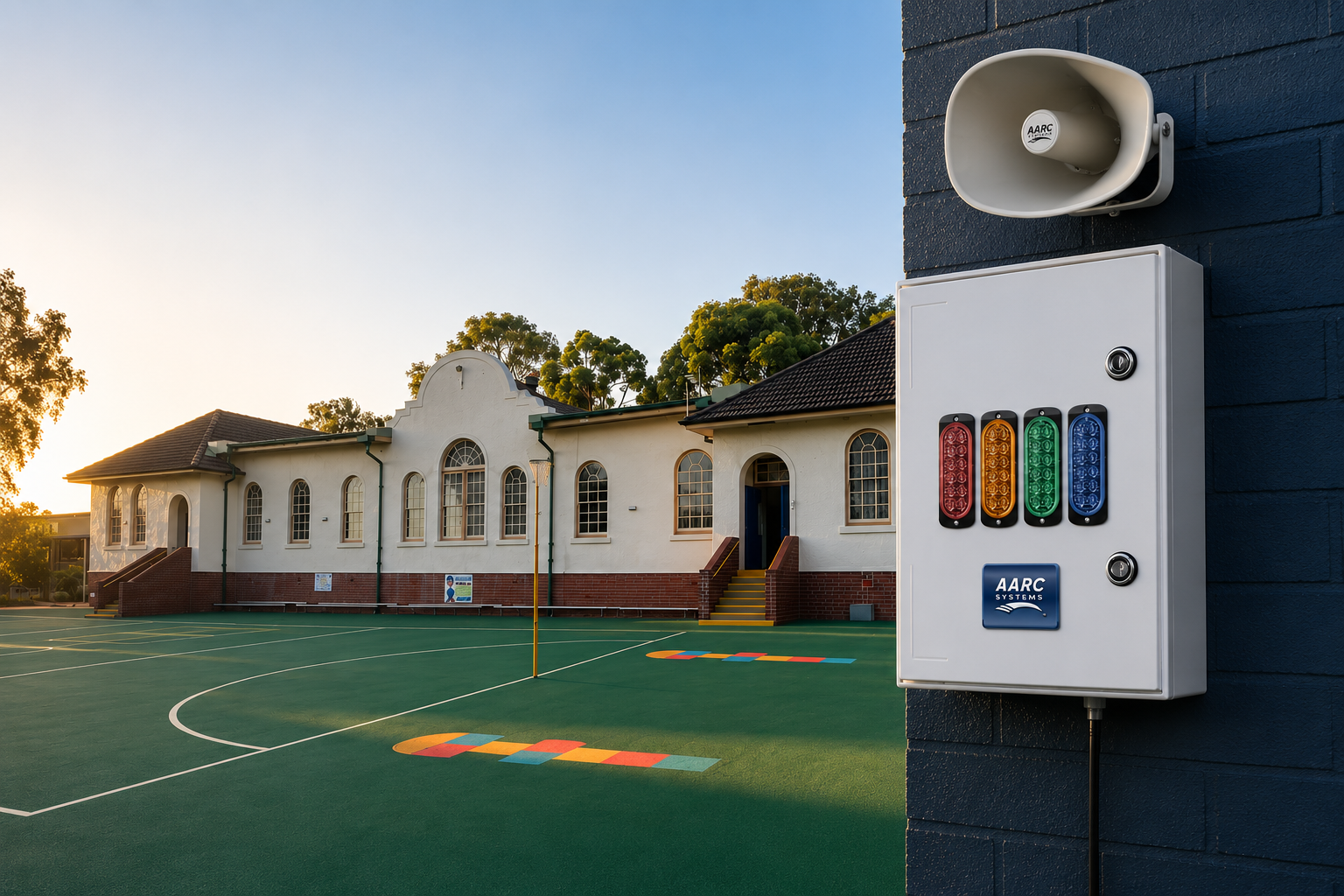
The completed system combines wireless activation, message playback, directional horn loudspeakers and visual warning equipment in one coordinated emergency communication workflow. The user-facing controls follow familiar school terminology rather than technical equipment labels.

  • Evacuation, lockdown, all-clear and test functions
  • Four school-specific recorded audio messages
  • Protected hidden-cancel operation
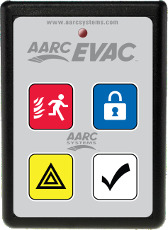
  • Portable handheld control for mobile staff
  • Fixed wall-mounted activation point
  • Configuration, testing and staff handover
Integrated AARC-EVAC emergency communication equipment configured for Merrylands East Public School

Integrated emergency communication equipment configured around the school’s nominated alert procedures.

8 Outdoor horn loudspeakers
4 Recorded alert functions
2 Authorised control formats
1 Coordinated wireless platform

The Audio Challenge

Loud enough was not the same as clear enough.

01

Reverberation

High ceilings and reflective surfaces allow speech energy to remain in the room, reducing definition between words.

02

Uneven Coverage

Listeners closer to the sanctuary could receive more level while speech became harder to follow toward the rear.

03

Rear-Seat Intelligibility

Long listening distances meant the system needed local reinforcement rather than simply increasing front-speaker volume.

04

Wireless Reliability

Clergy and presenters needed consistent hands-free voice pickup while moving around the sanctuary.

05

Volunteer Operation

Everyday users needed access to the controls they actually use without exposing technical DSP settings.

06

Future Flexibility

The new platform needed to support future audio and AV requirements without another complete system replacement.

Everyday Venue Operation

Complex routing behind the scenes. Simple choices for staff.

The operating workflow was designed around familiar venue decisions: choose a source, choose an area, choose the required screen or sound level and let the integrated system handle the routing.

Sydney Park Hotel audiovisual control interface for selecting venue audio sources
OPERATION 01

Choose the Audio Source

Staff can select background music, live-sport audio, Bluetooth, AUX, DJ inputs or wireless microphone audio according to how an area is being used.

Multi-zone audio system for the bar dining rooftop and function areas at Sydney Park Hotel
OPERATION 02

Route Sound by Venue Zone

Different areas can operate at different levels and with different sources, allowing the atmosphere to suit each part of the property.

AV over IP video routing to commercial displays across Sydney Park Hotel
OPERATION 03

Send Video to the Right Screens

Live sport, television, digital signage and event content can be routed to selected displays instead of every screen being locked to one source.

Simple staff audiovisual control for Sydney Park Hotel venue zones displays and microphones
OPERATION 04

Keep Staff Control Simple

Staff manage familiar venue functions without needing access to processors, amplifiers, network hardware or complex equipment racks.

Design Requirements

Consistency in the meeting rooms. Intelligence in the training rooms.

01

Familiar Teams operation

Staff needed a consistent conferencing experience across meeting rooms of different sizes.

02

Divisible-room operation

Both training spaces needed to work independently while separated and as one coordinated room when combined.

03

Automatic room detection

The AV configuration needed to respond automatically to the position of the operable wall.

04

Flexible camera views

Users needed different camera views for conventional meetings and presenter-led training sessions.

05

Clear ceiling audio

Microphone pickup and loudspeaker coverage needed to work without restricting movable training-room furniture.

06

Simple control

Staff required straightforward wall-mounted operation rather than manually reconfiguring multiple AV devices.

Design Requirements

One AV platform. Multiple ways to use the library.

01

Bright, visible presentation

Projection needed to remain clear and engaging in public areas where ambient light could otherwise compromise image visibility.

02

Collaborative learning

Staff, presenters and community groups needed interactive presentation tools for annotation, workshops and education sessions.

03

Audience-ready audio

Speech, presentations and program material required consistent, intelligible audio across the nominated public spaces.

04

Interactive experiences

Children's spaces needed technology that encouraged movement, discovery, participation and digital learning.

05

Simple staff operation

Everyday operation needed to remain straightforward without requiring library staff to become AV technicians.

06

Architectural integration

Equipment positioning, mounting, cable pathways and service access were considered as part of the finished public environment.

System Workflow

Connect → Select → Process → Perform

The audio pathway was designed so straightforward school operation and higher-performance production could exist within the same system.

Audio input options for microphones, music and performance sources in the school hall
01

Connect the Audio Source

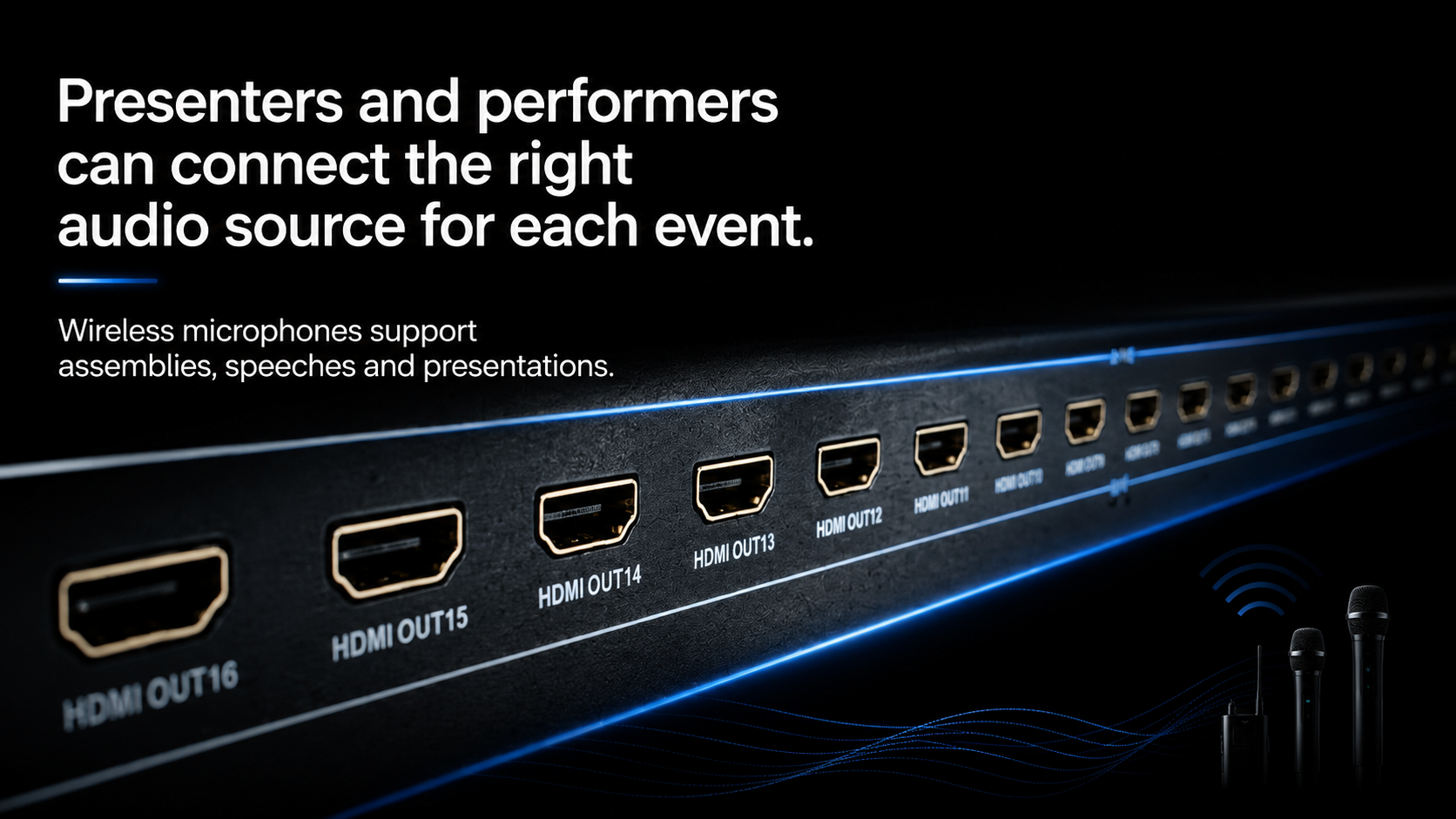
Wireless microphones support assemblies, speeches and presentations, while Bluetooth and performance inputs provide practical connections for music, rehearsal tracks and event audio.

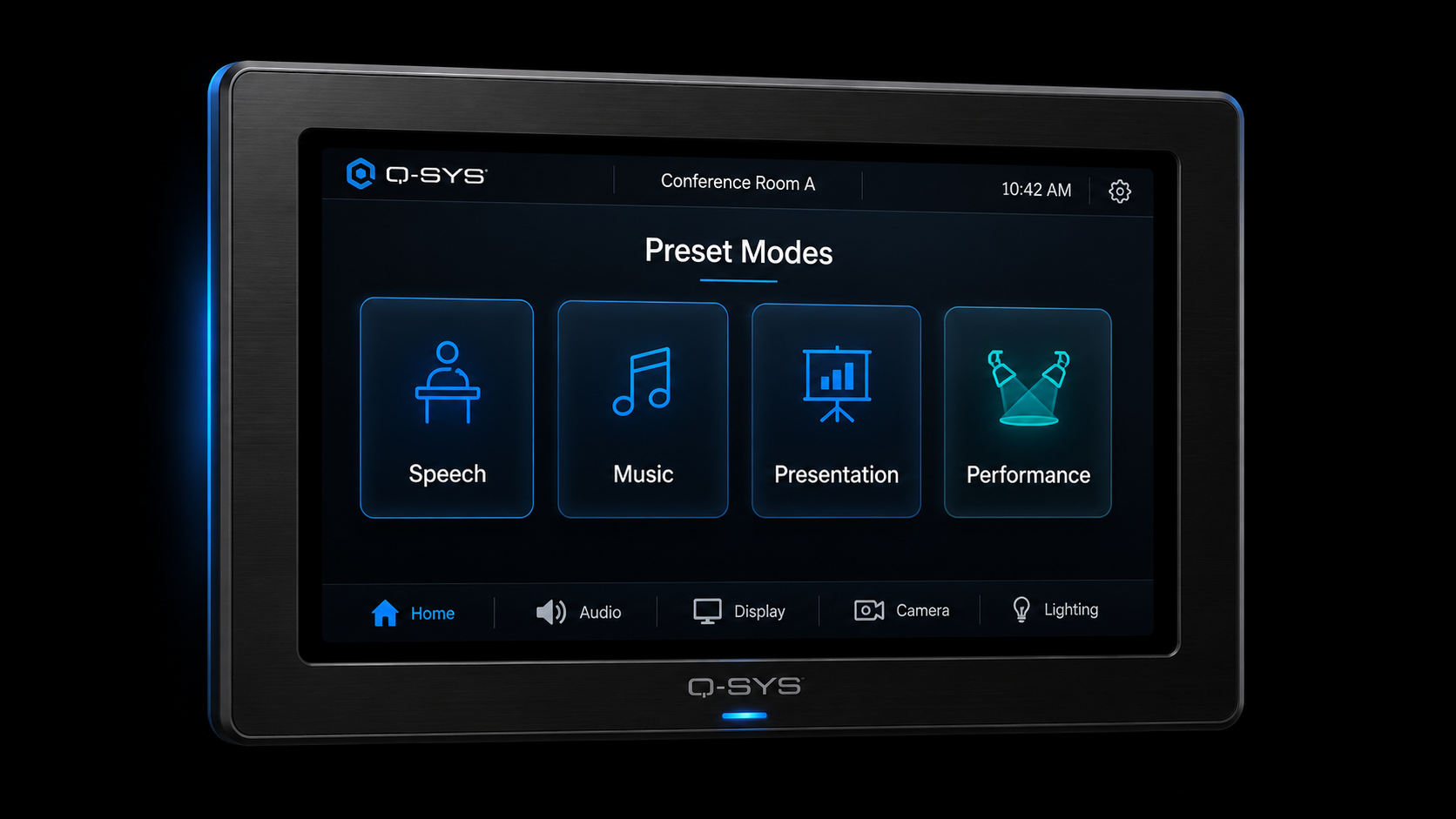
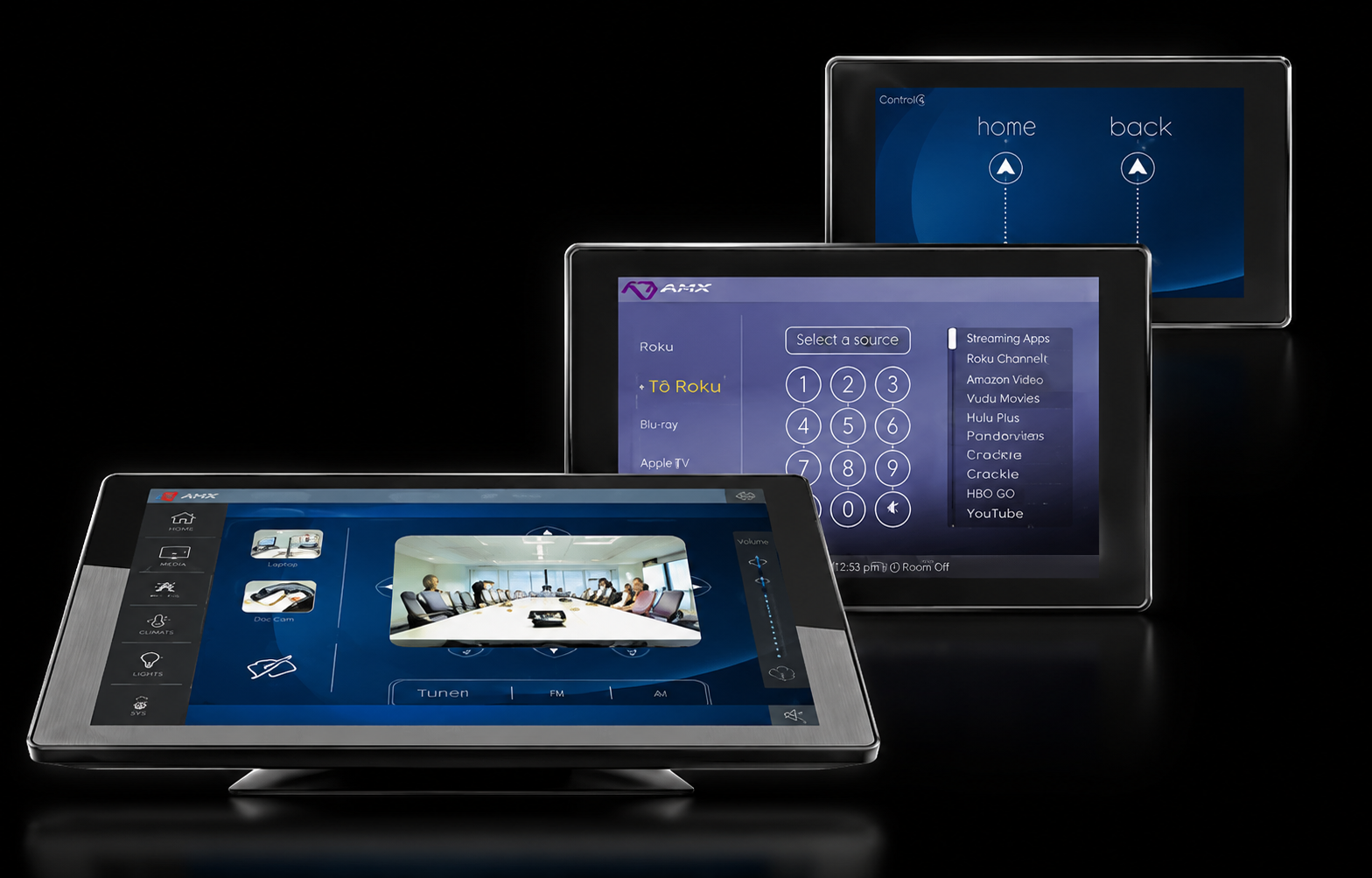
Q-SYS touchscreen preset modes for speech, music and performance events
02

Select the Event Mode

Q-SYS touchscreen presets allow staff to select appropriate modes for speech, music or performance without manually configuring complex DSP parameters.

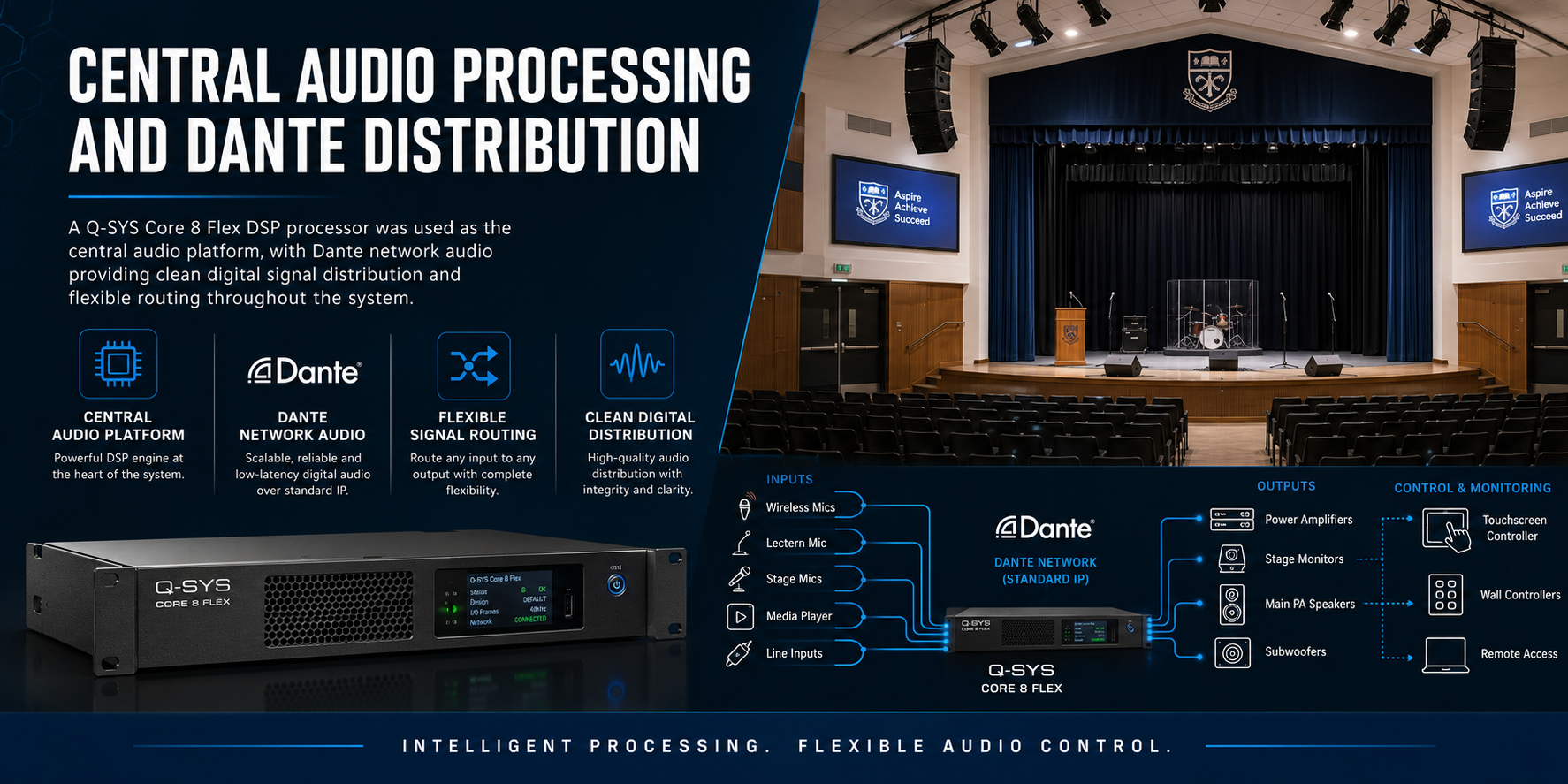
Q-SYS audio processing and Dante signal routing for the performance hall
03

Process & Route the Audio

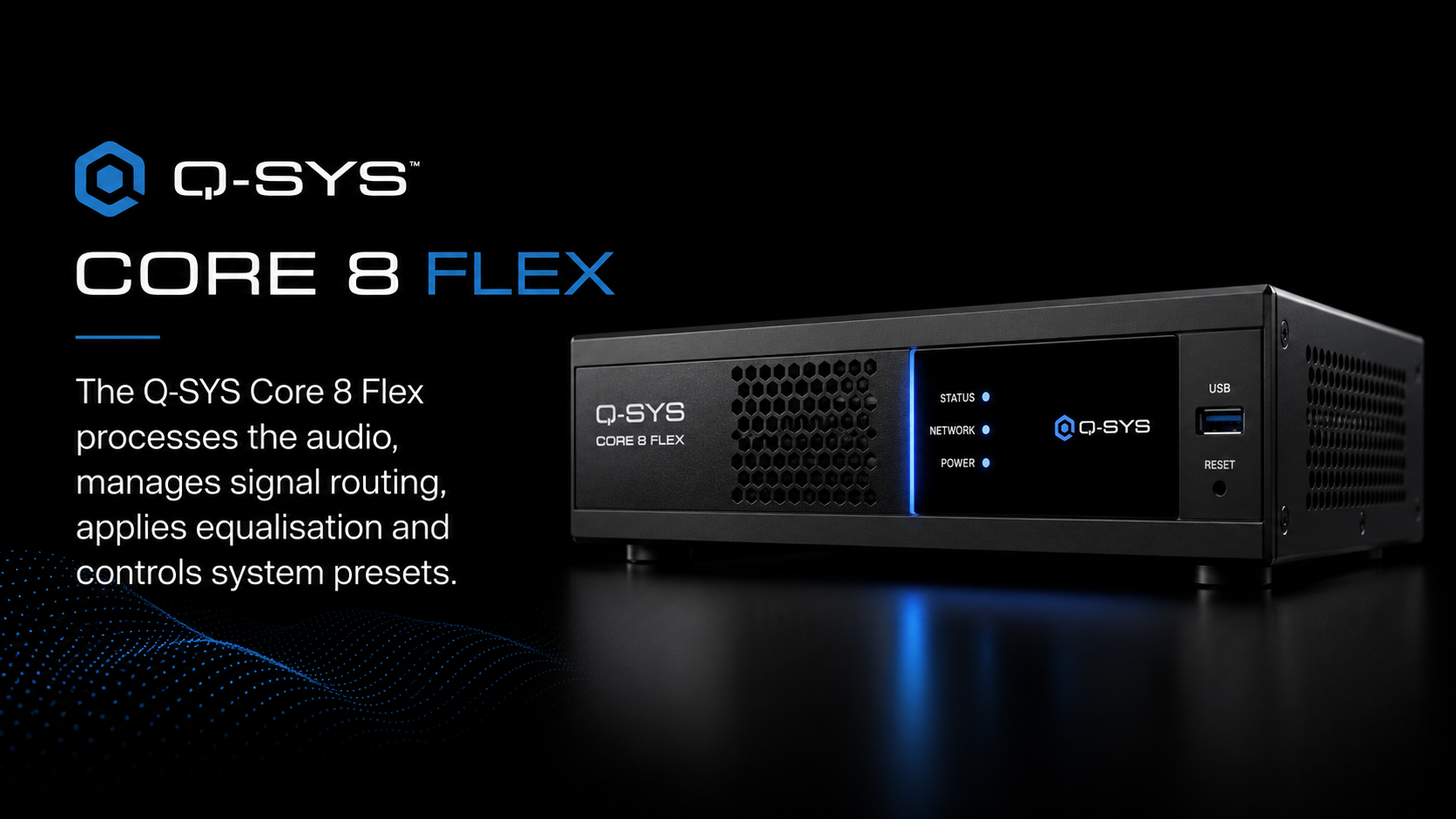
The Q-SYS Core 8 Flex manages signal processing, equalisation, routing and presets while Dante provides network-based digital audio distribution between compatible components.

Fohhn line-source loudspeakers, subwoofers and amplification delivering sound throughout the school hall
04

Deliver the Performance

Fohhn line-source loudspeakers provide controlled audience coverage while the subwoofers extend low-frequency performance for music, drama and live production.

Clinical Workflow

The Technology Supports the Therapy — Not the Other Way Around

The purpose of the AV system is to make observation, listening and coaching possible without becoming the focus of the session.

The clinician needs to see the interaction clearly, hear natural speech and communicate discreetly with the parent while remaining physically outside the treatment room.

At St Gertrude’s, those functions were integrated into one practical workflow rather than delivered as separate pieces of technology.

Design Principle

Make the technology disappear into the room

Cameras should provide useful observation coverage.

Microphones should capture conversation naturally.

Coaching should remain discreet.

Recording should be predictable and straightforward.

Campus communication workflow

From timetable scheduling to campus-wide priority communication

The system brings school bell scheduling, selected-zone paging, priority communication and distributed audio into one coordinated operating workflow.

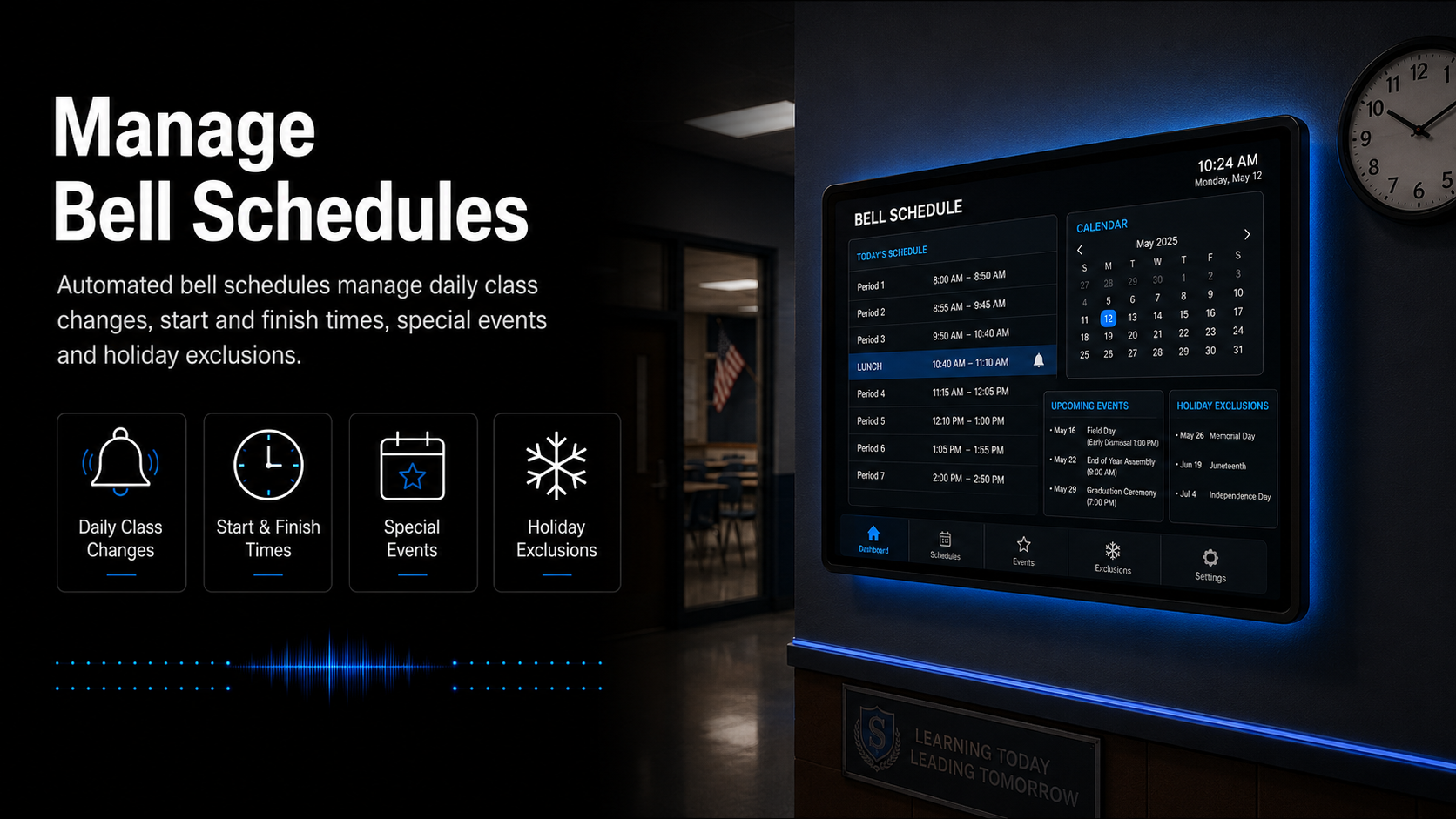
Managing automated bell schedules for a school PA system
01

Manage Bell Schedules

Authorised administration staff can manage normal daily schedules, lesson changes, special events, timetable exceptions and holiday periods through a structured control interface.

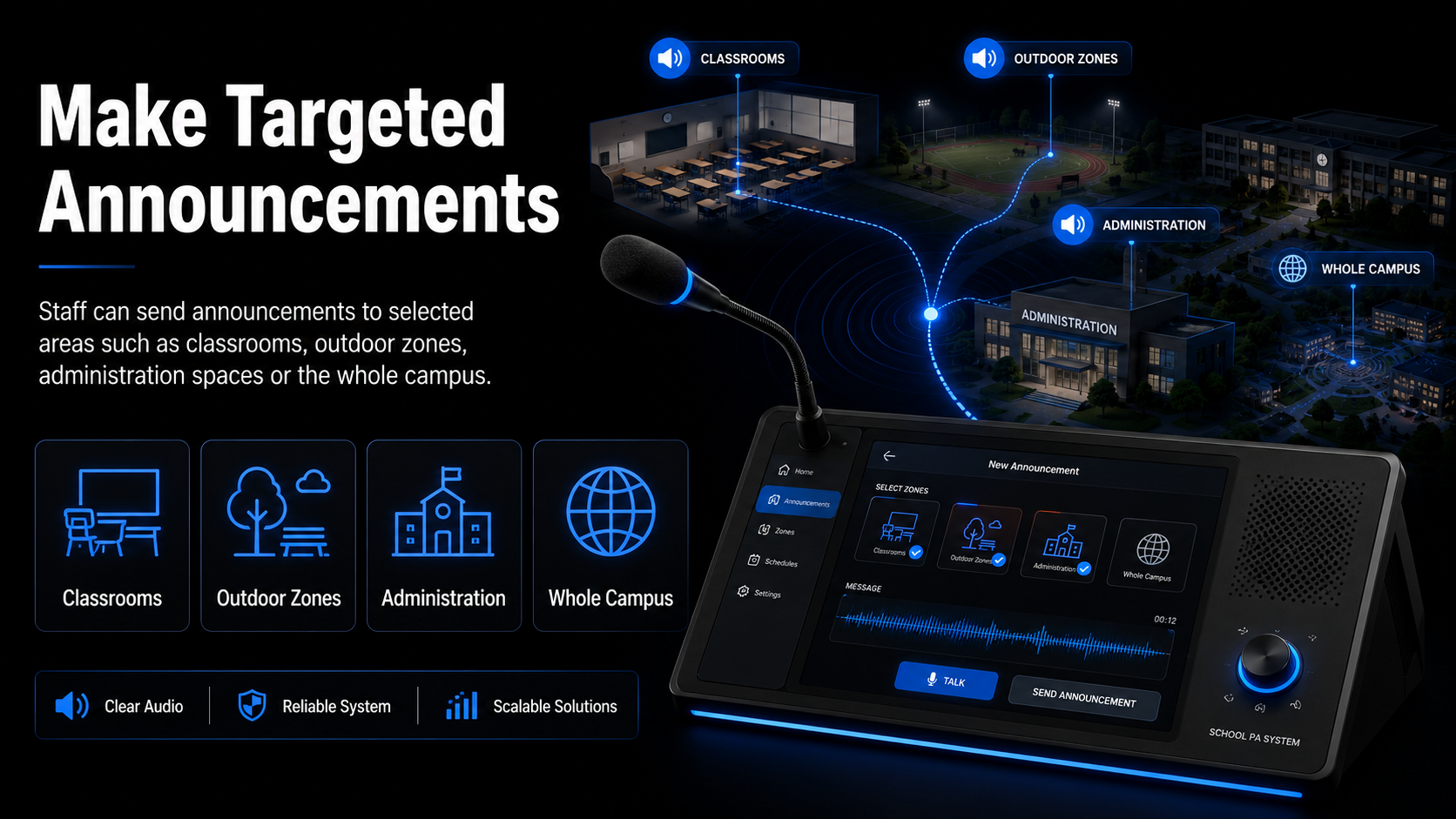
Targeted school paging and announcement controls
02

Make Targeted Announcements

Staff can direct live or recorded announcements toward nominated buildings, selected paging zones or the complete school rather than broadcasting every routine message everywhere.

Priority communication overriding routine school bell audio
03

Prioritise Important Messages

Programmed priority logic allows approved urgent communication to take precedence over routine bells, music and normal paging according to the school's configured communication workflow.

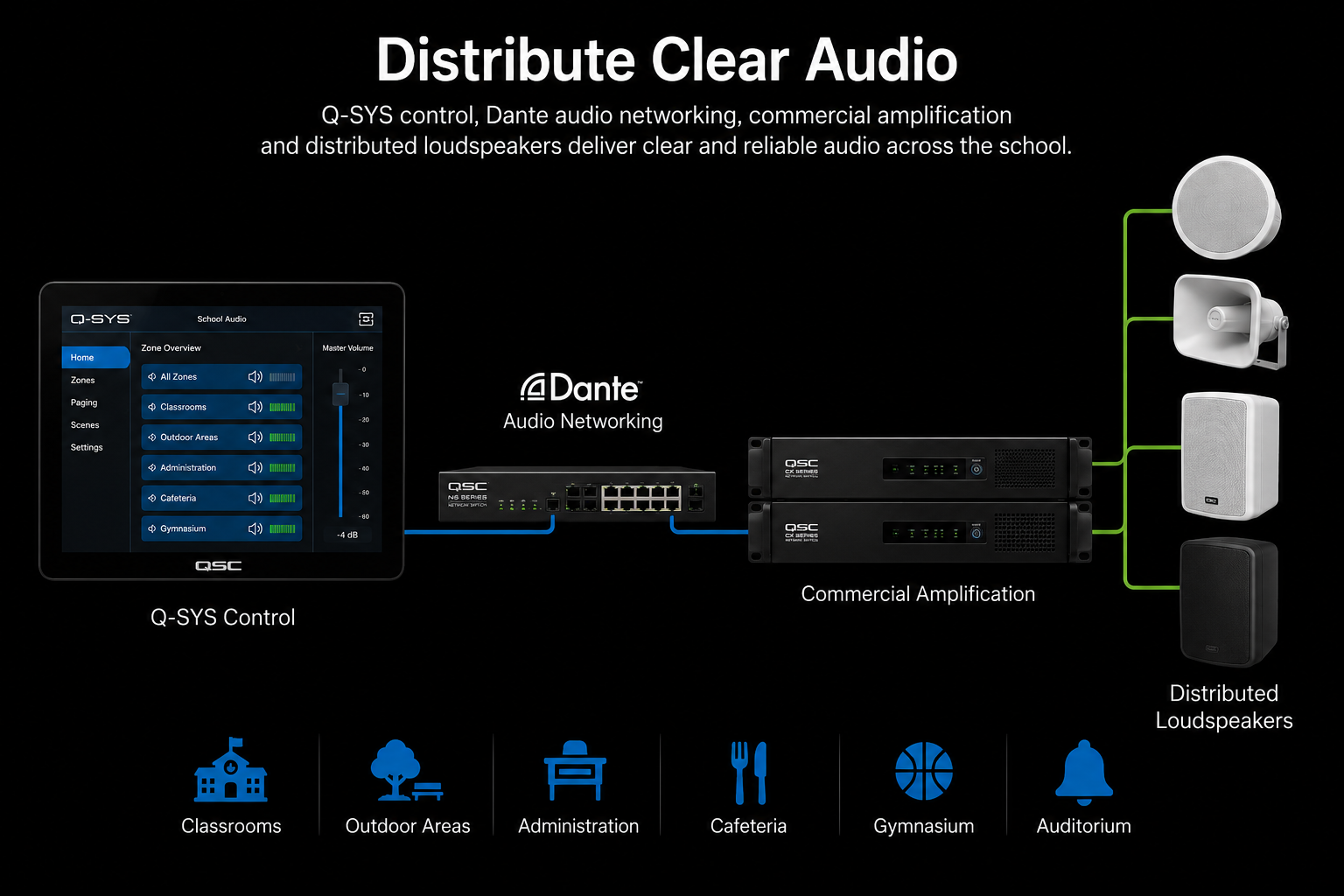
Distributed audio coverage throughout a school campus
04

Distribute Clear Audio

Dante networked audio, commercial amplification and appropriately distributed loudspeakers provide consistent communication across classrooms, corridors, administration and required outdoor areas.

Understanding AVL

What is an Audio Visual Link Suite?

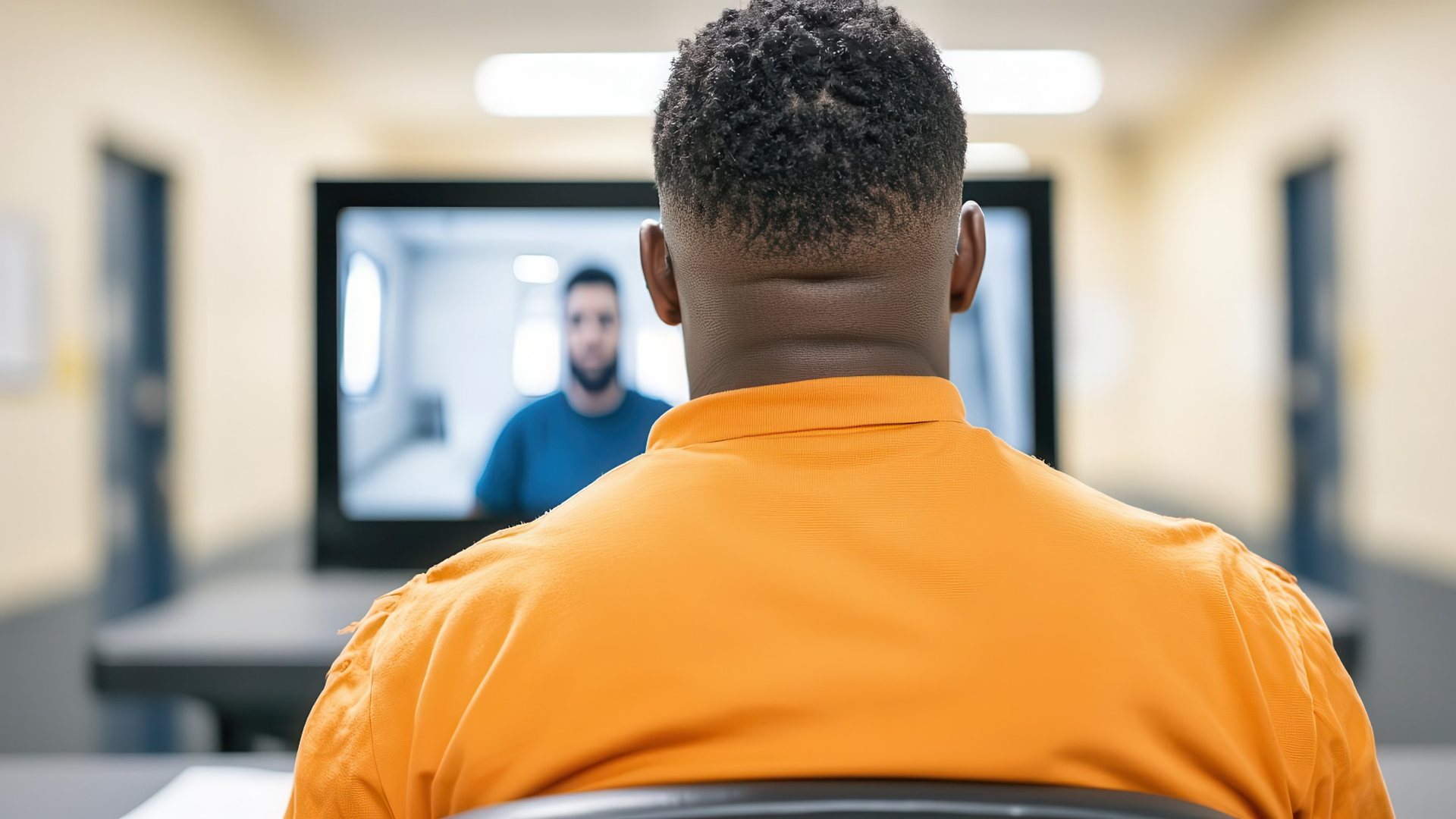
An AVL Suite is a purpose-built Audio Visual Link room designed for controlled video communication within a correctional environment.

It is more than a standard video conferencing room. Cameras, conferencing endpoints, displays, audio, video conversion and network-connected AV technology operate together as one integrated system.

The result is a dedicated environment where authorised participants can communicate remotely using professionally installed and managed audio visual technology.

AVL
Audio Visual Link

One room. Multiple integrated technologies.

Professional room cameras
Video conferencing codec
Commercial displays
Integrated room audio
Network video encoding
HDMI and video conversion
SERVICE CHALLENGE

A fault at one screen should not become a blind spot across the network.

A single signage display can often be treated as an isolated device. A geographically distributed screen network requires a different operating model: consistent fault logging, remote investigation, clear escalation, onsite response and visibility of recurring issues.

01

Distributed infrastructure

Displays and players operate across many agency locations rather than within a single building, increasing the importance of remote visibility and consistent service procedures.

02

Multiple possible fault points

A playback issue may involve content, a Broadsign player, connectivity, display configuration, power or onsite hardware. The service process must identify where the actual problem sits.

03

Content visibility matters

Screens form part of MediaI's communication channel. Technical interruptions therefore affect the ability to present advertising, media updates and branded communication as intended.

04

Remote-first investigation

Where technology permits, faults should be reviewed remotely before dispatching a technician, reducing unnecessary travel and accelerating diagnosis.

05

Coordinated field response

Issues that cannot be resolved remotely need a clear pathway to onsite technical attendance and practical hardware troubleshooting.

06

Service accountability

Help desk processes, service history, escalation, SLA tracking and reporting provide visibility beyond individual fault tickets.

HEARING-ROOM WORKFLOW

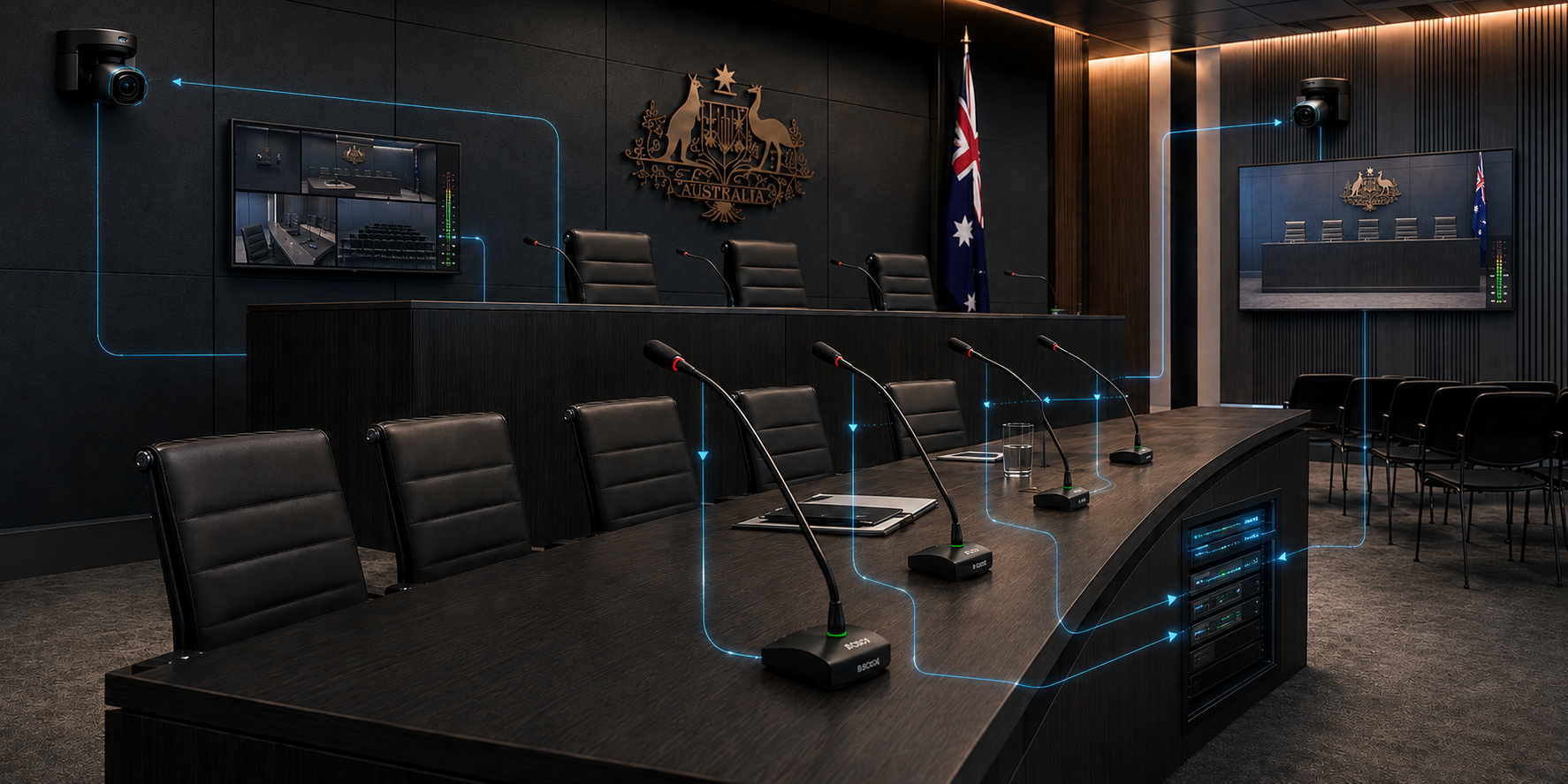
From spoken word to remote participant—one connected signal path.

01

Capture the hearing

Gooseneck microphones, supplementary room capture and PTZ cameras collect speech and video from nominated participant positions.

02

Process and route

Q-SYS processing, Dante audio networking and professional video infrastructure manage room audio, camera feeds, conferencing and presentation sources.

Integrated audiovisual technology workflow used within the NCAT hearing rooms
03

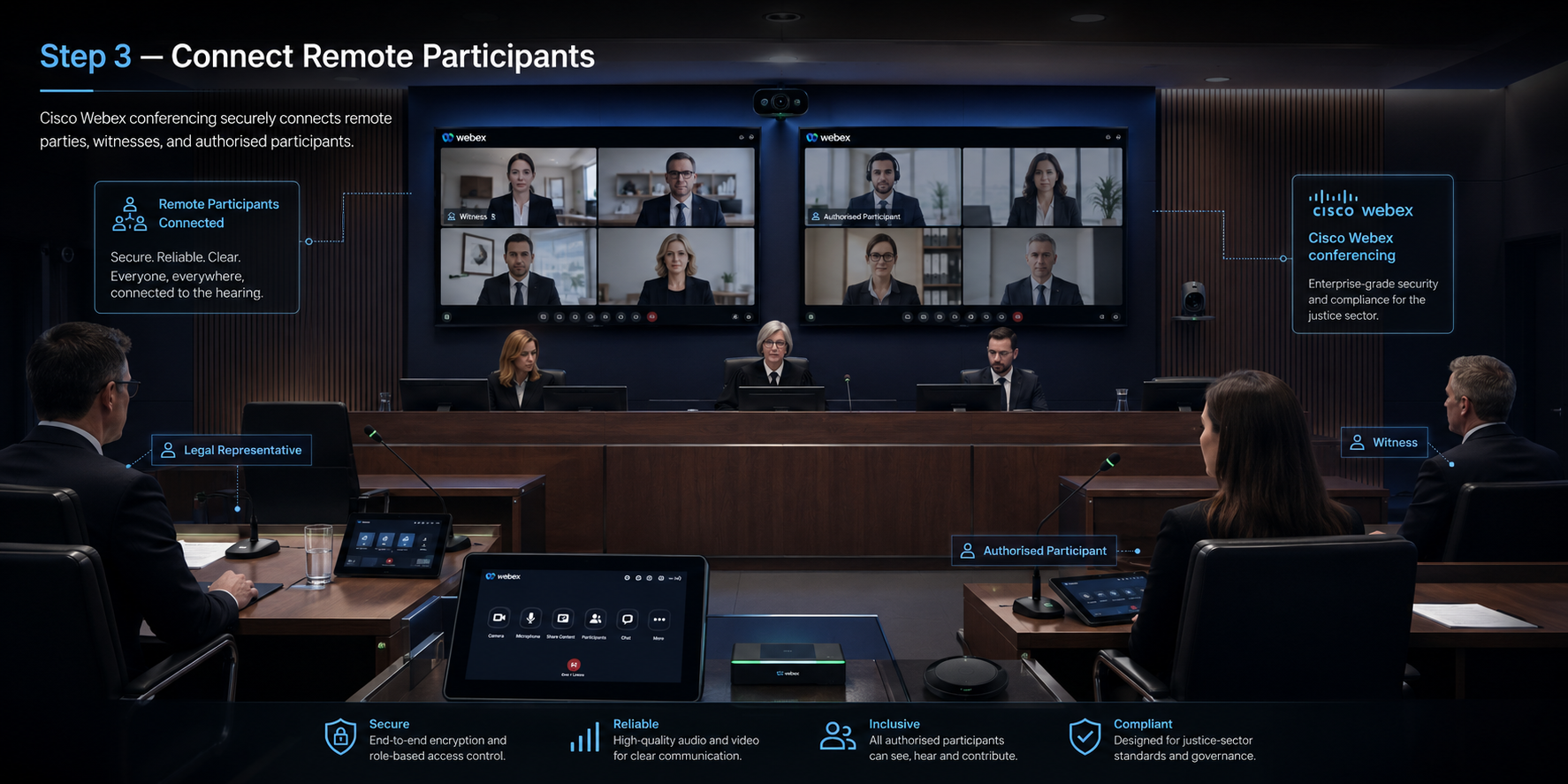
Connect remote participants

Cisco conferencing connects authorised remote attendees, witnesses and other participants with the room's cameras, microphones, displays and audio.

04

Present, hear and review

Commercial displays, room loudspeakers, evidence presentation and hearing-assistance technology complete the local hearing experience.

Emergency alert functions

Different messages for different school procedures

Distinct alerts help staff, students and visitors understand what is happening and what action is required without relying on an improvised live announcement during a stressful event.

Red alert

Evacuation

A recognisable alert tone and recorded voice instruction support the school’s nominated process for moving occupants toward the approved assembly procedure.

Blue alert

Lockdown

A separate lockdown message distinguishes shelter-in-place action from evacuation and provides consistent instructions across the selected school areas.

Return to normal

All-clear

An all-clear message communicates that the active event has ended and supports an orderly return to the school’s normal operating procedure.

Planned verification

System testing

A dedicated test function allows authorised personnel to verify system operation and staff familiarity without presenting a test as an active emergency.

System Workflow

From the spoken word to clear sound throughout the congregation.

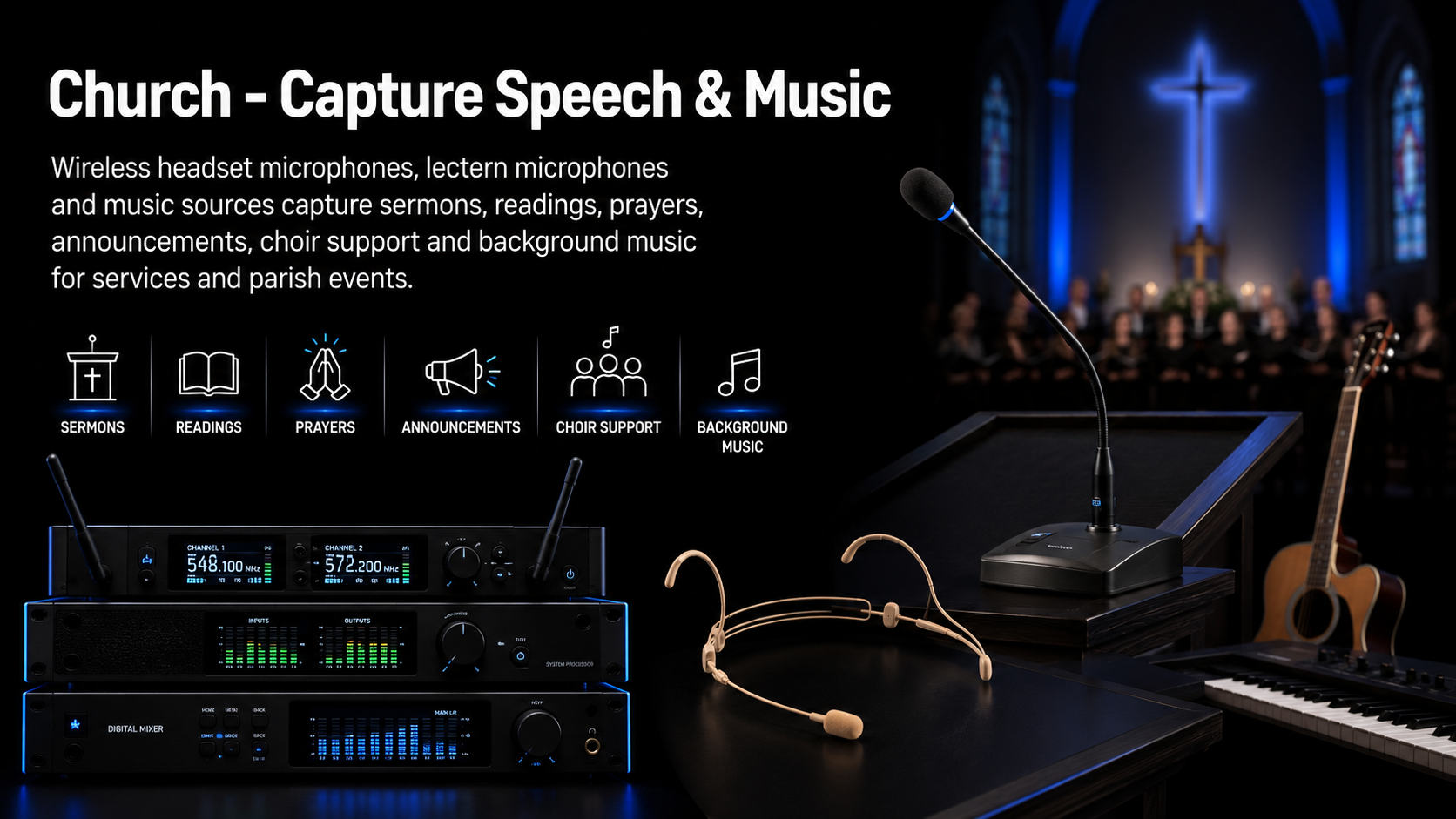
The system is designed around a simple signal path: capture the voice cleanly, process it intelligently, present only the controls volunteers need and deliver correctly timed sound throughout the nave.

Church microphones and music inputs feeding the St Francis of Assisi Church PA system
01 · CAPTURE

Speech & Music Inputs

Wireless headsets, lectern microphones and music sources capture sermons, readings, prayers, announcements and parish event audio.

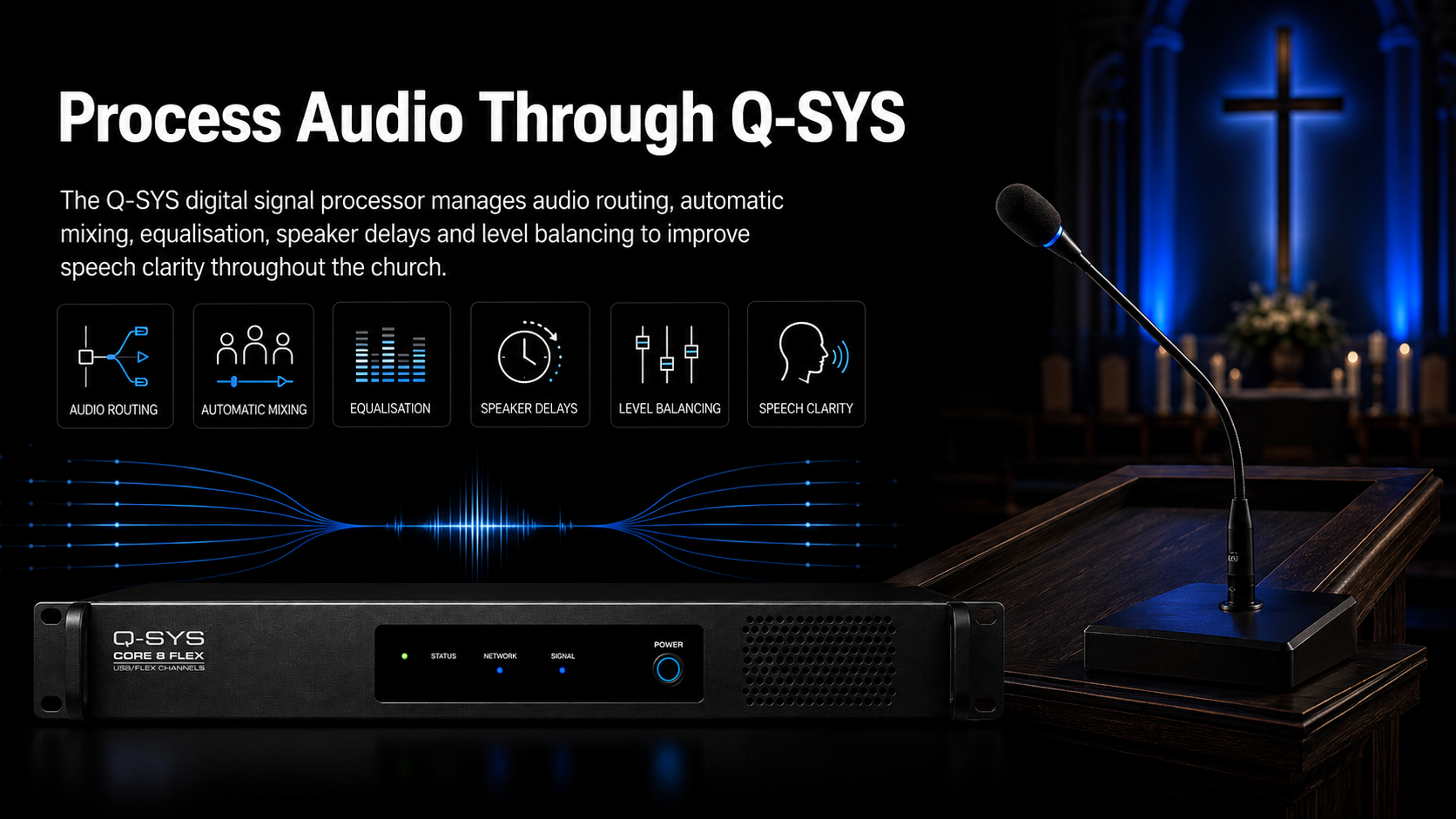
Q-SYS digital signal processing workflow for St Francis Church Paddington
02 · PROCESS

Q-SYS Digital Audio Processing

The DSP coordinates microphone levels, automatic mixing, equalisation, routing, loudspeaker delays and output balancing behind the scenes.

Volunteer touchscreen control interface for microphones and music at St Francis Church Paddington
03 · CONTROL

Volunteer-Friendly Operation

Parish users can access normal microphone, music and service controls without changing the protected engineering configuration.

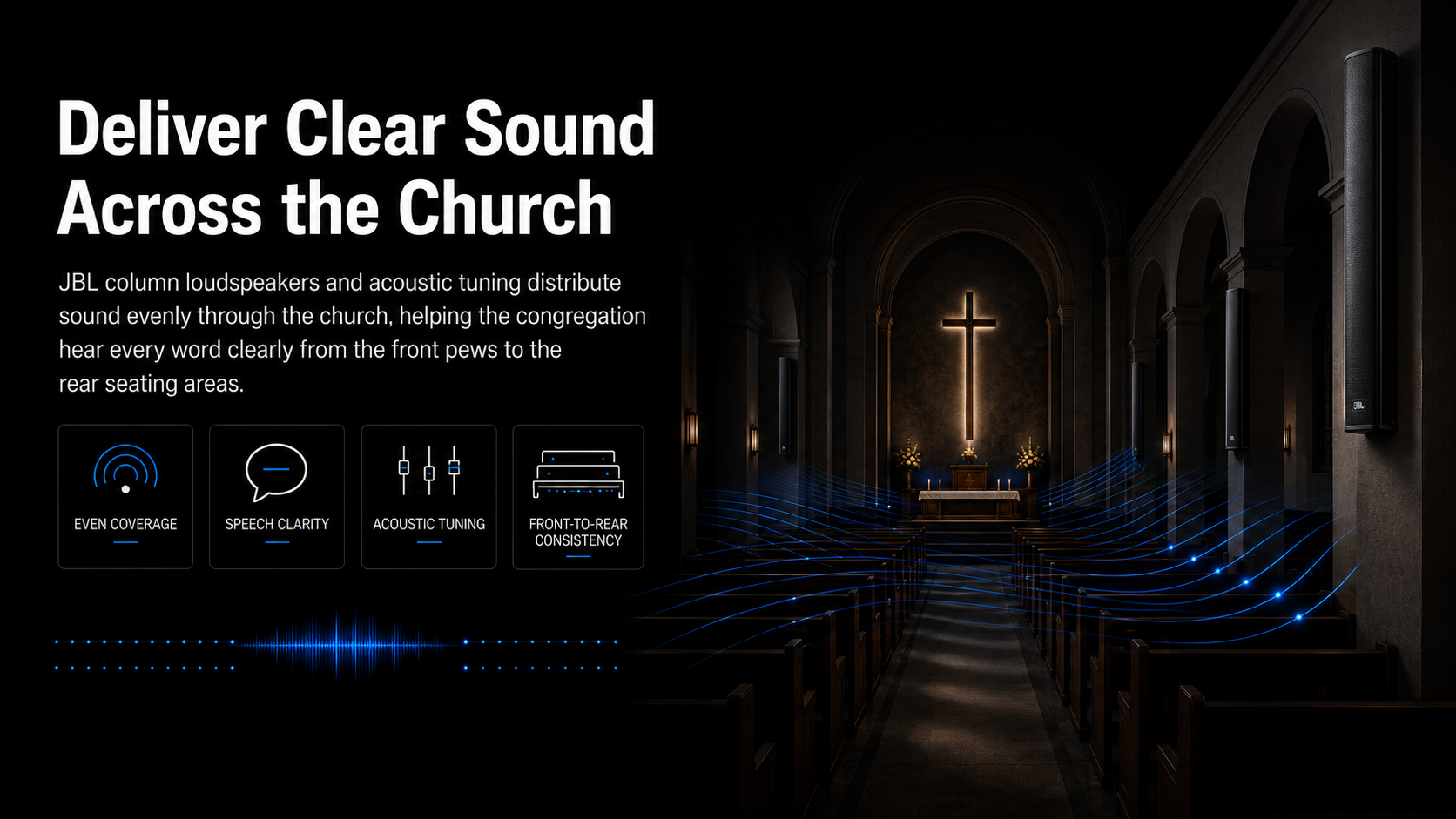
JBL CBT column loudspeakers providing time-aligned rear sound coverage at St Francis Church Paddington
04 · DELIVER

Clearer Sound Through the Nave

Time-aligned JBL column loudspeakers reinforce the rear seating so listeners receive more direct speech without simply making the front of the church louder.

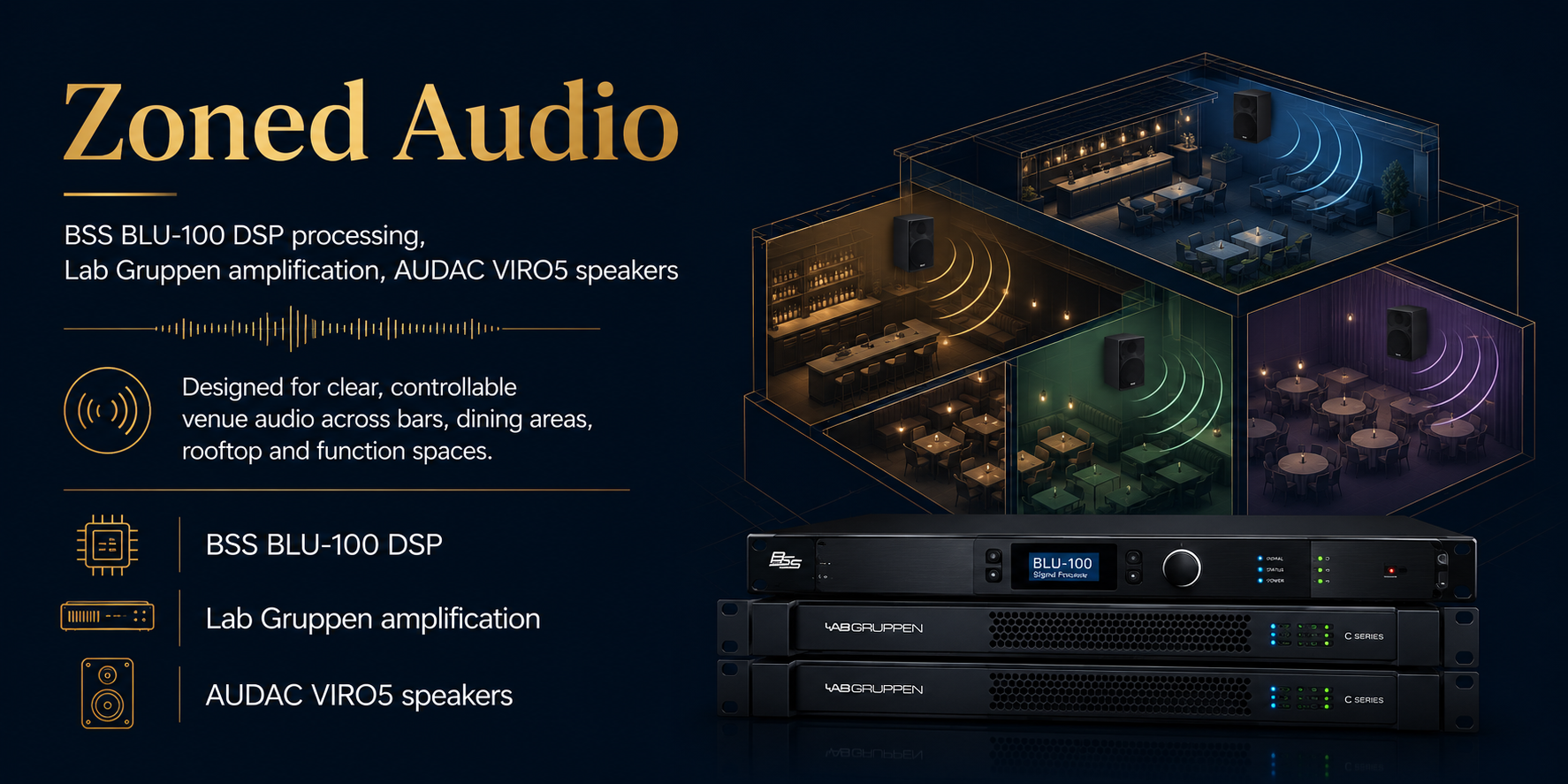
Sydney Park Hotel zoned audio system using BSS processing Lab Gruppen amplification and commercial loudspeakers

Integrated Venue Audio

Sound designed around atmosphere, not just volume.

Hospitality audio has to perform differently from area to area. A dining space may require comfortable background music while the main bar needs greater impact during a major sporting event.

Sydney Park Hotel's zoned audio system allows nominated areas to operate with appropriate source selection, volume, processing and loudspeaker coverage.

BSS digital signal processing coordinates the audio system, with Lab Gruppen amplification driving the required venue zones and AUDAC loudspeakers providing discreet commercial sound coverage.

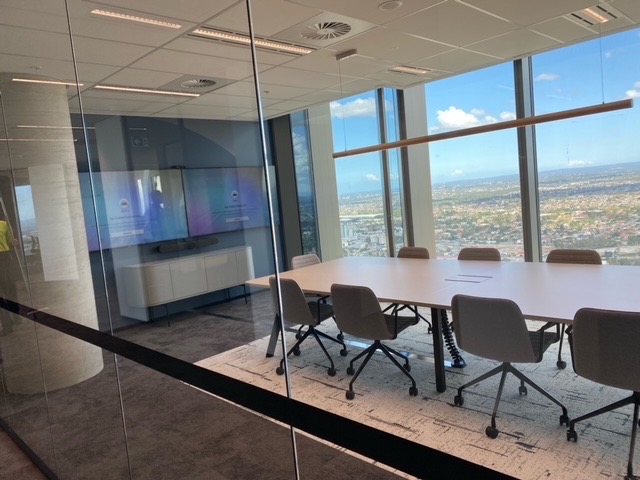
Completed ten-seat dual-display Microsoft Teams meeting room at British American Tobacco Australia

Room 01 · Ten Seats

Dual-display collaboration for the larger meeting room.

The larger meeting space uses dual commercial displays with a Logitech Rally Bar providing integrated camera, microphone and loudspeaker functionality for video meetings.

A wall-mounted whiteboard supports face-to-face planning and collaboration, while table and display-wall network connections support the client-supplied Teams computer and Logitech Tap controller.

The result is a clean, repeatable room experience that allows users to focus on the meeting rather than the underlying equipment.

Library AV Workflow

From collaborative workshop to community event.

The system was designed around activities rather than individual pieces of equipment, allowing different areas of the library to support presentation, learning, entertainment and interactive use.

Epson interactive projection supporting workshops at Oran Park Library
01 · PRESENT & COLLABORATE

Interactive presentation

Interactive projection allows presenters and community groups to display information, annotate content and collaborate during workshops, education sessions and public programs.

Large-format laser projection used for presentations and screenings at Oran Park Library
02 · PROJECT & ENGAGE

Cinema-scale visual content

High-output laser projection provides a large, clear image for film nights, presentations, community events and other large-format public content.

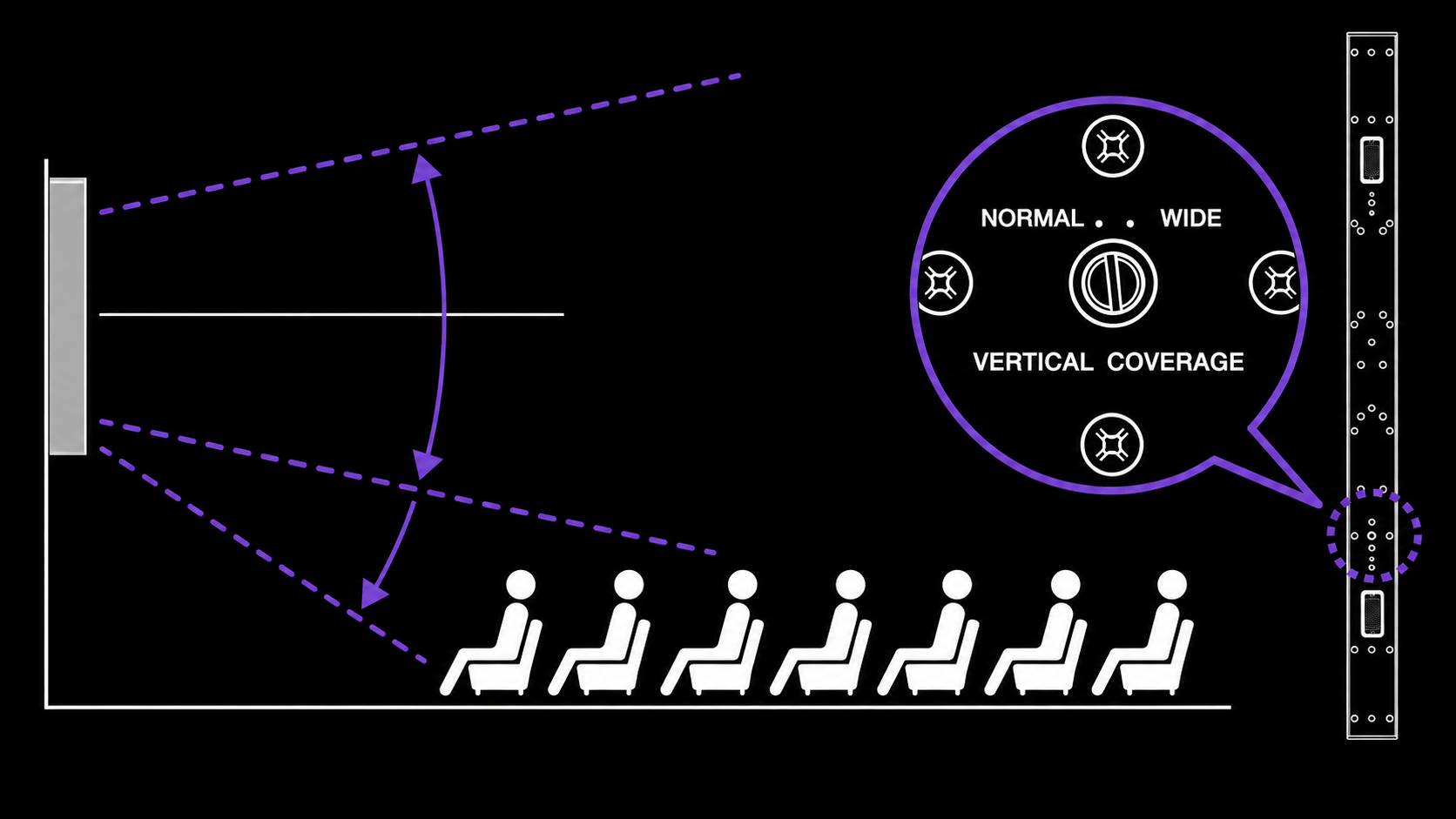
Yamaha VXL slim line array loudspeakers supporting clear audio at Oran Park Library
03 · SUPPORT THE AUDIENCE

Clear distributed audio

Yamaha line-array and Australian Monitor loudspeakers, supported by commercial amplification, provide consistent speech and program audio throughout the required areas.

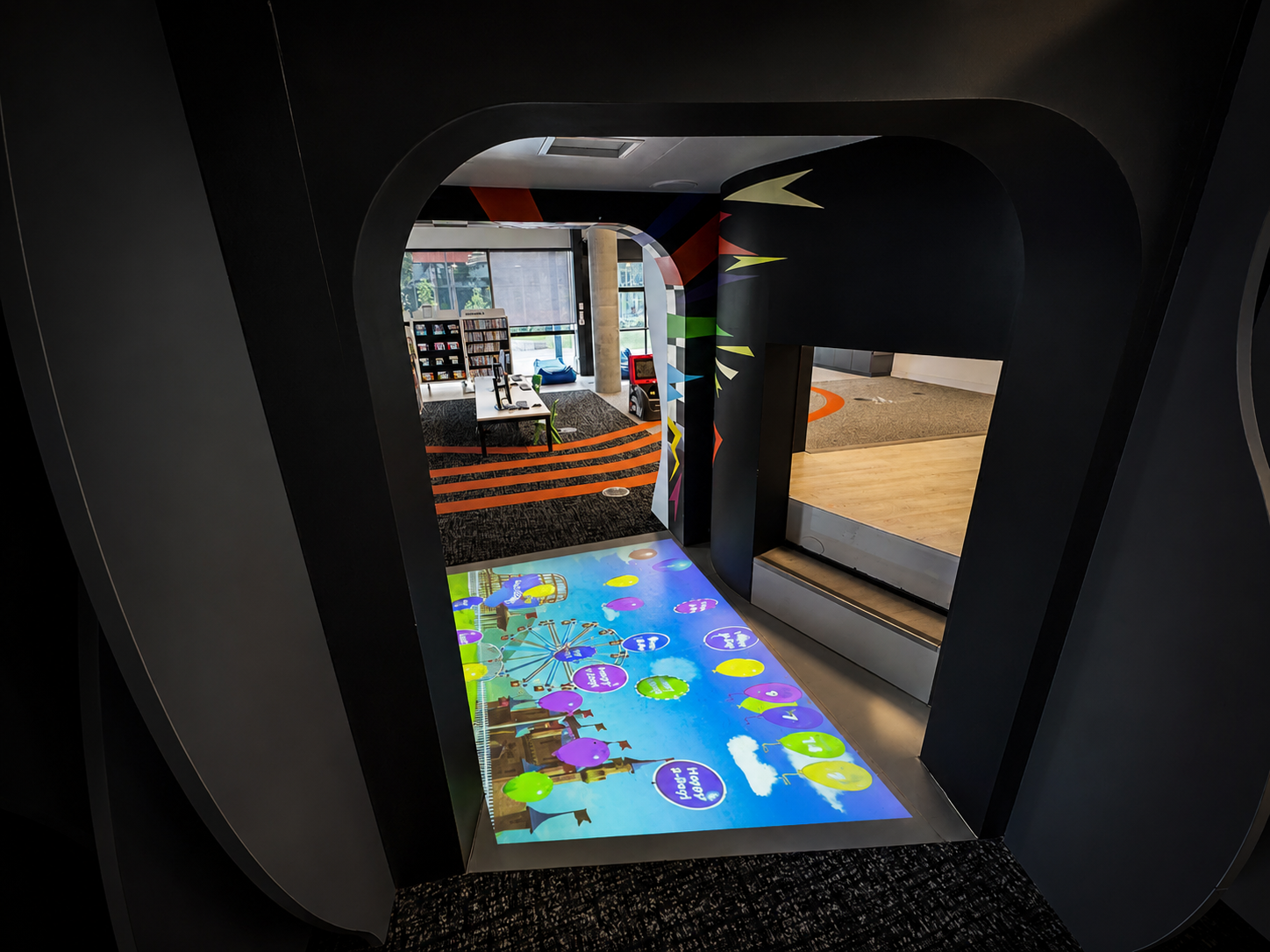
Interactive audiovisual experience supporting children's activities at Oran Park Library
04 · PLAY & DISCOVER

Interactive learning experiences

Immersive projection creates engaging digital play and learning experiences for children, families and visiting groups.

System Architecture

Professional Performance Audio Without Complicated Everyday Operation

The design combines a performance-capable front-of-house audio system with networked processing and simplified school controls.

Fohhn Linea LX-600 loudspeakers and ARC AS-40 subwoofers forming the school hall front-of-house audio system
Front-of-House

Fohhn Linea LX-600 & ARC AS-40

Fohhn Linea LX-600 line-source loudspeakers were selected to provide controlled, consistent coverage for both speech and music across the audience area.

ARC AS-40 subwoofers extend the system's low-frequency response, providing greater impact for music, drama, dance and stage productions.

Fohhn LX-600 product information ↗
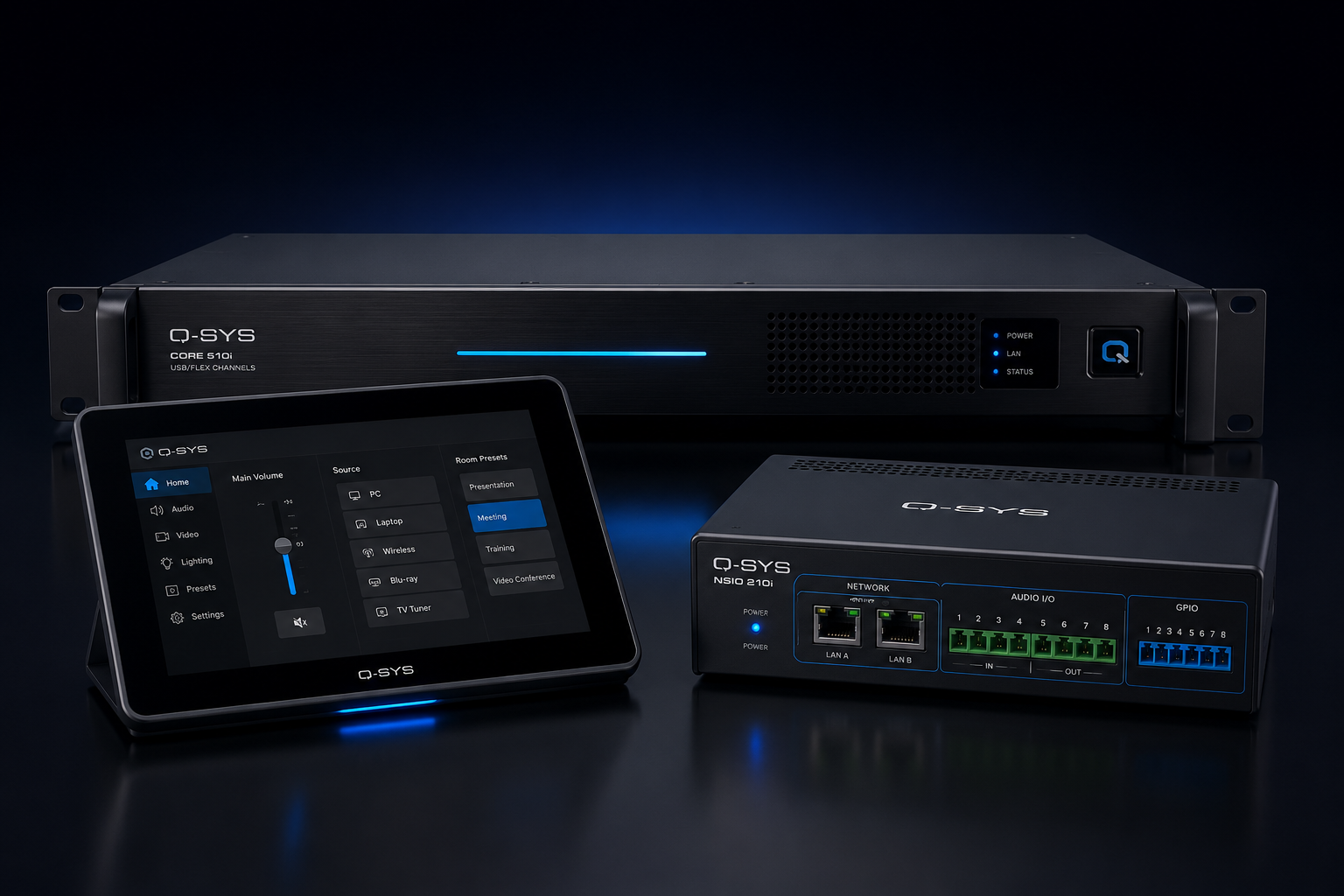
Q-SYS Core 8 Flex DSP processing and control architecture for the school performance hall
Processing & Network Audio

Q-SYS Core 8 Flex + Dante

Q-SYS provides the central processing and control environment for routing, EQ, system tuning and operational presets.

Dante-enabled audio distribution connects compatible network devices through standard IP infrastructure, creating a flexible digital signal pathway.

Q-SYS touchscreen control panels providing simple hall audio operation for school staff
Staff Operation

Simple Touchscreen Control

Wall-mounted Q-SYS touch panels provide access to common operational functions and event presets, allowing staff to prepare the hall without needing to navigate a technical audio console for routine events.

Bluetooth input and MIPRO wireless microphones add practical source flexibility for presentations, assemblies and performances.

System Workflow

Capture → Observe → Coach → Review

Four integrated functions support the entire PCIT observation and coaching workflow.

01

Capture

Cameras and room microphones capture the parent-child interaction within the treatment space.

02

Observe

The clinician monitors video and speech from the separate observation environment.

03

Coach

Real-time guidance reaches the parent discreetly through the in-ear coaching system.

04

Review

Approved sessions can be recorded for professional supervision, development and clinical review.

Integrated technology

Q-SYS control, Dante networking and distributed school audio

Rather than replacing individual failed components with another collection of isolated devices, the redevelopment centred the system around an integrated audio and control architecture.

Q-SYS networked PA and bell system control
Central platform

Q-SYS Processing & Control

Q-SYS provides the central processing and control environment for bell scheduling, paging, audio routing, priority behaviour and staff control functions.

Explore Q-SYS integration →
Dante digital audio networking used for school audio distribution
Network audio

Dante Audio Networking

Dante provides digital audio transport between system components, creating flexible routing and a more scalable alternative to relying solely on long analogue audio pathways.

Explore Dante audio networking →
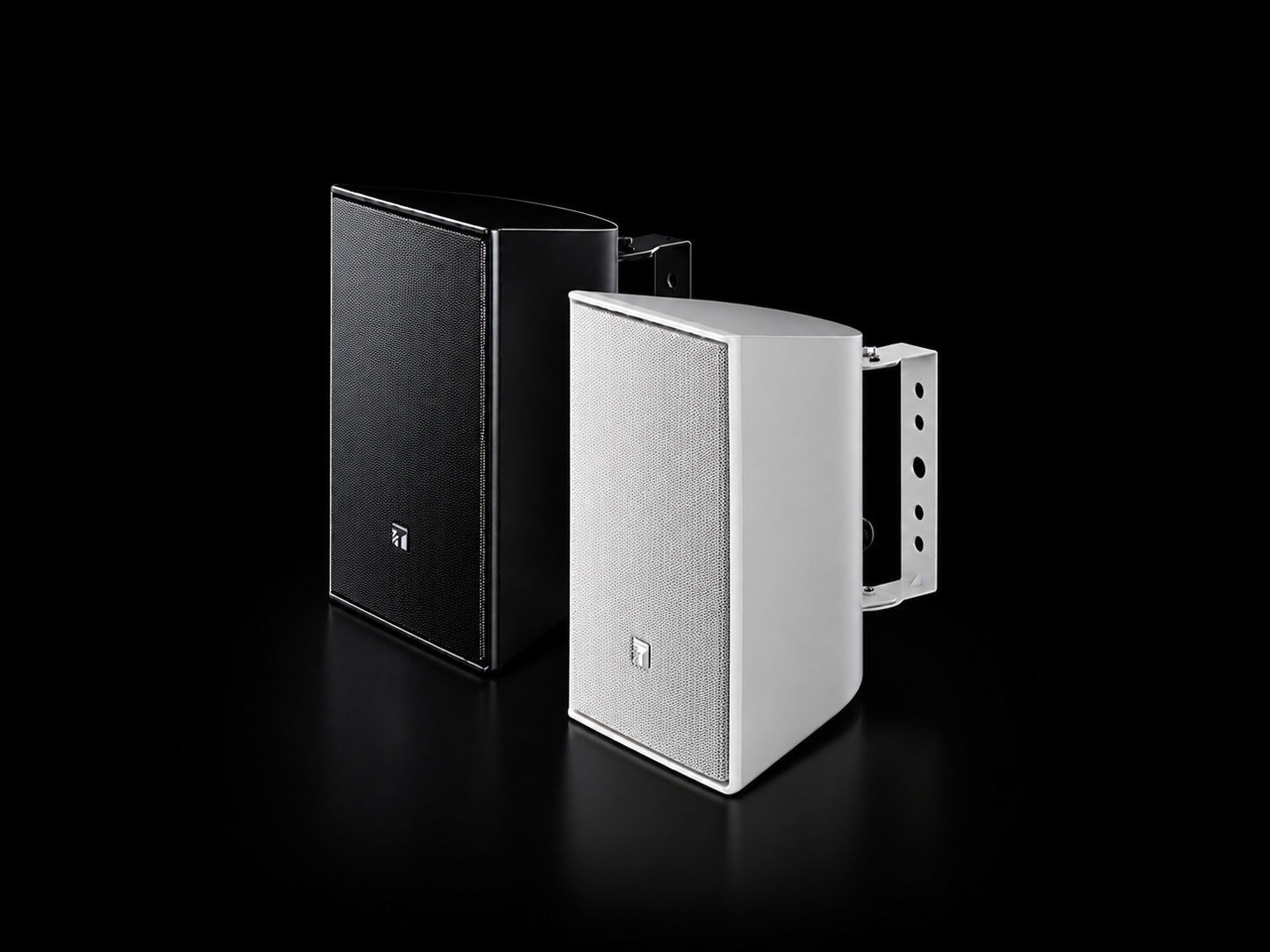
TOA distributed loudspeakers for school PA coverage
Distributed audio

Lab Gruppen & TOA

Dante-capable Lab Gruppen amplification supports the distributed speaker zones, while TOA loudspeakers provide practical coverage across classrooms, corridors, administration spaces and shared areas.

The AVL Workflow

From room camera to connected AVL session

Cameras, conferencing, audio, displays and network-connected video infrastructure operate together as one integrated room system.

01 — Capture

Capture the Room

Professional PTZ and room-camera technology provides the video capture required within the Audio Visual Link environment.

02 — Connect

Video Conferencing

Cisco Webex conferencing endpoints connect the room to authorised remote participants and services.

03 — Integrate

Route Audio & Video

Displays, network encoders, converters, amplification and loudspeakers connect the room to the AVL system.

04 — Verify

Test & Document

Commissioning, UAT, asset capture, IP information and as-built documentation complete the handover.

CONTENT DELIVERY WORKFLOW

From scheduled content to a live screen inside the agency.

Supporting the network requires an understanding of the full delivery path. Content is scheduled through the signage platform, delivered to configured media players and presented through commercial displays at individual agency locations.

MediaI commercial digital signage screen presenting scheduled content within a media agency
02 · SCREEN PRESENTATION

Commercial display presentation

Large-format displays present advertising, industry information, branded messages and media content within the agency environment.

Explore the MediaI screen network ↗
NCAT tribunal hearing room audiovisual system architecture
STANDARDISED ARCHITECTURE

One technical standard across four different hearing spaces.

The solution brings microphones, conferencing, cameras, displays, audio processing, video routing, recording, room control and accessibility together around a repeatable hearing-room architecture.

  • Q-SYS central digital signal processing and audio routing
  • Cisco Webex conferencing for Audio Visual Link participation
  • Dante-enabled networked audio infrastructure
  • Multi-camera room coverage and commercial displays
  • Extron presentation switching and signal extension
  • Blackmagic professional video routing
  • Integrated hearing assistance and recording

The project requirement

Extending emergency communication where outdoor coverage matters

Classrooms are only one part of a school environment. Playgrounds, walkways, covered outdoor areas and circulation spaces also require appropriate emergency notification.

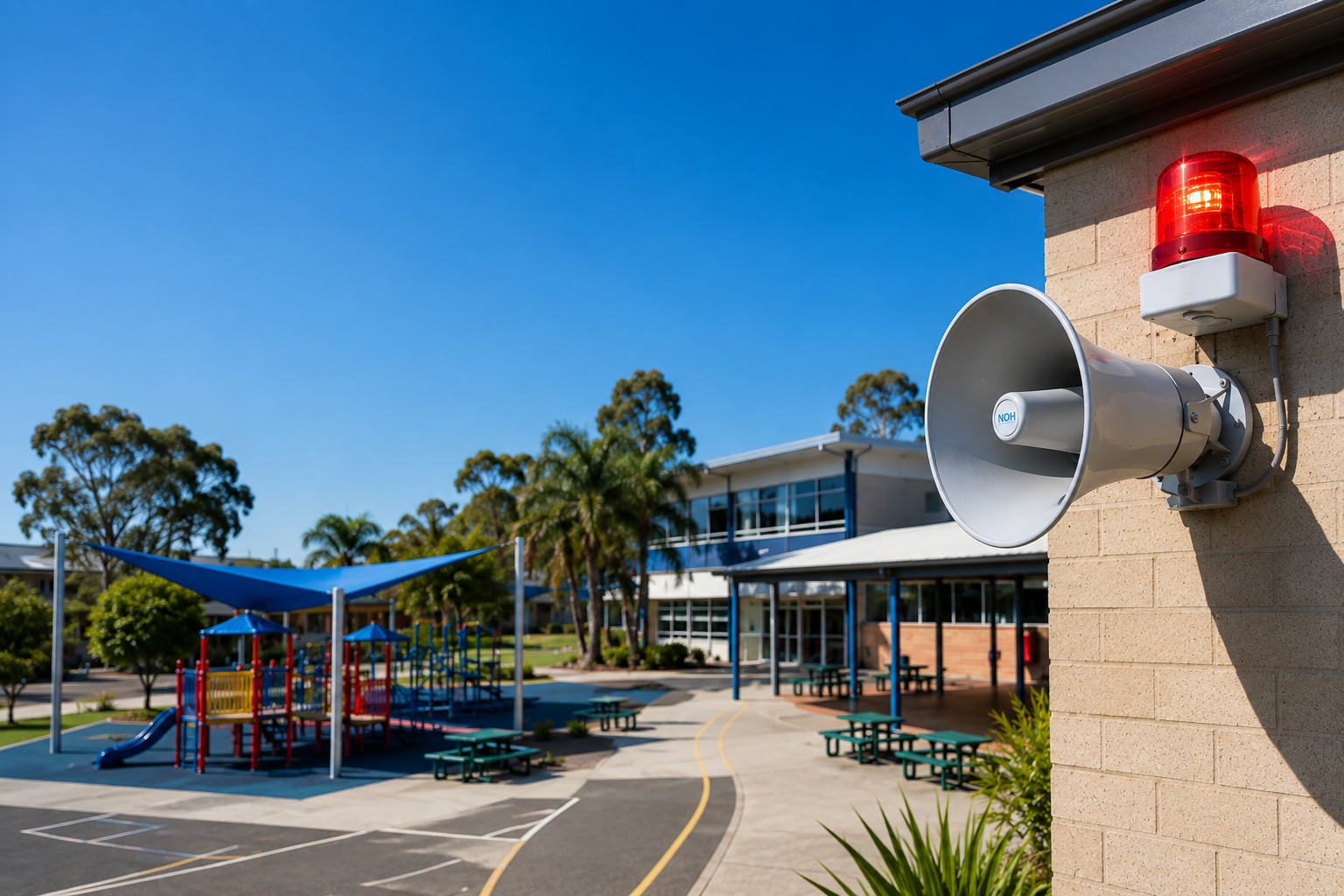
  • Strong outdoor alert-tone and voice-message projection
  • Horn orientation toward nominated school areas
  • Visual signalling to reinforce active alerts
  • Suitable receiver and antenna positioning
  • Wireless signal testing around site conditions
  • Practical controls for nominated school personnel
Conceptual emergency communication coverage across Merrylands East Public School buildings, walkways and outdoor areas

Conceptual coverage illustration showing the nominated outdoor, learning and circulation areas supported by the alert system.

Integrated Audio Path

A controlled signal path built around speech intelligibility.

01 · INPUT

Voice Capture

Shure wireless headsets and fixed microphones capture spoken content close to the source.

02 · DSP

Q-SYS Processing

Automatic mixing, EQ, routing and level management optimise each audio path.

03 · TIMING

Delay Alignment

Rear loudspeakers receive the correct digital delay relative to the main source.

04 · OUTPUT

Congregation Coverage

Direct sound is reinforced through the seating area for more consistent speech clarity.

AV over IP Distribution

Any suitable source. The right screen. The right area.

Network-based video distribution gives the venue far greater flexibility than tying individual sources to individual displays.

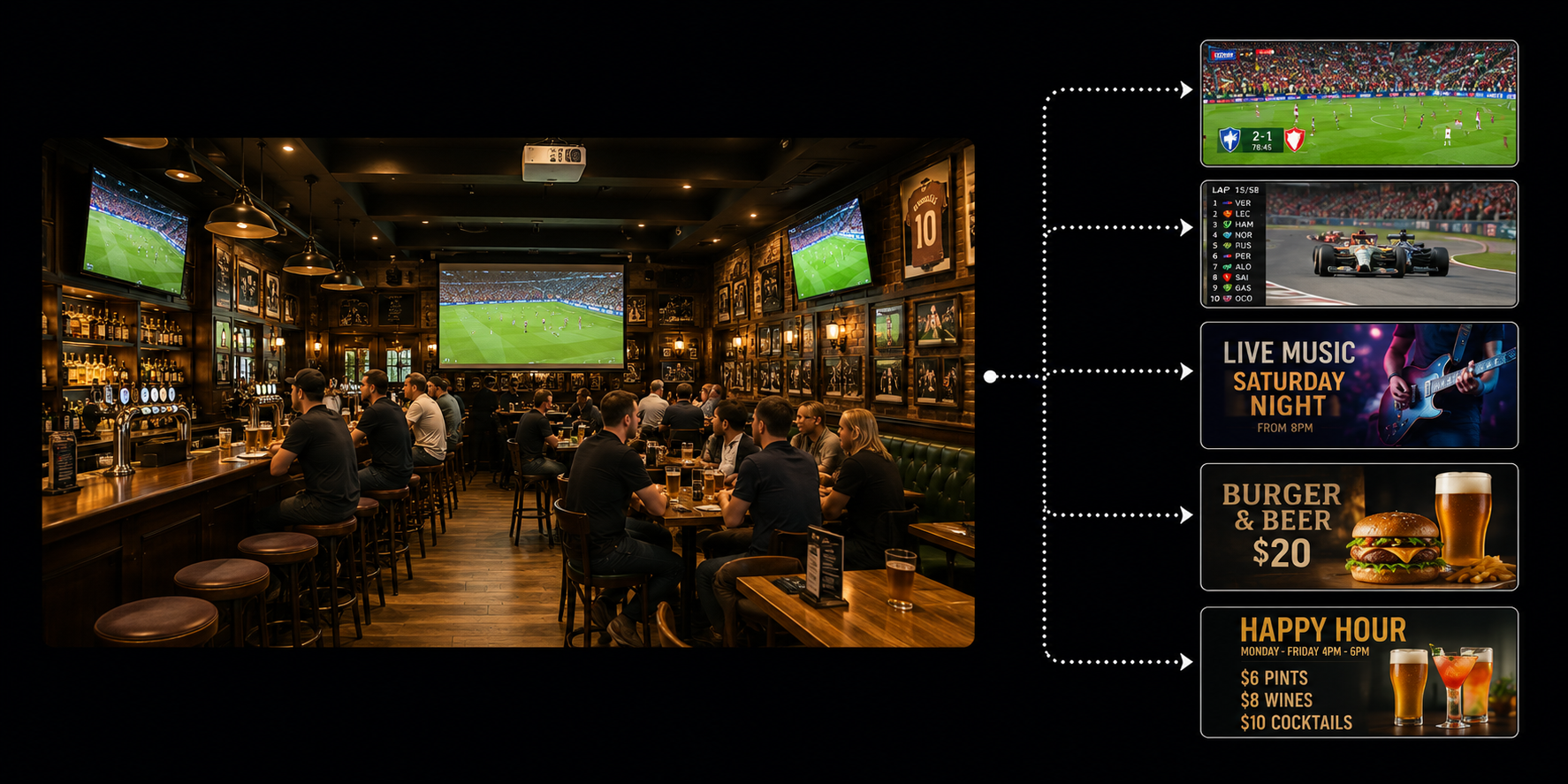
Live sport can be routed through the bar while other displays show television, entertainment content, promotions or event material.

This makes the venue easier to adapt during different trading periods without requiring staff to physically reconnect source equipment.

Sydney Park Hotel audiovisual sources including live sport music microphones digital signage and event inputs
01 · SOURCES

Content

Sport · TV · music · signage · presentations

02 · NETWORK

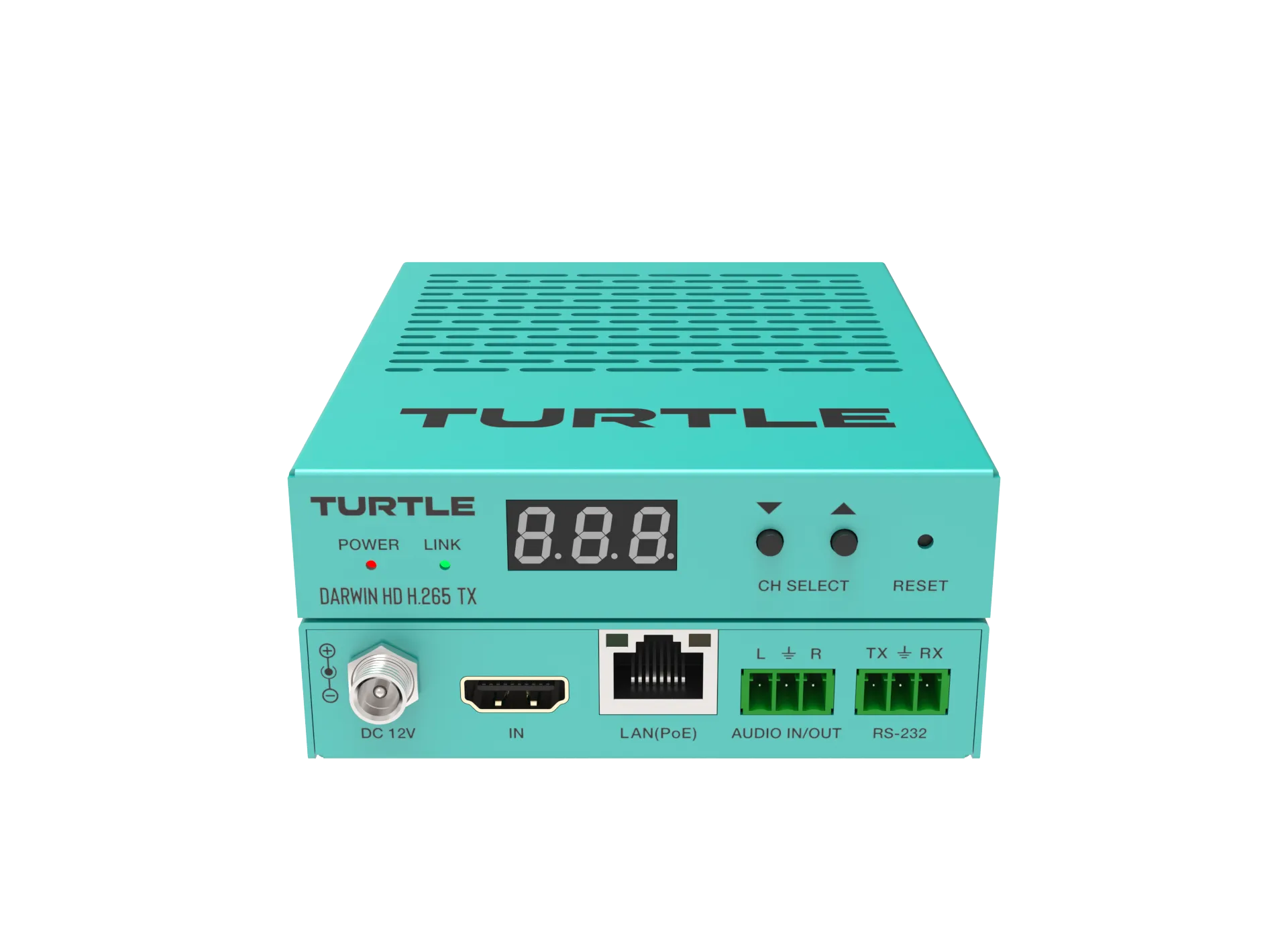
Darwin HD

Sources are encoded and distributed across the AV network.

03 · ROUTING

Venue Control

Staff select the content required for each destination.

04 · DESTINATIONS

Commercial Displays

Content reaches the appropriate bar, rooftop or function area.

Room 02 · Six Seats

The same meeting workflow, scaled for a smaller room.

The six-seat meeting room uses a single commercial display and Logitech Rally Bar Mini to create a more compact conferencing environment.

Staff continue to operate the room through the familiar Logitech Tap interface, keeping the meeting experience consistent when moving between spaces.

Matching the conferencing platform to the room size avoids unnecessary complexity while preserving a common user experience across the workplace.

Six-seat meeting room with Logitech Rally Bar Mini at British American Tobacco Australia

The Solution

Technology selected around what the community needed to do.

Rather than approaching each area as an isolated AV installation, Masters Voice Technology created a coordinated environment in which projection, audio and interactive systems each perform a defined role.

Epson interactive projection supports collaborative activity. High-brightness large-format laser projection supports screenings and public presentations. Professional loudspeakers and amplification support speech and program audio, while EyeClick technology introduces motion-driven interactive experiences.

Cable routing, equipment mounting, ventilation and service access were also considered to preserve the library's clean architectural appearance and make ongoing maintenance practical.

Delivered Technology

The Components Behind the Hall Audio Upgrade

The system was assembled as one coordinated audio environment rather than as a collection of standalone products.

01

Fohhn Linea LX-600

Line-source loudspeakers providing controlled audience coverage and clear reproduction for both speech and music.

02

ARC AS-40 Subwoofers

Low-frequency reinforcement supporting music, performance and stage-production content.

04

Dante Network Audio

Digital audio networking provides flexible signal transport between compatible components.

Learn about Dante ↗
05

DSP Amplification

DI-2.4000 DSP amplification and MA-2.1200 Dante matrix amplification provide system power and network integration.

06

MIPRO Wireless Microphones

Wireless microphone systems provide practical speech and performance input for school events.

MIPRO wireless systems ↗
07

Q-SYS Touch Panels

Seven-inch and five-inch control interfaces give staff access to common room functions and event modes.

08

Bluetooth Audio Input

A wall-mounted Bluetooth interface provides convenient music playback for rehearsals, events and presentations.

09

Acoustic Commissioning

System tuning included EQ, gain structure and delay alignment to optimise coverage and system performance.

Integrated Technology

Four Technology Layers. One Connected Clinical Environment.

Each technology was selected for a specific role within observation, listening, coaching or recording.

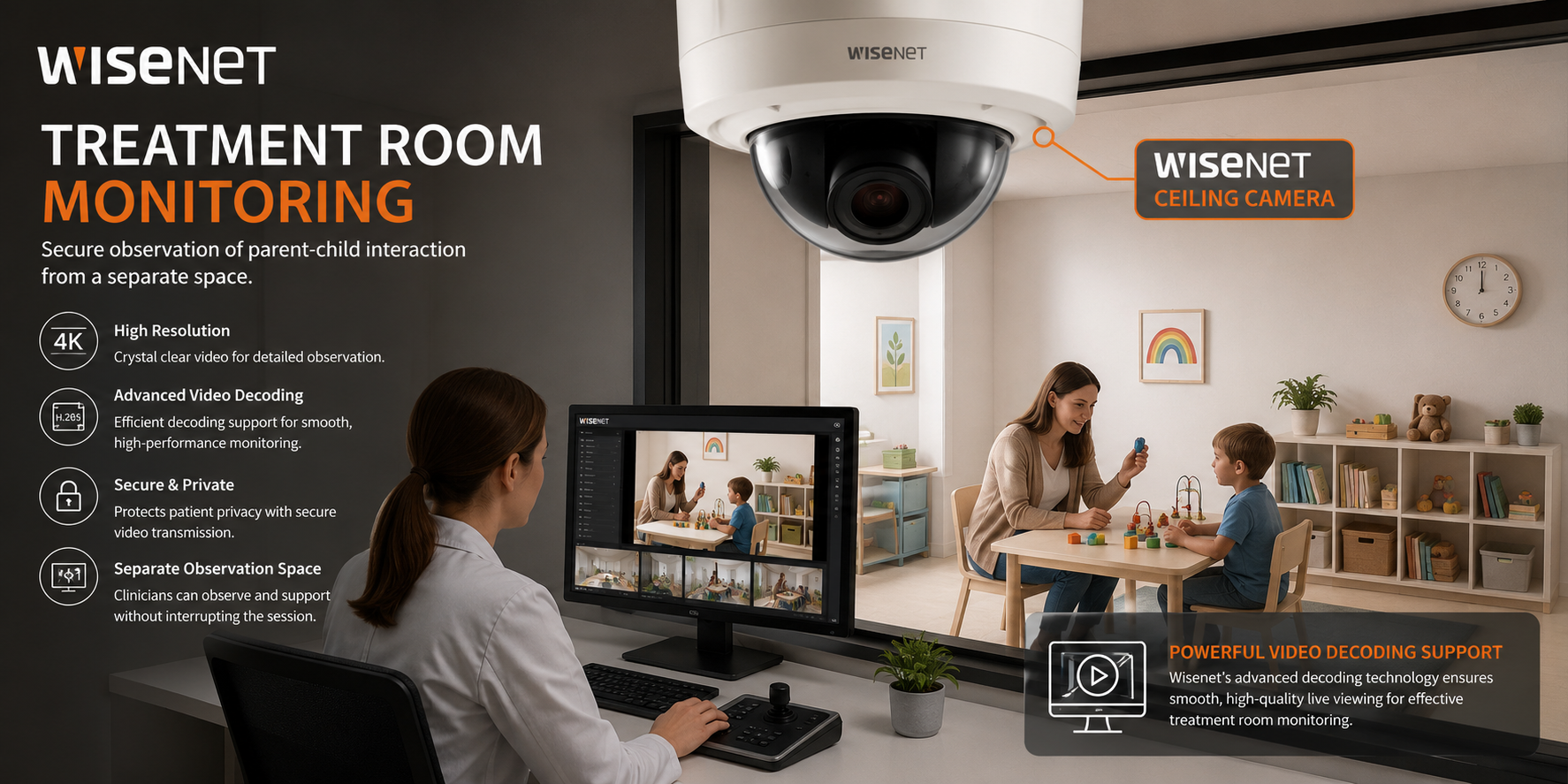
Wisenet video monitoring in St Gertrude's PCIT clinic
Video Observation

Wisenet Cameras & Video Monitoring

Treatment-room cameras allow clinicians to observe parent-child interaction from the separate observation space without entering the session.

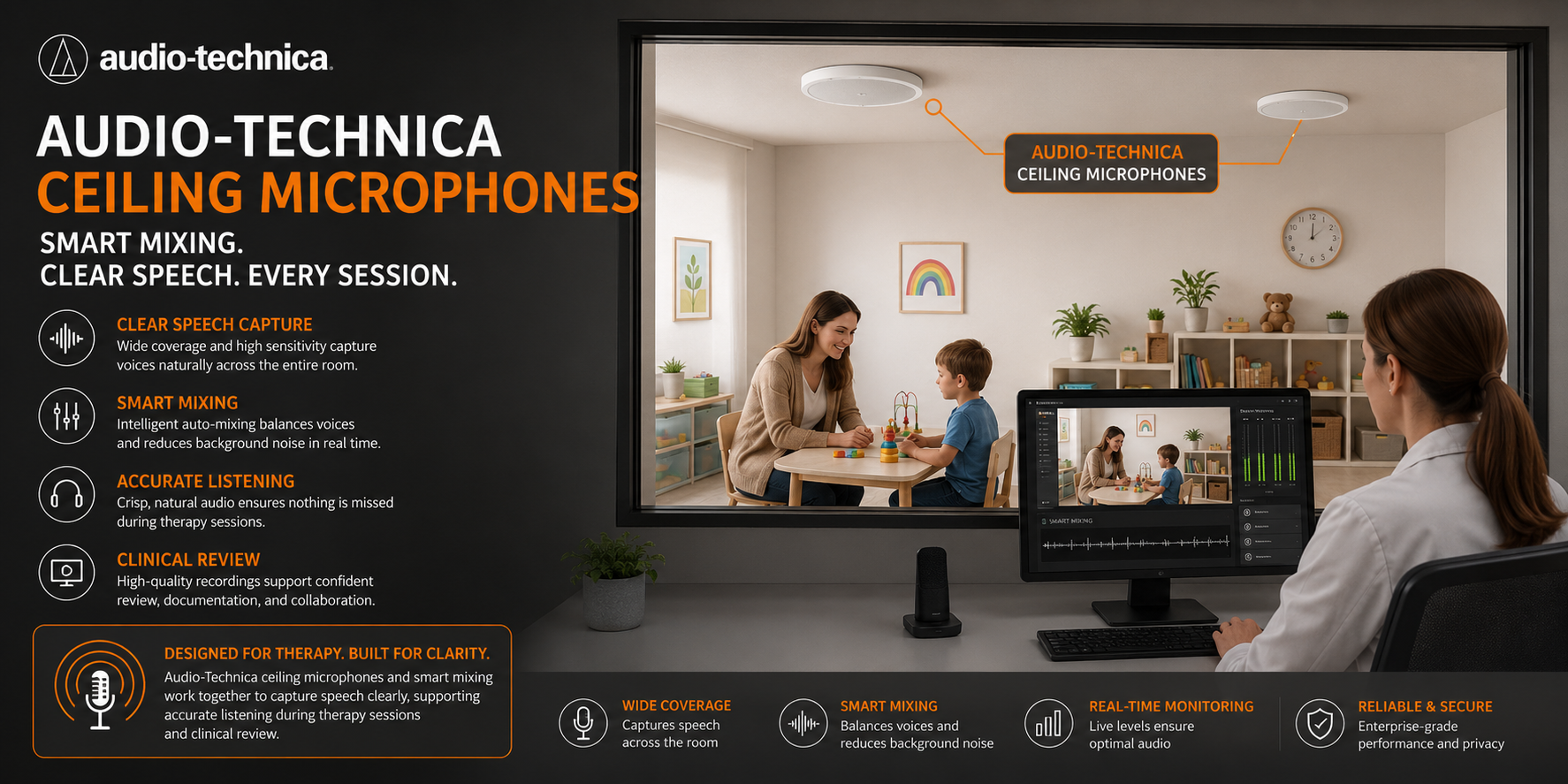
Audio-Technica speech capture technology in the PCIT treatment room
Speech Capture

Audio-Technica Microphones & Processing

Appropriate room microphone coverage captures parent and child speech for live observation and approved session recording.

Understand Commercial Audio DSP →
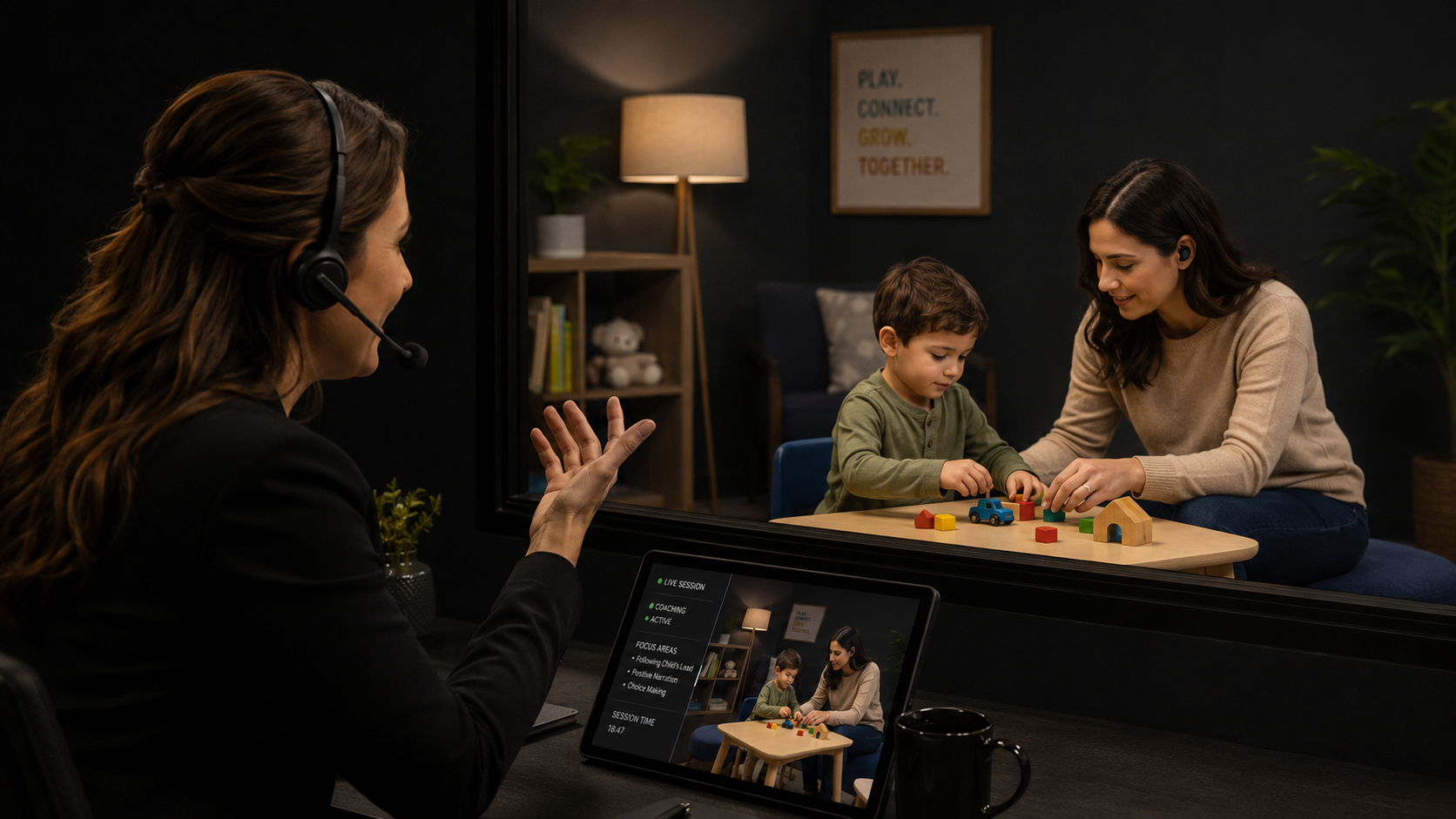
MIPRO discreet in-ear coaching system used during PCIT
Live Coaching

MIPRO In-Ear Communication

Therapist guidance can be delivered discreetly to the parent without the clinician physically entering the treatment room.

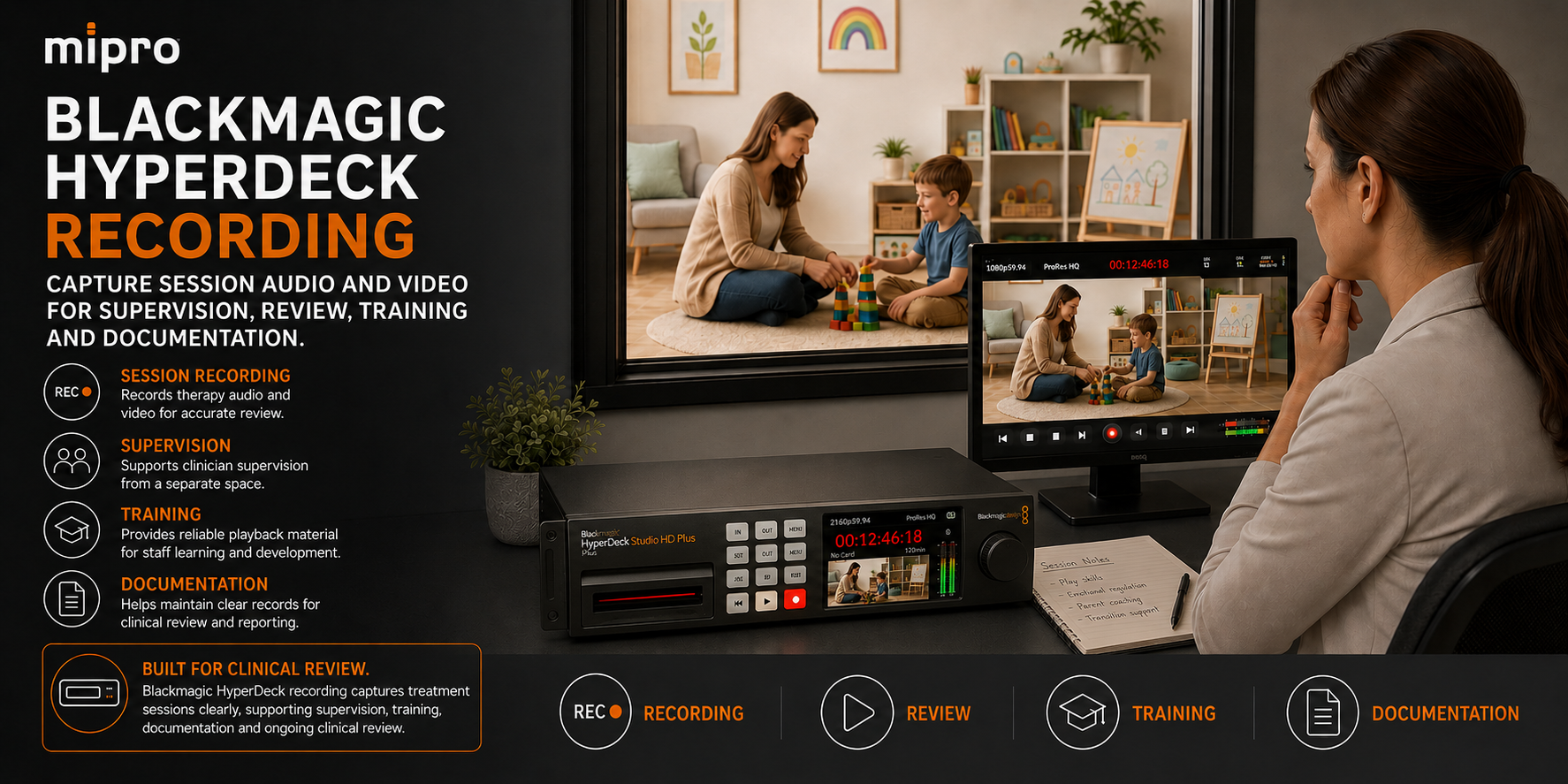
Blackmagic HyperDeck recording system used for PCIT session capture
Session Recording

Blackmagic HyperDeck

Approved sessions can be captured in a repeatable audio and video recording workflow for supervision, professional development and review.

Design · Install · Commission

Redeveloping the communication system around how the school actually operates

A reliable school PA redevelopment starts with operational requirements: where people need to hear announcements, who needs to make them, how bell schedules change and which messages need priority.

01

Assess

Review the failed legacy infrastructure, existing speaker areas, administration requirements and campus communication needs.

02

Design

Develop the paging zones, audio routing, schedules, control workflow, priority logic and networked audio architecture.

03

Integrate

Bring Q-SYS control, Dante distribution, commercial amplification and loudspeaker infrastructure into one coordinated platform.

04

Commission

Verify schedules, paging behaviour, audio distribution, staff controls and priority communication before operational handover.

The Solution

A repeatable AVL upgrade built for multi-site delivery

Masters Voice Technology used the approved project design and DCJ technical requirements to create a consistent installation and commissioning methodology across each site.

IRR Upgrade

Camera & Codec Modernisation

Existing IRR room environments were upgraded with professional Sony PTZ camera technology integrated with Cisco Webex conferencing infrastructure.

Kempsey

Two Corrective AVL Suites

Two dedicated suites incorporated displays, cameras, network encoding, video conversion, room audio, equipment power and conferencing technology.

Infrastructure

Cabling & Rack Integration

Structured cabling and internal rack wiring were installed and coordinated around the approved project documentation and DCJ cabling standards.

Handover

Tested & Documented

Commissioning, UAT, IP information, serial-number asset capture, installation records and as-built documentation completed the delivery process.

THE SUPPORT MODEL

Remote when possible. Onsite when necessary. Accountable throughout.

01

Monitor

Maintain visibility of connected signage infrastructure and identify issues requiring technical investigation.

02

Diagnose

Review player, connectivity and display symptoms remotely where access and technology allow.

03

Escalate

Move unresolved faults through a defined service pathway rather than treating every issue as an unrelated support request.

04

Attend

Coordinate onsite technical response where the fault requires physical inspection, repair or equipment intervention.

05

Resolve

Manage the incident through testing and restoration rather than stopping at the initial diagnosis.

06

Record

Maintain service history so recurring issues and equipment trends can be identified over time.

07

Report

Use SLA and service reporting to create greater visibility of network support activity.

08

Improve

Use operational history to inform maintenance, replacement and future technology decisions.

TECHNOLOGY PLATFORM

Purpose-built technology for hearing-room communication.

Each technology performs a defined part of the hearing workflow while operating as part of the complete room system.

Q-SYS audio processing and control used in the NCAT hearing rooms
AUDIO PROCESSING

Q-SYS Core 24f

Central DSP and audio routing connect room microphones, conferencing audio, recording, loudspeakers and other nominated audio sources.

Q-SYS product information ↗
Cisco Webex conferencing system supporting remote participation in the NCAT hearing rooms
AUDIO VISUAL LINK

Cisco Webex Codec Pro

Conferencing infrastructure connects remote participants with the room's professional microphones, cameras, loudspeakers and displays.

Cisco product information ↗
PTZ camera coverage across an NCAT hearing room
VIDEO CAPTURE

Multi-camera hearing coverage

PTZ camera infrastructure provides multiple viewing positions for Audio Visual Link sessions and different hearing-room layouts.

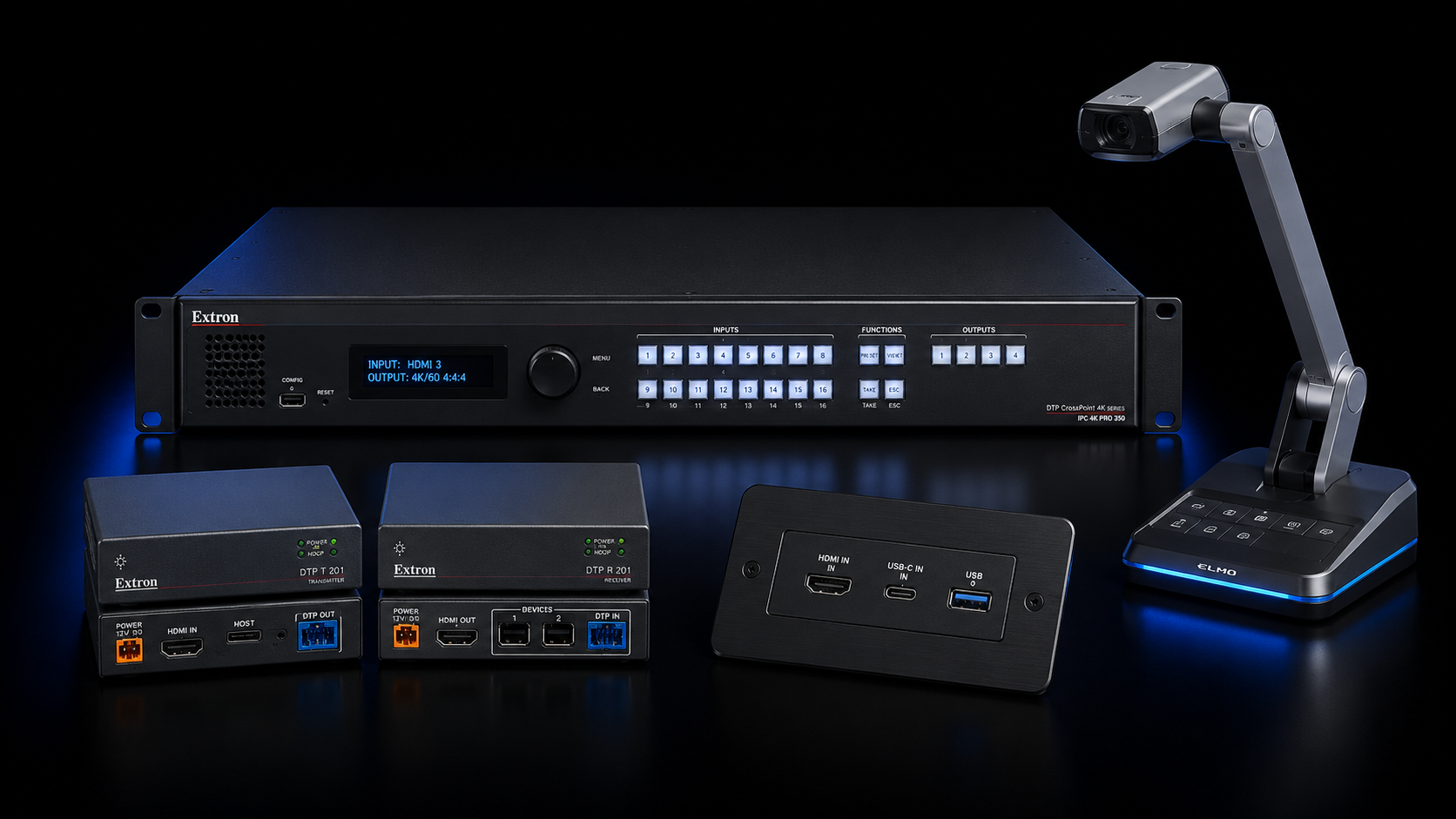
Extron video switching and distribution used for hearing-room evidence presentation
VIDEO DISTRIBUTION

Extron signal management

Switching, scaling and signal-extension equipment manages presentation sources and video distribution throughout the hearing environment.

Masters Voice Extron capability →
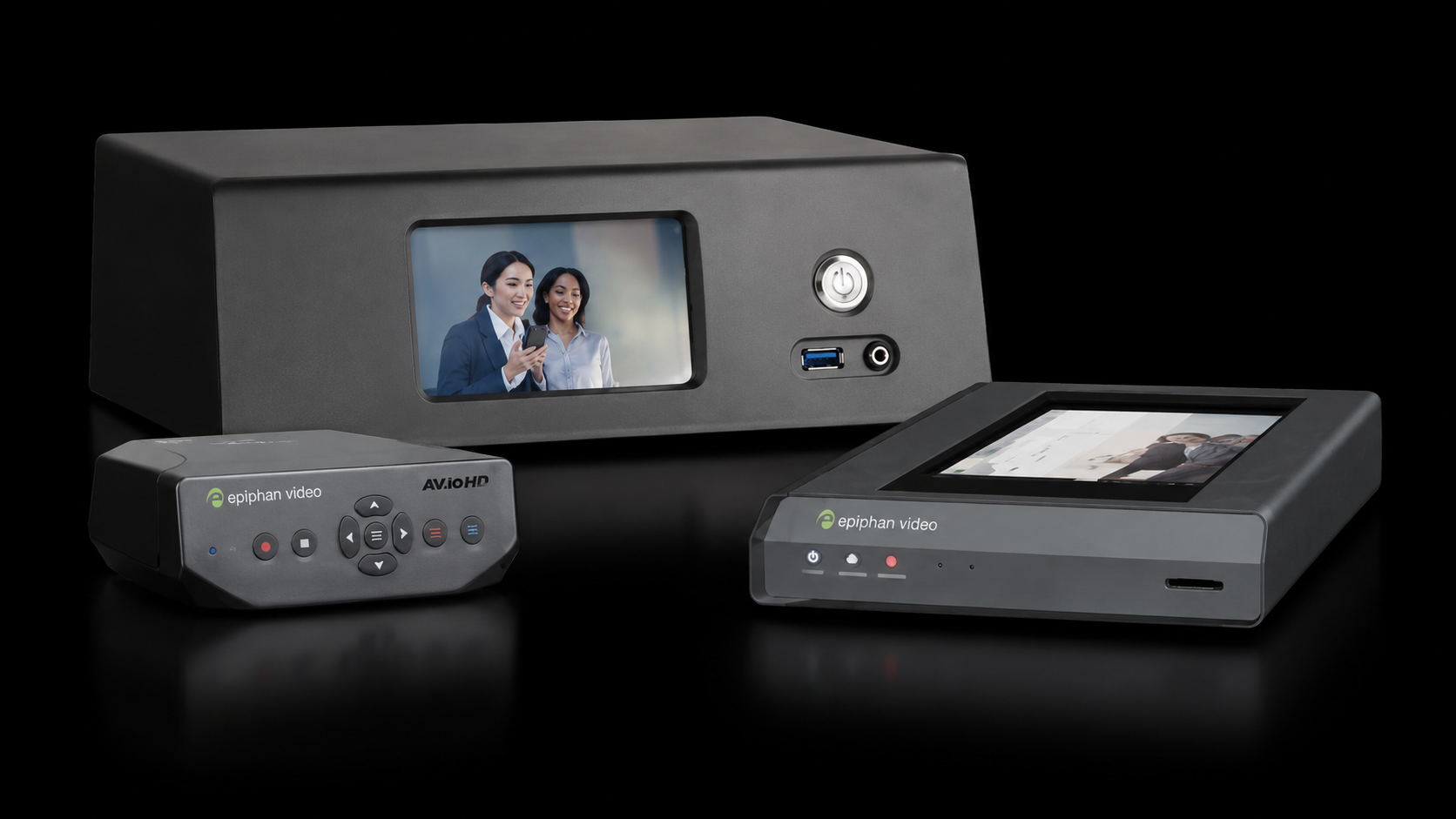
Epiphan hearing-room video recording system
RECORDING

Epiphan and Blackmagic

Professional recording and video-routing infrastructure allows nominated hearing-room audio and video signals to reach recording destinations.

PROFESSIONAL AUDIO

Microphones, amplification and loudspeakers

Audix gooseneck microphones and supplementary room capture feed the Q-SYS processing environment, with networked amplification and distributed loudspeakers providing controlled room audio.

Dante networking provides the digital-audio transport layer between compatible devices.

Learn about Dante at Audinate ↗

Rear-Seat Coverage

Reinforce the rear without creating a second audible voice.

In a long church nave, listeners at the rear may be too far from the front loudspeakers for consistent speech intelligibility.

Adding rear speakers can solve the coverage problem, but only when those speakers are correctly aligned with the sound travelling from the sanctuary.

The rear JBL column loudspeakers at St Francis were time-aligned within the digital processor so that local reinforcement arrives naturally rather than being perceived as a distracting second voice.

SANCTUARY

Main Sound

The listener should continue to perceive speech as originating from the front of the church.

REAR NAVE

Delayed Reinforcement

Local columns reinforce level and intelligibility after the appropriate digital delay.

Technology Platform

The technology behind the venue experience.

Turtle AV Darwin HD encoder and decoder used for AV over IP distribution at Sydney Park Hotel
Network Video

Turtle AV Darwin HD

Network-based video distribution allows venue content to be routed flexibly between sources and commercial displays.

View Darwin HD ↗
AUDAC VIRO5 commercial loudspeakers used in the Sydney Park Hotel audio system
Venue Loudspeakers

AUDAC VIRO5

Compact commercial loudspeakers support distributed music and programme audio while integrating discreetly into hospitality spaces.

View AUDAC VIRO5 ↗
BSS Soundweb London BLU-100 DSP used for Sydney Park Hotel zoned audio processing
Audio Processing

BSS BLU-100

Central audio processing coordinates source routing, zone levels, loudspeaker processing and programmed venue behaviour.

View BSS BLU-100 ↗
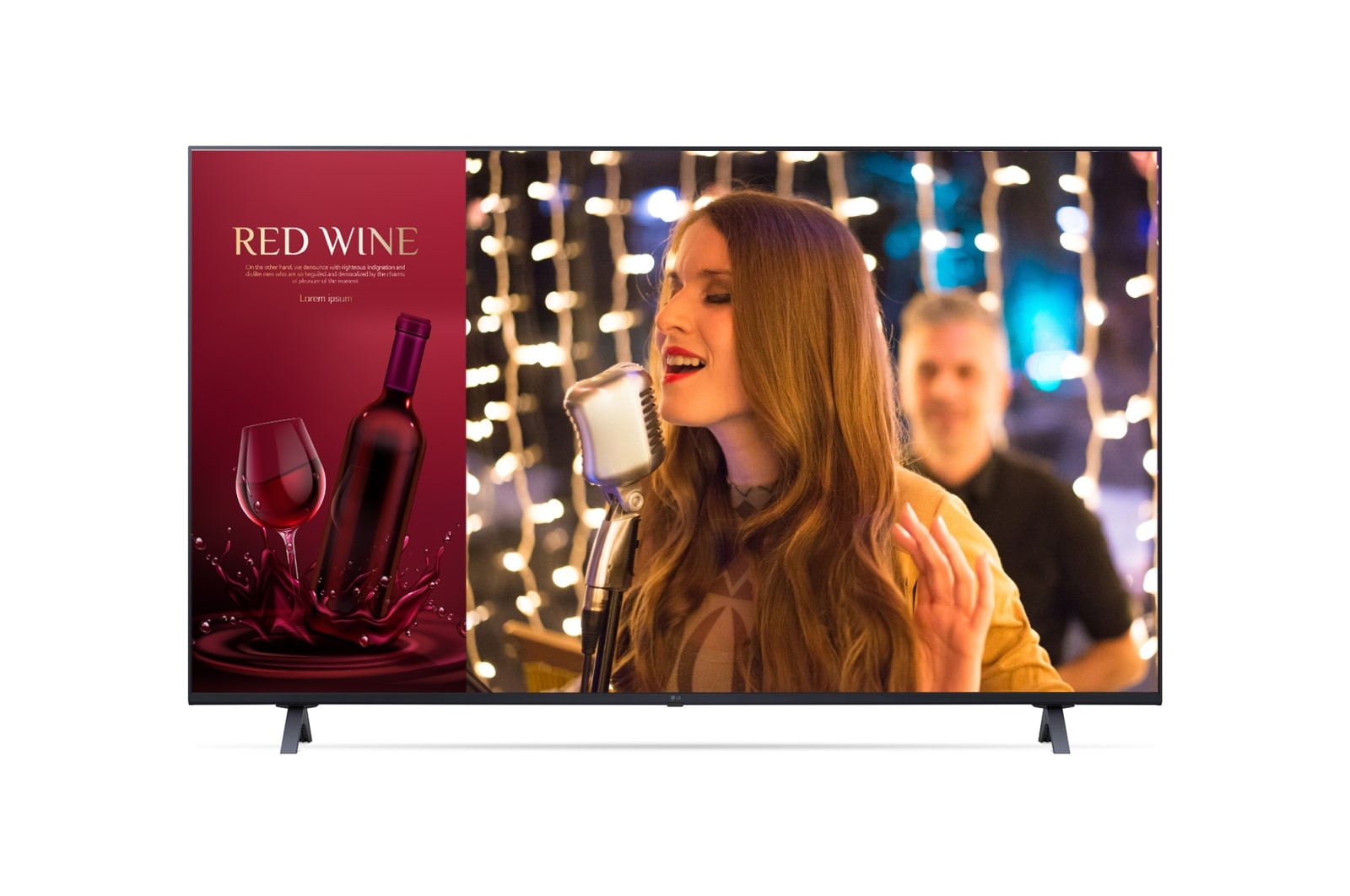
LG UR640S commercial display technology used for live sport and venue content at Sydney Park Hotel
Commercial Displays

LG UR640S Displays

55-inch and 65-inch commercial displays support live sport, television, digital signage and routed venue content.

View LG Business Displays ↗
Australian Monitor WPBT Bluetooth wall panel used for local audio input at Sydney Park Hotel
Local Audio Input

Australian Monitor WPBT

Bluetooth wall panels and local inputs provide practical music and event connectivity without requiring users to access the equipment rack.

View Australian Monitor ↗
COMMERCIAL AMPLIFICATION

Lab Gruppen + Bose

Commercial amplification and low-frequency support provide the required headroom for background music, live-sport audio and higher-energy operating modes.

View Lab Gruppen ↗

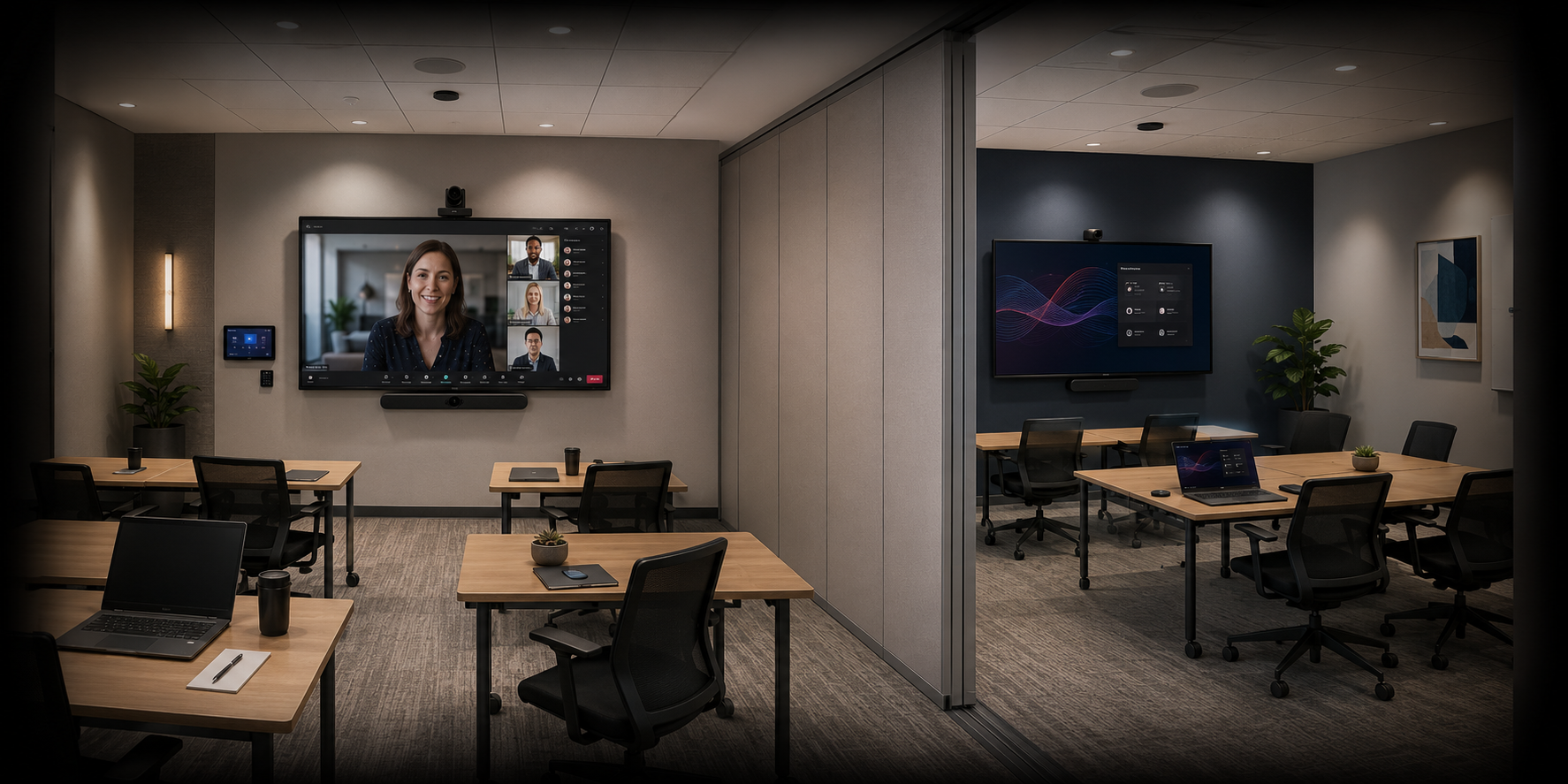
Rooms 03 + 04 · Training

Two training rooms when separated. One coordinated environment when combined.

The most technically significant part of the project was enabling the adjoining training spaces to change configuration without asking staff to manually rebuild the AV workflow.

Independent audiovisual training room at British American Tobacco Australia Parramatta
INDEPENDENT MODE

Two rooms operating separately

With the operable wall closed, both spaces can operate at the same time. The primary room supports meetings, presentations and presenter camera control, while the secondary room provides local wireless presentation.

Combined training-room AV mode at British American Tobacco Australia using Q-SYS automation
COMBINED MODE

One larger presentation environment

Opening the operable wall triggers the room-combine workflow. Audio joins, displays coordinate and the available camera controls change to suit the larger training configuration.

Technology Platform

Commercial AV built for a busy public environment.

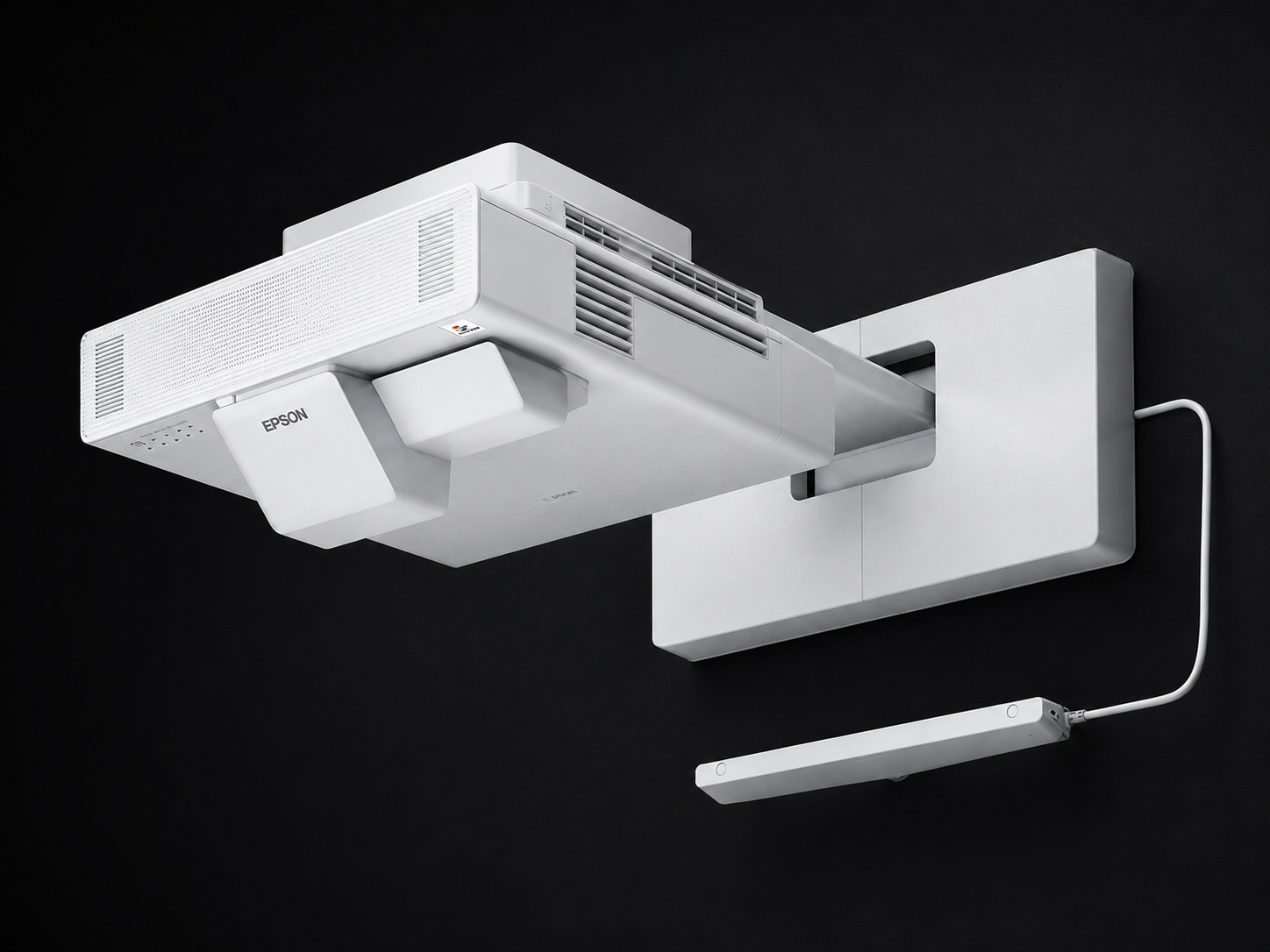
Epson EB-1485Fi interactive laser projector used at Oran Park Library
Interactive Projection

Epson EB-1485Fi

Interactive laser projection supports collaborative presentations, annotation and workshop-style learning.

Epson product information ↗
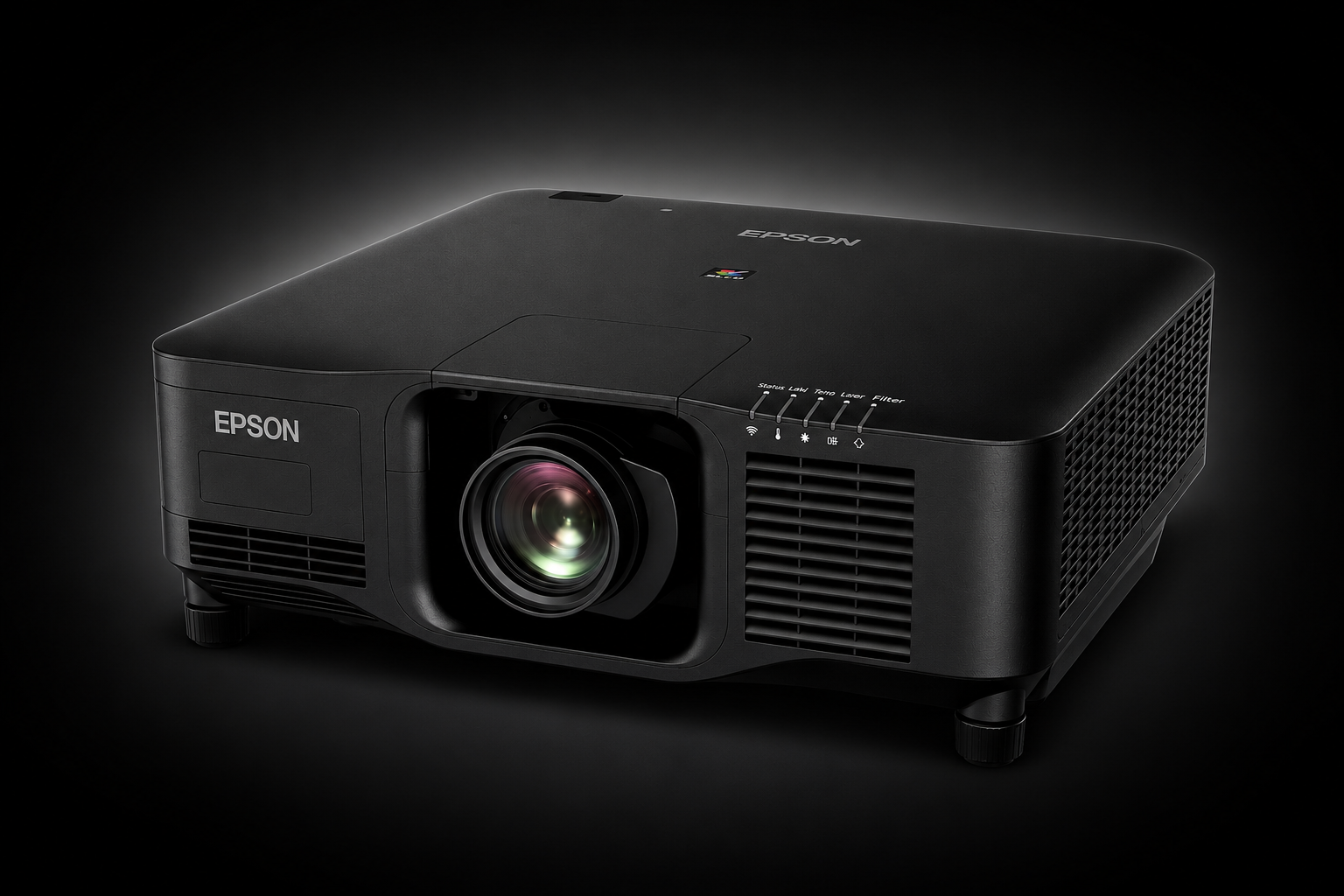
Epson EB-PU2213B large venue laser projector used at Oran Park Library
Large Venue Projection

Epson EB-PU2213B

The 13,000-lumen WUXGA laser projector provides large-format visual output for screenings, presentations and community events.

Epson product information ↗
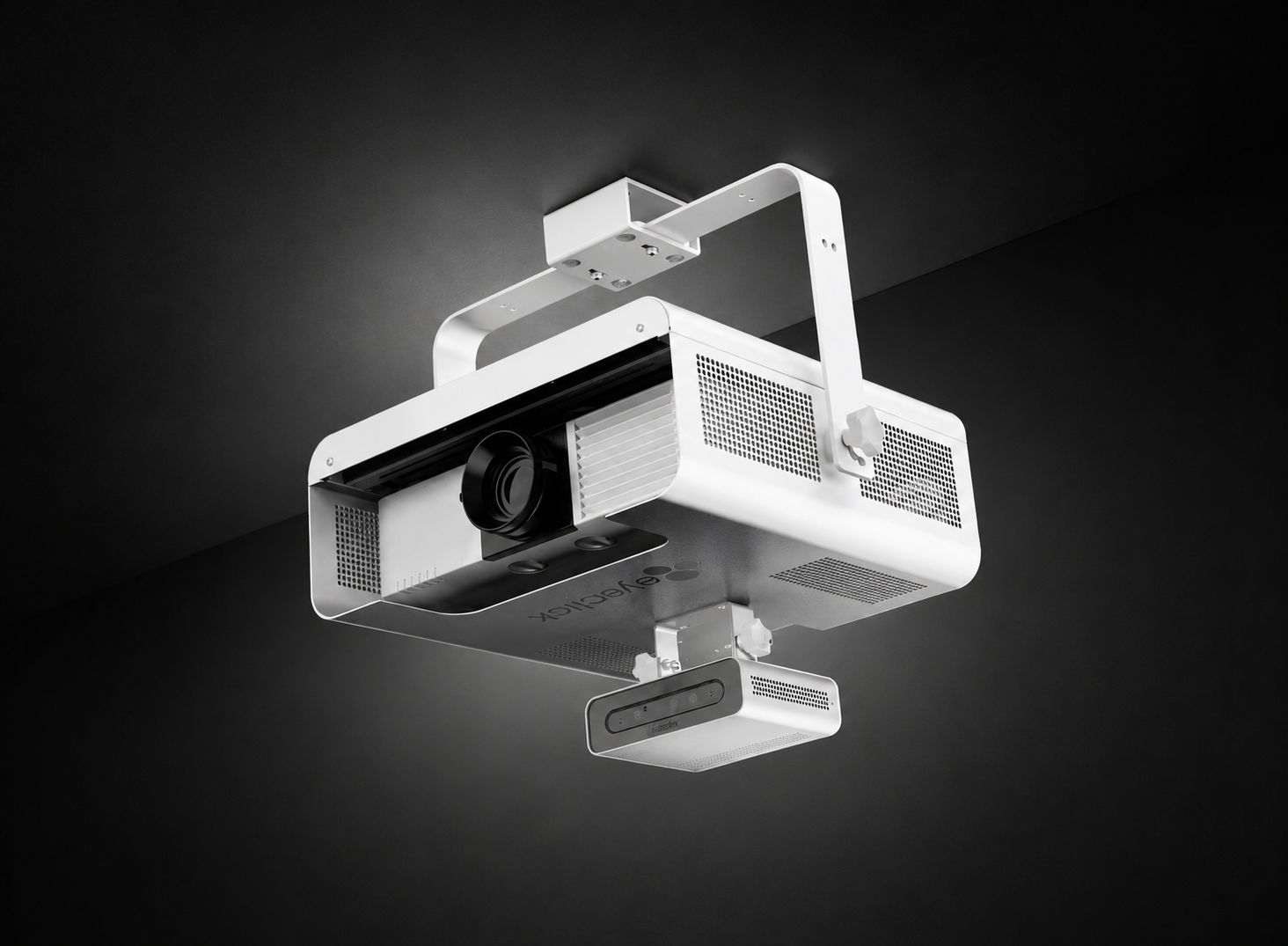
EyeClick interactive projection technology supporting play and learning at Oran Park Library
Interactive Experience

EyeClick Obie & Beam

Interactive projection turns nominated surfaces into motion-driven digital experiences for children's activities, learning and community engagement.

EyeClick product information ↗
Design · Install · Tune · Handover

Performance Audio Is Won in the Design and Commissioning

Loudspeaker selection is only part of a successful hall audio system. Coverage, routing, processing, control and final acoustic commissioning all contribute to the result.

01

Define the Uses

Confirm requirements for assemblies, presentations, music playback, drama and live performance.

02

Design the Coverage

Select and position loudspeakers to improve audience consistency rather than simply increasing volume.

03

Program the Workflow

Configure DSP, routing, event presets and user interfaces around the school's normal operating requirements.

04

Tune & Handover

Complete EQ, level optimisation, delay alignment, functional testing and staff training before handover.

Design · Integrate · Commission

Start With the Therapy Workflow. Then Design the Technology.

Specialist spaces work best when the technology is designed around the people using the room rather than forcing people to adapt to the equipment.

01

Understand

Map how the therapist, parent and child use the treatment and observation spaces.

02

Capture

Position cameras and microphones around useful observation and clear speech capture.

03

Connect

Integrate treatment-room capture with monitoring, coaching and recording.

04

Commission

Verify camera views, speech intelligibility, monitoring, coaching and recording workflows.

Project outcomes

Reliable whole-campus communication restored

The completed redevelopment replaced unreliable legacy equipment with a modern communication platform designed around clarity, straightforward staff operation and future expansion.

Reliable daily operation Scheduled bells and routine paging restored
Improved speech clarity More consistent communication across required school areas
Simpler administration control Staff workflows built around school operations rather than AV hardware
Networked infrastructure Q-SYS and Dante provide a foundation for future expansion

Delivered benefits

  • School paging and bell functionality restored
  • Reliable automated bell schedules
  • Clearer spoken announcements
  • Targeted building and campus paging
  • Priority communication over routine audio
  • Simplified staff control
  • Dante networked audio distribution
  • Reduced reliance on obsolete legacy hardware
  • Expandable platform for future zones and controls
Integrated Technology

Technology behind the AVL upgrade

The project combined professional cameras, Cisco conferencing endpoints, commercial displays, video encoding, room audio and managed equipment infrastructure.

Sony

PTZ Camera

Professional controllable camera technology used across the IRR upgrade.

SRG-X120 Series

Cisco Webex

Conferencing

Room conferencing infrastructure integrated with the upgraded AVL environments.

Codec Plus · Codec EQ

Samsung

Commercial Display

Commercial display technology used within the corrective AVL suite environment.

QM32R

Minrray + Wisenet

Camera Infrastructure

PTZ and dome camera technology formed part of the dedicated corrective-suite video capture system.

UV570S · HCV-6080RP

Wisenet + Beneston

Encoding & Conversion

Network encoding and HDMI/AHD conversion connected the various video sources and room infrastructure.

SPE-410A · AHD-ER03HRS

Extron + JBL + APC

Audio & Infrastructure

Amplification, loudspeakers and managed rack power completed the integrated AVL suite.

MPA-152 · Control 23-1 · AP7920B

REMOTE MONITORING & DIAGNOSTICS

Investigate before automatically dispatching a technician.

Remote Diagnostics
Remote monitoring and diagnostics for the MediaI national digital signage network

Supporting a distributed digital signage network starts with understanding where a fault is occurring before automatically sending someone to site.

A screen may appear offline even though the display itself is operating correctly. The problem may sit further upstream in the media player, network connection, content path, configuration or source environment.

Remote investigation gives Masters Voice Technology an important first diagnostic layer across the MediaI network. Where remote access and system visibility allow, the support team can investigate symptoms, narrow down the likely cause and determine the most appropriate next step.

This creates a more efficient support model for a geographically distributed signage environment. Issues that can be resolved remotely can be addressed without unnecessary travel, while faults requiring physical intervention can be escalated with more information already available to the attending technician.

  • Media player status and playback investigation
  • Connectivity and communications checks
  • Content delivery pathway investigation
  • Display and source-path troubleshooting
  • Configuration and remote support
  • Escalation to onsite service when required

Rather than treating every reported screen issue as an isolated hardware fault, the support process looks at the complete digital signage technology chain between scheduled content and the display visible inside the agency.

01 · REPORT Issue identified A signage, playback or display issue enters the managed support process.
02 · INVESTIGATE Remote diagnostics Player status, connectivity and the content pathway can be reviewed where access permits.
03 · RESOLVE Remote resolution Suitable software, configuration or operational issues may be resolved without a site visit.
04 · ESCALATE Onsite response Physical faults can be escalated into a coordinated field-service response.
NATIONAL SUPPORT PATHWAY

One pathway from reported issue to resolution.

Managed Support
MediaI digital signage monitoring and managed support service

A national digital signage network needs more than individual repairs. It needs a consistent pathway for incidents to move from detection through investigation, escalation and resolution.

Masters Voice Technology provides MediaI with an ongoing technical support structure connecting help desk response, remote diagnostics, field service and service reporting.

This is particularly important for a network operating across many geographically separated agency locations. The support model creates a central technical pathway rather than requiring each location to independently determine how a signage issue should be addressed.

When remote investigation indicates that physical attendance is required, the information already gathered during the diagnostic process can support a more targeted onsite response.

The service history also creates greater visibility around recurring issues, equipment behaviour and patterns that may warrant further technical investigation.

The result is a support model designed around the ongoing operation of the network, rather than treating maintenance as a collection of unrelated service calls.

Remote First Investigate suitable faults before automatically dispatching technicians across the network.
Coordinated Field Service Escalate faults requiring physical intervention into a structured onsite response.
Service Visibility Maintain a clearer history of incidents, attendance, resolution and recurring issues.
PARTICIPATION & EVIDENCE

Technology that supports the hearing—not the other way around.

A tribunal room needs to accommodate more than conferencing. Participants may need to present digital content, review physical evidence, hear proceedings clearly and participate from outside the room.

Evidence presentation

Integrated presentation points, Extron switching and scaling, an Elmo visual presenter and professional video routing support digital and physical evidence workflows.

Accessible participation

Infrared hearing assistance was integrated into the room solution to provide an additional listening pathway for users requiring hearing support.

Read our hearing augmentation planning guide →
Integrated presentation, listening and review technology in an NCAT hearing room

Technology integrated

Wireless controls, recorded messages and outdoor alert equipment

The project combines AARC-EVAC controls, message playback, directional loudspeaker coverage and visual warning equipment in a coordinated platform configured for the school’s approved terminology and operating procedures.

AARC-EVAC ARX38D wireless receiver and message player with alert, evacuation, lockdown, cancel and drill controls

Receiver and message control

AARC-EVAC receiver/message player

Receives authorised wireless commands, selects the configured siren or recorded message and provides clear front-panel functions for alert, evacuation, lockdown, cancellation and testing workflows.

View AARC receiver information →
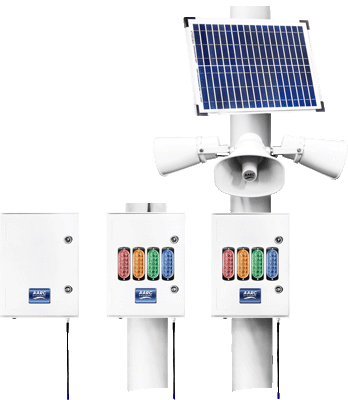
AARC-EVAC outdoor emergency controller options with horn loudspeakers, visual beacons and solar panel

Outdoor alert equipment

Horn loudspeakers and visual beacons

Directional horns project alert tones and recorded instructions toward nominated outdoor areas, while visual beacons reinforce the active alert where noise, distance or activity may affect awareness.

Explore AARC-EVAC controllers →
AARC-EVAC portable multi-button handheld emergency alert remote transmitter

Authorised activation

Portable and wall-mounted controls

Wireless portable and fixed transmitters provide practical activation options for nominated personnel, with recognisable icons and protected cancellation intended to reduce unintended operation.

View AARC remote transmitters →

The Solution

Modern digital audio without turning the church into a control room.

Masters Voice Technology replaced the ageing analogue workflow with a digital audio platform designed around clear speech, reliable operation and controlled access for parish users.

Q-SYS provides the central audio processing required for microphone routing, automatic mixing, equalisation, level control and rear-loudspeaker timing.

Shure digital wireless systems and low-profile MX153 earset microphones provide consistent voice pickup for clergy and presenters who move around the sanctuary.

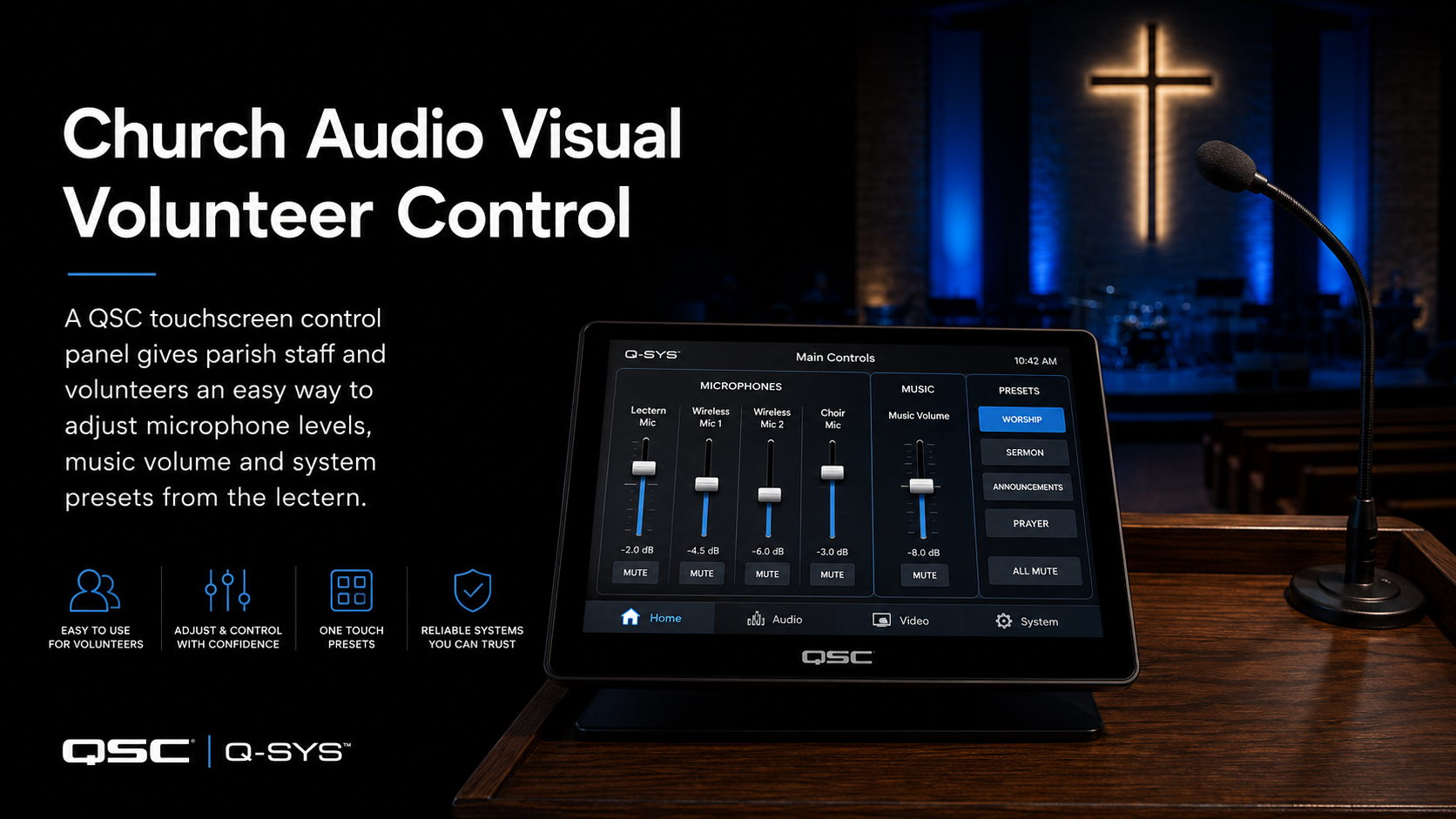
The Q-SYS touchscreen at the lectern presents everyday controls for microphones, music and system presets while leaving loudspeaker tuning, DSP routing and delay settings protected in the background.

Project Outcomes

A venue technology platform built around how the hotel trades.

01 · ATMOSPHERE

Better Sound by Area

Independent zones allow each area to operate at an appropriate level and with an appropriate source.

02 · SPORT

Flexible Screen Content

Selected displays can show the content required for the audience in that part of the venue.

03 · EVENTS

Rooftop & Function Capability

Private bookings, presentations, microphones and music can operate without unnecessarily disrupting other areas.

04 · INPUTS

More Ways to Connect

Bluetooth, AUX, wireless microphones and DJ connections support a broader range of events and entertainment.

05 · STAFF

Simpler Operation

Staff operate familiar zones and sources instead of managing technical routing and equipment directly.

06 · LIFECYCLE

Easier Support & Expansion

Coordinated racks, cabling and documented infrastructure make future troubleshooting and upgrades easier to manage.

Room Automation

The AV system knows when the room changes.

A reed switch detects the position of the operable wall and communicates that state to the Q-SYS control system.

When the wall opens, Q-SYS automatically changes the operating mode of the training environment. Audio can function as a coordinated system, the secondary display follows the required content and the user interface exposes the appropriate camera controls.

When the wall closes again, the spaces return to independent operation.

TRAINING ROOM A

Primary Room

Teams · presentation · camera control

Operable wall
TRAINING ROOM B

Secondary Room

Display · audio · wireless presentation

01 · DETECT

Reed switch

Detects whether the operable wall is open or closed.

02 · PROCESS

Q-SYS logic

Changes the programmed room configuration automatically.

03 · RESPOND

AV reconfigures

Audio, displays, cameras and controls follow the required mode.

Project Outcomes

A more flexible library for staff, visitors and the community.

01

More engaging experiences

Interactive presentation and play technologies create additional ways for children, families and community groups to participate.

02

Flexible event capability

The library can accommodate presentations, workshops, screenings and community programs within a coordinated AV environment.

03

Stronger visual performance

High-output laser projection provides the image scale and brightness required for public presentation environments.

04

Clearer audience audio

Professional loudspeaker systems provide controlled speech and program coverage across nominated audience areas.

05

Simpler daily operation

The system is structured around normal library activities, reducing unnecessary complexity for everyday staff users.

06

Architectural integration

Equipment, cable pathways and mounting were coordinated to complement the contemporary public-space design.

Project Outcomes

A Hall That Now Works for the Full Range of School Events

The upgrade gave the school a more consistent listening experience for everyday communication while adding the depth and control required for performing arts.

Speech is easier to understand across the audience area, music has greater impact and staff can move between common event types without having to rebuild the audio system each time.

Clearer speech Improved intelligibility for assemblies, presentations and spoken-word events.
More even audience coverage Controlled line-source loudspeaker coverage improves consistency from the front of the hall toward the rear.
Greater musical impact Dedicated low-frequency reinforcement supports music, drama, dance and productions.
Easier staff operation Touchscreen presets simplify routine setup for different event types.
More flexible architecture Q-SYS processing and network audio create a stronger platform for ongoing use.
Project Outcomes

A Clinical AV System Designed to Become Almost Invisible

The completed environment gives clinicians the tools they need while keeping the focus on the parent-child interaction.

Observation, room audio, live coaching and recording now operate as a coordinated workflow rather than as separate technology systems.

  • Clear visual observation of the treatment room
  • Intelligible parent and child speech capture
  • Remote observation without entering the session
  • Discreet real-time parent coaching
  • Repeatable audio and video recording
  • Straightforward operation for authorised staff
  • Integrated treatment and observation spaces
  • Technology designed around the therapy workflow
Why this project matters

A school bell system is part of the campus communication infrastructure

Schools rely on the same communication infrastructure for routine timetable changes, administration announcements, staff coordination and approved priority communication.

When ageing PA infrastructure becomes unreliable, the problem extends beyond a missed bell. Poor speech clarity, undocumented zones and inconsistent operation can make everyday communication harder to manage.

The Leichhardt redevelopment demonstrates the value of treating scheduling, paging, processing, amplification, loudspeaker coverage and control as one coordinated system.

Multi-Site Delivery

One technical standard across metropolitan and regional NSW

The rollout covered eleven correctional facilities, requiring access planning, equipment preparation, travel coordination, installation, commissioning and close-out to follow one repeatable delivery process.

Bathurst Dillwynia Goulburn Hunter Junee Kempsey · IRR + 2 AVL Suites Macquarie Nowra OMPCC Shortland Silverwater Women's
01

Plan

Confirm access, room availability, construction information and site-specific requirements.

02

Prepare

Prepare equipment, cabling, documentation and site-specific safety requirements.

03

Install

Upgrade cameras, conferencing, infrastructure and corrective-suite technology.

04

Verify

Commission, test, complete UAT and deliver required close-out documentation.

SERVICE RESPONSIBILITY

Support across the technology layers that keep content visible.

PLATFORM

Broadsign player support

Assistance with configured media players, playback behaviour, connectivity and related technical investigation.

DISPLAY

Commercial screen support

Troubleshooting display operation, source connectivity and site-level screen issues.

NETWORK

Connectivity investigation

Review network dependencies and connectivity symptoms affecting the signage delivery path.

REMOTE

Remote troubleshooting

Investigate suitable incidents without immediately requiring physical attendance at the agency site.

FIELD SERVICE

Coordinated onsite support

Arrange physical technical attendance where remote investigation cannot restore normal operation.

GOVERNANCE

SLA and service reporting

Track service activity to create greater visibility of response, recurring faults and network support.

PROJECT DELIVERY

The work behind reliable hearing-room operation.

The visible technology was only one part of the project. Equipment racks, structured cabling, power-control infrastructure, signal testing and documentation were coordinated within the wider construction environment.

01

Infrastructure

Equipment racks, custom connection plates, communications cabling and integration points.

02

Integration

Connect AV equipment with client-supplied network and computing infrastructure.

03

Commissioning

Test structured cabling, speaker systems, SDI paths and functional AV workflows.

04

Handover

Complete asset information, cable schedules and as-built project documentation.

NCAT Civic Tower hearing-room AV installation and commissioning

Project outcomes

Clearer emergency communication across the school

The completed installation gives Merrylands East Public School a coordinated way to issue distinct emergency instructions, extend audible coverage into nominated outdoor areas and reinforce active alerts with visual warning beacons.

0 Outdoor horn loudspeakers
0 Dedicated emergency messages
0 Authorised control formats
0 Coordinated wireless alert platform
01

Consistent recorded instructions

Approved evacuation, lockdown, all-clear and test messages can be broadcast consistently, reducing reliance on improvised live announcements during a stressful event.

02

Improved outdoor alert coverage

Eight directional horn loudspeakers project alert tones and voice instructions toward nominated playgrounds, walkways and circulation areas.

03

Audible and visual notification

Flashing warning beacons reinforce the audible message and improve awareness where activity, distance or background noise may affect audibility.

04

Practical staff activation

Portable handheld and fixed wall-mounted controls provide practical activation options for nominated staff while supporting controlled, authorised operation.

05

Clear separation of alert types

Separate functions help staff and students distinguish between an evacuation, lockdown, all-clear notification and planned system test.

06

Tested, commissioned and handed over

The system was configured and operationally tested, with staff handover supporting ongoing use, routine testing and future maintenance.

The overall result

A purpose-built emergency communication workflow for the school

The project brings together wireless activation, recorded messaging, directional loudspeaker coverage and visual warning equipment in one practical system aligned with the school’s nominated emergency procedures.

Discuss a school project
Q-SYS touchscreen control installed at the lectern of St Francis of Assisi Church Paddington

Volunteer Control

Show users what they need. Protect everything they don't.

Parish volunteers should not need to understand digital signal processing, gain structure, loudspeaker delay or audio routing to operate a normal service.

The touchscreen provides a simplified interface for microphone levels, music playback and normal operating presets while keeping commissioning parameters hidden.

That reduces accidental configuration changes and helps services begin from a consistent system state.

Why This Project Matters

Hospitality AV should shape the experience without becoming the experience.

Guests notice the atmosphere, music, clarity of live sport, function-room experience and whether a venue feels organised. They should not have to notice the amplifiers, processors, encoders, network switches and control logic making it happen.

The Integrated Solution

The room changes. The technology follows.

Masters Voice Technology designed the system around how each room would be used rather than applying one equipment package to every space.

Logitech video bars provide appropriately scaled video conferencing within the fixed meeting rooms. The more complex training environment uses Q-SYS for DSP processing, acoustic echo cancellation, audio routing, control, room-combine logic and user-interface functions.

An Audio-Technica ceiling microphone removes the need for microphones on movable tables, distributed ceiling speakers support consistent coverage and Barco ClickShare provides wireless presentation capability in the secondary training room.

A dedicated PoE AV network supports the control and communication requirements of the integrated system.

Why This Project Matters

Public-space technology should expand what a community facility can do.

Oran Park Library demonstrates how audiovisual technology can move beyond a conventional presentation system and become part of the visitor experience itself — helping one public facility support learning, entertainment, digital participation, children's programming and community connection.

Why This Project Matters

A Performing Arts School Hall Is More Than an Assembly Space

The same room may host a morning assembly, a presentation, rehearsal, musical, drama production or community event.

That range of use places very different demands on speech intelligibility, musical reproduction, system headroom and user control.

This project demonstrates how school technology can remain straightforward for everyday users while still providing the audio capability needed by students and technical staff for more demanding performance events.

Specialist Environment

Recording Capability Is Only One Part of the Clinical Workflow

AV provides the technical capability to observe, communicate and record. How that capability is used remains governed by the organisation's approved procedures.

Consent, staff access, recording decisions, storage, retention, privacy and clinical procedures remain matters for the school and relevant clinical stakeholders.

Client feedback

Easier administration and clearer school-wide communication

Feedback following delivery highlighted the rapid response to the school's critical communication issue, straightforward bell-schedule management for administration staff and a substantial improvement in audio quality throughout the campus.

Quality & Commissioning

Installation was only complete when the system was tested

Cabling verification, commissioning, asset records, User Acceptance Testing and as-built information formed an integral part of the project delivery.

Cabling QA

CAT6 Testing

Structured cabling verification included wiremap, attenuation, NEXT, return-loss and time-domain testing requirements.

Video QA

SDI Testing

Video infrastructure testing included signal eye diagram, jitter and bandwidth verification.

Safety

Site-Specific SWMS

Site-specific Safe Work Method Statements formed part of the controlled-site installation process.

Commissioning

User Acceptance Testing

Masters Voice supported final configuration and UAT in coordination with the DCJ AVT/ICT project team.

Asset Records

IP & Equipment Information

Serial numbers, MAC addresses and relevant patching information were captured for project close-out.

Handover

As-Built Documentation

Completed installation records, project photographs and final as-built information supported handover.

SERVICE OUTCOME

A national signage environment with a defined technical support structure.

MediaI can concentrate on the communication and content delivered through its network while the technical operating environment has an established pathway for monitoring, troubleshooting, onsite response and ongoing service management.

VISIBILITY

Greater network awareness

Support is managed across a distributed technology environment rather than only when individual equipment failures are reported.

RESPONSE

Remote-first diagnosis

Suitable incidents can be investigated remotely before deciding whether onsite technical attendance is required.

CONSISTENCY

One support pathway

Help desk, escalation and service processes provide a more consistent approach across multiple locations.

LIFECYCLE

Support beyond installation

The relationship demonstrates an ongoing operating model rather than a project that ends at handover.

PROJECT OUTCOMES

Four rooms. One predictable technology environment.

The completed solution gives NCAT consistently equipped hearing spaces capable of supporting local proceedings, remote participation, evidence presentation, hearing assistance and recording.

STANDARDISED

Four hearing rooms

Consistent system architecture and operational approach across each space.

CONNECTED

Remote proceedings

Integrated cameras, conferencing, microphones and displays support Audio Visual Link participation.

ACCESSIBLE

Hearing assistance

Accessible listening functionality is incorporated into the room technology environment.

DOCUMENTED

Structured handover

Tested infrastructure supported by asset, cabling and as-built project information.

School communication and emergency readiness

Why this school emergency communication project matters

Emergency communication systems are not ordinary background audio. Instructions must be understandable, outdoor areas must receive appropriate notification and authorised staff must be able to activate the correct function quickly and confidently.

Communication

Clear messages reduce uncertainty

Distinct recorded instructions help staff, students and visitors understand whether they are being asked to evacuate, lock down, remain in place or resume normal school activity.

Awareness

Outdoor areas need dedicated coverage

Playgrounds, walkways, covered outdoor areas and circulation spaces require appropriate emergency notification as well as classrooms.

Operation

Staff controls must be practical

Portable and fixed controls allow the school to align system activation with nominated personnel, known locations and approved emergency procedures.

School emergency evacuation system coverage across classrooms, playgrounds, covered walkways and outdoor circulation areas
Emergency notification coverage Supporting classrooms, playgrounds, walkways and outdoor areas

The complete coverage illustration remains visible inside the dark image card without being cropped.

Technology Platform

Technology selected around the room, congregation and users.

Digital Processing

Q-SYS Core

Central DSP manages routing, automatic mixing, equalisation, speaker delays, levels and the control logic required for consistent church audio.

Q-SYS processing ↗
Wireless Speech

Shure SLX-D

Digital wireless provides reliable voice transmission for clergy, presenters and other mobile church users.

Shure SLX-D ↗
Earset Microphone

Shure MX153

Low-profile earset microphones keep the capsule close to the speaker's mouth for consistent hands-free voice pickup.

Shure MX153 ↗
Rear Delay Audio

JBL CBT 50LA-1

Slim column loudspeakers provide local reinforcement toward the rear of the nave while fitting discreetly within the heritage interior.

JBL CBT 50LA-1 ↗

Frequently Asked Questions

Sydney Park Hotel venue AV upgrade.

What AV technology was installed at Sydney Park Hotel?
The project incorporated multi-zone professional audio, commercial LG displays, Turtle AV Darwin HD AV-over-IP distribution, BSS audio processing, Lab Gruppen amplification, AUDAC loudspeakers, Bluetooth and auxiliary inputs, wireless microphone support, DJ inputs, digital signage capability and venue control.
Why was AV over IP used at Sydney Park Hotel?
AV over IP allows different video sources to be distributed flexibly across multiple displays. This makes it easier for the hotel to route live sport, television, digital signage and event content to the areas where it is required.
What is a multi-zone hospitality audio system?
A multi-zone audio system divides a venue into separately managed areas. For example, the main bar, dining spaces, rooftop and function room can use different volume levels or audio sources without changing every other area.
Can the rooftop and function spaces operate independently?
Yes. The system was designed so different parts of the venue can operate according to their own requirements, including normal trading, rooftop entertainment, presentations and private functions.
How can staff connect music or event sources?
Local connectivity includes Bluetooth, auxiliary inputs, DJ connection points and wireless microphone support, providing practical options for normal operation and events.
Does Masters Voice Technology provide ongoing venue AV support?
Yes. Ongoing support can include fault diagnosis, preventative maintenance, configuration management, onsite service and future technology upgrade planning.

Technology Platform

Commercial technology working as one system.

Logitech Rally Bar and Rally Bar Mini video conferencing technology used in the BAT Australia project
Video Collaboration

Logitech Rally Bar Systems

Rally Bar supports the larger meeting room while Rally Bar Mini provides a compact video collaboration solution for the six-seat room.

Logitech + Microsoft solutions ↗
Q-SYS Core Nano DSP and control platform used for BAT Australia training-room automation
DSP + Automation

Q-SYS Core Nano

Central processing coordinates room audio, acoustic echo cancellation, user control, camera workflows and the automatic room-combine logic.

Q-SYS Core Nano ↗
Audio-Technica beamforming ceiling microphone and Q-SYS ceiling speakers in BAT Australia training rooms
Professional Room Audio

Ceiling Microphone + Distributed Audio

Beamforming ceiling microphone pickup and distributed loudspeakers provide clear room audio while preserving flexible furniture layouts.

Audio-Technica ATND1061 ↗
Head Teacher Testimonial

A Hall That Now Supports the Way Our Students Perform

“The difference the new audio system has made to our hall is immediately noticeable. Speech is much clearer during assemblies, while music and performances now have the depth, coverage and impact we need for a performing arts environment. Just as importantly, the system is straightforward for our staff to operate. We can move from a school assembly to a presentation, rehearsal or performance without having to rethink the entire audio setup. The result is a hall that better supports our students, teachers and the wide range of events we hold throughout the year.”
Head Teacher
Campbelltown Performing Arts High School
Why This Project Matters

Specialist School AV Goes Far Beyond Classrooms

Education environments increasingly include wellbeing, therapy, specialist learning, observation and staff development spaces.

Those spaces require a different approach to camera placement, microphone coverage, recording, monitoring and user control than conventional classroom AV.

The St Gertrude’s project demonstrates how AV integration can support a specialist program without overwhelming the people using the room.

Leichhardt project questions

School PA & Bell System FAQs

Practical information about the Leichhardt Public School redevelopment and modern networked campus communication systems.

Why was the Leichhardt Public School PA system replaced?

The existing legacy infrastructure had become unreliable and could no longer provide dependable school-wide bells, paging and clear communication. The project therefore required a complete redevelopment rather than a minor equipment repair.

What platform was used for the new school PA and bell system?

Q-SYS was used as the central audio processing and control platform, bringing bell scheduling, paging zones, audio routing, priority functions and staff controls into one coordinated environment.

How is audio distributed around the school?

Dante networked audio is used as part of the digital audio distribution architecture, supported by commercial amplification and distributed loudspeakers across the required campus areas.

Can administration staff change school bell schedules?

Yes. The system is designed so authorised administration staff can manage normal schedules and timetable changes through a practical user interface rather than relying on fixed legacy timer hardware.

Can announcements be sent to selected areas of the school?

Yes. The paging architecture allows announcements to be directed toward selected buildings, defined zone groups or the complete school, depending on the configured operational requirements.

Can priority messages override normal school bells?

Approved priority communication can be configured to take precedence over routine bells and normal paging. The exact priority workflow should be designed and commissioned around the school's approved communication procedures.

Is a school PA system the same as a certified emergency warning system?

No. A general PA and bell system should not automatically be described as a certified fire alarm, occupant warning or EWIS. Where statutory emergency-warning requirements apply, system classification and certification must be confirmed separately with the appropriate consultants and certifiers.

Can the system be expanded later?

Yes. The networked Q-SYS and Dante architecture provides a more flexible foundation for future changes such as additional zones, loudspeakers, control functions or connected buildings, subject to the available infrastructure and system capacity.

The Results

A more consistent AVL environment across the rollout

The project modernised critical room technology across eleven correctional centres while delivering two comprehensive corrective AVL suite upgrades at Kempsey.

Standardised camera technology A consistent professional PTZ camera platform across the IRR upgrade sites.
Modern conferencing endpoints Cisco Webex infrastructure integrated with upgraded room technology.
Two dedicated AVL suites Kempsey received comprehensive camera, display, audio, encoding and conversion infrastructure.
Repeatable commissioning Testing and handover followed a common multi-site delivery methodology.
Improved asset visibility Equipment and network information supports future system management.
Statewide delivery capability Metropolitan and regional sites were coordinated under one project standard.
WHY THIS PROJECT MATTERS

The larger a screen network becomes, the more important the operating model becomes.

Digital signage software, commercial displays and media players are only part of a successful multi-location network. Someone also needs to own the technical response when the complete chain does not operate as expected.

The MediaI engagement demonstrates how a structured support relationship can connect remote troubleshooting, field service, hardware knowledge and service reporting around a nationally distributed signage estate.

For comparison, organisations still selecting their signage platform can review our dedicated CMS buyer's guide rather than using this case study as a generic platform comparison.

WHY THIS PROJECT MATTERS

Clear communication is part of the hearing process.

Hearing-room technology has to serve people with different roles, different locations and different accessibility requirements while remaining predictable for staff operating the facility.

The NCAT Civic Tower project demonstrates how professional AV integration can connect microphones, cameras, conferencing, evidence presentation, recording and hearing assistance into one coordinated operational workflow.

NCAT's official information identifies Civic Tower, 66 Goulburn Street Sydney as one of its Sydney CBD registry locations.

Project acknowledgement

Specialist product support and Australian emergency-alert technology

Masters Voice Technology acknowledges EOS Australia and AARC Systems for their respective product-distribution, technical-support and emergency-alert technology roles associated with the AARC-EVAC solution used for this project.

Technology manufacturer

AARC Systems

AARC Systems designs and develops the AARC-EVAC wireless-linked emergency alert platform used to trigger sirens and recorded voice messages across education, government, community and commercial environments.

  • Australian-designed emergency-alert technology
  • Wireless transmitters and receiver equipment
  • Siren and recorded voice-message broadcasting
  • Indoor, outdoor and visual-alert configurations
Explore AARC-EVAC
Australian national distributor

EOS Australia

EOS Australia supports the Australian electronic-security industry through specialist product distribution, technical assistance and access to emergency-alert equipment, including the AARC-EVAC product range.

  • Australian AARC-EVAC product distribution
  • Product selection and technical support
  • National electronic-security industry presence
  • Support for professional installation partners
Visit EOS Australia

Project Outcomes

Clearer speech. More even coverage. Easier everyday operation.

01

Clearer Spoken Word

Sermons, readings, prayers and ceremonies are easier to follow throughout the seating area.

02

More Even Coverage

Rear reinforcement reduces the difference between listening at the front and toward the back of the nave.

03

Improved Intelligibility

Controlled processing and loudspeaker timing reduce overlapping arrivals that can blur spoken content.

04

Simpler Volunteer Control

Everyday operation happens through a clear touchscreen rather than a traditional exposed mixer interface.

05

Reliable Wireless Audio

Digital wireless systems provide consistent microphone performance for mobile clergy and presenters.

06

Future-Ready Platform

The digital architecture provides a stronger base for future church audio and AV requirements.

Pubs · Hotels · Clubs · Rooftops · Function Venues

Need one AV platform to support every part of your venue?

Masters Voice Technology and ACCAV design, install and support hospitality AV systems across Sydney and New South Wales, including multi-zone audio, AV-over-IP video, commercial displays, rooftop systems, function-room AV, local entertainment inputs and ongoing support.

Project Outcomes

Less time configuring rooms. More time meeting, presenting and training.

01

Consistent meeting experience

Staff can move between meeting rooms while retaining a familiar Teams workflow.

02

Automatic room combining

The training-room AV environment responds when the operable wall is opened or closed.

03

Flexible training formats

Two smaller sessions or one larger presentation can be accommodated using the same integrated platform.

04

Clear ceiling audio

Ceiling microphone pickup avoids placing conferencing equipment on movable training tables.

05

Purposeful camera control

Meeting and presenter camera workflows can be selected to suit different room activities.

06

Reduced manual setup

Integrated automation reduces the number of AV changes staff need to make when the physical room changes.

Frequently Asked Questions

Oran Park Library AV integration.

What audiovisual technology was installed at Oran Park Library?
Masters Voice Technology delivered an integrated environment incorporating Epson interactive and large-venue laser projection, Yamaha and Australian Monitor loudspeakers, commercial Crown amplification and EyeClick interactive technology.
Which large venue projector is used at Oran Park Library?
The large-format projection system uses an Epson EB-PU2213B, a WUXGA laser projector delivering 13,000 lumens of colour and white light output.
How is interactive projection used in the library?
Interactive projection supports workshops, collaborative presentations and learning activities, while EyeClick technology provides motion-based interactive experiences for children's programs and community engagement.
Why use professional audio in a public library?
Modern libraries regularly support presentations, screenings, workshops and public events. Professionally designed distributed audio helps deliver clear speech and consistent program sound throughout the required audience areas.
Does Masters Voice Technology deliver AV systems for councils?
Yes. Masters Voice Technology designs, installs and supports commercial audiovisual systems for councils, government facilities, community spaces, meeting rooms and other public-sector environments across Sydney and New South Wales.
Can a library AV system support both events and everyday use?
Yes. A properly designed library AV system can support everyday presentations and workshops as well as larger events, screenings, children's programs and community activities without requiring separate systems for every use case.
Related Capability

Explore the Technology Behind the Project

This project connects specialist education requirements with professional audio, DSP, networked audio and simple user control.

Planning a Hall Upgrade?

Start With Coverage, Use Cases and User Experience

Masters Voice Technology can assess existing hall audio, audience coverage, microphones, DSP, control, networking and performance requirements before developing an upgrade strategy.

Project Manager Testimonial

A Specialist AV System Designed Around the Therapy

“The key to this project was understanding how the therapy needed to operate before selecting the technology. The treatment and observation rooms had to work together seamlessly, allowing the clinician to see and hear the interaction clearly, provide discreet real-time coaching and record sessions when required. Masters Voice Technology brought the cameras, microphones, monitoring, in-ear communication and recording together into one practical system that supports the clinical workflow without allowing the technology to become the focus of the room.”

Jason

Project Manager

Education AV & communications

Planning a PA, bell or campus communication upgrade?

Masters Voice Technology can assess existing PA infrastructure, bell scheduling, paging zones, loudspeaker coverage, audio networking, electrical requirements and communications cabling before developing an appropriate upgrade strategy.

Why This Project Matters

Critical AVL technology must be consistent, maintainable and documented

An Audio Visual Link Suite within a correctional environment is not simply another meeting room.

Cameras, conferencing, audio, video distribution, structured cabling and supporting equipment need to operate together as a predictable room system.

Applying a repeatable technical and commissioning standard across multiple facilities creates a clearer foundation for ongoing operation, maintenance and future technology upgrades.

Multi-Site Justice AV

One accountable rollout methodology

Consistent installation, testing and documentation make large AV estates easier to understand, maintain and progressively modernise.
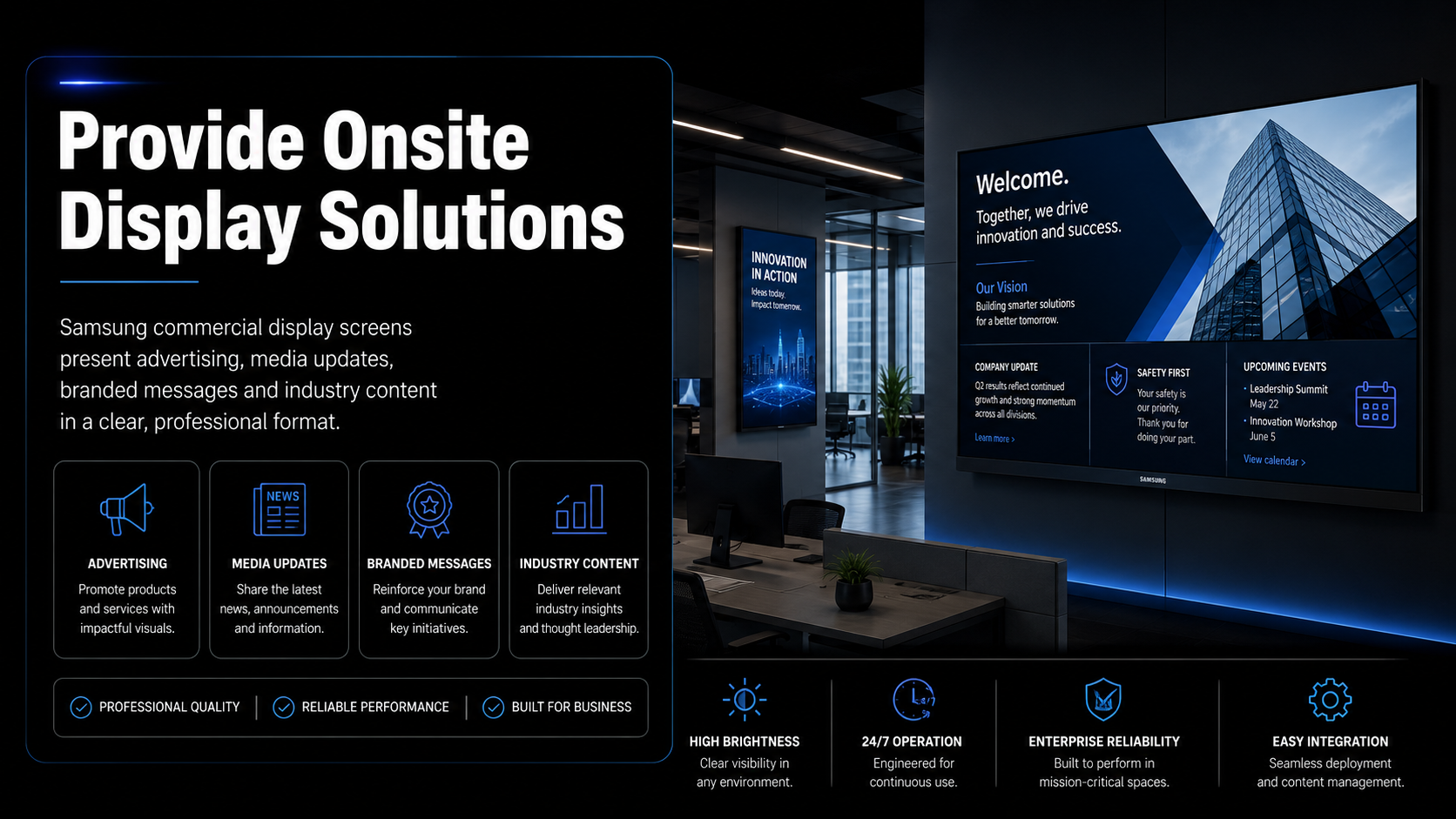
PROJECT QUESTIONS

MediaI national signage service FAQs.

How large is the MediaI screen network?

MediaI describes its network as more than 250 premium large-format screens across more than 70 media agency locations nationally.

What does Masters Voice Technology support?

The service covers Broadsign media-player support, commercial display assistance, connectivity investigation, remote troubleshooting, help desk response, onsite service and structured reporting.

Why is remote troubleshooting useful for a national network?

Remote investigation can identify suitable player, configuration or connectivity issues before physical attendance is arranged, helping the support team select the appropriate next action.
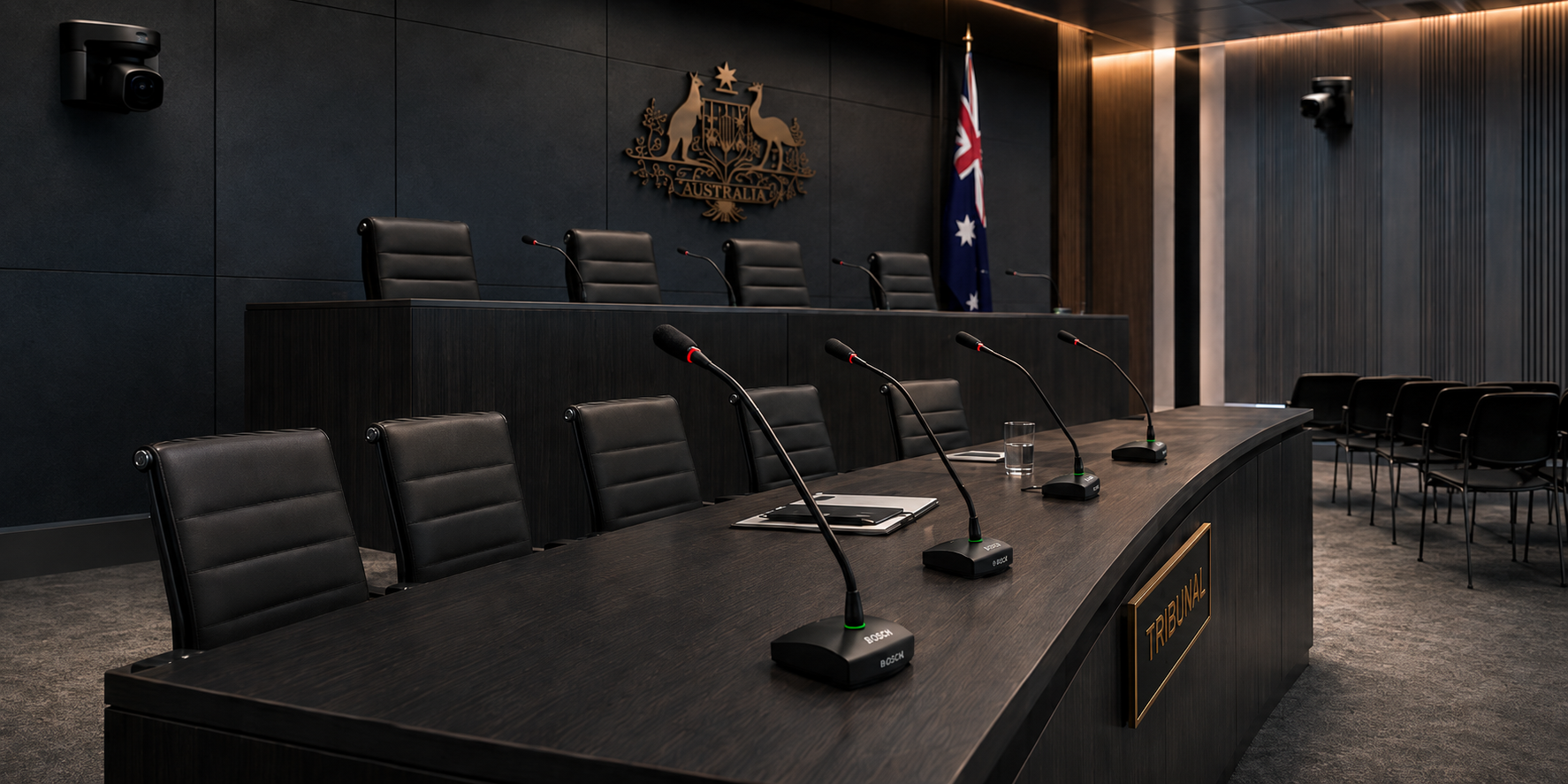
What happens when a problem cannot be fixed remotely?

The fault can move through the service escalation process to coordinated onsite attendance where physical inspection or equipment intervention is required.
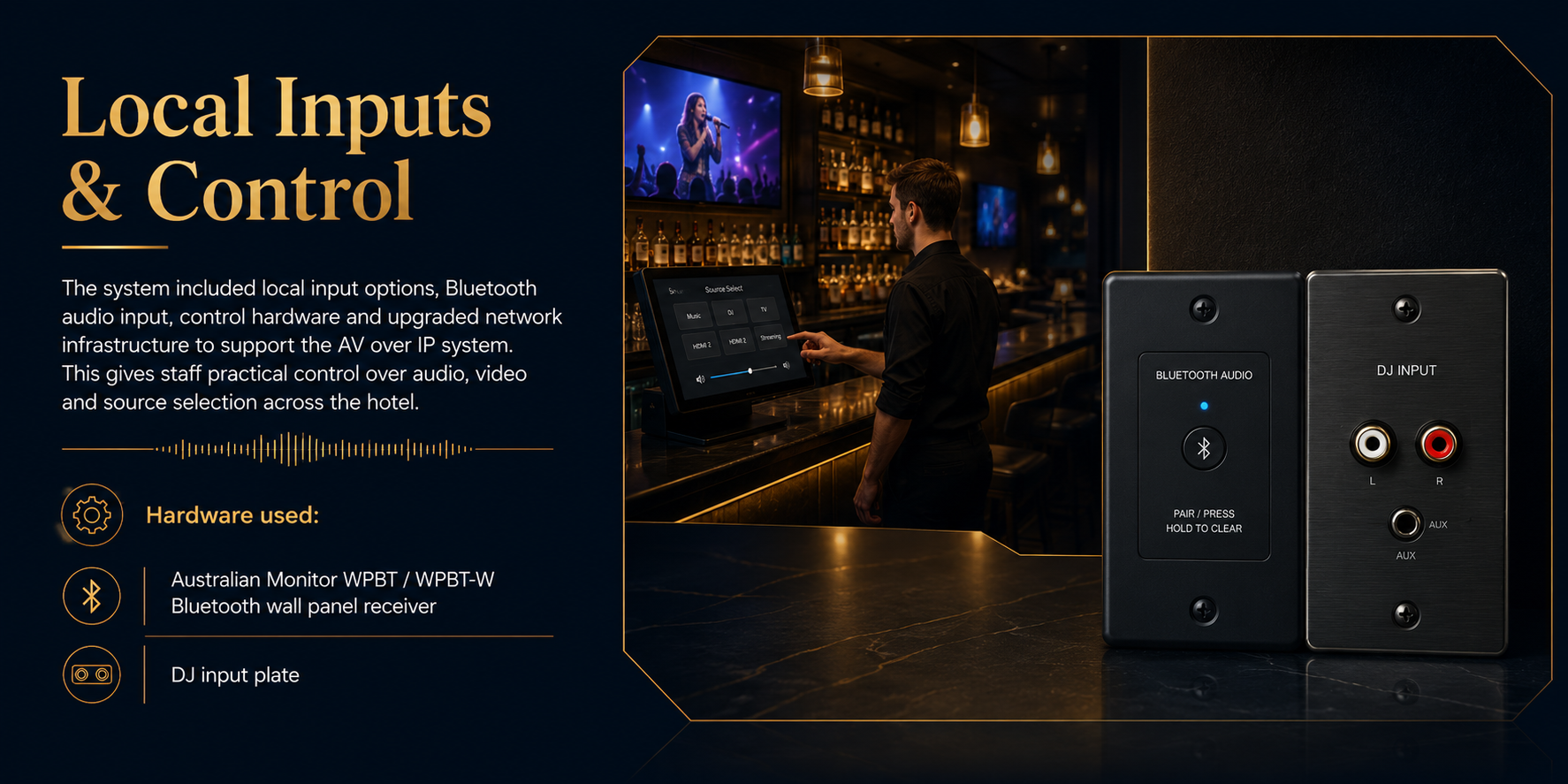
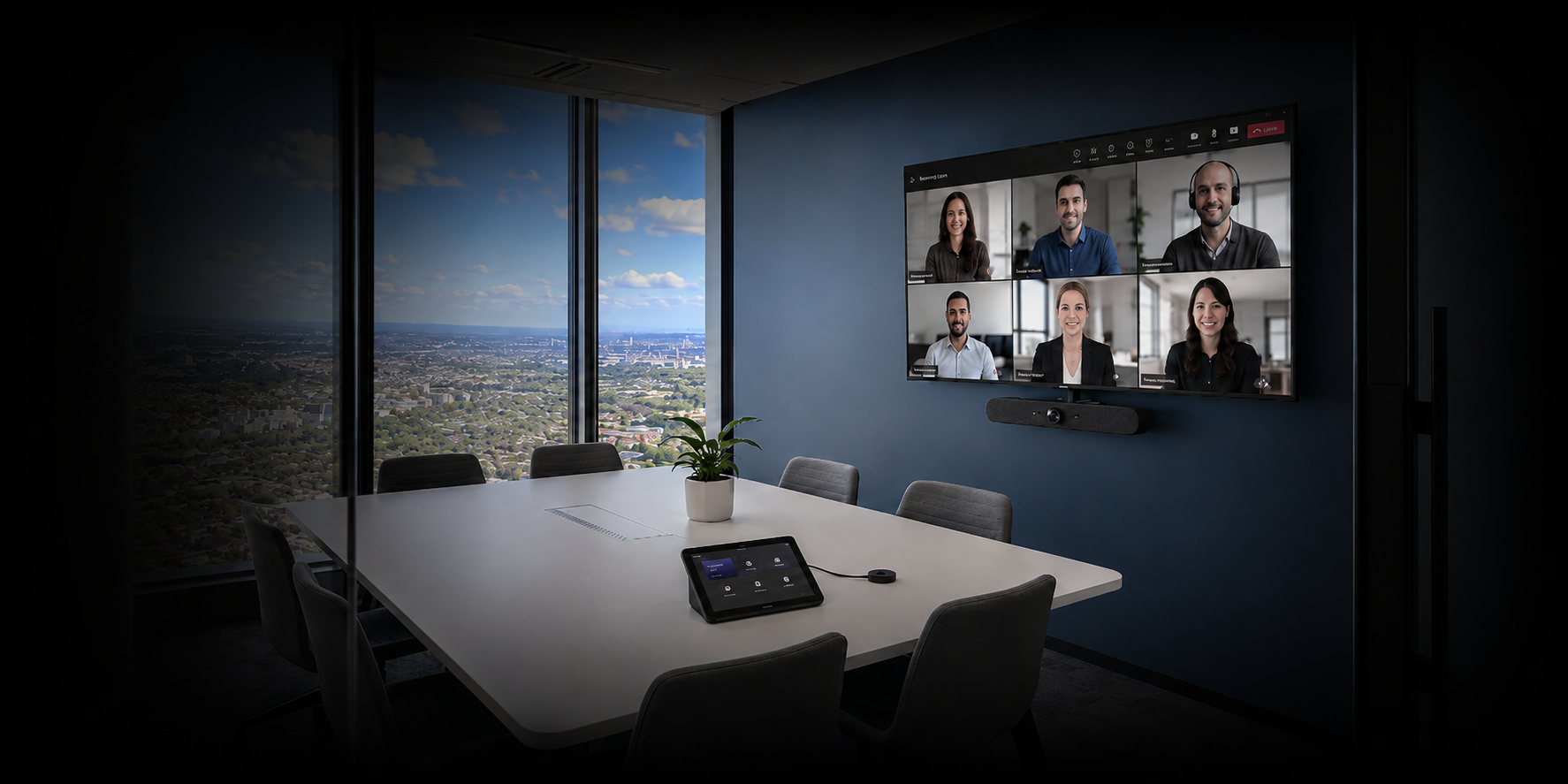
What role does Broadsign play?

Broadsign provides the digital-signage platform environment used to schedule and deliver content through configured players to the MediaI screens.

Can Masters Voice support other multi-location screen networks?

Suitable multi-location environments can be assessed around their CMS, media players, commercial displays, connectivity, remote-access capability, geographic coverage and required service levels.

MULTI-SITE TECHNOLOGY

Managing screens across multiple locations?

Masters Voice Technology can assess the displays, media players, CMS, network dependencies, support requirements and service model needed to manage a distributed technology environment.

PROJECT QUESTIONS

NCAT hearing-room AV project FAQs.

How many hearing rooms were delivered?

Masters Voice Technology delivered four purpose-built hearing-room AV systems at NCAT Civic Tower in Sydney.

How do remote participants join proceedings?

Cisco Webex conferencing is integrated with the hearing-room cameras, microphones, loudspeakers and displays to support Audio Visual Link participation.

How is hearing-room audio managed?

Q-SYS processing manages microphone inputs, conferencing audio, loudspeaker feeds and other nominated audio destinations, with Dante used within the networked-audio environment.

Can physical evidence be displayed?

Yes. The system incorporates presentation connectivity and an Elmo visual presenter along with professional switching and video routing.

Is hearing assistance included?

Yes. Infrared hearing-assistance technology forms part of the installed hearing-room solution.

Does Masters Voice deliver other government AV projects?

Masters Voice Technology delivers integrated AV systems across government, justice, council and other public-sector environments.

Explore government capability →
PLAN A SIMILAR PROJECT

Designing a hearing room, tribunal space or secure conferencing environment?

Masters Voice Technology can assist with AV design, system integration, communications infrastructure, commissioning, documentation and ongoing support.

Client Feedback

The difference is night and day — speech is crystal clear, and our volunteers love how easy it is to operate.
Client feedback — St Francis of Assisi Church project

Why This Project Matters

Flexible rooms need flexible AV — not more buttons.

The strongest part of this project is not any individual display, camera or microphone. It is the way the complete AV environment responds to how the workplace is being used. When physical spaces change, the technology changes with them, allowing users to concentrate on collaboration rather than manually rebuilding the room.

Libraries · Councils · Community Facilities

Designing technology for your next public-space project?

Masters Voice Technology designs, installs and supports commercial AV systems for councils, libraries, government facilities and community environments across Sydney and New South Wales.

Project Questions

Campbelltown Performing Arts High School Hall PA FAQs

Practical information about the audio design and technology used in this performance hall upgrade.

Why was the existing school hall PA system upgraded?

The existing system had uneven audience coverage, limited performance headroom and inconsistent reproduction between speech and music. The school needed a system capable of supporting both everyday communication and performing arts.

What loudspeakers were used in the performance hall?

Fohhn Linea LX-600 line-source loudspeakers were used for the main audience system, with ARC AS-40 subwoofers adding low-frequency reinforcement for music and stage productions.

What does Q-SYS do in the hall audio system?

A Q-SYS Core 8 Flex provides central digital signal processing, routing, equalisation, presets and control functions for the hall.

How does Dante audio networking support the system?

Dante provides network-based digital audio transport between compatible system components, creating flexible signal routing without relying solely on traditional point-to-point analogue cabling.

Can school staff operate the system without being audio engineers?

Yes. Q-SYS touchscreen controls provide simple operating modes for common uses such as speech, music and performance, reducing the need for staff to adjust detailed DSP settings.

Can the system be used for live performance as well as assemblies?

Yes. The system was designed to support assemblies, presentations, music playback, rehearsals, drama and live performing arts events within the same hall.

Why were subwoofers included in a school hall?

Subwoofers extend low-frequency reproduction and provide the depth required for music, dance, theatre and production content that would not be required from a speech-only PA.

Can Masters Voice Technology upgrade other school halls?

Masters Voice Technology can assess existing hall audio, loudspeaker coverage, microphones, DSP, network infrastructure, control requirements and performance uses before designing an appropriate upgrade.

Project Questions

PCIT Clinic & Therapy Observation AV FAQs

Practical questions about AV technology supporting specialist treatment and observation spaces.

What AV system was installed at the St Gertrude’s PCIT clinic?

The system combines Wisenet video observation, Audio-Technica room audio capture and processing, MIPRO in-ear coaching and Blackmagic HyperDeck recording.

How does the therapist observe a PCIT session?

Cameras capture activity inside the treatment room while the clinician monitors the session from the separate observation environment. Room microphones provide the corresponding speech audio.

How is live parent coaching provided?

The clinician can provide real-time guidance using a discreet bodypack and in-ear monitoring system worn by the parent.

Why is clear room audio important?

The clinician needs to hear the interaction accurately while observing from another room. Good microphone coverage is also important when approved sessions are recorded.

Can PCIT sessions be recorded?

The AV system provides audio and video recording capability. Whether a session is recorded and how recordings are accessed, retained or managed remains subject to the school's approved consent, privacy and clinical procedures.

Is PCIT clinic AV the same as classroom AV?

No. Specialist observation spaces require different camera coverage, microphone pickup, monitoring, discreet communication and recording workflows.

What equipment may be required in a therapy observation room?

Depending on the program, systems may include cameras, room microphones, observation displays, audio monitoring, discreet coaching equipment, recording systems, network infrastructure and simple staff controls.

Can Masters Voice Technology design other specialist education spaces?

Yes. Masters Voice Technology can integrate audio visual, communications and supporting infrastructure around specialist education, observation and wellbeing workflows.

School emergency communication questions

Frequently asked questions

Practical answers about the Merrylands East Public School installation and the planning of school emergency alert and message-broadcast systems.

What is an AARC-EVAC emergency alert system?
AARC-EVAC is a wireless-linked emergency alert and message-broadcast platform. Depending on the selected configuration, it can include receiver units, message players, amplification, horn or other loudspeakers, visual beacons, wireless transmitters, antennas, repeaters and customised recorded messages.
What alert functions were configured at Merrylands East Public School?
The project included evacuation, lockdown, all-clear and testing functions, together with a protected hidden-cancel function. Four recorded audio message files were prepared around the school’s approved procedures.
How many horn loudspeakers were installed?
The project scope included eight horn loudspeakers positioned to provide strong alert-tone and recorded-message projection across nominated outdoor and circulation areas.
Why were flashing visual beacons included?
Flashing beacons provide a visual indication that an alert is active. They reinforce the audible warning in outdoor, busy or noisy areas and provide an additional method of gaining attention.
Can authorised staff use both portable and fixed controls?
Yes. The system included a portable handheld transmitter and a fixed wall-mounted activation point. Control access, labelling, storage, testing and staff procedures should be agreed with the school.
Can the emergency messages be customised?
Recorded messages can be prepared around approved site procedures, subject to the equipment configuration and project requirements. Message wording should be reviewed and authorised by the responsible school representatives before commissioning.
Does this system replace a fire alarm or certified EWIS?
No such claim should be made unless the system has been specifically designed and certified for that statutory purpose. A school emergency alert and message-broadcast system can support approved site procedures, but fire alarm, occupant warning and EWIS requirements must be confirmed separately with the relevant consultant, fire engineer and certifier.
Can Masters Voice Technology support the system after installation?
Support can include operational testing, fault diagnosis, equipment inspection, configuration review, loudspeaker testing, documentation, staff assistance and planned maintenance. Visit the TechFlow360 support page for further information.

Why This Project Matters

Church sound is not about making a room louder. It is about making the message easier to understand.

A successful worship audio system combines microphone selection, loudspeaker coverage, digital processing, acoustic understanding and simple operation so clergy, readers and volunteers can focus on the service rather than the technology supporting it.

Specialist AV Integration

Planning a Specialist Observation, Therapy or Wellbeing Space?

Masters Voice Technology can assess room workflow, camera requirements, speech capture, monitoring, recording, communications infrastructure and staff controls before developing an integrated AV solution.

Frequently Asked Questions

Correctional Centre AVL FAQs

What is an Audio Visual Link Suite?
An AVL Suite is a dedicated Audio Visual Link room that integrates cameras, conferencing technology, displays, room audio and supporting video infrastructure into one managed environment.
What was upgraded across the NSW correctional centres?
The rollout included IRR camera and conferencing upgrades across eleven correctional centres, together with two additional corrective AVL suite upgrades at Kempsey.
What technology was used in the IRR upgrade?
The IRR upgrade included professional Sony PTZ cameras integrated with Cisco Webex conferencing infrastructure and the required mounting, cabling, testing and documentation.
What technology was installed in the Kempsey AVL suites?
The suites incorporated commercial displays, PTZ and dome camera technology, network video encoding, HDMI/AHD conversion, room audio, managed rack power and Cisco Webex conferencing.
How was work managed inside active correctional facilities?
Delivery required controlled contractor access, site-specific safety documentation, coordination with facility representatives, installation scheduling and structured commissioning processes.
What happened before project handover?
The project required system testing, commissioning, User Acceptance Testing, equipment and IP information, installation records and as-built documentation.

Plan your school communication project

Does your school need clearer emergency communication?

Masters Voice Technology can assess your campus, identify indoor and outdoor notification requirements and develop a practical system for evacuation, lockdown, all-clear, paging and scheduled communication.

Merrylands East Public School emergency evacuation and lockdown notification system
Emergency communication

Design, installation and commissioning

Campus-wide notification designed around your school

Coverage can be planned for classrooms, administration buildings, playgrounds, covered outdoor areas, walkways, halls and other nominated circulation spaces.

Talk to an education systems specialist

Start with a site assessment and communication review

We can review your existing PA, bell, alert and communications infrastructure and recommend a staged upgrade or complete replacement system.

  • Evacuation, lockdown, all-clear and testing messages
  • Indoor and outdoor loudspeaker coverage planning
  • Portable and fixed staff activation controls
  • Visual warning beacons and priority notifications
  • Electrical, communications and equipment integration
  • Programming, testing, documentation and staff handover