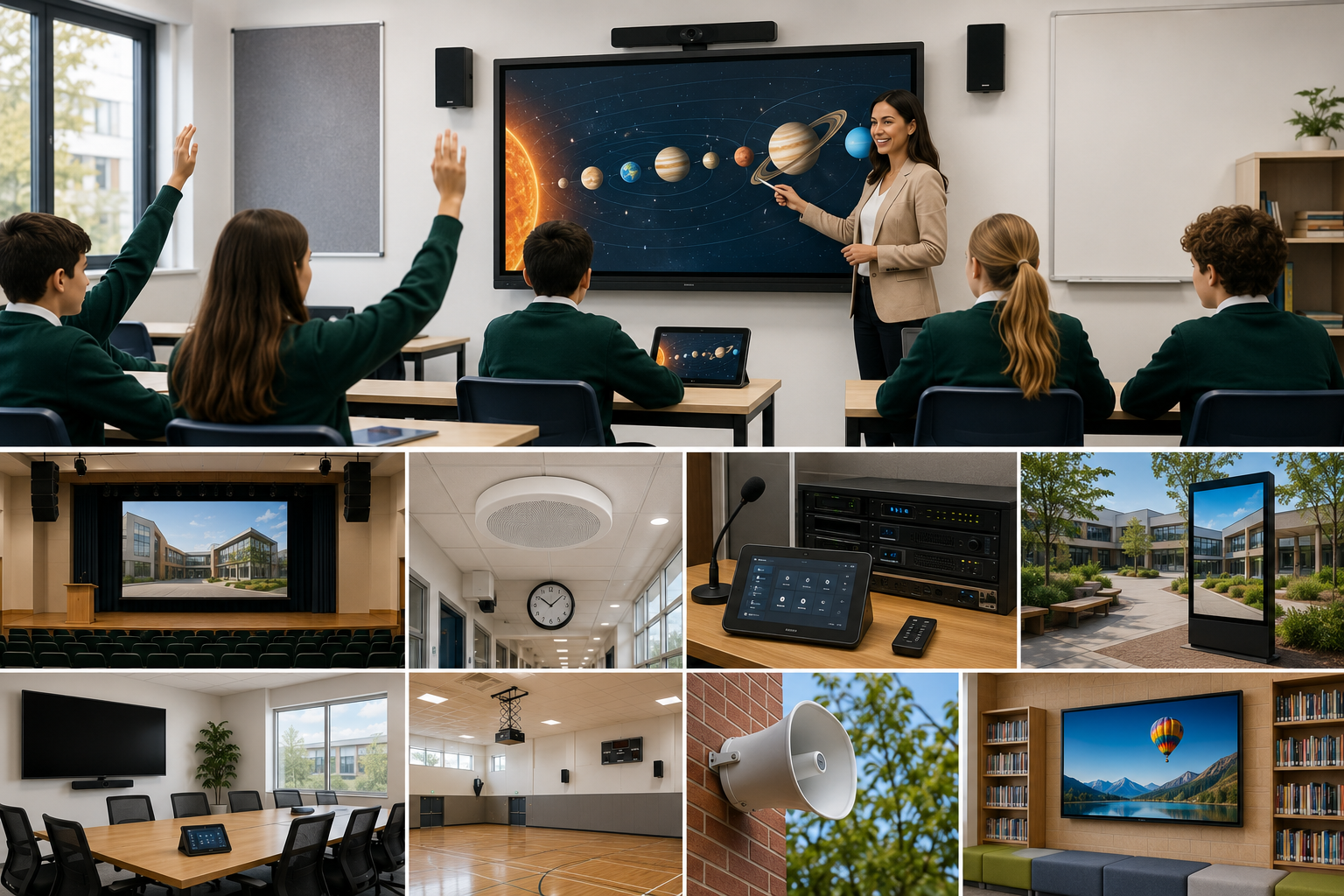
Schools use technology for much more than presentations.
A well-designed AV system can help teachers communicate clearly, support students in specialist learning environments, improve school-wide announcements, make assemblies easier to run, and create better spaces for wellbeing, therapy, training and collaboration.
The best education AV systems are not about installing more equipment. They are about designing technology around how the school actually operates.
From classrooms and school halls to PA systems, bell systems, hybrid learning spaces and observation rooms, purpose-built AV can make daily school life simpler, clearer and more reliable.
AV should support the school day
Every school has different spaces with different needs.
A classroom may need a display, clear audio and simple teacher control. A hall may need microphones, speakers and presentation inputs. A front office may need paging and bell control. A therapy or observation room may need cameras, ceiling microphones and recording. A staff training room may need video conferencing and hybrid learning tools.
That is why school AV should be designed as part of the learning environment, not treated as a one-size-fits-all product list.
Masters Voice Technology designs education AV systems for schools and campuses, combining audio visual, communications, electrical, installation and support capability into one practical delivery model.
1. Classroom AV for everyday teaching
Classroom AV should make teaching easier, not slower.
Useful classroom systems may include:
- Interactive displays
- Teacher microphones
- Ceiling or wall speakers
- Wireless presentation
- Camera support for hybrid learning
- Simple input switching
- Hearing-support integration
- Easy-to-use controls
The goal is to help teachers start lessons quickly, share content clearly and avoid wasting time troubleshooting cables, audio issues or display problems.
Classroom display options
Product typeBest suited toKey benefitConsiderationInteractive displayEveryday teaching, annotation and student engagementTouch, whiteboarding and app-based learning toolsRequires staff training and device managementLaser projectorLarger classrooms, halls and flexible teaching spacesLarge image size and strong visibilityRequires projection surface and correct room lightingCommercial displaySimple presentation and signage-style useReliable fixed display with fewer interactive featuresLess interactive than a smart boardConsumer TVBasic low-use areasLower upfront costWarranty, control and operating-hour limitations
Best fit
Use an interactive display for everyday teaching rooms where teachers actively annotate, collaborate and use digital learning tools.
Use a laser projector where a larger image is required, such as school halls, lecture-style rooms or flexible learning spaces.
2. School halls and multipurpose spaces
School halls often support assemblies, performances, exams, parent evenings, presentations and community events.
A good hall AV system may include:
- Projectors or large displays
- Wireless microphones
- Ceiling, wall or performance speakers
- Stage inputs
- Presentation connections
- Simple scene presets
- Hearing-support options
- Easy staff control
The system should be flexible enough for different events but simple enough for staff to operate without needing a technician onsite every time.
School hall AV options
Use a fixed hall PA system where the hall is used regularly for assemblies, presentations and parent events.
Use a DSP-controlled system when the hall needs multiple modes such as assembly, performance, presentation, external hire and examination setup.
3. PA and bell systems
Reliable communication is essential across the school day.
Modern school PA and bell systems can support:
- Automated bell schedules
- Public-holiday and term calendars
- Paging by zone
- Emergency priority messaging
- Playground announcements
- Hall and classroom paging
- Exam-mode bell muting
- Remote support and monitoring
Older systems often rely on basic timers, ageing amplifiers, undocumented speaker zones and manual control. A modern system can bring scheduling, paging, audio routing and priority messaging into one more manageable platform.
For more detail, read the School Bell Solution Guide.
You can also view the Leichhardt Public School PA and bell system case study to see how a modern Q-SYS-based communication platform can improve reliability and staff control.
School PA and bell system options
Best fit
Use a Q-SYS-based PA and bell system when the school needs flexible bell schedules, zone paging, examination-mode controls, emergency priority and future expansion.
4. Specialist therapy, wellbeing and observation rooms
Some school environments need more specialised AV.
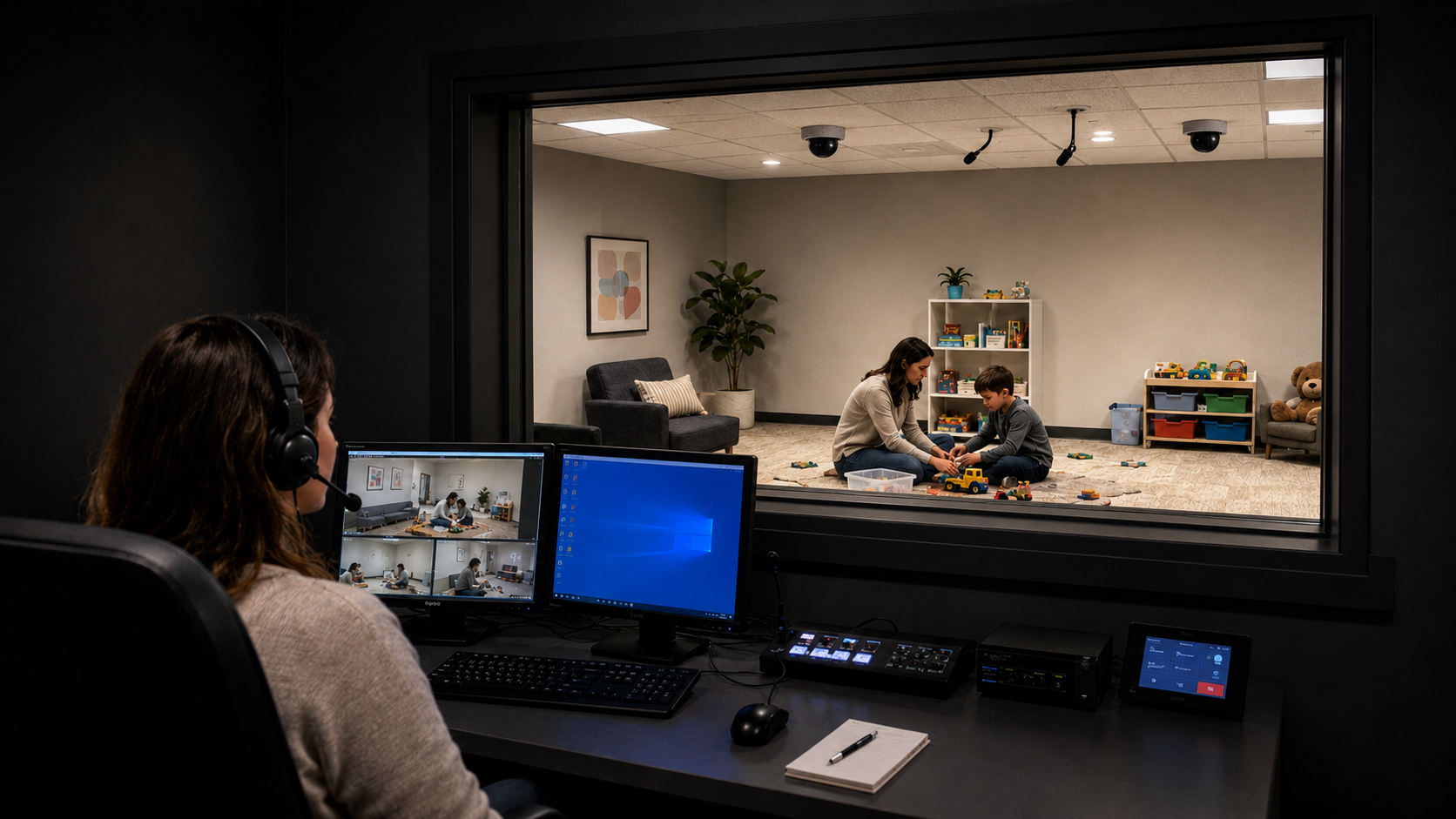
Therapy, counselling, observation and wellbeing spaces may need discreet systems that support staff without making the room feel technical.
These spaces may include:
- Fixed observation cameras
- Ceiling microphones
- Observation-room monitoring
- Secure recording
- In-ear coaching
- Simple start and stop controls
- Privacy-conscious workflows
In the St Gertrude’s Catholic School PCIT project, Masters Voice Technology delivered a purpose-built AV system for Parent-Child Interaction Therapy, including discreet cameras, ceiling microphones, live coaching, recording and observation-room monitoring.
This type of system is not just about clinical use. Similar AV principles can support specialist learning, staff supervision, wellbeing programs, behavioural observation, training and review environments.
Therapy and observation-room AV options
Best fit
Use fixed cameras, ceiling microphones and controlled recording where the room is used for therapy, observation, specialist learning support or staff supervision.
5. Hybrid learning and staff training spaces
Schools also need AV for remote learning, professional development, parent meetings and staff collaboration.
A strong hybrid learning room may include:
- Intelligent cameras
- Ceiling or table microphones
- Speakers
- Displays
- Microsoft Teams or Zoom integration
- Simple room controls
- Recording options
- Reliable network connectivity
Hybrid learning does not work well when remote participants cannot clearly see or hear the room. Audio is usually the most important part of the experience.
For more detail, read Hybrid Learning AV: What Actually Works in NSW Schools.
Hybrid learning and video conferencing options
Best fit
Use an all-in-one video bar for small staff rooms or simple meeting spaces.
Use PTZ cameras with ceiling microphones where remote students, teachers or participants need to clearly see and hear the room.
6. Digital signage and school communication
Digital signage can help schools communicate with students, staff and visitors.
Common uses include:
- Reception messaging
- Daily notices
- Wayfinding
- Event promotion
- Emergency updates
- Canteen menus
- School values and achievements
- Parent information
- Timetable changes
- Sports and arts announcements
Digital signage works best when it has a clear content workflow. If staff cannot easily update the screen, the signage quickly becomes stale.
For platform comparisons, read Digital Signage Platforms Compared.
Digital signage options for schools
Best fit
Use a cloud signage platform for schools that need regular content updates across reception, corridors or multiple campuses.
Use BrightSign or enterprise CMS platforms when reliability, scheduling and centralised content management are more important than the lowest upfront cost.
7. AV support and maintenance
School AV systems need to keep working after installation.
Ongoing support may include:
- Fault diagnosis
- Preventative maintenance
- Firmware updates
- Staff training
- System health checks
- Replacement planning
- Remote support
- Onsite service
- Configuration backups
- Lifecycle reporting
This is important because schools often rely on AV every day but do not always have specialist AV staff onsite.
A support model should identify who is responsible for displays, microphones, control systems, network-connected devices, speakers, amplifiers, software updates and user training.
School AV product comparison summary
How schools should choose the right AV system
The right AV system is not always the most expensive option.
The best choice is the one that matches the room, the users and the support expectations.
Schools should ask:
- Who will use the room each day?
- Does the system need to be operated by teachers, admin staff or technical staff?
- Is the room used for teaching, assemblies, therapy, training or communication?
- Does the system need to connect to the school network?
- Are remote participants involved?
- Does the system need to be monitored or supported remotely?
- Can the system expand later?
- Who will maintain it after handover?
- Are privacy or consent requirements involved?
- Does the system need to support emergency communication?
These questions help determine whether the school needs a simple room upgrade, a standardised campus solution or a more integrated AV platform.
Why professional school AV design matters
For schools, good AV should reduce friction.
Teachers should be able to start lessons faster. Office staff should be able to page the right areas. Students should hear clearly. Remote participants should feel included. Specialist spaces should support the work happening inside them.
Poorly designed AV creates daily frustration. Well-designed AV quietly supports the school.
Masters Voice Technology designs school AV around the way education environments actually operate, from classrooms and halls to PA systems, bell systems, therapy rooms and hybrid learning spaces.
Design AV Around the Way Your School Works
Masters Voice Technology designs practical AV systems for classrooms, halls, PA and bell systems, therapy rooms, hybrid learning spaces and school-wide communication.