Church PA Systems
July 3, 2026
arrow up right

Why Church PA Systems Struggle With Speech Clarity

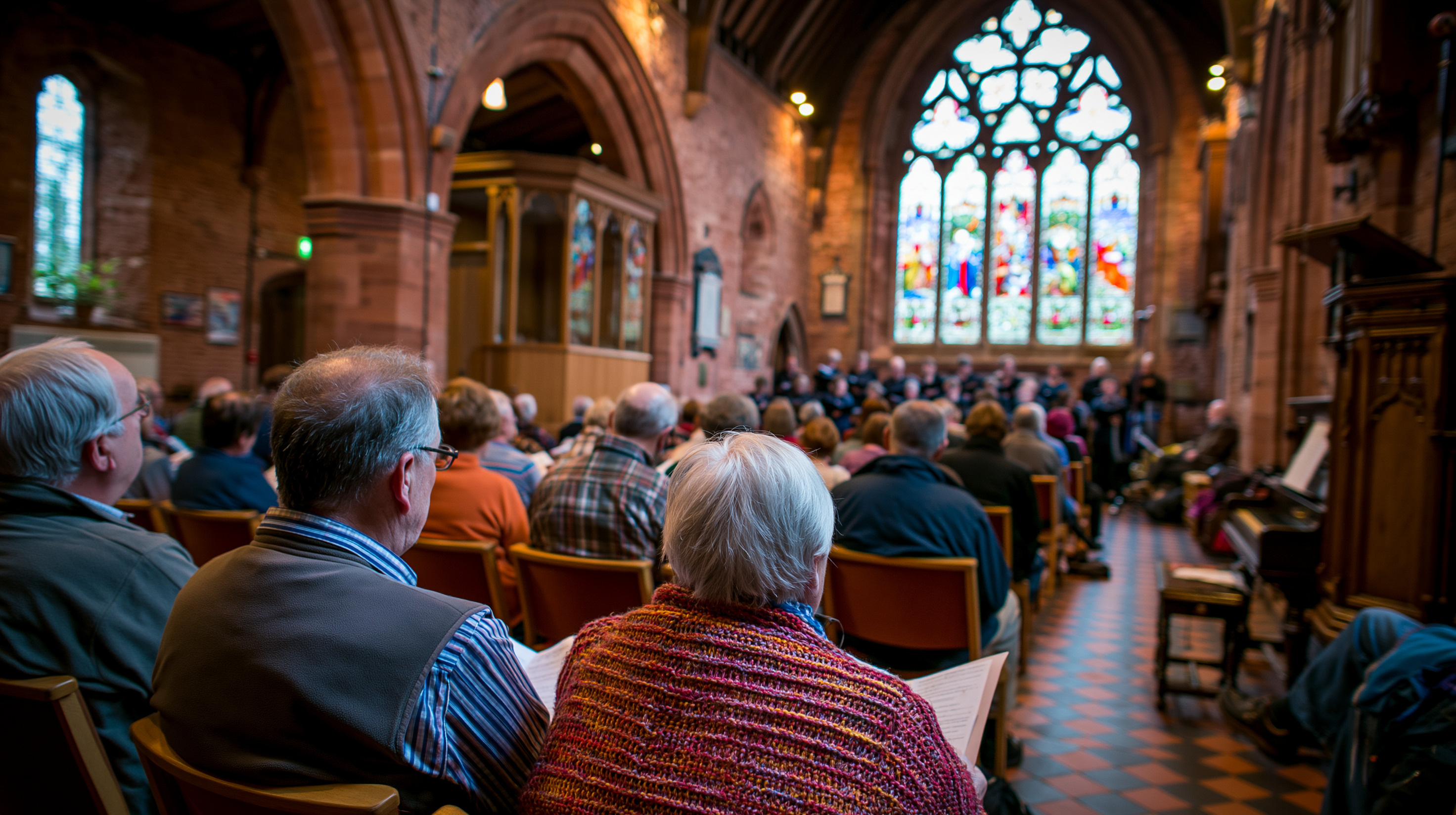
Historic churches can be beautiful places to gather, but their high ceilings, long naves and reflective surfaces often make speech difficult to understand. Turning up the volume rarely solves the problem and can increase echo and feedback. This guide explains how loudspeaker coverage, rear delay speakers, microphone selection, digital processing and simple control can improve church PA system clarity while respecting the architecture of the building.

Why churches are challenging audio environments

Most meeting rooms and performance spaces are designed with acoustic treatment, controlled dimensions and predictable loudspeaker locations. Churches are different.

Their architecture may include:

  • High vaulted ceilings
  • Long, narrow seating areas
  • Hard stone, brick or plaster surfaces
  • Timber floors and pews
  • Large windows
  • Columns and architectural obstructions
  • Limited options for mounting equipment
  • Heritage requirements that restrict visible changes

These features create reverberation. Instead of hearing only the direct sound from the loudspeaker, listeners also hear multiple reflections arriving from the walls, ceiling and floor.

When those reflections arrive too late, they overlap with the next words being spoken. Individual syllables become harder to distinguish, especially for older congregants or people sitting farther from the front.

More volume does not mean more clarity

A church PA system can be loud and still be difficult to understand.

Turning up the volume may make the direct sound stronger, but it also sends more energy into the room. That additional energy reflects from hard surfaces and increases the level of reverberant sound.

This can create several problems:

  • The front rows become uncomfortably loud.
  • The rear seats remain unclear.
  • Microphones become more prone to feedback.
  • Music and speech sound harsh or tiring.
  • Reflections mask consonants and reduce intelligibility.

The goal is not to make the system louder everywhere. It is to deliver controlled, even sound to the congregation while keeping unnecessary energy away from reflective surfaces.

What speech intelligibility means

Speech intelligibility is the ability of a listener to understand what is being said without strain.

A clear church PA system should allow the congregation to follow:

  • Sermons
  • Scripture readings
  • Prayers
  • Announcements
  • Spoken liturgy
  • Guest speakers
  • Community events

Clarity depends heavily on consonants. Sounds such as “s,” “t,” “p” and “k” carry much of the information that helps listeners distinguish one word from another.

Reverberation, poor microphone placement and uneven speaker coverage can mask these sounds. The voice may still seem loud, but the words become blurred.

Loudspeaker selection and placement

The loudspeaker system has a major influence on whether speech remains clear throughout the church.

A single powerful speaker at the front may appear simple, but it often creates excessive volume near the altar while struggling to provide consistent coverage at the rear.

Professional church audio design may use:

  • Directional column loudspeakers
  • Distributed loudspeakers
  • Front-fill speakers
  • Rear delay speakers
  • Carefully controlled vertical coverage
  • Separate zones for side aisles or adjoining spaces

Column loudspeakers are commonly used in churches because their narrow vertical coverage can direct more sound toward the congregation and less toward the ceiling.

The correct solution depends on the architecture, seating layout, mounting restrictions and intended use of the church.

Passive columns compared with digitally steerable arrays

Different loudspeaker technologies solve different levels of acoustic difficulty.

JBL CBT Series

The JBL CBT range is a practical option for churches that need controlled coverage without moving to a fully steerable system.

Slim column loudspeakers such as the JBL CBT 50LA-1 can provide broad horizontal coverage with tighter vertical control. This helps direct more sound toward listeners and less toward reflective ceilings and walls.

Best suited to:

  • Small and medium churches
  • Long naves with predictable geometry
  • Rear-delay applications
  • Projects with moderate budgets
  • Buildings where discreet loudspeakers are preferred

Main advantage:
A cost-effective way to improve directional control and coverage consistency.

Important limitation:
Coverage is fixed or mechanically adjustable depending on the model. The system cannot electronically steer multiple beams around complex balconies, columns or seating areas.

Renkus-Heinz ICONYX

Renkus-Heinz ICONYX uses digitally steerable beam technology. Instead of relying only on the physical angle of the loudspeaker, the system can electronically shape and direct sound toward the congregation.

Best suited to:

  • Highly reverberant churches
  • Large heritage buildings
  • Rooms with balconies, pillars or unusual geometry
  • Projects with restricted mounting positions
  • Spaces requiring precise vertical control

Main advantage:
Far greater control over where sound lands in the room.

Important limitation:
Higher equipment, design and commissioning costs than a conventional passive column system.

JBL CBT versus Renkus-Heinz ICONYX

Why rear delay speakers can improve clarity

Long churches often need additional loudspeakers toward the rear.

However, installing another speaker and playing it at the same time as the front system can create a second audible arrival. Listeners may perceive an echo or lose the sense that the voice is coming from the altar.

A rear delay speaker must be time-aligned with the front system.

Digital signal processing delays the rear speaker by a small, carefully calculated amount. The listener hears the front sound first, followed almost immediately by local reinforcement from the rear speaker.

When correctly configured:

  • The sound still appears to come from the front.
  • Rear-seat listeners receive better clarity.
  • The front speakers do not need to operate as loudly.
  • Volume becomes more consistent through the nave.
  • Speech remains natural rather than sounding like two separate sources.

This approach was used in the St Francis Church Paddington PA system upgrade, where rear JBL column loudspeakers were time-aligned through the Q-SYS processing platform to improve coverage through the church.

Microphone choice makes a major difference

Even a well-designed loudspeaker system cannot compensate for a poorly selected or incorrectly used microphone.

Different church activities require different microphone types.

Lectern microphones

Lectern microphones are useful for readings and formal presentations. They work best when the speaker remains close to the microphone and faces it consistently.

If the reader moves away or turns their head, the sound level can drop significantly.

A model such as the Audio-Technica U857Q is suitable for lecterns and pulpits where users speak from a fixed position.

Handheld microphones

Handheld microphones are flexible and familiar, but their performance depends on correct technique. Speakers who hold the microphone too far away may sound quiet or unclear.

They are often useful for guest speakers, audience participation and temporary use.

Lapel microphones

Lapel microphones are discreet and convenient, but their distance from the mouth can make them more sensitive to clothing noise and room reverberation.

They may also become inconsistent when the speaker turns their head.

Headset and earset microphones

Headset microphones maintain a consistent position near the mouth. This usually provides stronger, clearer voice pickup and improved feedback control.

A low-profile earset such as the Shure MX153 can suit clergy, celebrants and presenters who move around or turn while speaking.

Best suited to:

  • Priests, ministers and celebrants
  • Mobile presenters
  • Churches struggling with feedback from lapel microphones
  • Users who need discreet microphone placement

Main advantage:
Consistent mouth-to-microphone distance and improved speech clarity.

Important limitation:
Some users need time to become comfortable wearing an earset microphone.

Microphone comparison

Microphone type Best use Main advantage Main consideration
Headset or earset Clergy and mobile presenters Consistent level and improved feedback margin Must be worn correctly
Lapel Discreet presentations Easy and unobtrusive More room pickup and level changes
Lectern gooseneck Fixed readings and pulpits Clear pickup from a known position Speaker must remain close
Handheld Guest speakers and flexible use Reliable when used correctly Technique varies between users

Wireless microphone systems: Shure and Sennheiser

Churches requiring dependable digital wireless systems commonly compare professional platforms from Shure and Sennheiser.

Both manufacturers offer systems suitable for speech, vocals and worship applications.

When comparing them, consider:

  • Number of required channels
  • Available legal radio spectrum
  • Battery management
  • Frequency coordination
  • Remote monitoring
  • Existing microphones and accessories
  • Local support
  • Future expansion

Shure may be a natural fit where the church already uses compatible Shure bodypacks and earset microphones. Sennheiser may suit projects requiring scalable digital wireless options across speech, vocals and instruments.

The decision should not be based only on sound quality. Frequency management and long-term support are equally important.

The role of digital signal processing

A modern digital signal processor, or DSP, acts as the central audio engine.

It can manage:

  • Microphone levels
  • Equalisation
  • Loudspeaker delays
  • Audio routing
  • Feedback control
  • Automatic microphone mixing
  • Music inputs
  • Speaker zoning
  • Presets for different services
  • Future system expansion

A DSP does not remove the need for good acoustics or correct loudspeaker placement. It helps the system operate as one coordinated solution.

For example, a DSP can apply different equalisation and delay settings to the front and rear speakers. It can also prevent unused microphones from unnecessarily increasing background noise and feedback risk.

Q-SYS compared with a traditional analogue mixer

A platform such as Q-SYS can manage audio processing, room control, touchscreen interfaces and remote support within one environment.

Consideration Q-SYS DSP and control Traditional analogue mixer
Speaker delay and zoning Flexible and precise Often limited or requires extra equipment
Volunteer interface Custom touchscreen with simplified controls Many visible knobs and controls
Presets Easily programmed Limited or unavailable
Remote support Possible when configured Usually unavailable
Expansion Network-based and scalable May require additional hardware
Initial setup Requires programming and commissioning Simpler initial setup

For a church with multiple zones, rear delays, wireless microphones and volunteer operation, a DSP-based system is usually more appropriate.

Platforms such as Q-SYS integration and control can combine audio processing, touchscreen control and system monitoring in one environment.

Why simple control matters

Church sound systems are often operated by volunteers, clergy or administrative staff rather than professional audio engineers.

A technically powerful system can still fail if it is difficult to operate.

Common problems include:

  • Too many mixer controls
  • Unclear labels
  • Settings being changed accidentally
  • Different users operating the system differently
  • No easy way to restore the correct configuration
  • Volunteers being afraid to touch the equipment

A simplified touchscreen interface can present only the controls that users need.

This may include:

  • Microphone on and off
  • Individual microphone levels
  • Music playback
  • Overall volume
  • Service presets
  • Bluetooth input
  • System shutdown

Advanced processing remains protected in the background.

At St Francis Church, a Q-SYS touchscreen was configured to give users straightforward control over microphones and audio sources without exposing complicated engineering settings.

Common signs a church PA system needs upgrading

A church does not need to wait for complete system failure before considering an upgrade.

Warning signs include:

  • Congregants regularly report that speech is unclear.
  • Sound is acceptable at the front but poor at the rear.
  • The system produces frequent feedback.
  • Wireless microphones drop out or sound inconsistent.
  • Volunteers constantly adjust the mixer during services.
  • The system hums, crackles or distorts.
  • Replacement parts are difficult to obtain.
  • Equipment is no longer supported.
  • The church cannot easily connect music or presentation sources.
  • The existing system cannot support streaming or future AV upgrades.

Some issues can be corrected through commissioning or equipment replacement. Others indicate that the entire system architecture needs to be reconsidered.

What a professional church audio assessment should include

A proper assessment should look at the room, the equipment and how the system is used.

Acoustic conditions

The integrator should assess reverberation, reflective surfaces, room dimensions and seating areas.

Existing loudspeaker coverage

Testing should establish where the system is too loud, too quiet or unclear.

Microphone requirements

The assessment should identify who uses microphones, how they move and what types of services are held.

Equipment condition

Existing amplifiers, mixers, wireless systems, cabling and loudspeakers should be inspected for reliability and compatibility.

Volunteer workflow

The system should be designed around the people who operate it. Their confidence and experience are important design considerations.

Electrical and communications infrastructure

Power, equipment racks, audio cabling, data cabling and wireless coordination may all affect system performance.

Future requirements

The church may later need:

  • Live streaming
  • Recording
  • Additional displays
  • Hearing-assistance systems
  • Overflow-room audio
  • Remote support
  • Digital signage
  • More wireless microphones

Planning for these requirements can prevent unnecessary replacement later.

Can acoustic treatment solve the problem?

Acoustic treatment can be very effective, but it is not always easy to install in heritage or architecturally sensitive churches.

Treatment options may include:

  • Absorptive wall panels
  • Acoustic banners
  • Ceiling treatment
  • Upholstered seating
  • Carpet or soft finishes
  • Discreet treatment within architectural features

Where extensive acoustic treatment is not practical, controlled loudspeaker coverage becomes even more important.

The best result often comes from combining appropriate acoustic treatment with directional loudspeakers and correctly configured DSP.

Preserving the appearance of the church

Church AV upgrades must often respect the visual character of the building.

Good system design should consider:

  • Loudspeaker colour
  • Cable pathways
  • Equipment visibility
  • Mounting methods
  • Heritage restrictions
  • Sightlines
  • Existing architectural features

Modern column loudspeakers can often be selected or finished to blend with columns, walls or timber details.

Equipment racks and amplifiers can be located away from public areas, while user controls remain accessible where needed.

Which brands suit different church applications?

Requirement Suitable starting point
Small church with straightforward geometry JBL CBT columns, basic DSP and lectern or headset microphones
Long nave requiring rear reinforcement JBL CBT front speakers with time-aligned rear delay columns
Large reverberant heritage church Renkus-Heinz ICONYX or another professionally designed digitally steerable array
Volunteer-operated system Q-SYS DSP with a simplified touchscreen interface
Mobile clergy struggling with lapel clarity Shure MX153-style earset microphone with a compatible professional wireless system
Fixed readings from a pulpit Audio-Technica U857Q-style gooseneck microphone
Many wireless channels and future expansion Professional Shure or Sennheiser digital wireless platform

The best product is not necessarily the most expensive one.

A passive column loudspeaker installed in the correct position may outperform a premium steerable array that has been poorly commissioned. Likewise, an expensive wireless microphone will not solve clarity problems if it is too far from the speaker’s mouth or routed through an incorrectly configured sound system.

Product selection should follow:

  1. Acoustic assessment
  2. Coverage modelling
  3. Microphone-use review
  4. System design
  5. Installation
  6. Testing and commissioning
  7. Volunteer training

The St Francis Church Paddington upgrade

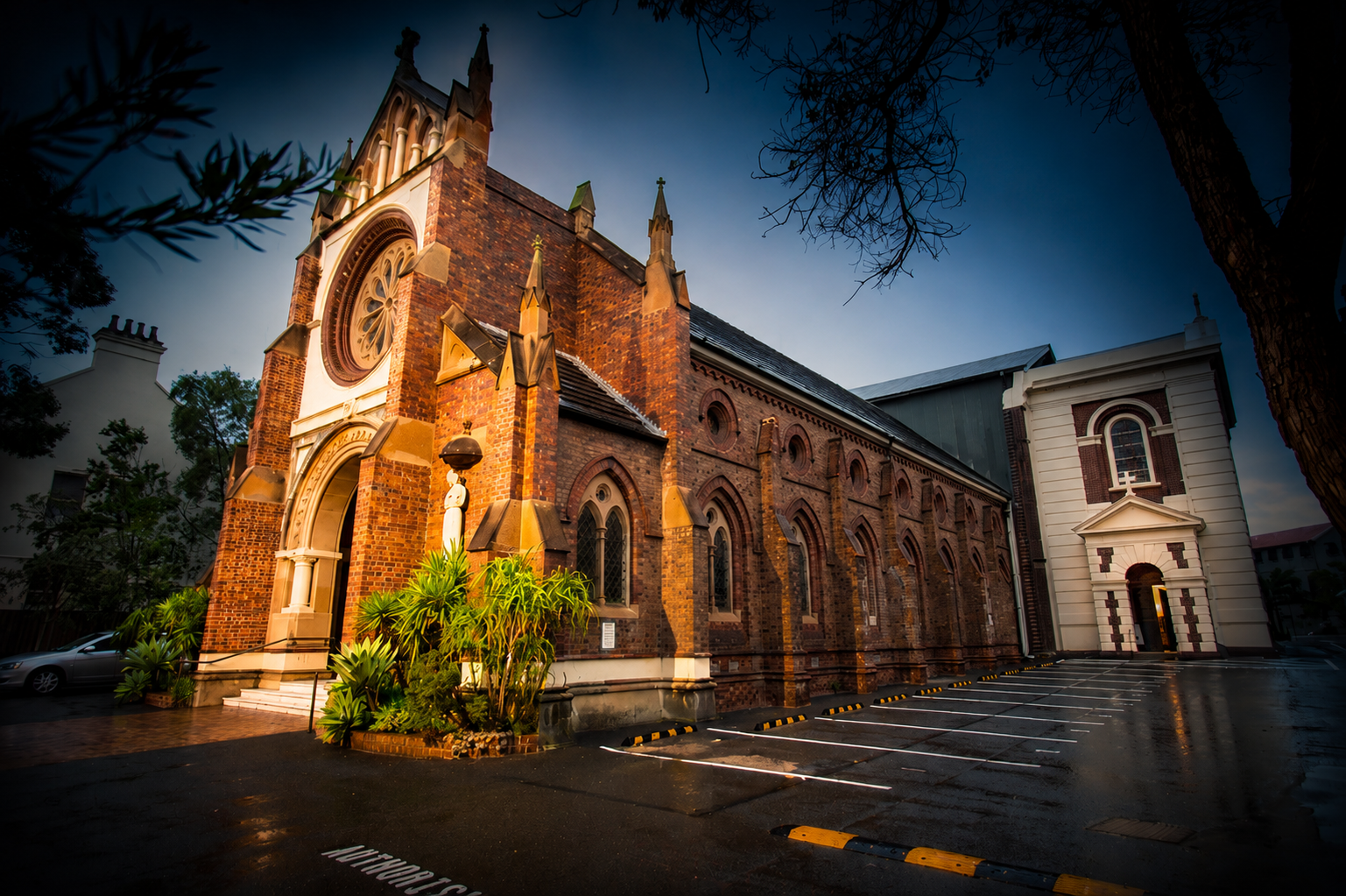
St Francis of Assisi Church in Paddington required a PA system that could improve speech clarity while respecting the architecture and daily operation of the church.

The completed solution included:

  • Q-SYS digital signal processing and control
  • A Q-SYS touchscreen interface
  • JBL CBT column loudspeakers
  • Time-aligned rear delay speakers
  • Digital wireless headset microphones
  • Bluetooth audio input
  • Simplified volunteer control

The result was more even coverage, improved speech intelligibility and a system that could be operated without relying on a trained sound engineer.

Read the full St Francis Church PA system upgrade case study.

Planning a church PA system upgrade

A successful church audio upgrade should begin with the room and the congregation—not with a preferred product.

The correct process is:

  1. Understand the church’s activities and users.
  2. Assess the acoustic environment.
  3. Test the existing system.
  4. Model loudspeaker coverage.
  5. Select suitable microphones.
  6. Design the processing and control system.
  7. Plan cabling and electrical requirements.
  8. Commission the system in the completed room.
  9. Train staff and volunteers.
  10. Provide ongoing support.

Masters Voice Technology designs, installs and supports audio visual systems for churches and houses of worship, including PA systems, wireless microphones, digital processing, touchscreen control and supporting electrical and communications infrastructure.

Clear speech should reach every seat

Church sound problems are rarely solved by simply installing larger loudspeakers or increasing the volume.

Clear speech comes from controlling where sound travels, ensuring every microphone captures the voice consistently and aligning the system with the acoustics of the room.

With the right design, even a highly reverberant church can achieve natural, even and intelligible sound while preserving the character of the building.

Lets Chat about your requirements

Masters Voice Technology can assess your existing PA system, loudspeaker coverage, microphones, processing and volunteer workflow. We design practical church audio upgrades that improve clarity while respecting heritage architecture and existing infrastructure.

Thank you! Your submission has been received!
Oops! Something went wrong while submitting the form.
Ready to talk about your project?