Bells Fail in Selected Buildings
The fault may involve an amplifier channel, loudspeaker circuit, incorrect zone assignment or damaged cabling between buildings—not only the school bell timer.


Improve scheduling, announcements and emergency communication across your school.

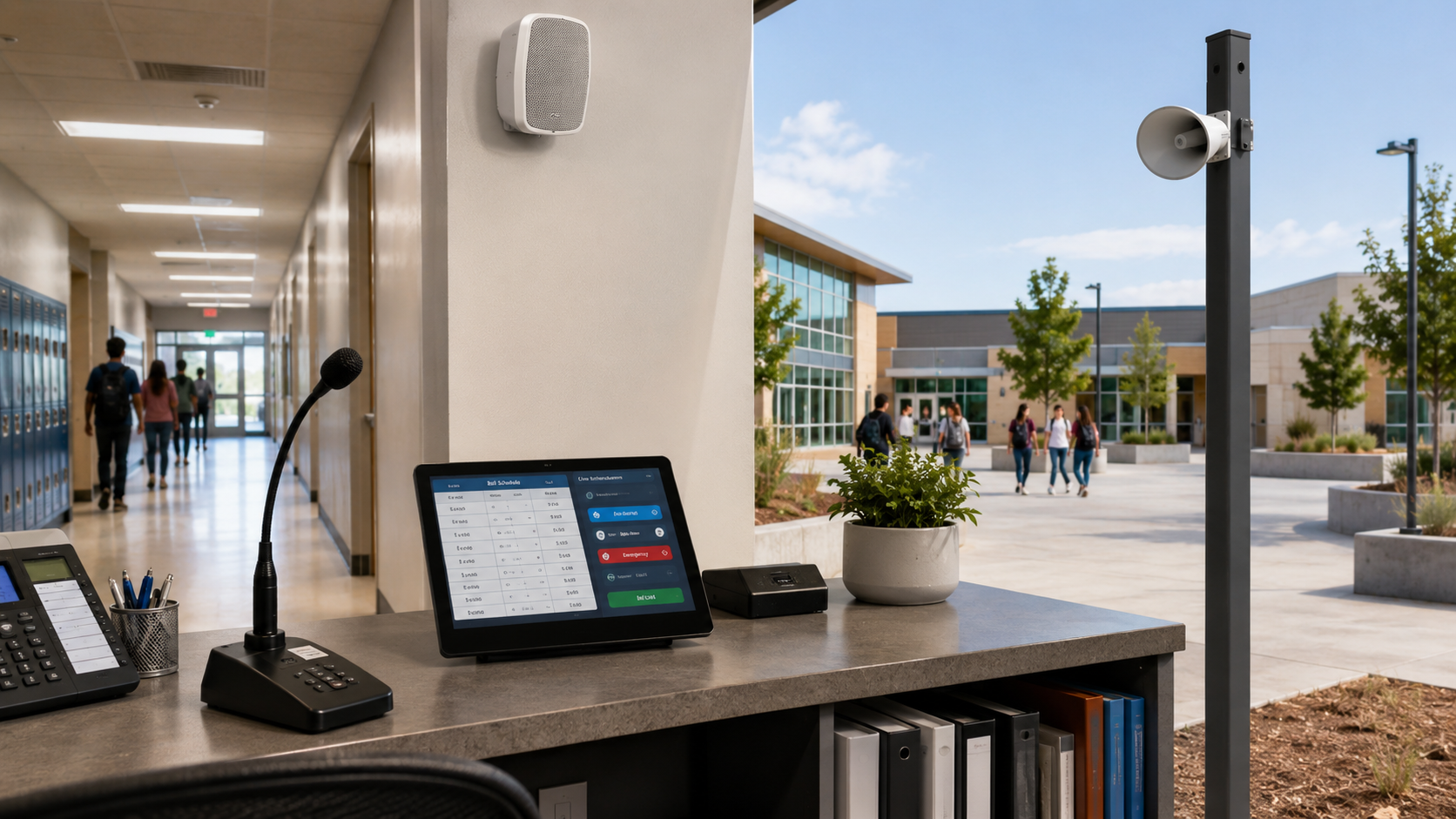
School PA, bell and campus communication guide
A practical guide to automated school bell scheduling, campus paging, examination modes, loudspeaker zoning, priority messages, Q-SYS, Dante audio networking and long-term system support.
Section 2 — Identify the real problem
Many older school PA systems have been expanded over several decades. Timers, paging microphones, amplifiers, loudspeakers and cabling may come from different generations and may no longer operate as one documented campus communication system.
The fault may involve an amplifier channel, loudspeaker circuit, incorrect zone assignment or damaged cabling between buildings—not only the school bell timer.
Poor speech clarity may result from unsuitable speakers, incorrect placement, room reverberation, insufficient amplification or inconsistent zone levels.
Legacy timers may require specialist programming for holidays, pupil-free days, examinations, early finishes and temporary timetables.
Unlabelled buttons and undocumented speaker circuits increase the risk of paging the wrong building or failing to reach an intended area.
Separate mixers, timers and amplifiers may not provide a dependable path for an authorised urgent message to override routine audio.
Missing drawings, cable labels, zone schedules and equipment records make fault finding slower and future upgrades more difficult.
A complete school PA assessment should review the entire communication path: administration microphones, scheduling software, staff controls, audio processing, amplification, network infrastructure, speaker cabling and every final loudspeaker zone.
Section 3 — Complete communication platform
A dependable school bell solution is not one product. It is a coordinated combination of scheduling, paging, control, audio processing, amplification, loudspeaker coverage and supporting infrastructure.
Calendar-based lesson, break, term, holiday and special-event schedules managed from an authorised interface.
Live announcements and approved recorded messages sent to selected buildings, zone groups or the entire campus.
Protected workflows allowing authorised urgent communication to override routine bells, music and ordinary paging.
Digital signal processing manages sources, zone routing, level control, priorities and system logic.
Correctly sized amplifier channels provide dependable power for each indoor and outdoor speaker circuit.
Classroom, corridor, hall and outdoor loudspeakers selected around coverage, ambient noise and mounting conditions.
Structured cabling, network switches, equipment power and speaker circuits designed as part of the complete solution.
System-status monitoring, configuration backups, zone schedules, test records and clear operating instructions.
A software-based platform such as Q-SYS integration can bring bell schedules, paging zones, audio processing and staff controls into one customised school interface.
Section 4 — Campus-wide coverage
A school PA system is only effective when spoken announcements are understandable wherever students, staff and visitors may be located. Classrooms, halls, corridors and sports fields require different speaker types, locations and sound levels.
Use controlled indoor coverage that provides clear speech without creating unnecessary volume or interrupting adjacent learning areas.
Administration areas may require paging stations, local monitoring and protected access to selected-zone and whole-school announcements.
Shared areas may require independent volume levels, examination isolation or integration with local microphones and presentation audio.
Directional, weather-resistant speakers may be needed to cover large outdoor areas while controlling excessive sound spill.
Toilets, change rooms, covered walkways and other overlooked areas should be assessed where occupants may need to receive announcements.
The school bell system should allow new speaker zones, network endpoints and amplifier channels to be added without replacing the central platform.
Test coverage using intelligible speech—not only a bell tone. A tone may be audible in a room even when a spoken instruction is difficult to understand.
Section 5 — Automated school bell scheduling
School timetables change throughout the year. Authorised administration staff should be able to manage normal schedules, holidays, exceptions and temporary operating modes without requiring specialist programming for every change.
Essential schedules and approved audio files should be stored locally so routine school operation does not depend entirely on an external internet connection.
Section 6 — Simple staff operation
A school paging interface should use recognisable building and area names. Administration staff should not need to interpret amplifier numbers, technical audio terms or cable references before making an announcement.
Choose an individual building, playground, school hall, saved group of zones or the entire campus.
Clearly display where the announcement will be heard before the microphone becomes live.
Straightforward push-to-talk operation and an optional pre-announcement chime reduce uncertainty for staff.
Visual status, microphone monitoring and meaningful fault notifications help confirm that a paging request has been accepted.
Large or multi-building schools can use networked paging stations in administration, reception and other authorised locations without returning every microphone through long analogue cable runs.
Section 8 — School bell system comparison
The appropriate solution depends on campus size, existing infrastructure, operational complexity, emergency procedures, expansion plans and the required level of technical support.
Suitable for: A small site with a simple, fixed timetable and an otherwise functional PA system.
Suitable for: A small or medium school requiring scheduling, paging and several loudspeaker zones.
Suitable for: Medium, large or multi-building campuses needing flexible zoning and customised workflows.
Suitable for: Projects with defined statutory, certified voice-alarm or fire-engineering requirements.
Section 7 — Priority communication
A modern school PA and bell system can support approved lockdown, evacuation, all-clear and other site-specific communication procedures. The priority workflow must be deliberately designed so authorised messages reach the correct campus areas without being blocked by routine bells, music or local audio.
A staff member activates an approved priority message or live communication workflow.
Bells, music and ordinary paging are muted or overridden according to the programmed priority structure.
The system routes the message to selected buildings, outdoor areas or the complete campus.
An authorised all-clear or reset returns the system to its approved daily schedule.
A general school PA and bell system is not automatically a compliant statutory emergency warning or voice-evacuation system. Where fire, building, certified voice-alarm or other statutory requirements apply, the required system classification and certification should be confirmed with the school, consultant, certifier and fire engineer before equipment is specified.
Commissioning should verify that approved priority messages override routine audio, reach the intended zones, remain intelligible and return the school bell system to normal operation correctly.
Section 9 — Supporting infrastructure
Modern school bell systems may use networked audio and software-based controls, but they still depend on correctly designed equipment racks, network switches, cable routes, amplifier channels, power supplies and loudspeaker circuits.
Dante audio networking can distribute digital audio between processors, amplifiers and buildings over suitable structured network infrastructure.
Core schedules, approved message files and essential controls should remain available when the school’s external internet connection is unavailable.
Cabling should be tested, labelled and documented so faults can be traced to the correct building, amplifier channel or loudspeaker branch.
Equipment racks, network switches, amplifiers and remote endpoints need suitable power, protection, ventilation and service access.
Connected systems can assist support teams with identifying offline processors, amplifiers or network devices before attending the site.
Handover should include zone schedules, cable records, equipment lists, network information, configuration backups and staff instructions.
Masters Voice Technology can coordinate school audio visual integration, licensed electrical work and registered communications cabling through one project team.
Section 10 — Design, install and support
The upgrade should begin with the school’s communication requirements, daily workflows and existing infrastructure—not with a predetermined equipment list.
Inspect timers, paging stations, amplifiers, equipment racks, loudspeakers, network equipment, cabling and existing documentation.
Review normal timetables, examination requirements, paging users, building names, emergency procedures and support expectations.
Establish speaker types, positions, volume requirements, amplifier loading, paging groups and areas requiring separate operation.
Develop schedules, paging workflows, staff interfaces, message priorities, protected controls and fault-reporting requirements.
Coordinate work around classes, examinations, events, holiday access and the need to retain essential communication during the transition.
Test schedules, paging zones, priority behaviour and speaker coverage, then provide training, documentation and ongoing support options.
The completed project was more than a replacement school bell timer. Masters Voice Technology redeveloped the communication system around reliable paging, clear speech, automated schedules, simpler administration controls and future expansion .
The project demonstrates how Q-SYS school bell systems , Q-SYS integration and Dante audio networking can support a scalable school PA and bell platform.
Section 12 — Preparing a project brief
A clear school bell system brief helps the AV integrator establish the required zones, schedules, paging workflows, infrastructure and delivery constraints before recommending a system architecture.
| Planning Area | Information to Provide | Why It Matters |
|---|---|---|
| Campus layout | Buildings, classrooms, administration areas, halls, playgrounds, sports fields and temporary facilities. | Establishes coverage areas, loudspeaker types and paging zones. |
| Existing equipment | Timers, microphones, processors, amplifiers, speakers, equipment racks, cabling and network switches. | Identifies faults, reusable assets and infrastructure gaps. |
| Bell schedules | Daily timetables, weekly variations, term dates, holidays, examinations and special events. | Defines scheduling, calendar and exception requirements. |
| Paging workflows | Authorised users, paging locations, building names, zone groups and whole-campus announcement requirements. | Determines paging stations and staff-interface design. |
| Emergency procedures | Approved procedures, required messages, authorised controls, priority behaviour and consultant requirements. | Helps align communication functions with the school’s procedures. |
| Operational constraints | School terms, examinations, holiday access, staging requirements and required completion dates. | Allows installation and changeover work to be planned. |
| Support expectations | Remote monitoring, maintenance intervals, response requirements, training and lifecycle planning. | Establishes the post-installation support model. |
Section 13 — Related school AV resources
School bell and PA systems often form part of a wider education technology plan covering classroom AV, school halls, emergency communication, electrical work, data infrastructure and ongoing support.
Explore classroom AV, campus communication, school hall audio, hybrid learning, digital signage and ongoing lifecycle support.
Review a school hall PA upgrade designed for assemblies, speech, music, presentations and performance use.
Explore classroom technology, interactive displays, school PA, digital signage, hall audio and support services.
Section 14 — Frequently asked questions
A modern system may include calendar-based bell scheduling, zone paging, live announcements, recorded messages, examination modes, holiday calendars, priority-message controls, networked audio, simple staff interfaces, remote monitoring and documented loudspeaker coverage.
Yes. Different schedules, sounds and operating modes can be assigned to junior, senior, administration, examination, hall or outdoor zones while retaining the required priority for authorised urgent messages.
Yes. Calendar-based scheduling can exclude school holidays, public holidays and pupil-free days. Temporary schedules can also be used without permanently changing the normal timetable.
Yes. Examination areas can be assigned to separate zones and muted from routine bells where required. Approved priority messages should continue to operate according to the system design.
A school communication system can support approved lockdown, evacuation, all-clear and other site-specific messages. A general PA system should not be described as a statutory emergency warning system unless it has been designed and certified for that purpose.
Essential schedules, approved audio files and local controls can be stored within the school system so routine operation continues during an external internet outage. Cloud services may still be used for monitoring and remote support.
Existing loudspeakers, cabling, racks and amplifiers may be retained when they are safe, correctly rated, serviceable and compatible with the new design. Speaker circuits and amplifier loads should be tested before reuse is confirmed.
Yes. The project can include AV integration, equipment-rack power, network outlets, structured cabling, speaker cabling, containment, testing and documentation.
Cost depends on campus size, number of buildings and zones, existing infrastructure, speaker quantities, amplification, network requirements, programming, access and project staging. A site audit is normally required before an accurate budget is prepared.
Maintenance can include paging and speaker testing, schedule reviews, amplifier checks, network diagnostics, configuration backups, firmware management, staff assistance and periodic testing of priority functions.
Contact Our Team
Tell us about your organisation, site, existing technology and project requirements. Our team can assist with commercial audio visual design, installation, electrical and communications works, system upgrades, maintenance and managed support.
Project Enquiry
Complete the details below and your enquiry will be emailed directly to the Masters Voice Technology sales team.