01
See availability
Colour-coded displays and status lighting can make room availability visible while users are still walking down the corridor.

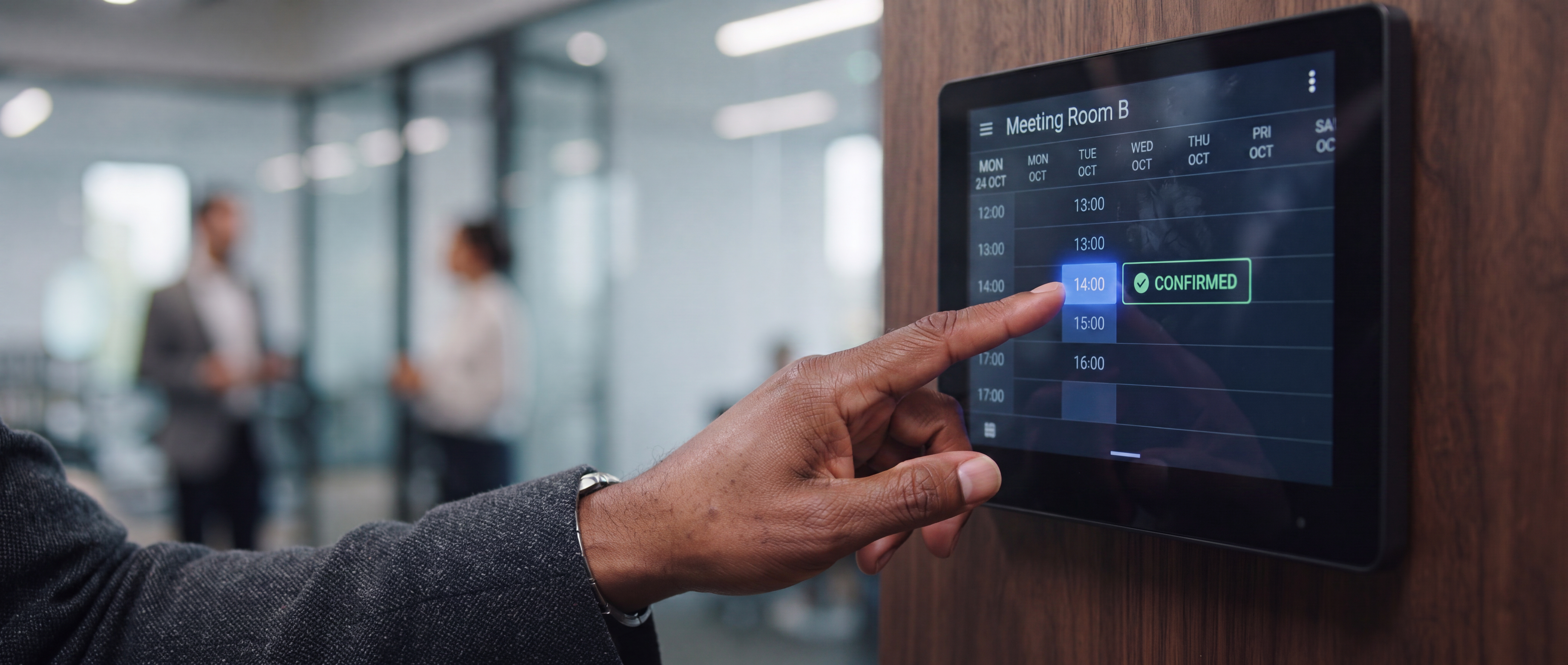

This distinction is important. Microsoft Teams Panels is a room-scheduling experience and platform. Compatible manufacturers supply the physical touchscreen devices that run the scheduling application.
Products such as the Logitech Tap Scheduler, Crestron TSS, Neat Pad and Yealink RoomPanel provide the hardware layer.
Microsoft specifically allows certified Teams Panel hardware outside the room to differ from the equipment installed inside the room. That gives organisations greater flexibility when standardising a workplace.
Which scheduling ecosystem should the organisation operate, and which hardware is the best way to deliver it? That is a more useful starting point than simply asking which touchscreen looks best.
There is no universal winner. The correct product depends heavily on the organisation's calendar, collaboration platform, room standard, management strategy and wider workplace technology.
Documentation checked 8 October 2026. These are manufacturer-listed platform options, not a claim that every feature has been tested in a Masters Voice installation. Confirm the device generation, app, firmware and licence before ordering.
| Platform or device | Documented scheduling options | What to verify |
|---|---|---|
| Microsoft Teams Panels | Microsoft's scheduling application on certified panel hardware. | Room resource account, Teams Rooms Pro or the applicable Teams Shared Space device licence. Microsoft guidance. |
| Logitech Tap Scheduler | Teams Panels and Zoom Rooms; Logitech also lists Robin, Appspace and other scheduling providers. | Provider subscription and app support. Logitech distinguishes certified from compatible integrations; Eptura requires CollabOS 2.1 or later. Compatibility list. |
| Crestron TSS-770-T | Teams Panels and additional supported scheduling services. | Scheduling-specific hardware: Crestron states that it cannot interface with a control system or be custom-programmed for other functions. Model documentation. |
| Neat Pad family | Neat lists Teams, Zoom and Neat Open for room scheduling. | Confirm generation and selected app. Google Meet room-control support is a different role from scheduling. Current Neat comparison. |
| Yealink RoomPanel E2 | Yealink lists Teams, Zoom and additional platforms including Appspace, GoBright and Flowscape. | Confirm the exact app, subscription, firmware and required sensor features; the platform list alone does not establish feature parity. E2 datasheet. |
Microsoft Teams Panels are designed to sit outside bookable meeting spaces and display information from Teams and Outlook calendars.
Users can see the room name, current meeting, availability and upcoming bookings, and can reserve an available room from the panel.
One major advantage is that Microsoft defines the scheduling experience while certified manufacturers provide the physical panel.
Checked 8 October 2026. An appropriately configured Teams Room and panel can use the same room resource account with Teams Rooms Pro. For a panel in a BYOD or standalone bookable space, assess Teams Shared Space, the current name for Shared Device licensing. Teams Rooms Basic does not license Teams Panels. A Shared Space licence assigned to a device covers one device; do not apply the separate four-space licensing allowance to four panels.
Microsoft documents future booking on Teams Panels app version 1449/1.0.97.2026164101 or later, with Teams Rooms Pro or Teams Shared Space. Confirm that future reservations are enabled and test the room's booking rules.
Check-in can require the meeting user to confirm that the reserved room is genuinely being used.
In supported circumstances, an unused booking can be released if nobody checks in within the configured time after the meeting starts.
Crestron's TSS family uses purpose-built enterprise touchscreens with Ethernet, PoE connectivity and dedicated scheduling functions.
The TSS-770-T specifically supports the Microsoft Teams Panels experience while also supporting additional scheduling applications.
The TSS-770-T is a scheduling panel. Crestron states that it cannot be interfaced with a control system or custom-programmed for other functions. Specify separate, suitable control hardware if the room also needs lighting, blinds or AV controls.
Neat Pad can operate as an in-room meeting controller or as an external room scheduling display.
Its simple design and Power over Ethernet installation make it particularly suitable where Neat hardware already forms part of the workplace room standard.
Neat lists Teams, Zoom and Neat Open for scheduling across its Pad comparison. Confirm the generation and selected app. Google Meet controller support should not be treated as native Google Calendar scheduling support.
Start with Teams Panels as the software experience, then select current certified hardware that suits mounting and management requirements.
Tap Scheduler aligns naturally with Rally Bar and Tap deployments while retaining broad scheduling platform flexibility.
Assess TSS for enterprise scheduling, mounting, availability indication and device management. Specify room-control functions separately.
Neat Pad offers a consistent controller and scheduling architecture without unnecessary complexity.
RoomPanel E2 is a natural extension where Yealink already forms part of the conferencing standard.
A premium touchscreen cannot fix an incorrectly configured calendar environment. The long-term user experience is governed by the entire workflow.
Which calendar platform is authoritative?
Are the rooms Microsoft Teams Rooms, Zoom Rooms, BYOD spaces or mixed?
Does the organisation need ad-hoc booking directly from the scheduling panel?
Is future booking from the room panel required?
Will staff need to check in to confirm that a reserved room is actually being used?
Should unused reservations automatically return to the available room pool?
Is occupancy sensing or workplace utilisation data required?
Who owns the system after handover — AV, IT or facilities?
The same principle applies to the technology inside the meeting space. Continue with How to Design a Meeting Room That Actually Works for cameras, audio, displays, connectivity and control, or compare Microsoft Teams Rooms vs BYOD before standardising the room platform.
Test an Outlook or calendar booking, a walk-up reservation, a cancellation, check-in and the agreed no-show release behaviour. Confirm time zone, meeting-title privacy, status lights and recovery after a network interruption. Record the panel model, app version, licence, test results and support owner before deploying the same setup elsewhere.
Use the room-standard sheet and acceptance checklist to record the result. For the technology inside the room, start with our meeting-room AV hub.
A good panel cannot compensate for an unsupported scheduling application or incorrect platform choice.
Boardroom, Board Room, Level 3 Boardroom and BR-301 should not all describe the same space in different systems.
Microsoft and other platforms may require licences that depend on how the room and panel are being used.
Permanent wall devices can benefit from predictable wired connectivity and PoE where the product supports it.
Ghost bookings can continue consuming space unless check-in and release rules are deliberately configured.
Twenty scheduling panels are twenty connected devices that need updates, monitoring, credentials and eventual replacement.
Explore room design, conferencing options and project costs alongside your scheduling requirements.
Decide whether the room should operate as a dedicated conferencing system or through the user's laptop.
Compare room platforms →Plan cameras, audio, displays, connectivity and control around the room and its users.
Read the design guide →Review planning budgets for BYOD rooms, Teams Rooms, boardrooms and room-booking panels.
Review room costs →Explore dedicated Teams Room systems, certified hardware and one-touch collaboration.
Explore Teams Rooms →Explore Logitech room systems, Rally Bar, Tap controllers and scheduling technology.
Explore Logitech →Explore enterprise room control, scheduling, conferencing and connected workplace systems.
Explore Crestron →Scheduling applications, firmware, certification and licensing can change. Use the manufacturer's current documentation when preparing the final project specification.
Teams Panels planning, management and features.
Microsoft Learn ↗Tap Scheduler compatibility information.
Logitech ↗TSS Teams Panels scheduling documentation.
Crestron ↗Neat Pad controller and scheduling applications.
Neat ↗Current RoomPanel E2 information.
Yealink ↗For Microsoft-standardised organisations, Teams Panels may provide the most natural scheduling experience. Logitech offers strong platform flexibility. Crestron offers dedicated enterprise scheduling, while Neat and Yealink can provide consistent extensions to their respective collaboration environments.
The objective remains the same: people should know whether a room is available, book it quickly, find the correct meeting and get on with their work.
For a booking-panel assessment, send the room and site counts, current calendar or booking platform, existing panel models and mounting locations. Include the required booking and check-in workflow, network or power constraints, IT contact and rollout timing so panel hardware, account configuration and installation can be scoped together.
For a broader workplace integration example, explore the BAT Parramatta meeting-room project. Scheduling-panel compatibility should be assessed separately for your site.