Q-SYS vs Crestron vs Extron | Commercial AV Platform Comparison
Masters Voice Insights
Technology 8 minute read

Which AV Control Platform Fits Best?

Compare control, audio, video, programming and support considerations before choosing a platform.

{{wf:Author/Name|Dynamo}}
Written by Dane Lewis Technical Director | Communications & Audio Visual
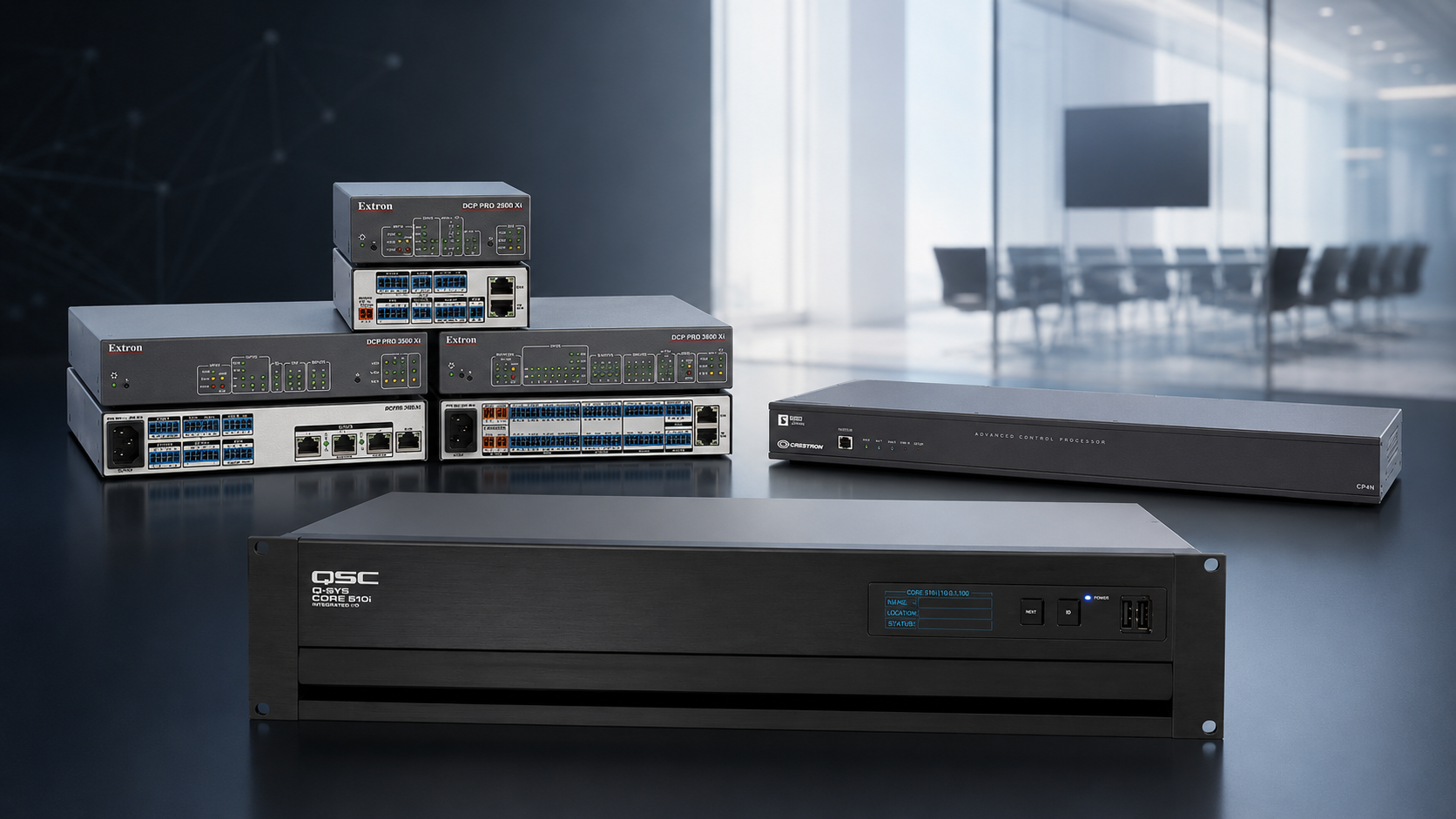
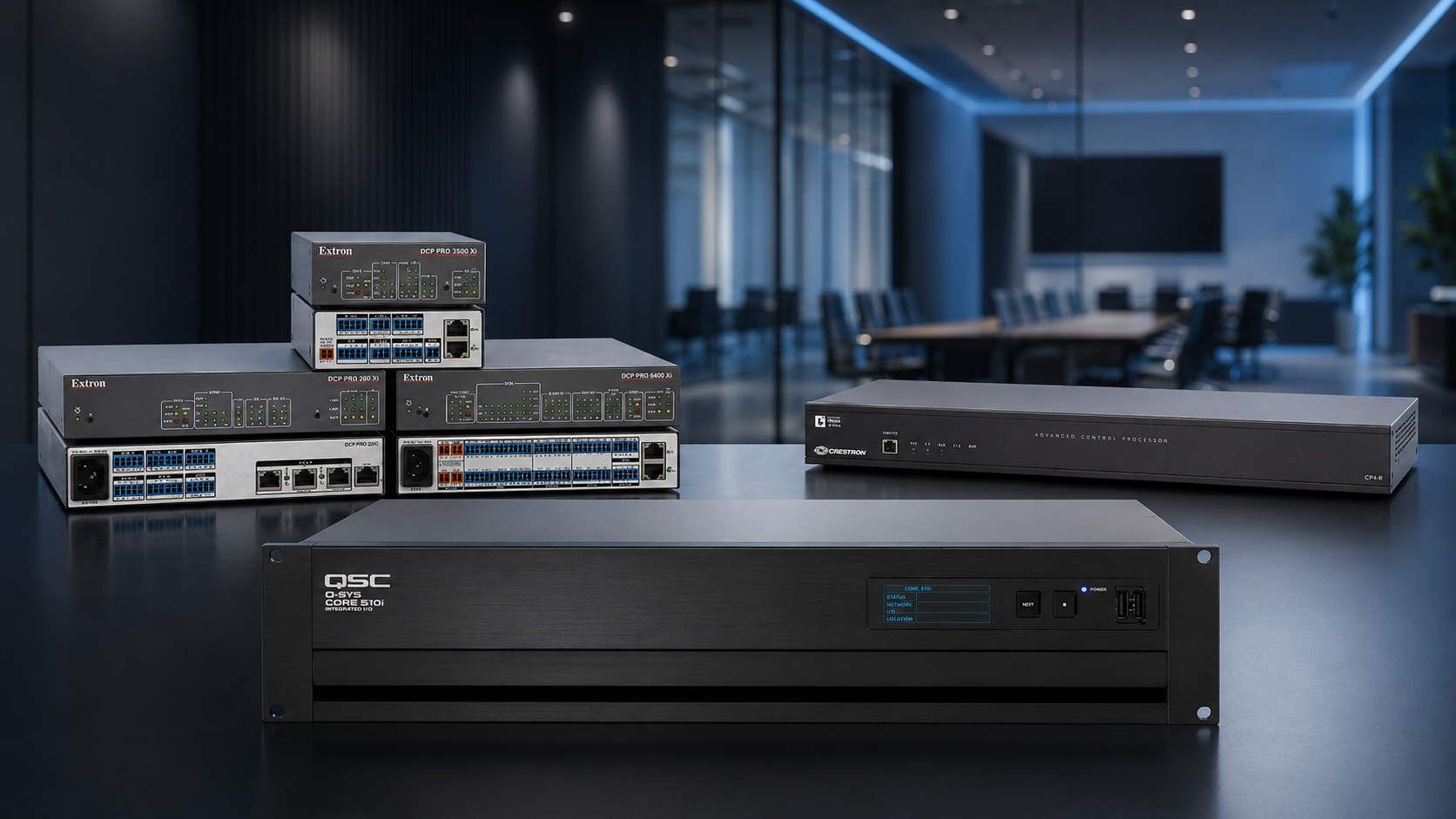
Q-SYS, Crestron and Extron commercial AV control processors displayed in a modern meeting room

Which AV Control Platform Fits Best?

Compare control, audio, video, programming and support considerations before choosing the platform that will shape your AV environment.

Q-SYS vs Crestron vs Extron | Commercial AV Platform Comparison

Q-SYS, Crestron and Extron can all deliver dependable professional AV, but they organise processing, control, signal distribution and enterprise management differently. This practical comparison examines architecture, programming, monitoring, documentation and long-term support before an organisation commits to a platform.

Control Architecture Audio and DSP Video Distribution Programming Remote Management Lifecycle Support

The direct answer

What is the main difference between Q-SYS, Crestron and Extron?

Q-SYS is commonly selected when audio, video, control and monitoring should operate within one software-led platform. Crestron is often chosen for deeply customised automation and enterprise room standards. Extron is frequently specified where dependable signal management, presentation switching and repeatable room control are central to the design.

Q

Q-SYS

A full-stack AV platform with integrated audio processing, control, network video, conferencing components and cloud-manageable system visibility.

Integrated DSP Software-based control Reflect monitoring
C

Crestron

A broad automation and control ecosystem suited to customised room logic, multi-system integration, enterprise standards and connected building workflows.

Custom automation DM NVX XiO Cloud
EX

Extron

A professional AV infrastructure ecosystem recognised for control, presentation switching, signal extension, AV over IP, audio DSP and enterprise resource management.

Signal management NAV and DTP3 GlobalViewer

There is no universal winner. A technically sound recommendation should explain why the selected architecture suits the users, rooms, network, operational risk, documentation requirements and future support strategy.

Compare the architecture

Six questions matter more than a brand preference.

A useful enterprise AV control ecosystem comparison starts with the outcome required from each room and the organisation that will operate, manage and support it.

01

What is the platform responsible for?

Decide whether it will provide control only, or also handle audio DSP, video distribution, cameras, conferencing, paging and remote monitoring.

02

How customised is the workflow?

A simple classroom, divisible training room and executive boardroom require very different levels of automation, feedback and interface design.

03

Where will audio processing live?

Confirm whether the design uses native platform DSP, a separate processor, Dante or AES67 audio, USB conferencing and acoustic echo cancellation.

04

How will video move?

Compare fixed switching, point-to-point extension and AV over IP, including latency, USB, image quality, redundancy and network requirements.

05

Who will manage the system?

Review remote access, monitoring, firmware, alerts, reporting, licensing, help-desk visibility and responsibilities shared with IT.

06

What happens after handover?

Confirm ownership of source code, DSP files, passwords, drawings, backups, licence records and the process for future modifications.

Platform 01 · Integrated AV

Q-SYS: integrated audio, video, control and monitoring.

Q-SYS is structured as a software-based AV platform in which a Core processor can coordinate audio DSP, control logic, user interfaces, network video, compatible conferencing devices and system monitoring. Q-SYS Designer provides one environment for system design, DSP configuration, control development and UCI creation.
Where Q-SYS is especially strong

  • Audio-intensive systems requiring DSP, AEC, mixing and routing.
  • Spaces where control and audio should share one processing platform.
  • Networked school, venue, government and workplace environments.
  • Custom user interfaces using no-code, block control or Lua scripting.
  • Remote system visibility through Q-SYS Reflect services.
  • Projects that benefit from native Q-SYS cameras, microphones, video endpoints and amplifiers.
Best-fit question Would combining DSP, room control, network video and monitoring within one coordinated platform reduce complexity for this project?
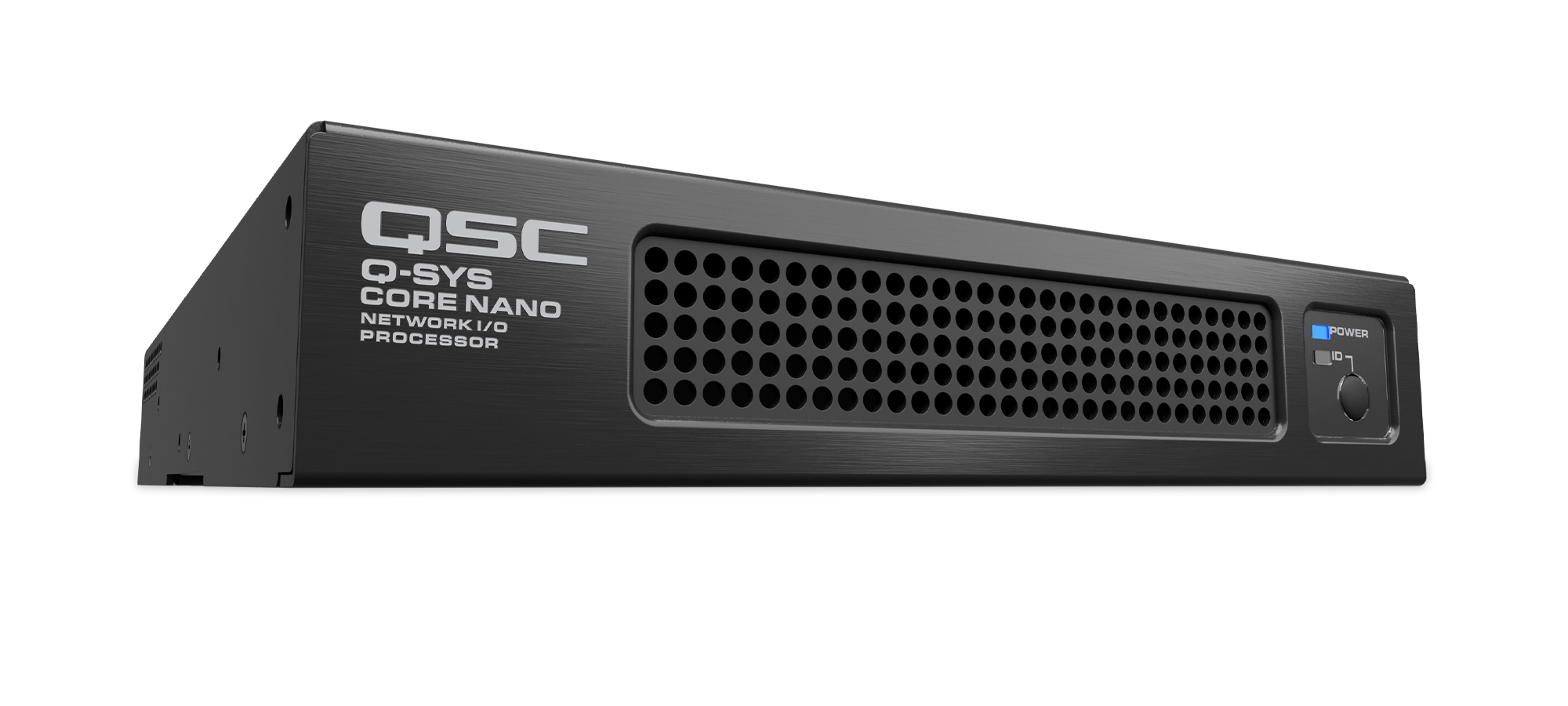
Q-SYS Core Nano audio video and control processor

Platform 02 · Custom automation

Crestron: deep automation and enterprise room standards.

Crestron is a programmable control and automation ecosystem capable of coordinating AV, conferencing, displays, lighting, blinds, scheduling, environmental systems and compatible building technologies. Its 4-Series processors support modular control architectures, while DM NVX, AirMedia, Crestron Flex and XiO Cloud extend the ecosystem into network video, collaboration and enterprise technology operations.

Where Crestron is especially strong

  • Complex boardrooms, command spaces and divisible environments.
  • Custom operating modes and detailed third-party integration.
  • Repeatable enterprise standards across many room types.
  • Building-system coordination using supported network protocols.
  • Network video distribution through the DM NVX ecosystem.
  • Central deployment and supported-device management through XiO Cloud.
Best-fit question Does the project require highly customised automation, detailed third-party integration or a consistent control standard across a large enterprise?
Crestron CP4N 4-Series commercial AV control processor

Platform 03 · AV infrastructure

Extron: dependable control, switching and signal management.

Extron combines IP Link Pro control, TouchLink Pro interfaces, presentation switching, DTP3 signal extension, NAV Pro AV over IP, professional audio DSP and enterprise resource management. It is often considered where straightforward operation, repeatable room design and robust presentation infrastructure are priorities.

Where Extron is especially strong

  • Classrooms, training spaces and standardised presentation rooms.
  • Government, council and corporate environments requiring repeatable operation.
  • Conventional switching and long-distance signal extension using DTP3.
  • Scalable network video distribution using the NAV ecosystem.
  • Room audio processing using compatible DMP Plus DSP products.
  • Enterprise monitoring and help-desk workflows through GlobalViewer Enterprise.
Best-fit question Is the project centred on dependable presentation switching, professional signal distribution and repeatable room control with a clear support pathway?
Extron IPCP Pro 360Q xi commercial AV control processor

Side-by-side comparison

Q-SYS vs Crestron vs Extron at a glance.

This table describes common architectural strengths. Final capability depends on the specific processors, endpoints, licences, firmware, programming and third-party equipment selected for the project.

Comparison area Q-SYS Crestron Extron
Platform centre Software-led audio, video and control platform. Programmable automation and connected-technology ecosystem. Professional signal management, control and presentation infrastructure.
Audio and DSP Native DSP, routing, AEC, mixing and network-audio workflows are central strengths. Audio architecture depends on the selected Crestron or third-party DSP and integration design. DMP Plus products can provide DSP, AEC, automixing, USB audio and network-audio options.
Video distribution NV and NVM network-video endpoints within the Q-SYS ecosystem. DM NVX network video and DigitalMedia presentation architectures. NAV Pro AV over IP, DTP3 extension and presentation matrix systems.
Control development Q-SYS Designer, UCI tools, plugins, block control and Lua scripting. SIMPL, SIMPL#, SIMPL# Pro and HTML5 interface workflows. Global Configurator for configured control and Global Scripter for programmed applications.
Enterprise management Q-SYS Reflect services for compatible system monitoring and management. XiO Cloud and supported enterprise management workflows. GlobalViewer Enterprise for monitoring, help desk, scheduling and reporting.
Common design fit Integrated DSP, control, conferencing, paging and multi-zone systems. Highly customised automation, premium spaces and enterprise room standards. Education, government and workplace presentation systems requiring dependable signal management.
Key project risk Underestimating network, licence, processing and trained-programmer requirements. Insufficient source-code access, documentation or programmer continuity. Selecting the wrong balance between conventional distribution, NAV and control complexity.

Application fit

Which platform suits different commercial AV environments?

Corporate boardrooms and executive spaces

Crestron can be a strong choice where room automation, lighting, blinds, scheduling and complex third-party control must operate as one premium experience. Q-SYS may be preferred where meeting-room audio, cameras, control and monitoring should share one platform. Extron can suit rooms built around dependable presentation, switching and clearly defined control workflows.

Schools, universities and training facilities

Extron is frequently considered for repeatable classroom and presentation-room standards. Q-SYS is well suited to audio DSP, paging, school halls, divisible spaces and connected campus audio. Crestron can support advanced lecture spaces, enterprise room standards and integrated automation.

Government, justice and council environments

All three platforms may be appropriate. Selection should focus on security, accessibility, recording, evidence presentation, conferencing, documentation, operational continuity and the availability of qualified support.

Venues, function spaces and multi-zone systems

Q-SYS can consolidate audio processing, zoning, paging and room control. Crestron can coordinate complex venue automation and multiple technology systems. Extron can provide robust multi-display routing, presentation infrastructure and room-mode control.

Multi-site organisations

Compare room templates, remote management, monitoring coverage, deployment processes, licence costs, standard replacement products, internal IT skills and the availability of programming support across every operating location.

Existing-system upgrades

The installed base matters. Reusing processors, touchscreens, network endpoints, source code or programmed modules may reduce risk, but unsupported hardware and missing files can make a staged migration more expensive than a clean platform transition.

Whole-of-life decision

The quality of the programming and handover matters as much as the platform.

A well-selected platform can still become difficult to support when the project lacks clear documentation, accessible files, tested backups and a defined change-management process.

01

Retain the editable files

Confirm delivery of control source code, DSP design files, interface assets, modules, drivers, compiled programs and current backups.

02

Document the architecture

Handover should include signal flows, rack elevations, IP addresses, switch details, cable schedules, licences, credentials and device naming conventions.

03

Plan controlled updates

Firmware, operating systems, conferencing platforms and device drivers should be reviewed together before changes are deployed to operational rooms.

A platform should be judged by how effectively it can be operated, diagnosed, modified and replaced over time—not only by how impressive the initial demonstration appears.

Before specifying a platform

Use this commercial AV platform selection checklist.

  1. Define the operating modes and user journeys for every room type.
  2. List the audio, video, control, conferencing and monitoring functions required.
  3. Confirm whether the network will be dedicated, converged or segmented.
  4. Identify internal IT, facilities and AV support responsibilities.
  5. Compare processor capacity, endpoint counts, licences and expansion requirements.
  6. Review third-party device drivers, APIs and building-system integration.
  7. Confirm cybersecurity, authentication, remote-access and update policies.
  8. Require source files, passwords, drawings and configuration backups at handover.
  9. Assess local programmer availability, manufacturer support and replacement pathways.
  10. Evaluate whole-of-life cost rather than comparing equipment prices alone.

Continue your research

Q-SYS integration

Review Q-SYS system design, programming, DSP, control, network video and managed-support capability.

Explore Q-SYS →

Crestron programming

Explore Crestron control architecture, user interfaces, automation, DM NVX and enterprise support.

Explore Crestron →

Extron AV solutions

Review Extron control, NAV, DTP3, presentation switching, audio DSP and enterprise management.

Explore Extron →

Commercial AV services

See how audio, video, control, electrical, communications and commissioning come together in one project.

Explore AV services →

Choosing an AV integrator

Compare design capability, programming, documentation, commissioning and support before appointing a contractor.

Read the integrator guide →

Completed AV projects

Review commercial AV systems delivered across workplace, education, government and venue environments.

View AV projects →

Frequently asked questions

Q-SYS, Crestron and Extron comparison FAQs.

Which is better: Q-SYS, Crestron or Extron?

None is universally better. Q-SYS is strong where integrated DSP, control, video and monitoring are priorities. Crestron is strong for deep custom automation and enterprise standards. Extron is strong in professional signal management, presentation systems and repeatable room control. The correct choice depends on the application and support model.

Can Q-SYS, Crestron and Extron be used in the same AV system?

Yes. Commercial AV systems can combine platforms through supported network protocols, serial control, APIs, plugins and device drivers. A mixed system should have one clearly documented control hierarchy so faults and future changes remain manageable.

Is Q-SYS only an audio DSP platform?

No. Q-SYS provides audio processing, control, user interfaces, network video, conferencing products and cloud-manageable monitoring within its broader AV platform.

Is Crestron only used for room control?

No. Crestron also provides collaboration, AV over IP, wireless presentation, room scheduling, touch interfaces and cloud-based device management, in addition to programmable automation.

Is Extron only used for video switching?

No. Extron offers control processors, touch interfaces, AV over IP, signal extension, presentation switching, audio DSP, room scheduling and enterprise resource-management tools.

Which platform is easiest to support?

Supportability depends on design quality, documentation, source files, monitoring, trained staff and access to qualified programmers. A simple, documented system on any of the three platforms can be easier to maintain than a poorly engineered system built on the supposedly simplest option.

What programming files should the client receive?

The handover should define access to editable control source code, DSP files, user-interface assets, modules, device drivers, passwords, licences, IP schedules, drawings and current configuration backups.

How should an organisation choose an AV platform?

Start with room functions, user workflows, audio performance, video distribution, network policy, monitoring requirements, cybersecurity, internal support skills, documentation and lifecycle cost. Product selection should follow those requirements.

Platform-neutral AV design

Choose the architecture that fits the organisation—not the sales pitch.

Masters Voice Technology designs, programs, installs and supports Q-SYS, Crestron and Extron systems. We can compare the required room workflows, network, audio, video, control and support outcomes before recommending a platform or a documented hybrid architecture.