July 13, 2026
arrow up right

How to choose a commercial AV integrator

Commercial AV integrator installing and commissioning professional audio visual technology

Commercial AV Integrator Sydney

How to Choose a Commercial AV Integrator

Choosing an AV integrator is not simply a comparison of displays, cameras and equipment prices. The right partner must understand your organisation, design the complete system, coordinate infrastructure, manage installation, verify performance and support the technology after handover.

Written by Mike Tiryaki Masters Voice Technology Updated July 2026

More Than an Equipment Supplier

A commercial AV integrator turns separate technologies into one working system.

A commercial AV integrator designs, installs, programs, commissions and supports professional audio visual systems for workplaces, schools, government facilities, venues and other operational environments.

The integrator’s role extends beyond supplying screens, cameras or loudspeakers. They must understand how users interact with the room, how equipment connects to the organisation’s network and how power, data, audio, video and control systems operate together.

The strongest integrators provide a complete system lifecycle rather than disappearing after installation. This includes requirements consultation, system design, project coordination, programming, commissioning, training, documentation and ongoing maintenance.

Masters Voice Technology provides commercial audio visual services across Sydney and NSW, covering new installations, existing-system upgrades and ongoing support.

01

Consultation

Defines the business objective, users, room functions, existing technology, budget and operational constraints.

02

System design

Selects and coordinates displays, cameras, audio, control, networks, cabling and supporting infrastructure.

03

Project delivery

Manages procurement, installation, programming, testing, site coordination and communication with stakeholders.

04

Long-term support

Provides documentation, training, fault response, maintenance, remote diagnostics and future technology planning.

Requirements Before Products

Choose an integrator that asks what the system needs to achieve.

A capable AV integrator should begin with people, rooms and operational requirements. A company that immediately recommends products without understanding the intended outcome may be approaching the project as an equipment sale rather than a complete system design.

01

Who will use the system?

The integrator should understand the users’ technical confidence, accessibility requirements and normal operating workflow.

02

What must the room support?

Consider meetings, presentations, teaching, public communication, digital signage, events, recording or distributed audio.

03

What is failing today?

Existing faults, difficult controls, poor speech clarity and unreliable connections should influence the proposed design.

04

Which systems must integrate?

Confirm conferencing platforms, networks, room booking, lighting, building services, security and existing AV equipment.

05

How important is system availability?

A business-critical boardroom, school PA system or government hearing room requires a different support model from occasional-use equipment.

06

What happens after installation?

Discuss staff training, warranties, remote monitoring, preventative maintenance and the process for escalating faults.

A good integrator should be able to explain the system without relying on product jargon.

The proposal should describe how the solution improves communication, operation or user experience. Product models matter, but they should support a clearly defined outcome rather than become the objective of the project.

Design Before Installation

Confirm the integrator can design the complete AV system—not just produce a product list.

Commercial AV design requires a coordinated understanding of room dimensions, acoustics, sightlines, camera coverage, signal distribution, control, power, data and user workflows.

Audio Design

Speech clarity and coverage

The integrator should assess microphones, loudspeaker coverage, background noise, room acoustics and audio processing.

  • Microphone coverage calculations
  • Speaker positioning and zoning
  • Acoustic echo cancellation
  • Speech intelligibility requirements

Video Design

Viewing and camera performance

Display size, mounting height, brightness and camera views should be based on the room rather than a standard equipment package.

  • Viewing distance and content size
  • Camera fields of view
  • Lighting and reflections
  • Content and participant layouts

System Architecture

AV, control and network coordination

The design must show how all components connect, communicate and recover when a device or service becomes unavailable.

  • Signal-flow diagrams
  • Network requirements
  • Control-system architecture
  • Equipment-rack design

For meeting-room projects, a useful benchmark is whether the integrator can explain display selection, microphone coverage, camera placement and the room’s operating workflow. Review How to Design a Meeting Room That Actually Works for a practical overview of these design considerations.

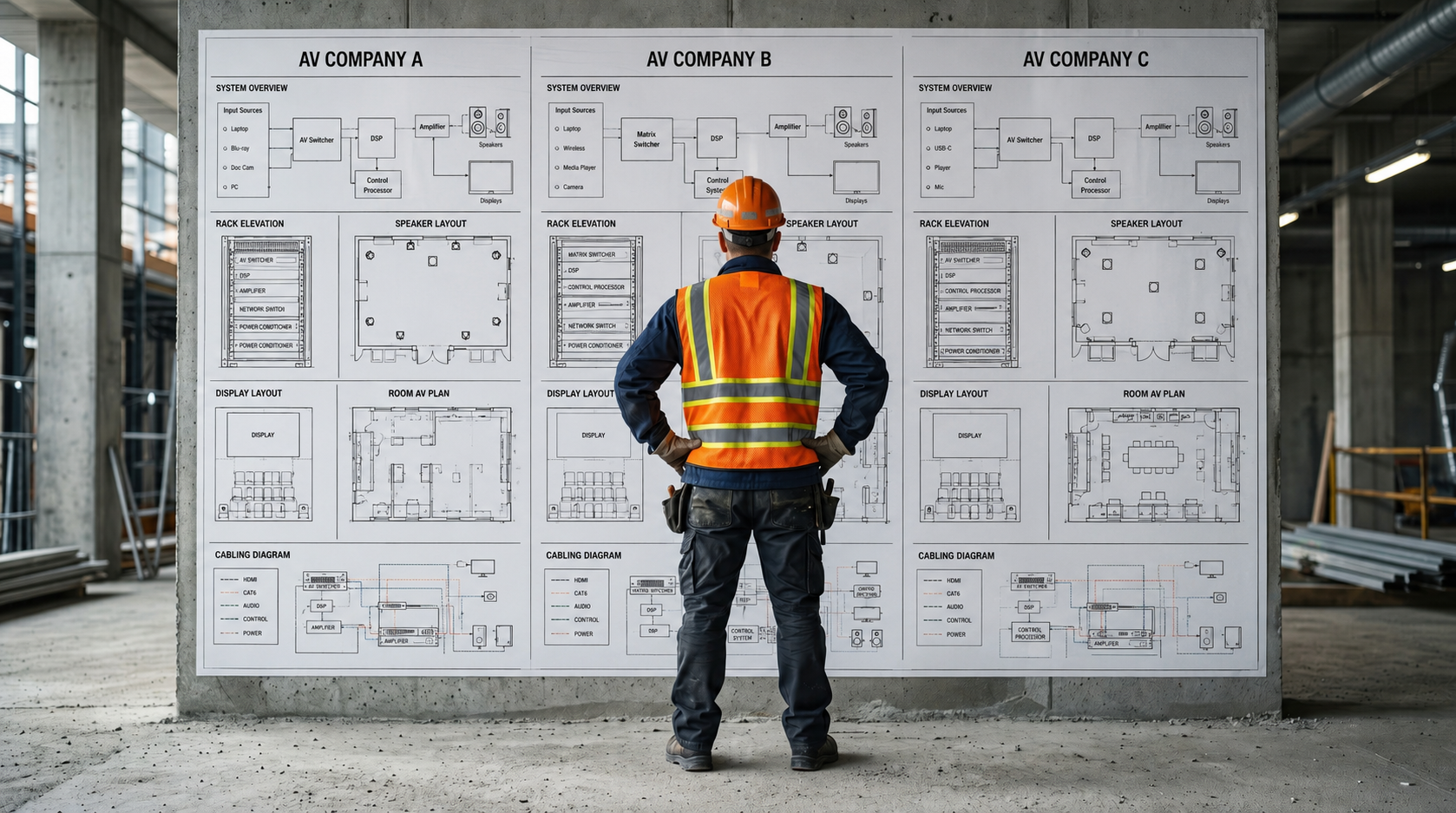
Larger projects may also require equipment schedules, rack elevations, reflected ceiling plans, connection details, network information and commissioning criteria before installation begins.

From Design to Handover

A strong design still needs disciplined project delivery.

Commercial AV projects often involve builders, electricians, communications contractors, IT teams, architects, furniture suppliers and operational stakeholders. The integrator must coordinate these interfaces rather than treating the AV system as an isolated trade.

  • A named project manager or accountable project contact.
  • A clear program covering design, procurement, installation, programming and commissioning.
  • Coordination with builders, architects, furniture suppliers and client IT teams.
  • Site access, inductions, security and safety requirements addressed before installation.
  • Defined processes for design approvals, variations and scope changes.
  • Regular communication regarding procurement, risks, delays and upcoming decisions.
  • A structured testing, training and handover process.

Ask who will perform the work—not only who will sell the project.

Some providers rely heavily on subcontractors for installation, programming or support. Subcontracting is not automatically a problem, but the client should understand which capabilities are in-house, who remains accountable and how quality will be managed.

The proposed team should have enough capacity to complete the project, attend coordination meetings, respond to site conditions and support the system after handover.

Verify Relevant Capability

Look for licences and certifications that match the work being delivered.

No single certificate guarantees a successful project. However, relevant licences, manufacturer training and professional AV credentials provide evidence that the team has invested in the skills required to design, install and support specialised systems.

01

Professional AV training

AVIXA CTS credentials and equivalent industry training can demonstrate knowledge across AV design, installation and system operation.

02

Manufacturer certifications

Confirm expertise in the proposed control, conferencing, DSP, AV-over-IP and networked audio platforms.

03

Electrical licensing

Electrical work should be completed by appropriately licensed contractors and workers where power or fixed electrical services are involved.

04

Communications registration

Structured cabling and telecommunications work should be completed under the applicable Australian cabling requirements.

05

Safety and site capability

Check white cards, working-at-heights competency, site inductions, insurance and safety-management procedures.

06

Government or sector approvals

Government, education and secure projects may require supplier registrations, screening, security licensing or sector-specific compliance.

Certifications should relate to the people delivering the project.

Ask whether the trained designer, programmer or commissioning engineer will actually work on your system. A company logo on a certification page is less useful when the qualified person is not involved in the proposed project.

Evidence Over General Claims

Review commercial AV projects that are relevant to your organisation.

Relevant project experience demonstrates that an AV integrator understands similar users, room types, operational pressures, compliance requirements and technical risks. Look for case studies that explain what was delivered, how systems were integrated and how the technology is supported after installation.
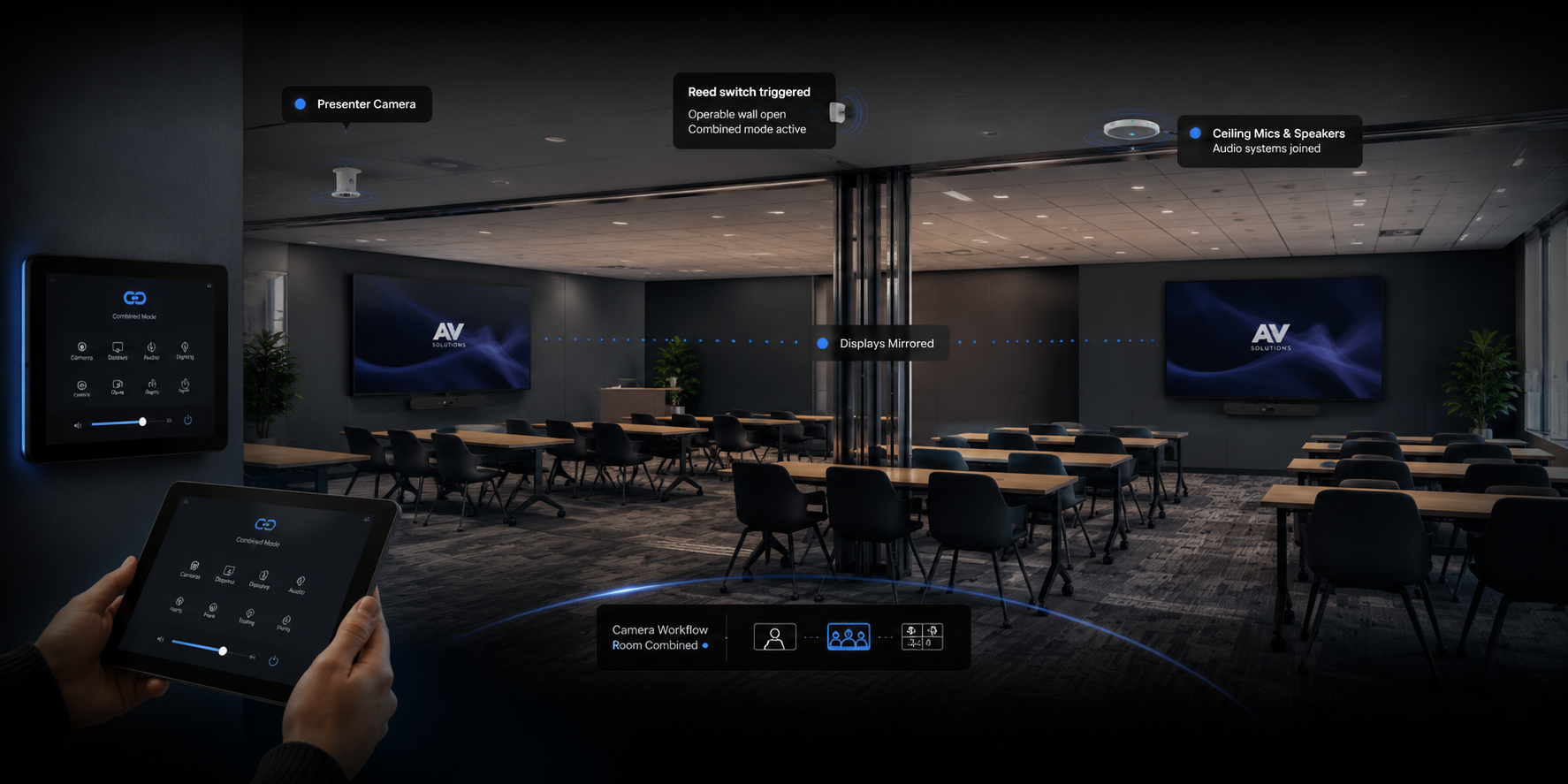
Corporate meeting room and divisible training room AV integration in Parramatta

Corporate Workplace AV

British American Tobacco Australia

Microsoft Teams meeting rooms and Q-SYS-controlled divisible training spaces demonstrate experience across video conferencing, professional audio processing, cameras, displays, room automation and combined-space control.

Commercial digital signage network supported through a national managed AV service

Multi-Site Managed AV Service

MediaI Digital Signage Network

This national support engagement combines help-desk response, remote fault investigation, digital signage player support, commercial display assistance, onsite service and reporting across a distributed AV network.

Government audio visual integration for secure meeting, hearing and collaboration environments

Government AV Integration

Secure and Operational Government Environments

Court, hearing-room and government AV projects demonstrate experience with secure video conferencing, microphones, hearing assistance, displays, control systems, documentation and project delivery in active public-sector facilities.

When reviewing AV case studies, look beyond photographs and equipment lists. Ask what problem was solved, which parts of the project the integrator controlled, how the system was commissioned and what support was provided after handover.

References are most valuable when the client operates in a similar environment and can comment on system reliability, project communication, installation quality, documentation and ongoing technical support.

Review more commercial audio visual projects delivered across corporate, education, government, hospitality and community environments.

Compare Like With Like

The lowest AV quotation may not include the same system or level of delivery.

Two proposals can appear to address the same project while including very different assumptions about design, cabling, programming, commissioning, documentation and support.

Proposal item What should be clear Questions to ask
System scope Rooms, systems, functions and outcomes included in the proposal. Does the scope describe how users will operate the completed system?
Equipment Manufacturer, model, quantity and intended role of each major component. Are substitutions permitted, and how will they be approved?
Installation Mounting, cabling, rack work, site labour, access equipment and installation hours. Are wall supports, cable containment and after-hours work included?
Electrical and data Power, network outlets, structured cabling and trade coordination. Are these included, excluded or expected to be supplied by others?
Programming Control logic, DSP configuration, user-interface development and conferencing setup. Is custom programming included, and who owns the final files?
Commissioning Testing, calibration, fault correction and documented verification. What performance criteria will be tested before acceptance?
Handover Training, drawings, equipment schedules, warranties and operating guides. Which documents and configuration backups will be provided?
Support Defects response, warranty assistance, remote support and ongoing maintenance. Who should the client contact when a system fault occurs?

A detailed proposal protects both the client and the integrator.

Clear inclusions, exclusions and assumptions reduce disputes and make it easier to evaluate whether the final system meets the agreed requirements. A short product list with a single labour allowance leaves important parts of the project open to interpretation.

Select Technology for the Requirement

Choose an integrator that can explain why each platform suits the project.

Commercial AV systems often combine products from several manufacturers. The integrator should understand the advantages, limitations and support requirements of each platform rather than recommending the same package for every room.

01

Application suitability

Confirm the technology suits the room size, users, operating environment and required performance.

02

Platform compatibility

Conferencing, control, networked audio and AV-over-IP systems should integrate without unsupported workarounds.

03

Commercial availability

Consider product lead times, local distribution, spare parts, manufacturer support and replacement availability.

04

Lifecycle and updates

Review expected product life, firmware support, licensing and the process for replacing equipment in future.

05

Open access to system files

Clarify ownership and access to drawings, DSP files, control programs, passwords and configuration backups.

06

Standardisation

Multi-room and multi-site organisations may benefit from repeatable room types, interfaces and supported equipment standards.

Masters Voice Technology works across Q-SYS, Crestron, Extron, AMX, Dante, Microsoft Teams Rooms, Zoom Rooms and other commercial AV platforms. For an example of a networked control and audio platform, review Q-SYS integration services .

A product recommendation should be supported by a technical reason: improved coverage, simpler operation, better integration, stronger management capability or lower whole-of-life risk.

Verify the Completed System

Installation is not complete until the system has been tested and handed over properly.

Commissioning confirms that the completed AV system performs as designed. It should test the complete user workflow rather than only confirm that individual devices switch on.

01

Functional testing

Test every input, output, camera, microphone, loudspeaker, display, conferencing workflow and control function.

02

Performance verification

Confirm audio levels, speech clarity, camera views, display readability, network operation and system response.

03

Fault recovery

Test common recovery processes, including restarting room computers, reconnecting user devices and restoring normal operation.

04

System documentation

Receive drawings, equipment schedules, network information, warranties, configuration records and operating instructions.

05

User training

Train normal users on everyday operation and technical staff on basic fault diagnosis and escalation.

06

Formal acceptance

Agree on outstanding defects, completion criteria and the date when warranties and support arrangements begin.

Ask for a commissioning plan before the installation is finished.

Commissioning should not be reduced to a quick demonstration on the day of handover. The proposal should identify what will be tested, who will witness testing and what documents will record the completed system.

Warning Signs

Be cautious when the proposal leaves responsibility unclear.

Most project problems begin before installation. Vague scope, missing infrastructure and unclear handover obligations can create delays, variations and systems that never operate as expected.

Commercial and scope red flags

  • A quotation consisting mainly of model numbers and one labour total.
  • Major exclusions hidden in notes or not discussed during consultation.
  • No explanation of who provides power, data, containment or wall supports.
  • Large deposits requested without a clear procurement and delivery program.
  • Significant use of “to be confirmed” without a design-resolution process.
  • No written process for variations, substitutions or scope changes.

Technical and support red flags

  • Equipment recommended before a site assessment or requirements discussion.
  • No drawings, signal flow or explanation of how the system connects.
  • No named programmer, designer or commissioning technician.
  • Refusal to provide configuration backups or final system documentation.
  • Commissioning described only as “testing that everything works.”
  • No clear support contact or response pathway after handover.

Procurement Checklist

Questions to ask before appointing a commercial AV integrator

These questions can be used during an initial consultation, tender interview or proposal review to compare potential AV partners more consistently.

Design and Technology

Can you demonstrate how the system will meet our requirements?

  • Who is responsible for the AV design?
  • Will you complete a site assessment?
  • What drawings and design documents will be provided?
  • Why have you selected the proposed products?
  • Can suitable existing equipment be retained?
  • How will the system integrate with our network and software?

Project Delivery

Who will manage and complete the work?

  • Who is our project manager?
  • Which work is completed in-house?
  • Which activities will be subcontracted?
  • How will the project be coordinated with other trades?
  • How are delays and variations managed?
  • What site-safety systems are used?

Commissioning and Handover

How will the completed system be verified?

  • What commissioning tests will be completed?
  • Will testing be documented?
  • What training is included?
  • Which final drawings and records will we receive?
  • Will configuration and programming files be provided?
  • How will incomplete items be recorded and closed?

Support and Lifecycle

What happens when the system needs help?

  • Who receives support requests?
  • Can suitable faults be investigated remotely?
  • What geographic areas do your technicians cover?
  • Do you provide preventative maintenance?
  • How are warranty claims managed?
  • Can you assist with future upgrades and technology refresh?

Choose for the Complete System Lifecycle

The right AV integrator should remain accountable from design through support.

Compare potential partners on design quality, project delivery, licences, relevant experience, commissioning, documentation and support—not only the initial equipment price.

Masters Voice Technology designs, installs and supports commercial AV systems for corporate, education, government, hospitality, worship and community environments across Sydney and regional NSW.

Our team combines AV integration, programming, licensed electrical services and communications cabling, allowing the complete technology infrastructure to be coordinated through one accountable partner.

Contact Our Team

Talk to Masters Voice Technology about your next project.

Tell us about your organisation, site, existing technology and project requirements. Our team can assist with commercial audio visual design, installation, electrical and communications works, system upgrades, maintenance and managed support.

Project Enquiry

How can our team help?

Complete the details below and your enquiry will be emailed directly to the Masters Voice Technology sales team.

Thank you. Your enquiry has been sent to the Masters Voice Technology sales team. We will review the information and contact you shortly.

Your enquiry will be sent directly to sales@mastersvoice.com.au. Required fields are marked with an asterisk.

Ready to talk about your project?