01
Automatic camera framing
Cameras can detect participants and adjust the video view as people enter, leave or move around the room.

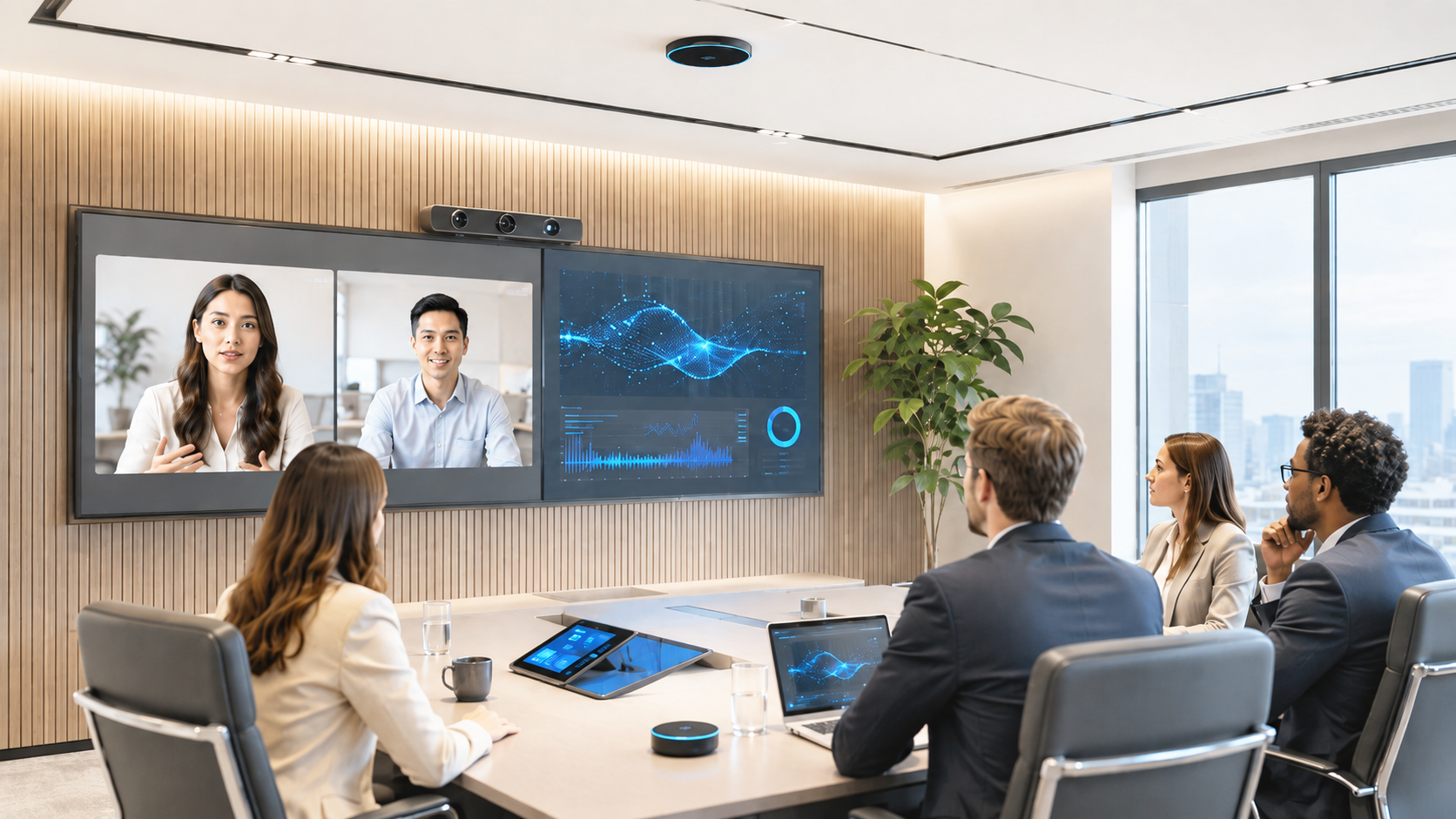
Discover how AI-powered video conferencing is transforming collaboration, productivity and the modern workplace.


AI-Ready Meeting Rooms Sydney
AI can summarise meetings, identify speakers, improve camera framing and help teams capture decisions. But these features only work properly when the room provides clear audio, intelligent video, reliable networking and correctly integrated collaboration technology.
Beyond the AI Camera
In 2026, artificial intelligence is becoming part of the everyday meeting experience. Collaboration platforms can generate transcripts, identify speakers, frame participants, suppress noise, create meeting summaries and help users find actions or decisions after the meeting.
However, these features do not operate independently from the room. Their usefulness depends on the quality of the audio, video, acoustics, lighting, network connection, conferencing platform and system configuration.
An AI-ready meeting room is therefore a professionally designed collaboration environment that captures voices, faces and shared content accurately enough for intelligent software to interpret them. It should also give the organisation control over security, permissions, recording, data handling and ongoing system management.
For Sydney businesses planning an office fit-out or technology refresh, the starting point should be a complete meeting-room AV design , not the purchase of an individual AI-labelled device.
If a microphone cannot hear a participant clearly, the transcript may be incomplete. If a camera cannot see the person speaking, automatic framing may select the wrong shot. Reliable AI begins with reliable audio visual system design.
Intelligent Collaboration
The most useful AI functions are not technology demonstrations. They reduce manual room operation, improve the experience for remote attendees and make meeting information easier to review.
Cameras can detect participants and adjust the video view as people enter, leave or move around the room.
Multi-camera and intelligent video systems can select a closer view of the active speaker without requiring manual camera control.
Supported platforms can distinguish or identify in-room speakers so transcripts and AI-generated notes provide better context.
Approved collaboration tools can create summaries, action items, highlights and searchable records after a meeting.
Intelligent audio processing can help reduce keyboard noise, ventilation noise and other distractions before audio reaches remote participants.
Management platforms can provide information about room health, occupancy, usage and device performance to support workplace planning.
The availability of these capabilities varies across Microsoft Teams Rooms, Zoom Rooms, Google Meet hardware, Cisco Webex and other conferencing platforms. Some functions also require specific licences, certified devices, user enrolment or administrator approval.
The objective should not be to enable every AI feature immediately. A better approach is to identify which capabilities improve the organisation's actual meeting workflow, then design the room, governance and support model around those requirements.
The 2026 Design Standard
A future-focused room needs coordinated audio, video, networking, software and support. Each part influences how successfully intelligent meeting features perform.
Every intended seating and presentation position must be captured clearly without participants leaning toward a microphone.
Camera positions, viewing angles and framing modes must suit the room layout rather than simply face the table from one end.
Echo and reverberation reduce speech clarity for both remote participants and automated transcription systems.
Faces need even illumination without strong windows, reflections or shadows preventing cameras from capturing participants properly.
Room hardware, software, licensing and peripherals must be supported by the organisation's chosen conferencing platform.
Video, audio, device management and cloud AI functions rely on stable network connectivity and correctly configured data services.
The organisation needs clear rules for transcription, recording, recognition, data retention, access and participant notification.
AI-ready systems still require updates, monitoring, fault response, user training and lifecycle management after installation.
Audio Is the Foundation
AI summaries and speaker attribution depend on accurate speech capture. A room cannot create dependable meeting intelligence when voices are distant, distorted, masked by noise or lost in reverberation.
Masters Voice Technology designs professional meeting-room audio using suitable microphone coverage, loudspeaker placement, acoustic echo cancellation and digital signal processing. Platforms such as Q-SYS can integrate audio processing, conferencing, camera switching and room control within a coordinated workplace AV system.
Better Visibility for Remote Participants
Automatic framing can help remote attendees see facial expressions and identify the person speaking. But the camera mode and number of cameras must match the room's size, shape and use.
Suitable for smaller rooms where participants sit close together and a single camera can present a clear view of the group.
Creates closer views of people in the room so remote attendees can see participants more clearly within the meeting gallery.
Uses audio or visual information to identify the person speaking and select an appropriate camera view.
Larger boardrooms and training spaces can use several cameras to cover participants, presenters and shared work areas.
Enables a presenter to move naturally through a training or presentation space while remaining visible to remote viewers.
Users or support teams should still be able to select a fixed shot when automated framing is not appropriate for the meeting.
The best camera system is not always the one with the most automation. A six-person meeting room may only need a well-positioned video bar, while a long boardroom or divisible training space may require multiple cameras and more advanced switching logic.
Correct camera placement also depends on display position, table shape, room depth, windows and how participants face the screen. These considerations should be addressed during professional AV system design and installation .
Native Rooms, BYOD or Multi-Platform
Sydney organisations should decide how employees and external guests actually meet before selecting hardware. The correct room design may be a native platform room, a bring-your-own-device space or a controlled combination of both.
Option 1
A dedicated Microsoft Teams Room, Zoom Room, Google Meet room or Cisco collaboration space provides a consistent one-touch meeting experience.
Option 2
Employees connect a laptop to the room's camera, microphones, speakers and display, allowing them to use different meeting applications.
Option 3
A dedicated room platform handles everyday internal meetings while providing a controlled way to join external platforms or connect a laptop.
The primary platform and workflow should be simple enough for everyday employees to operate. Less frequent external-platform requirements can then be addressed through supported interoperability or a clearly labelled BYOD connection.
Meeting transcripts, recordings, participant names, voice profiles and summaries can contain personal, confidential or commercially sensitive information. The organisation needs to decide how these tools may be used before enabling them across every room.
Employees should know which meeting assistants, transcription tools and collaboration platforms are approved for workplace use.
Meeting attendees should be informed when recording, transcription, recognition or AI-generated meeting notes are being used.
Voice or face recognition features may require enrolment, consent, administrator configuration and a way for participants to opt out.
The organisation should determine how long recordings, transcripts, summaries and related meeting data are retained.
Meeting information should only be available to authorised users, teams or business functions with a legitimate requirement.
Users need a clear way to disable recording, transcription or recognition for sensitive discussions when required.
Privacy and AI governance should involve the organisation's IT, cybersecurity, privacy, legal and workplace teams. The AV integrator's role is to ensure the room hardware and user interface support the approved operating model.
This may include visible recording indicators, simple controls for disabling intelligent features, secure device configuration and clear instructions explaining how the room handles meeting information.
The Room Must Keep Working
Intelligent rooms still rely on physical equipment, software, licences, networks and configuration. Without lifecycle management, the experience can deteriorate as platforms update and components age.
Masters Voice Technology provides help-desk support, remote diagnostics, preventative maintenance and lifecycle services for workplace AV systems through its managed-service capability.
A Practical Planning Process
Begin with business requirements and room workflows. Hardware selection should come after the organisation understands who uses the room, how they meet and which intelligent features provide practical value.
Review room sizes, acoustics, lighting, existing equipment, cabling, network access and recurring user problems.
Confirm the primary platform, external meeting requirements, presentation methods, room booking and user expectations.
Identify whether the organisation needs intelligent framing, speaker recognition, transcription, summaries, analytics or automation.
Agree on approved platforms, user consent, recording, data retention, access controls and confidential meeting procedures.
Position displays, cameras, microphones and controls around the room layout, then test from every intended seating position.
Establish system monitoring, documentation, user training, preventative maintenance and future technology refresh planning.
Organisations with several rooms should also develop standard room categories. For example, a workplace may use a small-room video bar standard, a medium-room dual-display standard and a larger boardroom or training-room standard.
Standardisation improves usability, simplifies support and allows equipment, licences and replacement parts to be managed more consistently across the organisation.
Prepare the Room, Not Just the Software
AI-ready meeting rooms require clear audio, appropriate camera coverage, compatible conferencing systems, reliable networks and responsible data governance. When these elements are designed together, intelligent features can improve meetings without making the room harder to operate.
Masters Voice Technology designs, installs and supports meeting-room, boardroom and training-room AV systems across Sydney and New South Wales.
Our team can assess existing rooms, develop a standardised AV design and integrate conferencing, cameras, microphones, displays, room control, electrical services and data cabling.
Contact Our Team
Tell us about your organisation, site, existing technology and project requirements. Our team can assist with commercial audio visual design, installation, electrical and communications works, system upgrades, maintenance and managed support.
Project Enquiry
Complete the details below and your enquiry will be emailed directly to the Masters Voice Technology sales team.