Dedicated source cables
HDMI, SDI, analogue or extension cabling carries each source toward the central switcher or directly to a display.


AV over IP Systems Sydney
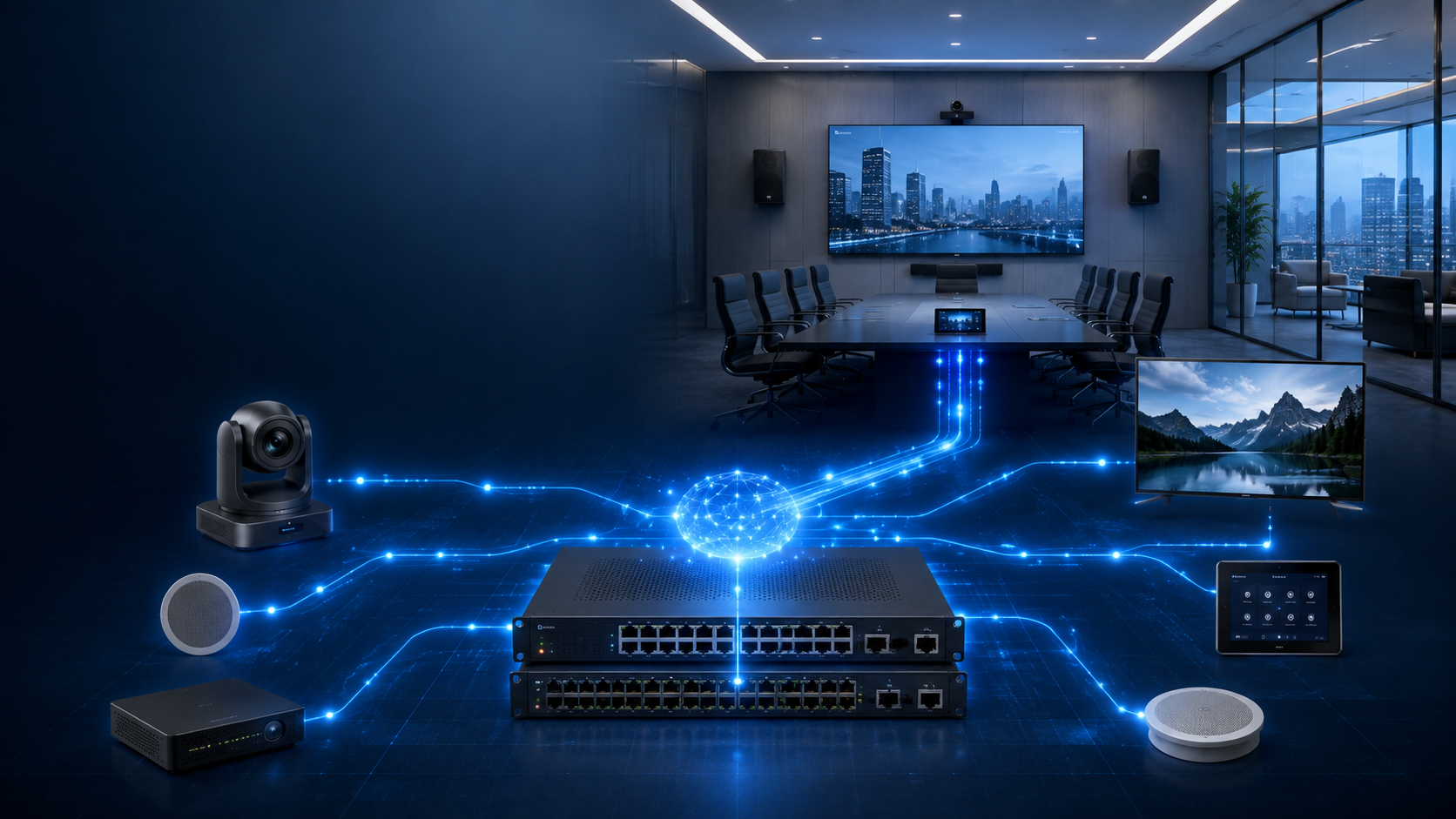
Traditional AV systems connect individual sources, switchers and displays through fixed cable paths. AV over IP replaces much of that physical routing with a flexible network architecture that can distribute content across rooms, buildings and campuses.
Network-Based Signal Distribution
AV over IP—often shortened to AVoIP—uses Internet Protocol networks to transport professional audio, video and control information between sources and destinations.
Instead of running a dedicated video cable from every source to a central matrix switcher and then another dedicated cable to every display, an AV-over-IP system converts each source into a network stream.
Encoders place video and audio onto the network. Decoders receive the selected stream at displays, projectors, video walls, recording systems or other destinations. Network switches carry the traffic and software or control systems determine which source appears at each endpoint.
Masters Voice Technology designs AV-over-IP systems in Sydney and NSW for corporate workplaces, education facilities, government environments, venues and multi-site digital-signage networks.
The source and display no longer need a dedicated end-to-end cable path through a fixed-size matrix. They need suitable network connectivity, compatible endpoints and a correctly designed AV network.
The Traditional Architecture
Point-to-point distribution can be simple and dependable, particularly in a single room. Its limitations become more visible as the number of sources, displays, rooms and required routes increases.
HDMI, SDI, analogue or extension cabling carries each source toward the central switcher or directly to a display.
A matrix switcher has a defined number of inputs and outputs, such as 8 × 8, 16 × 16 or 32 × 32.
Every display or projector requires its own physical connection back to the matrix or source.
Signal switching and extension hardware is commonly concentrated in one main equipment rack.
Adding destinations may require new switcher cards, larger hardware and additional end-to-end cabling.
Signal routes are constrained by the matrix size, installed cable pathways and the physical location of equipment.
This architecture is not obsolete. A direct HDMI connection or small matrix can still be the most practical design for a compact meeting room or simple two-display system.
The challenge arises when an organisation needs to distribute many sources across many destinations or expects the system to change regularly. Physical routing becomes increasingly expensive and difficult to modify.
A More Flexible Distribution Model
The move to AV over IP is being driven by larger display networks, flexible workplaces, centralised content, campus connectivity, remote management and the increasing convergence of AV and IT infrastructure.
Organisations want to add new screens, rooms and sources without replacing a fixed-capacity matrix switcher.
Flexible workplaces, divisible rooms and multi-use venues need routing that can be reconfigured through software.
Media players, broadcast feeds, digital signage and production sources may need to serve many destinations from one location.
Commercial AV systems now rely on network switches, VLANs, monitoring, software management and cybersecurity controls.
Networked endpoints can provide device status and diagnostic information that is difficult to obtain from passive cable paths.
Structured network cabling can support changes more easily than installing a new dedicated video cable for every future destination.
Architecture Comparison
The difference is not simply the type of cable. AV over IP changes how routes are created, how the system expands and how equipment is managed.
| Design consideration | Point-to-point AV | AV over IP |
|---|---|---|
| Signal path | Dedicated physical cable routes between sources, switchers and destinations. | Encoded streams travel through Ethernet switches to compatible network endpoints. |
| Switching capacity | Limited by the input and output capacity of the installed matrix. | Determined by network capacity, switch architecture, endpoints and management platform. |
| Expansion | May require more cabling, larger matrix hardware or additional switching frames. | New endpoints can often be added by extending the suitable AV network and configuration. |
| Routing changes | Constrained by existing physical connections and switcher capacity. | Routes can be changed through control software without repatching the physical system. |
| Geographic reach | Usually limited by cable distance and the location of the matrix. | Can distribute across rooms, floors and buildings when the network architecture supports it. |
| Troubleshooting | Relies heavily on physical cable testing and access to central hardware. | Combines physical checks with network monitoring, endpoint status and software diagnostics. |
| Best fit | Smaller, fixed systems with limited sources and destinations. | Larger, expanding or frequently changing distribution systems. |
From Source to Screen
Each layer has a defined role. Reliable operation depends on designing the endpoints and network as one complete AV architecture.
Sources can include computers, media players, television tuners, cameras, signage players, presentation inputs and production systems.
Encoders convert the source’s audio and video into an IP stream that can be transported across the selected network.
Managed switches transport the streams and apply the multicast, bandwidth, segmentation and traffic-management configuration.
Decoders receive the selected stream and convert it back into a signal for the display, projector or other destination.
The user interface determines which source is routed to each display or group of displays.
Management tools provide endpoint configuration, route control, status visibility and diagnostic information.
Audio can remain embedded with video or be separated and routed through a networked audio platform such as Dante.
Networked visibility can help support teams identify offline devices, failed links and configuration issues.
AV over IP can also be integrated with Q-SYS control and audio processing , Crestron, Extron or AMX interfaces so users do not need to interact with technical routing software.
The everyday interface can remain simple: select the required screen, choose a source and apply the route. The network and endpoint configuration remains protected from normal users.
Grow Without Rebuilding the Matrix
A fixed matrix may provide spare capacity at installation, but once that capacity is used the organisation may need a major hardware change. Networked distribution offers a more modular growth path.
A compatible decoder can be connected at a new destination when network capacity and cabling are available.
A new encoder can make the source available to authorised destinations across the AV network.
Displays can be grouped by room, floor, venue area, operating mode or content requirement.
Content assignments can be updated without physically repatching the system or changing matrix output cards.
Divisible rooms and changing event layouts can use presets that alter video routing around the active room configuration.
Correctly designed networks can extend content distribution beyond a single rack, room or floor.
Expansion still depends on available switch ports, uplink capacity, bandwidth, multicast configuration, licensing, endpoint compatibility and the physical network infrastructure.
AV over IP Is a Networked System
Switch selection, bandwidth, multicast management, VLAN design, uplinks, latency, security and documentation all influence whether the system performs reliably.
Some compressed AV-over-IP systems can operate across 1GbE networks, while higher-bandwidth or lower-compression architectures may require 10GbE connectivity and substantially larger uplinks.
Masters Voice Technology provides structured communications cabling and AV network infrastructure alongside AV design, endpoint configuration and system commissioning.
Select the Architecture for the Application
There is no single compression method that is best for every project. The correct choice depends on the content, available network, required resolution, acceptable delay and number of simultaneous streams.
Lower Compression
Suitable for interactive applications, control rooms, production and environments where delay must remain extremely low.
Moderate Compression
Common in commercial distribution systems that need strong image quality and responsive switching across 1GbE or similar networks.
Higher Compression
Useful for digital signage, contribution feeds and applications where modest additional delay is acceptable.
Two systems may both support 4K video while producing different bandwidth, latency, colour accuracy, scaling, switching and image-quality results. The complete application must be assessed.
Different Platforms for Different Workflows
Integrators must evaluate the platform, codec, endpoint ecosystem, interoperability, management software and long-term manufacturer support.
SDVoE
Commonly considered for low-latency, high-quality distribution across enterprise, control-room and large display environments.
Dante AV
Extends the familiar Dante networking approach into video transport and can align with an existing Dante audio environment.
NDI
Common in live production, streaming, cameras, software processing and environments where video must move between networked production tools.
IPMX
IPMX is intended to support open, standards-based professional media transport across interoperable products.
Other proprietary and standards-based solutions are also available. Products should not be selected from the protocol name alone. Consider network requirements, endpoint range, control integration, security, manufacturer support and the expected system lifecycle.
Audio-only environments can also benefit from Dante audio-network design and integration , replacing large point-to-point analogue cable systems with flexible digital audio routing.
High-Value Applications
The business case becomes stronger as the number of endpoints, buildings, content sources and routing combinations increases.
Route presentation, town-hall, signage and broadcast content across meeting rooms, training spaces, reception and staff areas.
Share learning, event, lecture and signage content between classrooms, halls, campuses and central production facilities.
Distribute secure conferencing, operational information, hearing-room content and control-room video between authorised destinations.
Route live sport, digital signage, venue promotions and function-room sources to commercial displays across multiple zones.
Deliver operational sources to operator displays, overview walls, monitoring positions and recording systems.
Distribute central sources, emergency content and live information to selected screens or screen groups.
Use the Simplest Suitable Architecture
Networked distribution should solve a genuine routing, scale or management requirement. Adding an IP architecture to a simple room can create unnecessary cost and support complexity.
A building may use direct connections inside simple meeting rooms while using AV over IP to distribute centralised content between larger training rooms, reception displays, event spaces and digital-signage endpoints.
The best design uses AV over IP where its flexibility creates value and conventional distribution where a direct route remains simpler.
Treat AV Endpoints as Managed Network Devices
Encoders, decoders, controllers and management servers are connected devices. They require controlled administrative access, secure configuration, lifecycle management and agreed ownership between AV and IT teams.
Use suitable VLANs or dedicated network architecture to control AV traffic and administrative access.
Replace default credentials, restrict management access and document authorised administrator accounts.
Review updates for security, stability and compatibility before applying them across production endpoints.
Record model, serial number, location, IP address, switch port, firmware and warranty details.
Confirm how the platform handles protected media, encryption and authorised source access.
Define which tasks belong to AV support, internal IT, the network provider and the manufacturer.
The project should document bandwidth, switches, VLANs, multicast, addressing, security, remote access, monitoring, backups and responsibility for ongoing network changes.
AV over IP in Practice
Venue AV over IP
Masters Voice Technology and ACCAV delivered a multi-level AV upgrade for Sydney Park Hotel incorporating commercial displays, zoned audio, rooftop AV, function-room technology and AV-over-IP video distribution.
Turtle AV Darwin HD encoders, decoders and control hardware allow authorised sources to be routed to selected LG commercial displays across the venue.
Staff can show different content in different areas, supporting live sport, venue entertainment, digital signage, news, functions and local presentation sources without requiring a dedicated source cable to every screen.
Design Before Procurement
Begin with routing, quality and operational requirements. Product selection should follow the system design rather than determine it.
Document computers, television services, media players, cameras, signage systems, production feeds and presentation inputs.
Record displays, projectors, video walls, recording systems, production systems and monitoring positions.
Confirm which sources need to reach which destinations and whether simultaneous routes are required.
Define resolution, frame rate, colour requirements, scaling, protected content and acceptable visual compression.
Determine whether the application is passive viewing, interactive presentation, live performance, production or control-room monitoring.
Review cabling, switches, port speeds, uplinks, PoE, multicast, segmentation, security and available rack infrastructure.
Decide how staff select sources, screens, groups, presets and emergency content without accessing technical configuration.
Allow for additional endpoints, higher resolutions, new buildings, more source types and changing operating workflows.
Agree on monitoring, configuration backups, firmware, network changes, warranty support and onsite fault response.
Selecting the right delivery partner is also important because AV over IP sits between professional AV and enterprise networking. Review How to Choose a Commercial AV Integrator before comparing project proposals.
Build for Flexibility and Growth
Point-to-point systems create routes through dedicated signal cables and fixed switching hardware. AV over IP creates routes through managed endpoints, Ethernet switching and software control.
Masters Voice Technology designs, installs and supports commercial AV-over-IP systems across Sydney and NSW using SDVoE, Dante AV, NDI, IPMX and compatible control platforms.
Our team can assess your existing cabling and network, define the required routing architecture and coordinate AV endpoints, switches, control, electrical services and structured communications cabling.
Contact Our Team
Tell us about your organisation, site, existing technology and project requirements. Our team can assist with commercial audio visual design, installation, electrical and communications works, system upgrades, maintenance and managed support.
Project Enquiry
Complete the details below and your enquiry will be emailed directly to the Masters Voice Technology sales team.